How To Sell Digital Products On Gumroad and make $3k/Month.
Full Beginner Tutorial
How To Sell Digital Products On Gumroad and make $3k/Month.
Full Beginner Tutorial
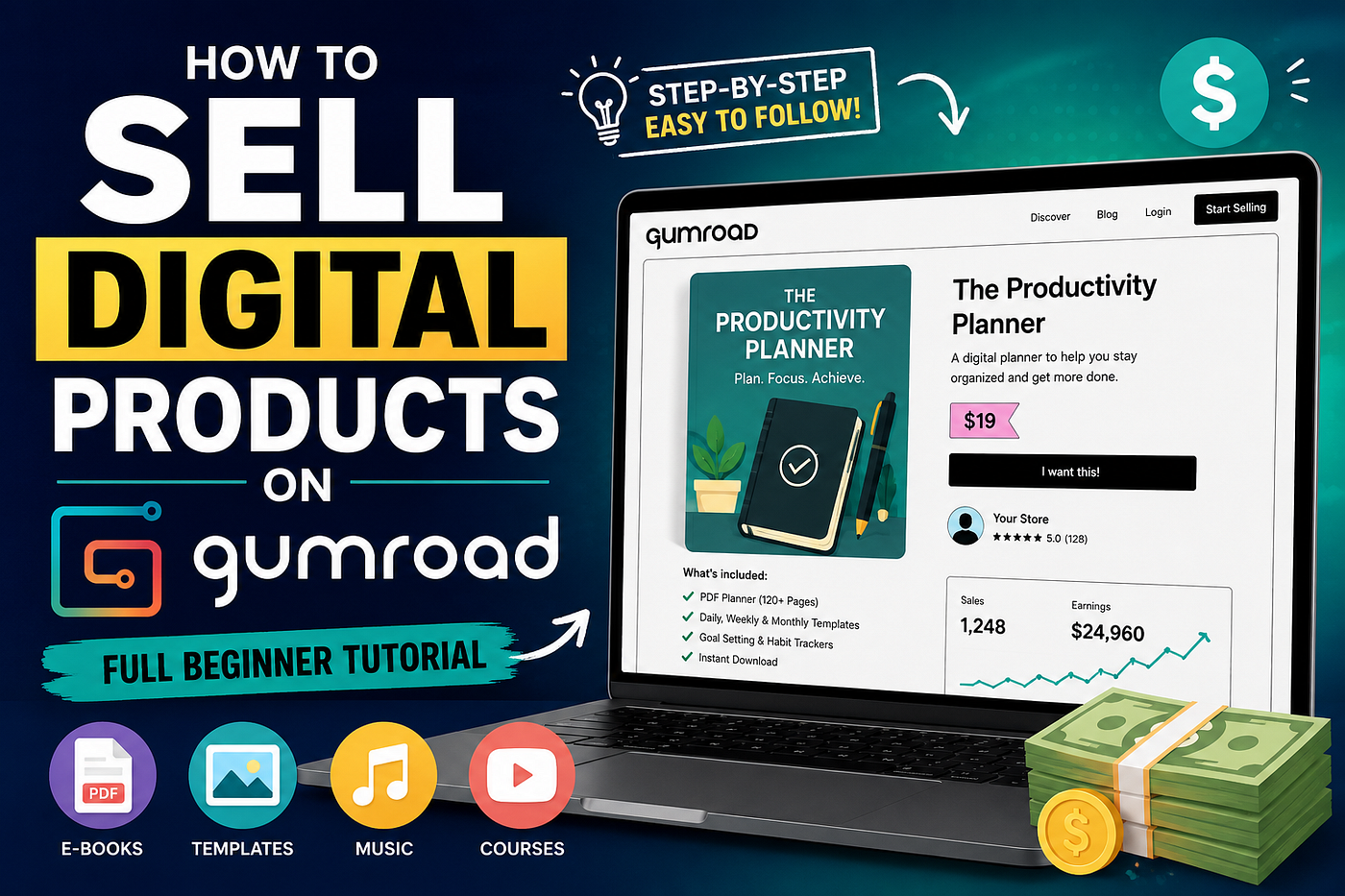
image generated by author using using ai
A lot of beginners think selling digital products online is complicated.
But honestly?
Platforms like Gumroad make it much easier than people expect.
You do not need:
• A huge audience • A complicated website • Expensive software • Coding skills • A massive following
You just need:
• A digital product • Traffic • A simple system
That’s it.
And right now, one of the easiest ways beginners are starting online is by combining:
• Gumroad • Pinterest • AI tools • Email marketing
Because together…
they create a simple beginner-friendly online business system.
What Is Gumroad?
Gumroad is a platform that allows creators to sell digital products online.
You can sell things like:
• Ebooks • Templates • Planners • Prompt packs • Checklists • Courses • Guides • Digital downloads
The best part?
Gumroad handles:
• Payments • Product delivery • Checkout pages • Customer access
That means beginners can start quickly.
Step 1: Choose A Simple Digital Product
Most beginners overcomplicate this part.
You do not need a huge course immediately.
Simple products work extremely well.
Examples:
• Pinterest guides • Canva templates • Weight loss planners • AI prompt packs • Social media kits • Budget trackers • Productivity templates
The best beginner products solve quick problems quickly.
Simple sells.
Especially online.
Step 2: Use AI To Create Faster
This is one of the biggest advantages beginners have now.
AI helps speed up:
• Research • Writing • Product ideas • Outlines • Marketing copy • Email writing • Pinterest descriptions
That speed matters.
Because creators who publish consistently usually grow faster.
The goal is not perfection.
The goal is momentum.
Step 3: Create Your Gumroad Account
Setting up Gumroad is straightforward.
Create your account.
Then:
• Add your profile photo • Write a simple bio • Add your niche • Create your first product listing
Your store does not need to look perfect immediately.
Focus on launching first.
Step 4: Upload Your Product
Once your product is ready:
• Upload the file • Add a product title • Write a description • Set your price • Add preview images
Your product title should clearly explain the result.
Examples:
• “Pinterest Starter Guide” • “30-Day Weight Loss Planner” • “AI Prompt Pack For Creators” • “Faceless Content Templates”
Clear products usually sell better than vague products.
Step 5: Create A Simple Product Description
Most beginners make descriptions too complicated.
Keep it simple.
Explain:
• What the product is • Who it helps • What problem it solves • What is included
Use bullet points.
Example:
Inside this guide, you’ll learn:
• Pinterest SEO • How to create clickable pins • Traffic systems • AI workflows • Email list building
Clarity increases conversions.
Step 6: Create Product Images
Visuals matter online.
Even simple product mockups help products feel more professional.
You can use Canva to create:
• Ebook covers • Product previews • Mockups • Pinterest graphics
Good visuals improve clicks significantly.
Step 7: Build An Email List
This is one of the most important steps.
Most beginners skip this.
Huge mistake.
Because traffic comes and goes.
Email lists create stability.
Offer a freebie like:
• Mini guide • Checklist • Template • Resource list
In exchange for an email address.
That way:
Pinterest traffic → Email subscribers → Product buyers
This is how online systems compound.
Step 8: Use Pinterest To Drive Traffic
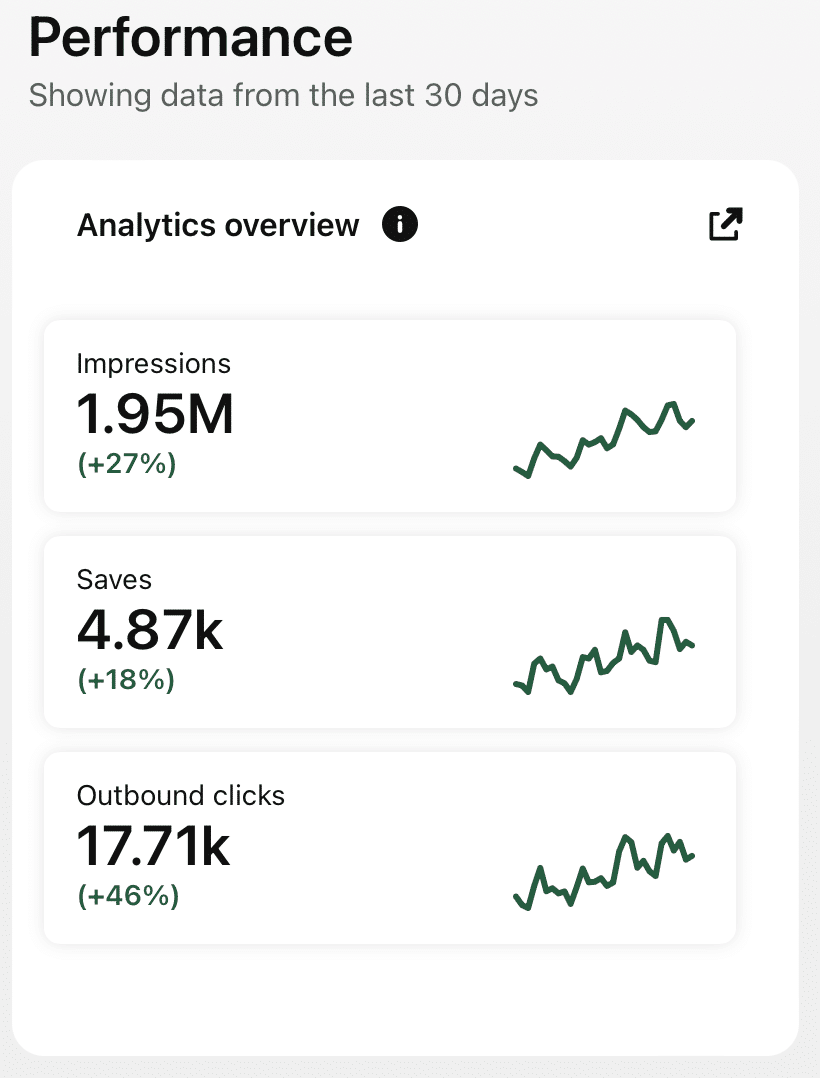
SCREENSHOT BY AUTHOR
This is where most beginners struggle.
Because products do not sell without visibility.
Pinterest works extremely well because users actively search for:
• Digital products • Side hustles • AI tools • Passive income ideas • Templates • Productivity systems
That search intent matters.
Pinterest content can continue circulating for months.
Meaning one pin can continue generating:
• Clicks • Email subscribers • Gumroad sales
Long after posting it.
Step 9: Create Multiple Pins For Every Product
Do not rely on one pin design.
Test multiple headlines.
Examples:
• “How I Made My First Digital Product Sale” • “The Pinterest Strategy Beginners Ignore” • “This Simple Gumroad Product Made Passive Income” • “Pinterest + Gumroad Is Underrated” • “How Beginners Are Selling Digital Products Online”
Different hooks attract different audiences.
Testing matters.
Step 10: Focus On Consistency
This is where most people fail.
They post for one week…
then disappear.
But Pinterest traffic compounds over time.
That means consistency matters more than perfection.
Especially during the first 90 days.
Because once your content starts compounding…
everything becomes easier:
• More clicks • More subscribers • More visibility • More product sales
Most Beginners Do Not Need More Products
A lot of creators think they need endless products to make money.
Usually?
They just need more discoverability.
Because visibility multiplies everything online.
That is why learning traffic matters so much.
Especially now.
Final Takeaway
Selling digital products on Gumroad is not about building the perfect business immediately.
It is about building simple systems consistently.
Gumroad handles the selling.
Pinterest handles the traffic.
AI increases speed.
Email builds relationships.
And once those systems connect…
growth becomes much more predictable.
Want To Learn How To Grow With Pinterest?
That is exactly why I created the:
**PINTEREST STARTE GUIDE**
Because most beginners do not need more random advice.
They need:
• Structure • Consistency • Pinterest SEO systems • Traffic workflows • AI content strategies • Long-term growth systems
Inside the challenge, we focus on:
• Pinterest SEO • Pin optimization • Building an email list • AI-powered workflows • Searchable content strategies • Digital product traffic systems • Consistent Pinterest growth • Long-term discoverability
The goal is simple:
Help beginners stay consistent long enough for Pinterest traffic to actually start compounding.
If you want to stop creating invisible content and start building a real traffic system…
CHECK OUT THE PINTEREST STARTER GUIDE

This story is published on How To Profit AI. Connect with us on LinkedIn to stay in the loop with the latest AI stories.
Subscribe to our Newsletter for the latest on AI. Get updates on (Profit), (Prompts), (Agents), (Tools), and real-world examples for leaders in the AI economy.

메타데이터
- post_id
- 7bba68ab02db
- slug
- how-to-sell-digital-products-on-gumroad-and-make-3k-month-7bba68ab02db
- url
- https://blog.howtoprofitai.com/how-to-sell-digital-products-on-gumroad-and-make-3k-month-7bba68ab02db
- canonical_url
- https://blog.howtoprofitai.com/how-to-sell-digital-products-on-gumroad-and-make-3k-month-7bba68ab02db
- author_url
- https://medium.com/@leverageai
- status
- ok
- fetched_at
- 2026-06-13 09:11:36