MCP design guidelines — cheat sheet
v1 · 31 May 2026
MCP design guidelines — cheat sheet
v1 · 31 May 2026

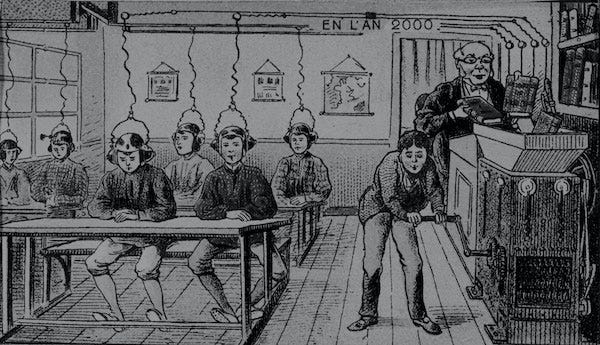
Godard, Le Gai Savoir (1969)
The shared rules across MCP Apps, OpenAI Apps SDK, Microsoft Copilot, and MCP-UI — plus the places they don’t agree.
My goal here is to write down what I’m working from now, to have a standard written baseline as a resource for myself and other designers in this space. No guarantees that this stuff will still be true a week from now, or that this will mitigate any chaos…chaos is apparently the name of the game here. 🥳
Four overlapping specs sit on one shared substrate.
MCP Apps (Anthropic / MCP maintainers — Jan 2026, formalized as an extension for 7/28/26). The official MCP extension for UI. Tools return _meta.ui.resourceUri pointing to HTML/JS bundles rendered in a sandboxed iframe. The standard everyone is now converging on. Supported in Claude, ChatGPT, Goose, and VS Code Insiders.
OpenAI Apps SDK (OpenAI — 2025, now MCP-Apps compatible). Predates MCP Apps but built on the same MCP foundation. Has the most thorough published UX principles and UI guidelines documents.
Copilot MCP Apps (Microsoft 365 — Mar 2026). Microsoft’s UX guidelines for MCP apps inside Copilot chat. Two surfaces: inline (required) and side-by-side (optional). Mandates the Fluent 2 design system.
MCP-UI (community SDK — incubated patterns). The original community project (Ido Salomon, Liad Yosef) whose patterns MCP Apps standardized. Still active as an SDK; explicit “intent-based” message-bubbling architecture.
The shared principles: Where all three official specs agree.
- Extract atomic capabilities, don’t port whole apps. Identify high-value, indivisible actions and expose each as one tool with minimum inputs. Mirroring a full website or SaaS product into the chat surface is explicitly flagged as anti-pattern by all three specs. Sources: OpenAI UX, MS Copilot
- Inline is the default surface — start there. Every app starts inline. Expand to a larger surface (fullscreen, side-by-side, PiP) only when the task can’t be completed in a single scroll of conversation. Microsoft makes inline mode required; OpenAI says every app initially appears inline. Sources: OpenAI UI, MS Copilot
- Two primary actions, maximum. Inline cards/widgets cap at two actions at the bottom (one primary CTA, one optional secondary). OpenAI and Microsoft both state this verbatim. Each action should perform either a conversation turn or a tool call — nothing else. Sources: OpenAI UI, MS Copilot
- No internal scrolling w/in inline widgets. Inline content must auto-fit within one viewport scroll. If it needs scrolling, complex tables, or detailed editing, transition to the expanded surface. OpenAI bans nested scrolling outright. Microsoft says: height should feel widget-sized, not application-sized. Sources: OpenAI UI, MS Copilot
- No deep navigation — no tabs, no drill-ins, no nested views. Cards/widgets contain no tabs, sub-pages, settings panels, or multi-step flows. If the work needs more than one screen of structure, split into separate tools or move to the expanded surface. Sources: OpenAI UI, MS Copilot
- Don’t duplicate chat features inside the widget. No prompt inputs, suggestion lists, retry buttons, or reasoning summaries inside the widget. The host already supplies these. OpenAI calls this “no duplicative inputs”; Microsoft calls it “don’t duplicate Copilot features.” Sources: OpenAI UI, MS Copilot
- Widget content and model text must not repeat each other. If the card shows it, the model response shouldn’t say it again. Microsoft phrases this as “clarity over duplication”; OpenAI says the follow-up response should suggest next steps, not restate widget contents. Sources: OpenAI UI, MS Copilot
- Make state explicit — loading, success, error, recovery. Basic UX advice. Every widget provides visible system feedback. Never rely on model text alone to communicate status. Microsoft lists loading, disabled, success, and error-with-recovery as required states; OpenAI requires equivalent state handling. Sources: MS Copilot, OpenAI UI
- Preserve human control over consequential actions. Explicit confirmation for anything that modifies user/enterprise data. Transparent outcomes of what was created, modified, or updated. MCP Apps’ security model lets hosts require explicit user approval for UI-initiated tool calls. Sources: MS Copilot, MCP Apps
- Sandboxed iframe — no localStorage, no full window access. All UI runs in a sandboxed iframe with restricted permissions. Communication with the host is JSON-RPC over
postMessage. Browser storage APIs and most window-level APIs will fail. State persistence is the host's responsibility, not the widget's. Sources: MCP Apps, MCP-UI - Tools should be atomic, self-contained, model-friendly. Each tool indivisible, with explicit inputs and outputs the model can invoke without clarifying questions. Single-responsibility, minimum parameters, typed schemas. Both an MCP spec rule and a published UX checklist item. Sources: OpenAI UX, LogRocket
- Use the host’s design system — don’t ship your own brand wholesale. System fonts, system colors, system spacing. Brand expression is reserved for accents (badges, icons, primary CTAs). Custom gradients, custom fonts, custom backgrounds are flagged as anti-pattern by both OpenAI and Microsoft. Sources: OpenAI UI, MS Copilot
- Carousels: 3–8 items, single CTA each. OpenAI’s carousel rule: 3–8 items max for scannability, three lines of metadata max, one optional CTA per card, consistent visual hierarchy. Microsoft doesn’t formally spec carousels but implies similar scale via “scale density with intent.” Personally, I advise avoiding carousels if at all possible because we know people tend not to access the options. Sources: OpenAI UI
- Conversational entry, not navigational entry. Design for users who arrive mid-conversation with fuzzy intent. Support open-ended prompts, direct commands, and first-run onboarding via the chat surface. The widget supplies declarative actions; the model handles routing and state. Sources: OpenAI UX, MS Copilot
- Authentication scoped to the minimum needed. OpenAI: collection minimization, narrowly scoped inputs, transparent consent flows. Microsoft: OAuth 2.1 or Entra SSO, with default scopes called out as “usually too broad.” The 2026–07–28 RC further hardens this with mandatory
issvalidation per RFC 9207 and OIDCapplication_typedeclaration at Dynamic Client Registration. Sources: OpenAI submission, 2026-07-28 RC
Read vs. write tool design
A read tool pulls data into the conversation. A write tool pushes state changes out. Each hasdifferent risk profiles, different consent requirements, different display patterns, and different architectural assumptions across the specs.
Microsoft’s Copilot guidance and the Team 400 best-practices piece both recommend designing for the read-mostly case first — most agentic traffic is information retrieval, not state change.
Read tools
- Idempotent, safe to retry, low-risk
- Render as inline cards, carousels, or compact data displays
- Lower consent burden — typically gated by initial connector auth, not per-call approval
- Failure modes are visible and recoverable (empty state, error with retry)
- Display surface: inline by default; expanded view only when the result needs exploration (maps, dashboards, document review)
- Examples:
list_events,search_messages,get_task,query_db
Write tools
- Stateful, often non-idempotent, may need idempotency keys for retries
- Render as confirmation cards, forms, or two-step flows (propose → confirm → execute)
- Higher consent burden — Microsoft requires explicit confirmation for any action affecting enterprise data; MCP Apps lets hosts gate UI-initiated tool calls with explicit user approval
- Failure modes include partial state and ambiguous outcome — needs explicit success/failure feedback
- Display surface: often warrants the expanded surface (side-by-side / fullscreen) for forms with more than two or three fields
- Examples:
send_email,create_event,update_record,delete_task,transfer_funds
Hybrid / read-then-write tools
Tools that read current state to write against it (e.g., update_event reads the existing event to show a diff before applying changes). These often need a two-step UI: a read-style display of current state, then a write-style confirmation card. Fusing both phases into one widget tends to violate the atomic, indivisible tool principle — usually better split into two tools the model composes.
Scope and the hidden write
Read tools that depend on user context to scope results — “my” tasks, “this” calendar, “our” project — are functionally writes against the conversation state. They decide what counts as relevant. Tools that take user-scoped inputs should make the scoping mechanism explicit: is it system-prompt-set, a separate set_context tool, host-mediated selection, or inferred from prior turns?
Tool annotations — the protocol-level read/write signal
The MCP spec defines four boolean hints on every tool, introduced in the 2025–03–26 revision. These are the formal vocabulary the protocol uses to express the read/write split.
**readOnlyHint** — true if the tool only reads data, never modifies state. Default:false.**destructiveHint** — true if the tool may delete, overwrite, revoke. Only meaningful whenreadOnlyHint: false. Default:true.**idempotentHint** — true if calling repeatedly with the same arguments produces the same result. Default:false.**openWorldHint** — true if the tool reaches outside its local environment (calls external APIs, fetches remote data). Default:true.
The defaults are deliberately pessimistic — an unannotated tool is assumed to be non-read-only, potentially destructive, non-idempotent, and open-world. Hosts decide what to do with these hints: ChatGPT auto-approves read-only tools and surfaces confirmation prompts for destructive ones. Forgetting to set readOnlyHint: true on a search tool will cause confirmation prompts on every search.
A quick sidebar on idempotency since it shows up everywhere here: an operation is idempotent when calling it multiple times produces the same result as calling it once. Pressing an elevator button is idempotent — three presses do the same thing as one. In tool design: update_name("Liz") is idempotent (the user ends up named "Liz" whether you call it once or ten times). add_to_cart(item) is not (calls accumulate). toggle_setting() is not (calls flip state back and forth). The distinction matters because the model may retry on failure; an idempotent call is safe to retry, a non-idempotent one may double-execute.
Some logic to be aware of:
readOnlyHint: truemakesdestructiveHintandidempotentHintmeaningless — they only apply to writes.- A “search” tool that logs the query to analytics is not read-only — it modifies state, even if the primary purpose is reading.
- “Destructive” doesn’t just mean delete. Overwriting a file, revoking a token, or closing an issue all count. If the operation can’t be easily undone, mark it destructive.
Annotations are hints, not guarantees, and not enforced at the SDK level — clients may ignore them. The community has filed five additional SEPs proposing new annotations, reflecting that the current vocabulary doesn’t cover every risk category that comes up in practice.
Sources: MCP tool annotations blog, Testing MCP annotations guide
Design implications
- Build the read experience first. Microsoft Copilot best-practices guidance and the Team 400 piece both recommend this — get clean cards, fast responses, and useful actions working before building elaborate forms.
- Confirmation is a write-side problem. Reads almost never need a confirm step.
- Annotate every tool. The defaults will degrade the UX through unnecessary confirmation prompts. Set
readOnlyHint: trueexplicitly on reads. - Idempotency comes into play where the model might retry. Reads are inherently safe; writes need explicit keys or server-side dedup.
- Error states differ by direction. Read errors are usually empty/retry. Write errors may be partial — surface what succeeded and what didn’t.
- Don’t fuse reads and writes inside one widget unless the read directly conditions the write (an
editwidget showing current state next to fields).
Sources: MS Copilot UX, Team 400 best practices, MCP tool annotations, Shopify MCP-UI
Where the specs disagree or get tangled
Vocabulary collision: “Apps”
“App” means three different things depending on who’s talking. 😑
MCP Apps = the official MCP UI extension (Jan 2026, formalized in the 2026–07–28 RC). OpenAI Apps SDK = OpenAI’s product brand for ChatGPT extensions. Copilot Apps SDK = Microsoft’s term for the same surface. MCP-UI = the predecessor community SDK whose patterns the official spec absorbed.
All four now interoperate. The official MCP Apps spec is the standardization layer underneath; the SDKs from OpenAI and MCP-UI are the build tools on top.
Source: MCP Apps launch post
Surface naming: same idea, different words
“Fullscreen” vs. “Side-by-side” vs. “Expanded view.”
OpenAI calls the larger surface fullscreen (overlay with the composer still visible). Microsoft calls it side-by-side (workspace alongside the conversation). MCP Apps and MCP-UI don’t prescribe — the host decides what the expanded surface looks like.
Practical consequence: a widget designed for OpenAI’s fullscreen overlay may not lay out correctly in Microsoft’s side-by-side panel, and vice versa. The iframe is the same; the surrounding chrome is not.
Sources: OpenAI UI guidelines, MS Copilot UX guidelines
Design system: direct conflict
OpenAI wants system fonts. Microsoft wants Fluent 2.
OpenAI explicitly mandates platform-native system fonts (SF Pro on iOS, Roboto on Android) and bans custom fonts even in fullscreen. Microsoft mandates Fluent 2 components, typography, and a 24px global card padding.
A single MCP server shipping to both ChatGPT and Copilot can’t satisfy both visually without conditional theming. The MCP Apps spec itself doesn’t prescribe — visual rules live entirely with the host.
Sources: OpenAI UI guidelines, MS Copilot UX guidelines
PiP: OpenAI-only surface
Picture-in-picture is an OpenAI concept, not a shared one.
OpenAI defines a third display mode for ongoing/live sessions: a floating PiP window that stays visible while the chat continues. Microsoft has no equivalent. MCP Apps doesn’t define it.
If a build depends on PiP behavior, it’s ChatGPT-only.
Source: OpenAI UI guidelines
Intent model · architectural difference
MCP-UI bubbles intents. OpenAI/Microsoft call tools directly.
MCP-UI’s original architecture has UI components emit “intents” that the agent interprets — the UI never directly modifies state. MCP Apps and the Apps SDKs allow the widget to call server tools directly via app.callServerTool(), with optional host-mediated user consent.
This is the deepest philosophical split in the space: whether the agent stays in the loop on every action (MCP-UI) or whether the widget can drive directly (MCP Apps / Apps SDKs). Both patterns are still in use.
Sources: Shopify Engineering on MCP-UI, MCP Apps spec
Consent gating for writes — annotations exist but enforcement varies
The specs disagree on when a write needs explicit user confirmation, and to what degree the widget vs. the host owns enforcement.
Microsoft requires “explicit confirmations for sensitive operations” affecting enterprise data — host-enforced. OpenAI says “preserve human control” without prescribing a pattern. MCP Apps states that hosts can require explicit approval for UI-initiated tool calls — permissive language; the host may enforce, not must. MCP-UI’s intent-bubbling model routes every write through the agent by design — strictest.
The protocol’s tool annotation system (readOnlyHint, destructiveHint, idempotentHint, openWorldHint) is the standardization attempt for this. But annotations are explicitly hints, not enforcement — clients can ignore them, and the community has filed five additional SEPs proposing more annotations because the current vocabulary doesn't cover all the risk categories that come up in practice.
Practical consequence: the same send_email or create_task tool may execute differently across hosts — some surfacing a confirmation card, some auto-running after the model proposes it, some routing through the agent for re-confirmation. Designing for portability means setting annotations precisely and baking confirmation patterns into the widget rather than relying on host behavior.
Sources: MS Copilot UX, MCP Apps security model, MCP tool annotations, Shopify MCP-UI
Commerce: platform restrictions
OpenAI restricts what apps can sell. Microsoft doesn’t address it.
OpenAI’s app submission guidelines: commerce is allowed only for physical goods. No subscriptions, digital content, tokens, credits, or freemium upsells, directly or indirectly. Microsoft’s Copilot UX guidelines don’t address commerce at all (enterprise framing).
An MCP server selling digital goods may pass Microsoft review and fail OpenAI’s.
Source: OpenAI submission guidelines
Vocabulary you’ll see used inconsistently 😒
Tool — Server-exposed function the agent can call. Same meaning across all specs.
Resource — Server-exposed read-only data. In MCP Apps, also the carrier for UI bundles via ui:// URIs.
UI resource — An HTML/JS bundle a tool returns for the host to render. The MCP Apps unit of UI.
Widget / card — Used interchangeably for the rendered UI resource. Microsoft prefers “widget,” OpenAI prefers “card.”
Display mode / Chat surface — Same concept, different brands. OpenAI: display mode (inline/fullscreen/PiP). Microsoft: chat surface (inline/side-by-side).
Host / Client — The chat app rendering the UI (ChatGPT, Copilot, Claude). Used interchangeably.
Declarative agent — Microsoft-only term for a configured Copilot agent. Doesn’t exist in OpenAI/Anthropic vocabulary.
Intent — MCP-UI-specific term for an event the UI emits for the agent to interpret. Not used in MCP Apps directly.
Extension — Formalized in the 2026–07–28 RC. Capabilities that ship and version independently of the core spec (MCP Apps and Tasks are the first two official extensions).
Annotation hint — Boolean property on a tool that signals behavior (readOnlyHint, destructiveHint, idempotentHint, openWorldHint). Hints, not enforcement.
Idempotent — Property of an operation: calling it multiple times has the same effect as calling it once. Safe to retry.
Primary sources: Spec & official guidance
- MCP Apps spec (Jan 2026) — blog.modelcontextprotocol.io/posts/2026–01–26-mcp-apps The official UI extension launch; standardizes patterns from MCP-UI and OpenAI Apps SDK.
- 2026–07–28 release candidate — blog.modelcontextprotocol.io/posts/2026–07–28-release-candidate Largest revision since launch: stateless protocol, formal Extensions framework, auth hardening. Locked May 21, 2026; final ships July 28.
- MCP tool annotations — blog.modelcontextprotocol.io/posts/2026–03–16-tool-annotations The protocol-level read/write vocabulary; introduced 2025–03–26.
- MCP Apps quickstart — apps.extensions.modelcontextprotocol.io
- OpenAI UX principles — developers.openai.com/apps-sdk/concepts/ux-principles The most rigorous published UX checklist in the space.
- OpenAI UI guidelines — developers.openai.com/apps-sdk/concepts/ui-guidelines
- OpenAI submission rules — developers.openai.com/apps-sdk/app-submission-guidelines The publication threshold — what gets rejected.
- MS Copilot UX — learn.microsoft.com/…/plugin-mcp-apps-ui-guidelines
- MCP-UI — mcpui.dev Community predecessor SDK; still maintained.
- Shopify Engineering — shopify.engineering/mcp-ui-breaking-the-text-wall The conceptual case for MCP-UI’s intent-bubbling model.
- Team 400 best practices — team400.ai/blog/2026–05-microsoft-365-copilot-mcp-apps-with-ui Practical implementation lessons, including the read-mostly framing.
- Annotations testing guide — sunpeak.ai/blogs/testing-mcp-tool-annotations Concrete examples of annotation logic, edge cases, and how ChatGPT/Claude actually behave on them.
- Examples repo — github.com/modelcontextprotocol/ext-apps Working MCP App examples: maps, PDFs, 3D, dashboards.
메타데이터
- post_id
- 7bbf433e9dac
- slug
- mcp-design-guidelines-cheat-sheet-7bbf433e9dac
- url
- https://medium.com/a-program-for-design/mcp-design-guidelines-cheat-sheet-7bbf433e9dac
- canonical_url
- https://medium.com/a-program-for-design/mcp-design-guidelines-cheat-sheet-7bbf433e9dac
- author_url
- https://medium.com/@lizflyntz
- status
- ok
- fetched_at
- 2026-08-20 05:42:51