AI Browser Automation Still Needs a Human Review Layer
Why multi-account teams should not scale agents, headless tasks, or browser workflows without clear review checkpoints.
AI Browser Automation Still Needs a Human Review Layer
Why multi-account teams should not scale agents, headless tasks, or browser workflows without clear review checkpoints.
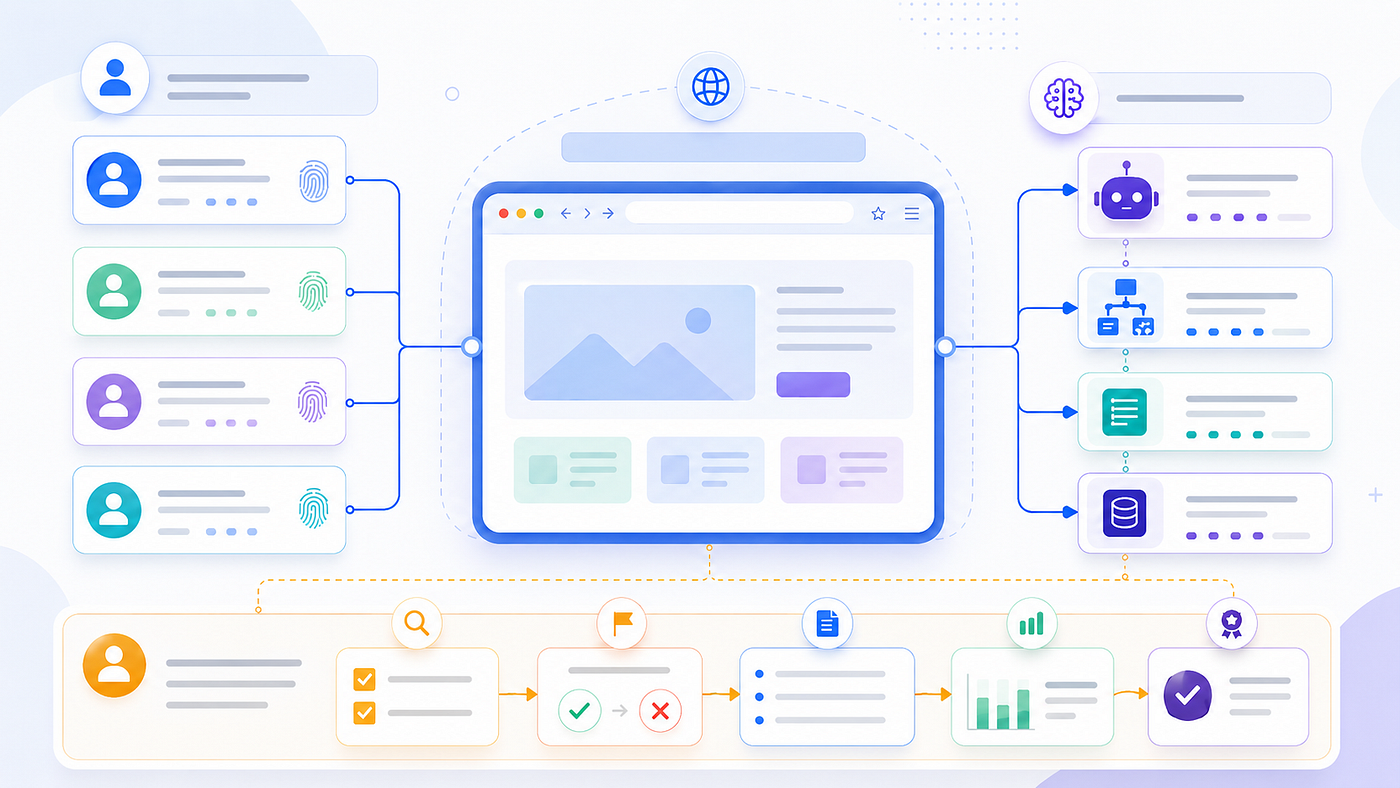
Automation still needs review at the moments that matter.
Browser automation is getting better.
Scripts are easier to schedule. Headless tasks are easier to run. AI agents can inspect pages, recover from small errors, and continue when a fixed workflow would normally stop.
That sounds like progress.
For many teams, it is.
But for multi-account workflows, it creates a quieter problem:
A task can finish successfully while nobody can explain whether it should have continued.
That is the part many teams underestimate.
When automation becomes more capable, risk does not always show up as a broken run. Sometimes it appears as a completed run that used the wrong profile, continued through a warning, skipped a review step, or changed an account state without enough evidence.
That is why AI browser automation still needs a human review layer.
Not because humans should click every button.
Not because automation is bad.
But because real account workflows need checkpoints where the system can pause, explain what happened, and let a person decide whether the next step is safe.
Automation success is not the same as operational trust
In simple automation, success often means the task finished.
The page loaded. The button was clicked. The form was submitted. The result was collected. The workflow reached the final step.
That definition works for low-risk tasks.
It is not enough for multi-account operations.
When a team runs browser tasks across many profiles, success has to mean something more specific.
Did the task run from the right browser profile? Was the expected account active? Did the proxy context match the account environment? Did the agent see anything unusual? Was there a warning, verification step, or session change? Can the final state be reviewed later?
A run that finishes without those answers may look successful, but it is not fully trustworthy.
This becomes more important when browser work moves from manual operation to headless automation or AI-assisted execution.
A human operator usually notices small signals.
A strange login prompt. A region mismatch. A profile that looks wrong. A warning message that should not be ignored. A wallet or payment action that should not be treated like an ordinary click.
Automation may not treat those signals the same way unless the workflow is designed to stop and ask for review.
That is the real problem.
In multi-account workflows, the question is not only whether automation ran.
The better question is:
Can the team trust why it ran, where it ran, and what it did?
Why AI agents make review more important
A traditional script is usually brittle.
It follows a fixed path. If the selector changes, the script fails. If a button is missing, the script stops. If the page structure changes, the workflow breaks.
That can be annoying.
But it has one safety advantage:
A brittle script often fails early.
An AI browser agent behaves differently.
It can interpret the page. It can try another route. It can recover from layout changes. It can continue when a fixed workflow would stop. It can decide which action appears to match the instruction.
That flexibility is useful.
It is also the reason review matters more.
A script often stops when the path breaks. An agent may keep going.
If the wrong profile is active, the agent may still complete the task.
If the proxy region does not match the expected account context, the agent may still load the page.
If an account warning appears, the agent may try to move past it.
If a page asks for confirmation, the agent may treat it as part of the normal workflow unless stop rules are clear.
That does not mean AI agents are unsafe by default.
It means the environment around them has to be more intentional.
The agent should not only know what the task is. It should know which account it is allowed to act for, what browser profile it should use, what proxy or region is expected, what evidence must be captured, and when the workflow should pause.
Without that structure, AI browser automation can become too confident.
And in real account workflows, confidence without review is not reliability.
Human review should move to the right checkpoints
A common objection is simple:
If humans have to review everything, why automate at all?
That objection is fair.
But a good human review layer does not put a person in front of every click.
It puts review at the points where account risk, environment uncertainty, or irreversible action appears.
The goal is not to slow down every task.
The goal is to prevent the wrong kind of task from continuing unnoticed.
Human review should happen before the task starts if the profile, account, or proxy context is unclear.
It should happen when the environment changes unexpectedly.
It should happen before sensitive actions.
It should happen after headless execution when the result needs to be trusted.
And it should happen before one successful workflow is scaled across dozens or hundreds of profiles.
That is a different model from manual work.
The human is not doing the repetitive task.
The human is protecting the boundary.
Review before the task starts
The first checkpoint should happen before automation begins.
This is where many problems can be prevented early.
A browser workflow should be able to confirm that the right profile identity is active, the expected account is assigned, the proxy context is correct, and the task is appropriate for automation.
This sounds basic.
But it is often where mistakes begin.
A profile name is similar to another profile. A proxy group was changed earlier. A login session expired. A task was assigned to the wrong account group. A workflow meant for one platform is reused in a different environment.
If a person were working manually, they might notice the mismatch before starting.
Automation needs a structured way to catch it.
Before running a browser task, the system should be able to answer a few simple questions:
Which profile is this? Which account does it belong to? Which proxy or region is expected? Is this task allowed for this account state? Does anything need review before the first action?
If these questions cannot be answered, the workflow is not ready to scale.
Review when the environment changes
Browser environments are not static.
Sessions expire. Platforms change pages. Verification prompts appear. Proxy regions shift. Language or timezone signals may no longer match expectations. An account may show a warning that was not present yesterday.
This is where automation needs a second layer of review.
Not every small change should stop the task.
But certain changes should trigger caution.
If the proxy context changes, the system should not quietly continue as if nothing happened.
If the account is suddenly logged out, the workflow should not blindly attempt recovery.
If a platform shows a security prompt, the agent should not treat it like a normal navigation step.
If the page asks for verification, the workflow should pause instead of improvising.
AI agents are useful because they can adapt.
But adaptation is not always the right behavior.
Sometimes the right behavior is to stop.
For multi-account teams, this is one of the most important design principles:
The workflow should distinguish between a normal page variation and an environment change that requires review.
Without that distinction, automation may continue at exactly the moment a human would have slowed down.
Review before sensitive actions
Some browser actions are not just clicks.
They change account state.
They publish something. They submit something. They approve something. They modify security settings. They confirm a wallet action. They trigger payment or recovery steps.
These actions should not be treated like ordinary navigation.
This is especially important for Web3 workflows, marketplace accounts, ad accounts, social media accounts, and any task involving high-value account sessions.
Automation can prepare the path.
It can collect information. It can organize tabs. It can detect page states. It can fill non-sensitive fields. It can surface the next required step.
But before an irreversible action, the workflow should have a review checkpoint.
That does not make automation weak.
It makes automation usable in real operations.
A team does not need an agent that can click everything.
It needs a browser workflow that knows which actions are normal and which actions need human confirmation.
Review after headless execution
Headless automation creates another problem.
The task may run without anyone watching.
That is the point.
But if no one watches the task, the evidence becomes more important.
A headless run should not end with only a success or failure label.
It should leave behind enough context for review.
Which profile ran the task? Which proxy was active? When did the task run? What page state did it see? Was a screenshot captured? Where did the workflow stop? What did it extract or change? Can a human reopen the same browser state?
This is what separates useful background automation from a black box.
A finished task is not always a verified task.
For low-risk work, a simple success state may be enough.
For account workflows, the team often needs proof.
A screenshot, a log, a final browser state, a profile ID, a proxy record, or a stop reason can make the difference between a task that is merely completed and a task that can be trusted.
This is also where a reviewable browser workflow becomes valuable. The workflow should not only execute. It should make the execution understandable after the fact.
Review before scaling a workflow
One successful run does not prove a workflow is ready to scale.
This is a common trap.
A task works on one profile, so the team runs it across fifty profiles.
But the first success may have depended on a clean session, a familiar page layout, a stable proxy, or an account state that does not exist everywhere else.
Before scaling, the team should ask:
Did the workflow succeed because the logic is strong, or because the test case was easy?
Did it handle different account states?
Did it stop when something unexpected appeared?
Did it capture enough evidence?
Did it behave the same way across profiles with different histories?
Did retry behavior create any new risk?
A workflow that works once is a demo.
A workflow that works across many account states, with stop rules and review evidence, is closer to production.
That distinction matters.
AI browser automation should not scale simply because it can run.
It should scale when the team understands how it behaves under variation.
The review layer is not a bottleneck
Human review is often misunderstood.
People hear “human review” and imagine someone manually approving every small action.
That is not the right model.
The review layer should not sit in front of every click.
It should sit at the points where uncertainty matters.

Review belongs at risk points, not every click.
Before the task starts. When the environment changes. Before sensitive actions. After invisible execution. Before scaling the workflow.
That is how automation stays fast without becoming careless.
In a good workflow, most routine actions still run automatically.
The human only appears when the system reaches a boundary it should not cross alone.
This is similar to how mature teams handle other operational systems.
They do not review every log line. They review alerts.
They do not approve every background job. They approve unusual or risky changes.
They do not manually inspect every normal state. They inspect exceptions.
Browser automation needs the same maturity.
The more powerful agents become, the more important it is to know where the exception points are.
What a reviewable browser workflow looks like
A reviewable browser workflow is not defined by how many actions it can automate.
It is defined by how clearly it can explain itself.
It should make the account context visible.
It should show which profile ran the task.
It should preserve proxy expectations.
It should record the final state.
It should separate normal completion from stop conditions.
It should let a human reopen or inspect the run.
It should avoid turning every agent decision into a mystery.
For example, if an AI agent checks account status across multiple profiles, the output should not simply say “done.”
A useful result would show which profiles were checked, which sessions were active, whether any proxy or region mismatch appeared, which accounts showed warnings, what evidence was captured, and which profiles need human review.
That is operationally useful.
A vague success message is not.
For teams experimenting with repeatable account tasks, an account-aware browser workflow is usually more important than a clever prompt. The prompt tells the agent what to do. The workflow tells the team whether the action happened in the right environment.
That is the difference between automation that looks impressive and automation that can actually be trusted.
Why local-first control matters for review
Review depends on context.
If profile data lives in one place, proxy records in another, automation logs in another, screenshots somewhere else, and account notes in a separate document, the review process becomes slow and unreliable.
The team may still have the data.
But the data is disconnected.
That creates a different kind of black box.
Not because the system has no records, but because no one can easily connect them.
This is where local-first browser workbench thinking becomes important.
For browser automation, local-first is not only a privacy idea. It is also an operational control idea.
When profile identity, proxy context, workflow execution, logs, and review paths are closer together, the team has a better chance of understanding what happened.
This is the direction Web4 Browser is built around: not just opening isolated profiles, but keeping browser identity, proxy context, automation tasks, and review paths closer to one local-first browser workbench.
That broader idea matters more than any single feature.
Because as AI browser automation becomes more capable, the real challenge is not just running the task.
The challenge is keeping the task understandable.
Red flags before scaling AI browser automation
There are warning signs that a workflow is not ready to scale.
The workflow finishes but produces no evidence.
The agent can continue through warnings without stopping.
Headless mode cannot be reopened for review.
Logs do not show profile or proxy context.
Retry behavior changes the account environment.
Sensitive actions are treated like ordinary clicks.
Operators cannot explain why a run succeeded.
The same workflow behaves differently across profiles, but no one knows why.
A profile can be automated without confirming which account it belongs to.
The final output says “success,” but there is no way to inspect the final browser state.
These red flags do not always break a small test.
That is what makes them dangerous.
They often appear only after automation scales.
By then, the team is no longer debugging one task.
It is debugging a whole operating model.
The better standard for AI browser automation
The future of browser automation is not fully manual.
It is also not blindly autonomous.
The better standard is controlled automation.
That means agents can help with repetitive work, but they operate inside clear account boundaries.
Headless tasks can run in the background, but they leave reviewable evidence.
Workflows can scale across profiles, but only after stop rules and environment checks are defined.
Humans do not need to watch every step.
But they should still control the moments that matter.
That is the role of the human review layer.
It keeps automation from becoming a black box.
It helps teams move faster without losing account context.
It turns “the task finished” into something more useful:
The task ran from the right environment, under the right rules, with enough evidence to trust the result.
That is the standard multi-account teams should aim for.
The human does not disappear
AI browser automation will keep improving.
Agents will get better at reading pages. Headless workflows will become easier to schedule. Browser tasks will become more repeatable. Multi-account teams will automate more of their daily work.
But the human should not disappear from the system.
The human should move to the right layer.
Not every click. Not every page. Not every routine step.
But the checkpoints where judgment still matters.
Before the wrong profile acts. Before the wrong environment continues. Before a sensitive action is submitted. Before a headless result is trusted. Before one successful test becomes a scaled workflow.
That is where human review belongs.
The best browser automation system is not the one that hides the human.
It is the one that knows when human review still matters.
메타데이터
- post_id
- 7bf60c9d6984
- slug
- ai-browser-automation-still-needs-a-human-review-layer-7bf60c9d6984
- url
- https://medium.com/@evelinerago/ai-browser-automation-still-needs-a-human-review-layer-7bf60c9d6984
- canonical_url
- https://medium.com/@evelinerago/ai-browser-automation-still-needs-a-human-review-layer-7bf60c9d6984
- author_url
- https://medium.com/@evelinerago
- status
- ok
- fetched_at
- 2026-06-09 15:37:30



