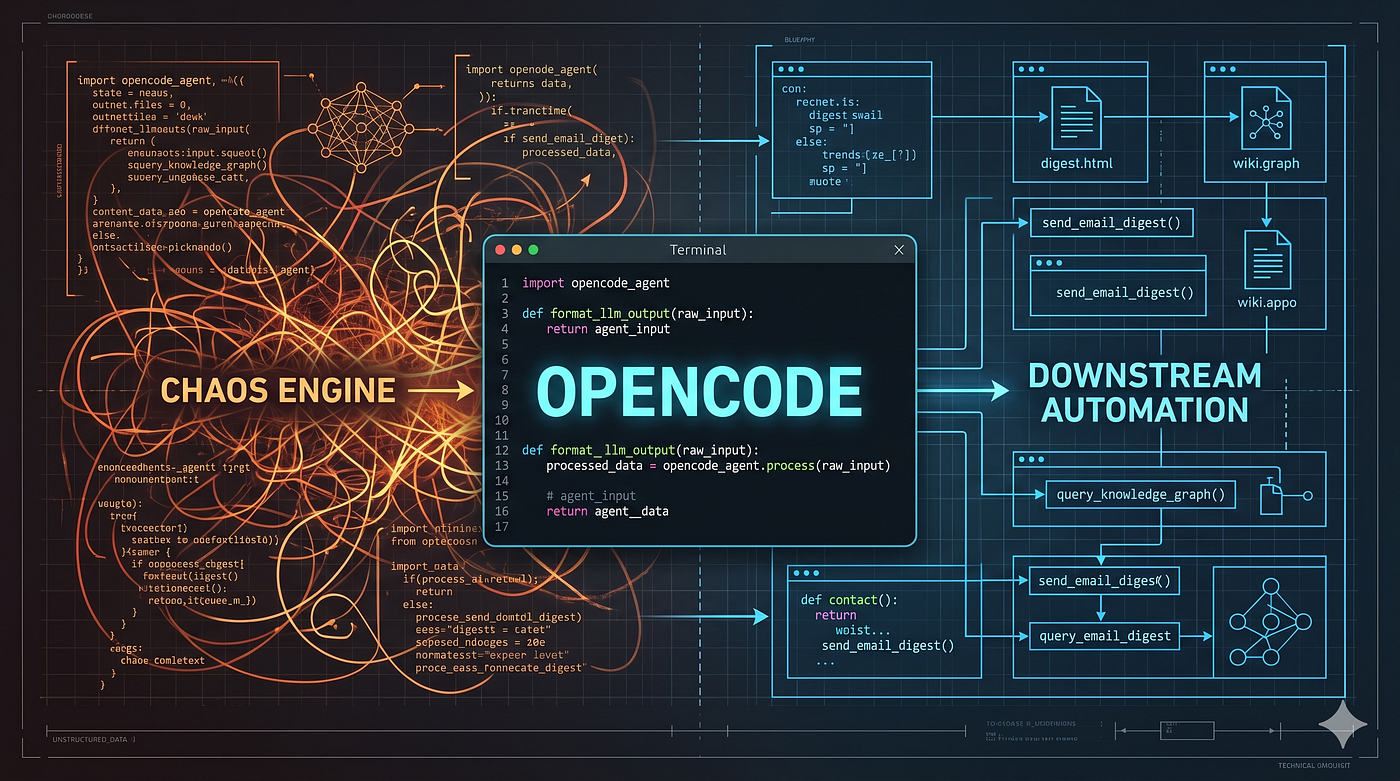
Google’s underrated Goldmine: the zero-dollar Blueprint for powerful AI
A complete, step-by-step guide to connecting Google’s top models to your everyday apps and workflows at zero cost.
Google’s underrated Goldmine: the zero-dollar Blueprint for powerful AI
A complete, step-by-step guide to connecting Google’s top models to your everyday apps and workflows at zero cost.

You all know that I am a big fan of free AI API.
Not because I don’t want to pay for it: in fact I decided few months ago to pay for a Pro plan on my Google account and bring with me more Storage and Pro access to Gemini AI.
In many daily activities AI assistant can be a great help and I like building small applications to support my routine tasks, and if possible to automate them.
For non-sensitive data, using a cutting-edge model at Zero dollars is a temptation I don’t want to resists!
If you are curious about few of those small apps, you can read my article here…
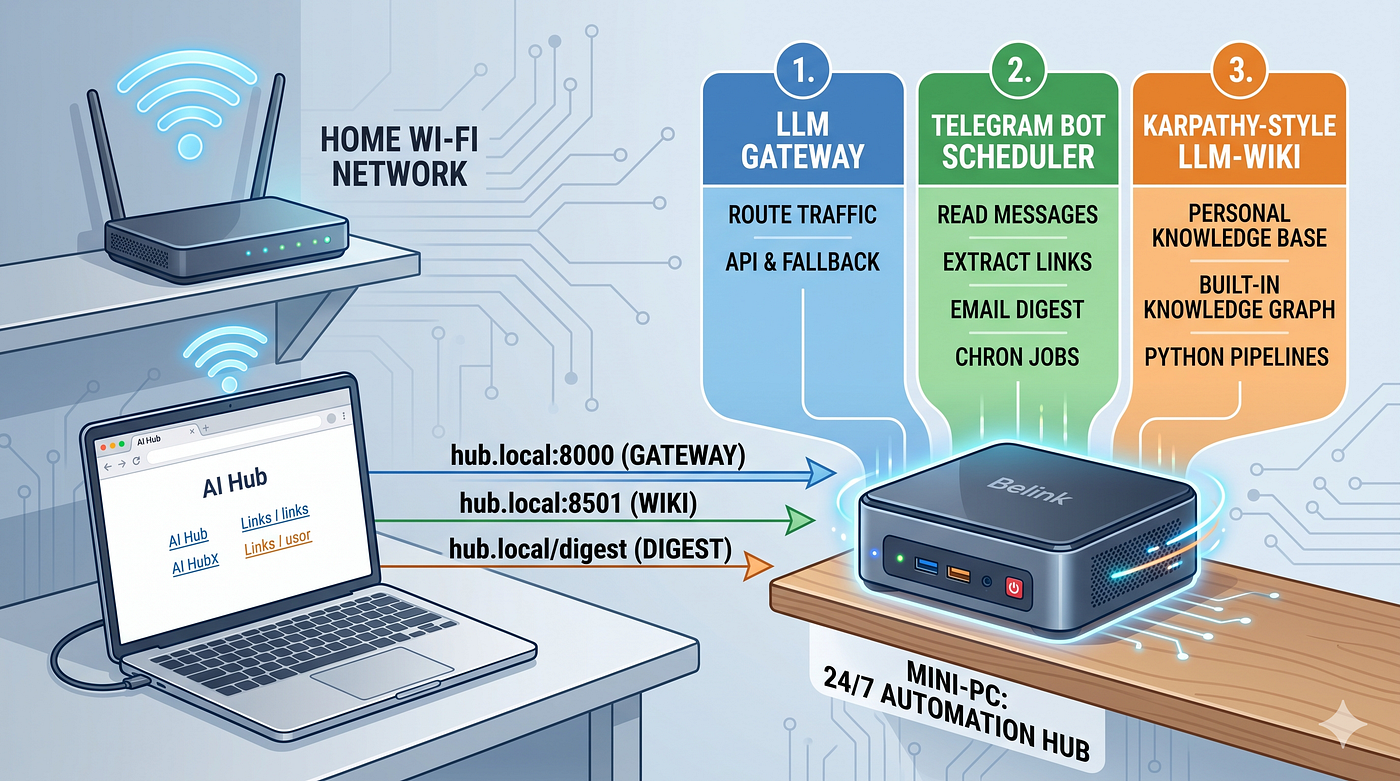
👉 Pro tip: if you have an old or GPU poor laptop or mini PC, you can use it to host those app on your network. They don’t need to run any model, so they are perfect to act as a server!
Why Gemini and Google
Probably the most used email account service is still gmail: and maybe you are not aware, but with your basic email account you are entitled to access many Gemini or Gemma models without any kind of subscription fee or credit card.
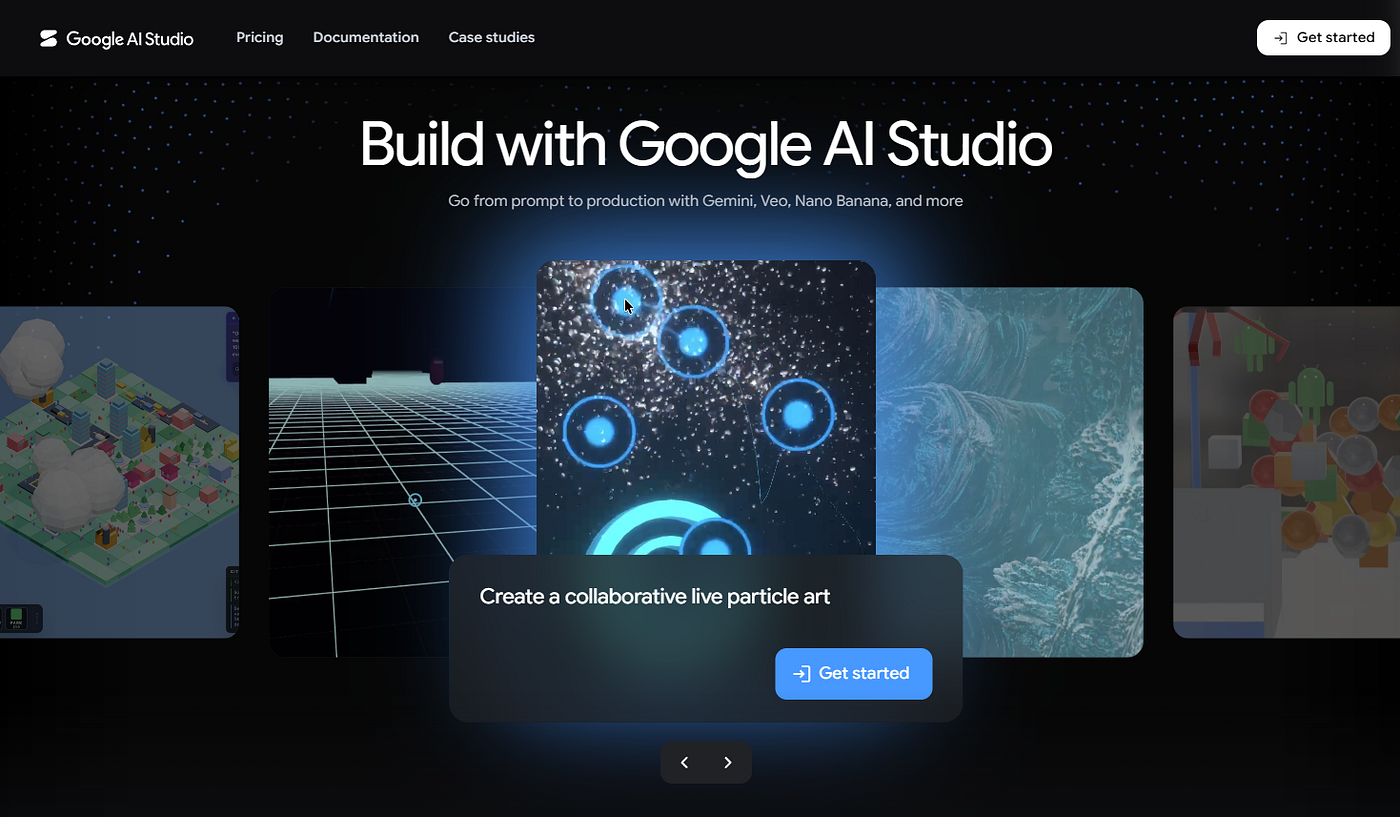
screenshot from https://aistudio.google.com/
You simply need to go to https://aistudio.google.com/ and login with your email account credential.
If you want first to check the pricing, click on the top bar Pricing option and you will be redirected to https://ai.google.dev/gemini-api/docs/pricing.
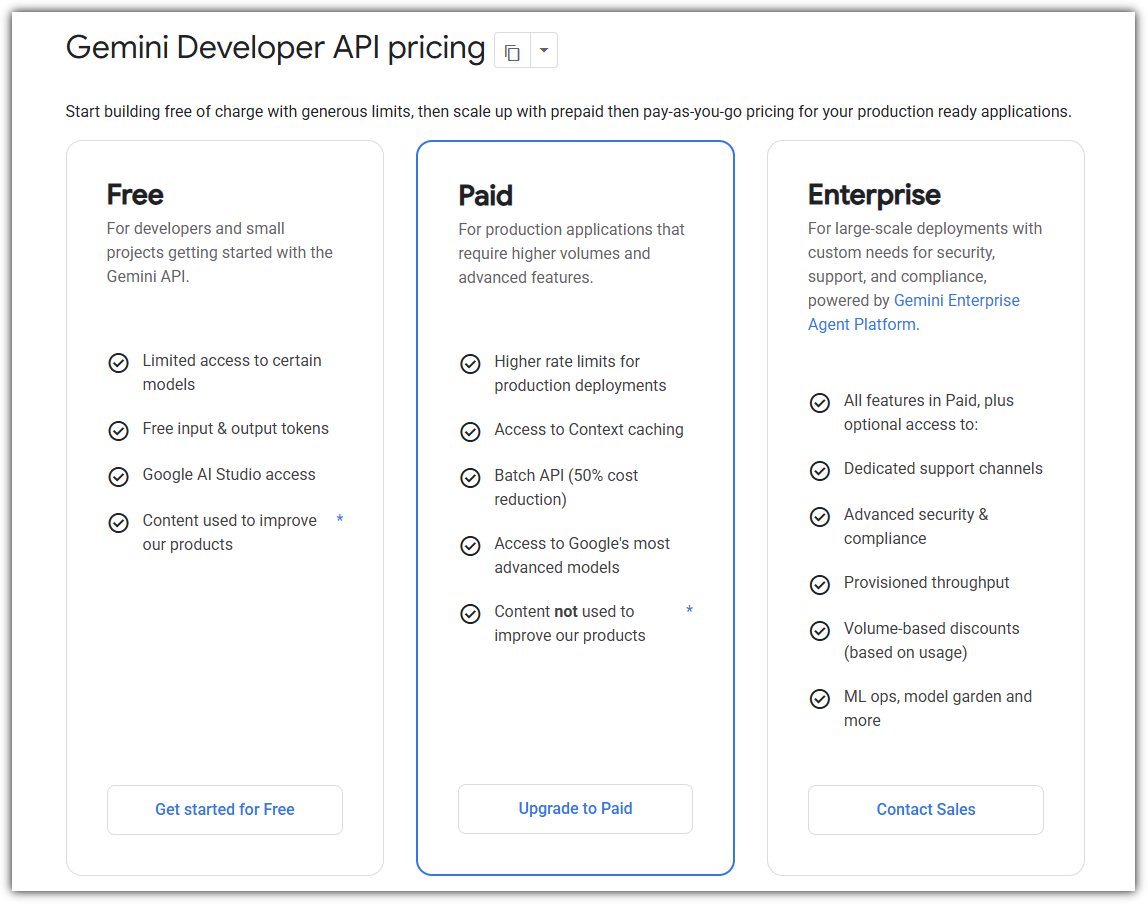
the free option is really generous
Once you are in the pricing page you can already see which models have a free tier included. For instance, Gemini 3.5 Flash does also have free tiers API calls.
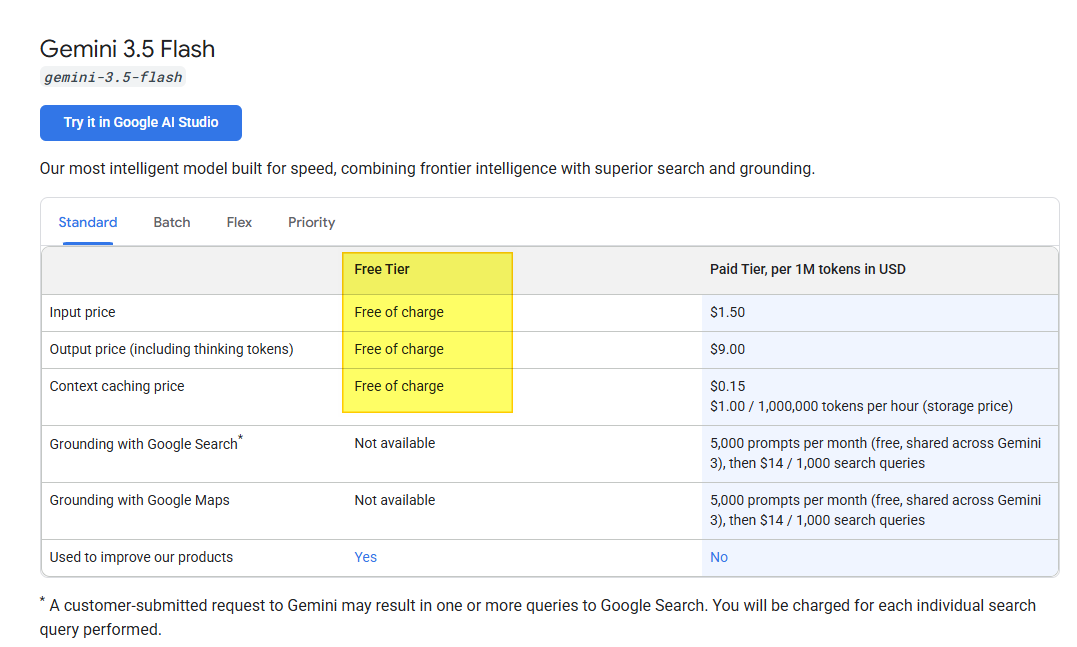
And to know what those limits are, you have to jump to another page, choosing Rate limits on the left panel
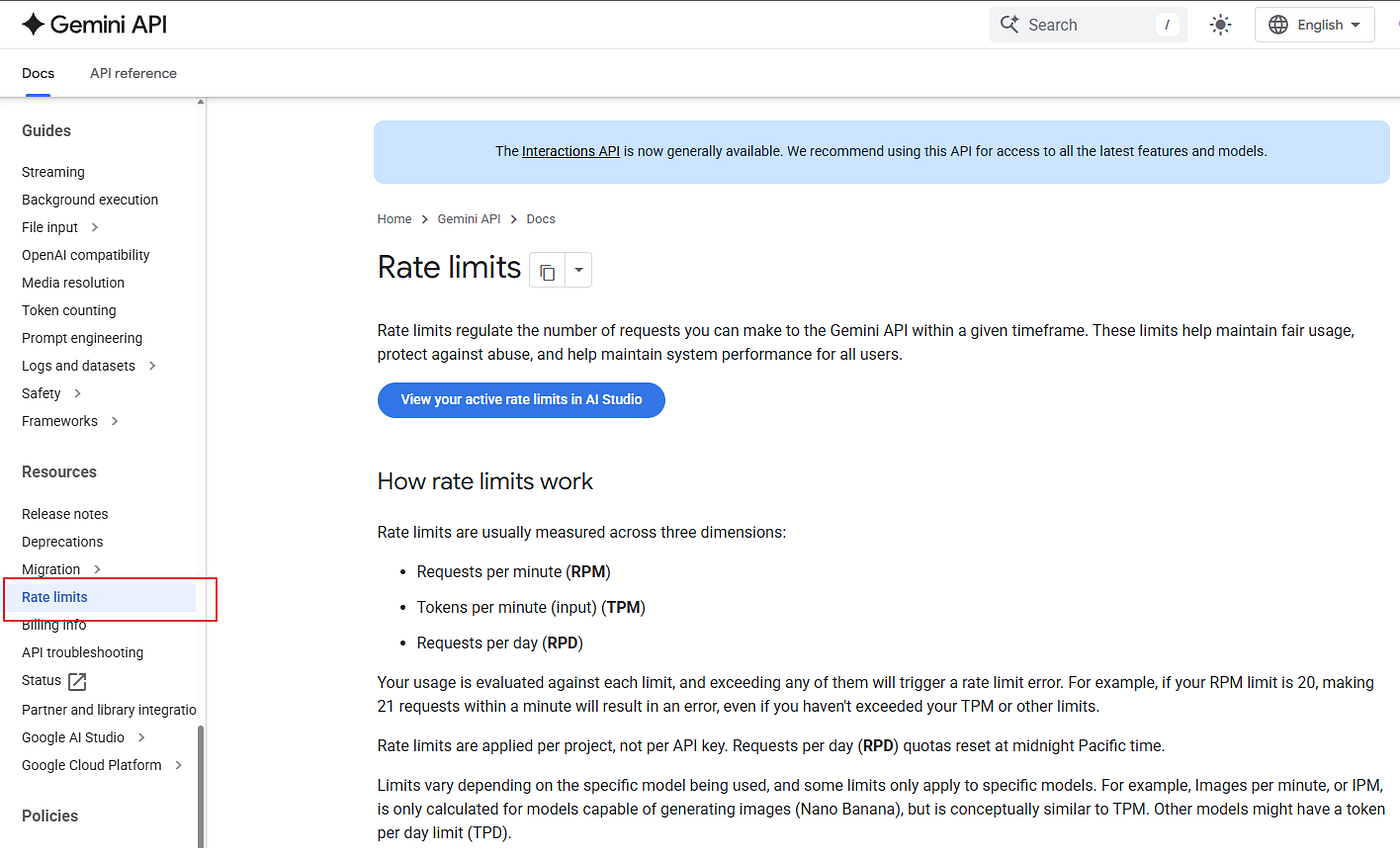
But to see the actual details, you must be logged in.
The first steps with Gemini API
Once logged in, create an API Key and a Project: this is the way the API calls are tracked and the limits are computed
The cool thing is that you can verify in the free tier how many Requests per Day (RPD) you have for every model. Look here below…
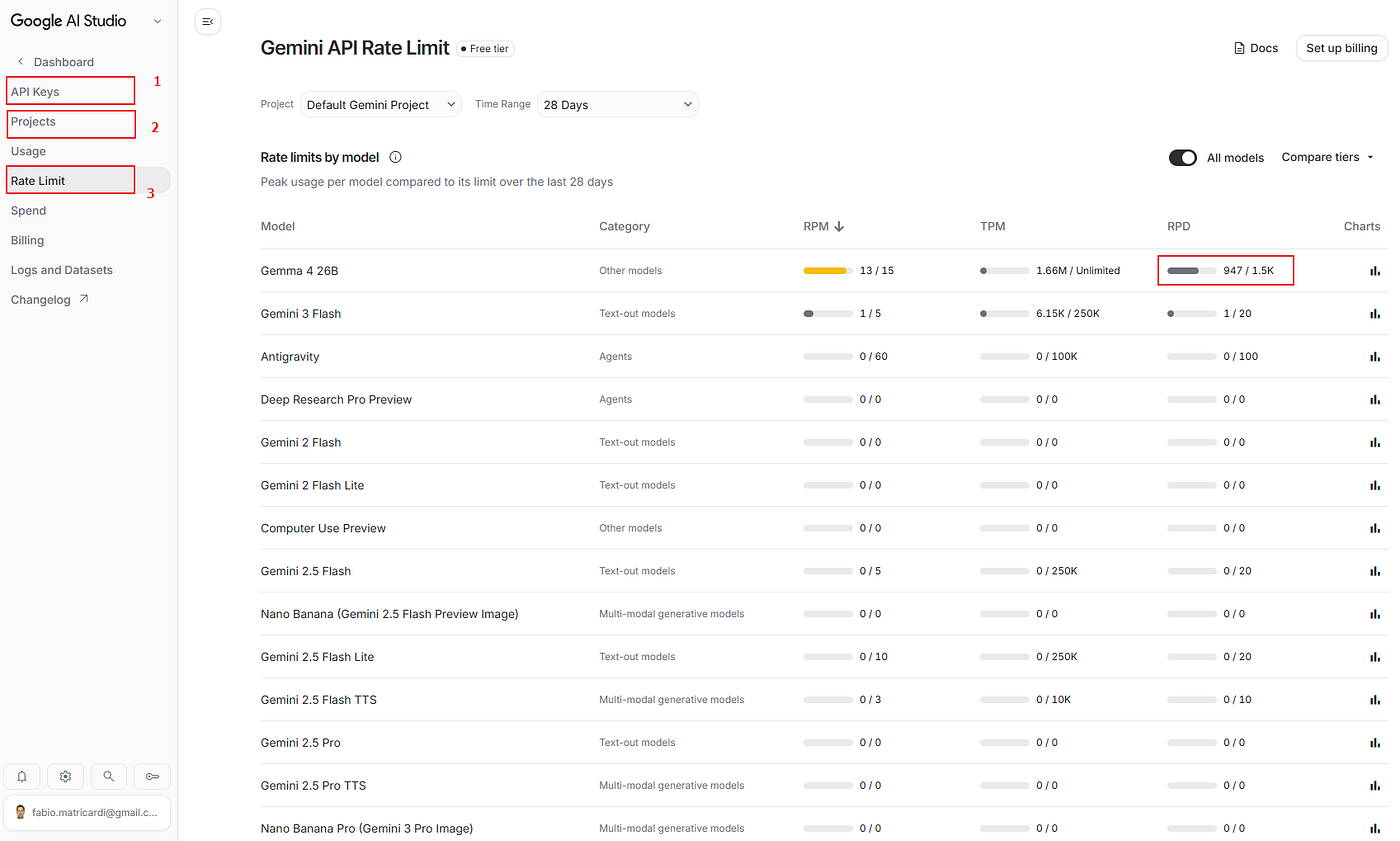
Imagine what you can do with:
- 1500 requests per day on Gemma 4 26B MoE
- 1500 requests per day on Gemma 4 31B
- 500 requests per day on Gemini 3.1 Flash Lite
Now it is only a matter to understand how to use all these resources on our computer.

How to use them in your python app
To use your Google AI Studio API key via standard OpenAI API endpoints, you have a couple of options depending on the library you want to use.
Google provides an OpenAI-compatible endpoint out of the box. Here is exactly how to implement this using both the official openai SDK and the native google-genai library.
1. Using the OpenAI SDK (openai)
You can use the official openai Python library as a drop-in replacement. You just need to point the base_url to Google's specialized OpenAI endpoint and pass your Gemini API key.
First, ensure you have the library installed:
pip install openaiThen, initialize the client like this:
from openai import OpenAI

# Initialize the client with Google's OpenAI-compatible endpoint
client = OpenAI(
    api_key="YOUR_GEMINI_API_KEY",
    base_url="https://generativelanguage.googleapis.com/v1beta/openai/"
)

# Call a Gemini model using standard OpenAI syntax
response = client.chat.completions.create(
    model="gemini-3.1-flash-lite", # Or gemma-4-26b-a4b-it gemma-4-31b-it, etc.
    messages=[
        {"role": "system", "content": "You are a helpful assistant."},
        {"role": "user", "content": "Explain quantum computing in one sentence."}
    ]
)

print(response.choices[0].message.content)
2. Using the Official Google Gen AI SDK (google-genai)
If you are using Google’s official library, you do not need to use the OpenAI compatibility endpoint. The SDK is built to hit Google’s native endpoints optimally using your API key.
Note: The current standard SDK is
google-genai(which replaces the oldergoogle-generativeaipackage).
First, install the correct SDK:
pip install google-genaiThen, run the native equivalent of a chat completion:
from google import genai

# The client automatically picks up the GEMINI_API_KEY environment variable,
# or you can pass it explicitly.
client = genai.Client(api_key="YOUR_GEMINI_API_KEY")

response = client.models.generate_content(
    model="gemini-3.1-flash-lite",
    contents="Explain quantum computing in one sentence."
)

print(response.text)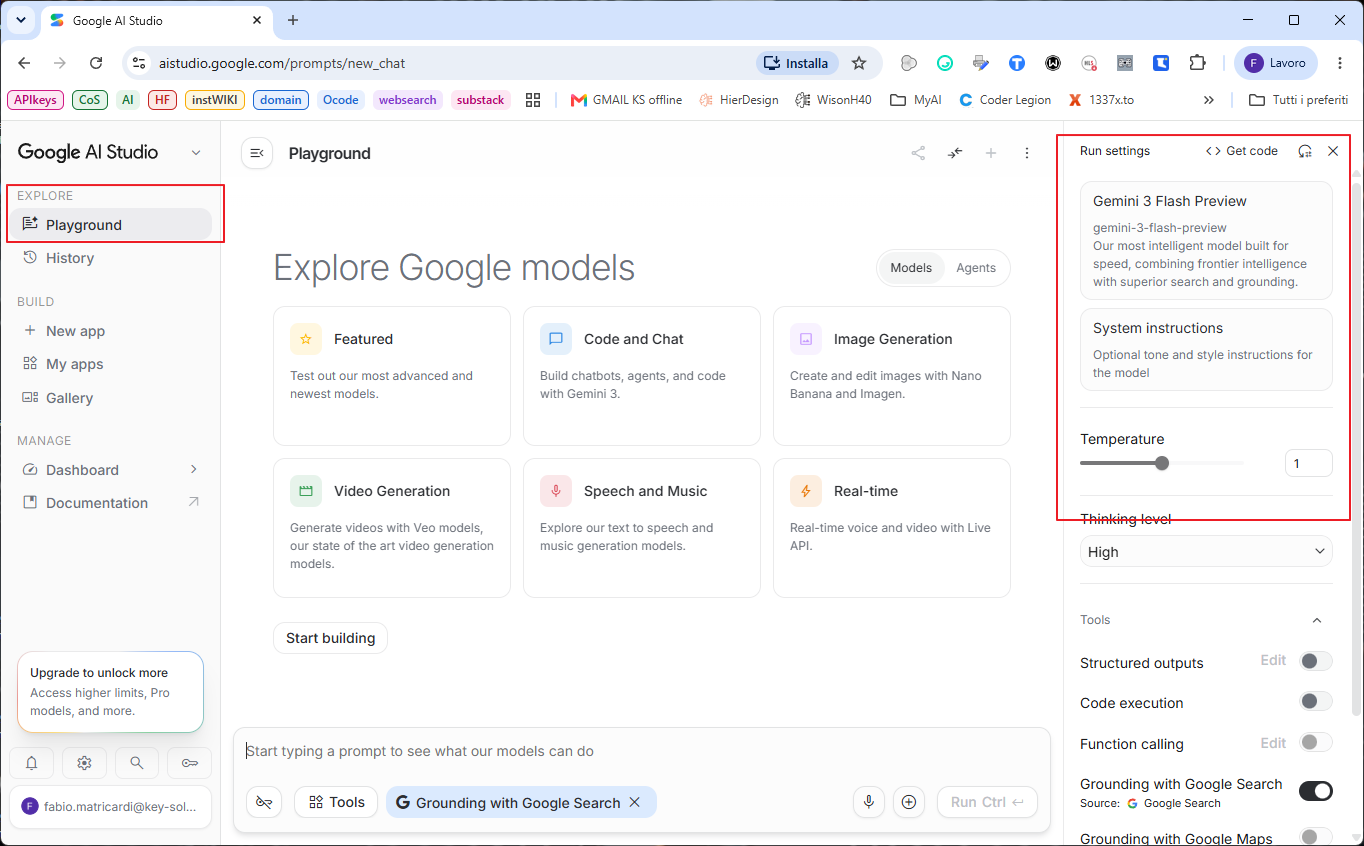
3. How to get the model ID — important!
You may noticed that when you want to use the model (in Python or with OpenCode or OpenWeb UI…) you need to know what is the model name or model ID.
It is easier than expected. Try to start a chat in the Google AI Studio web app, in the Playground (see image above).
Click on the model (right panel, in my example is Gemini 3 Flash Preview) and the model selection menu will appear.
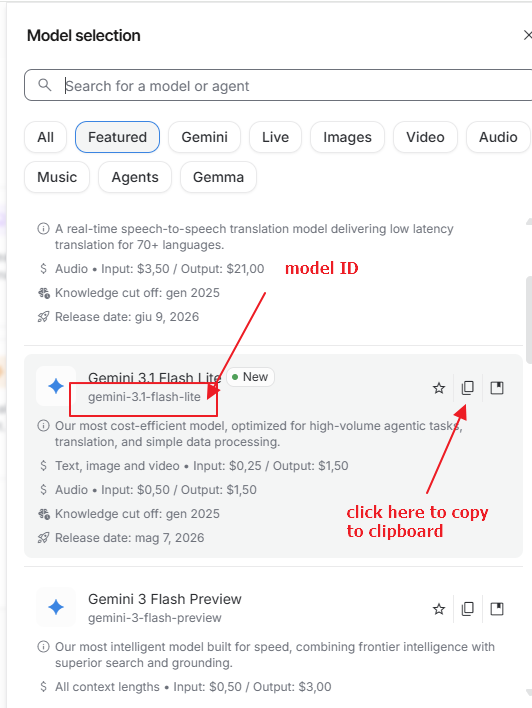
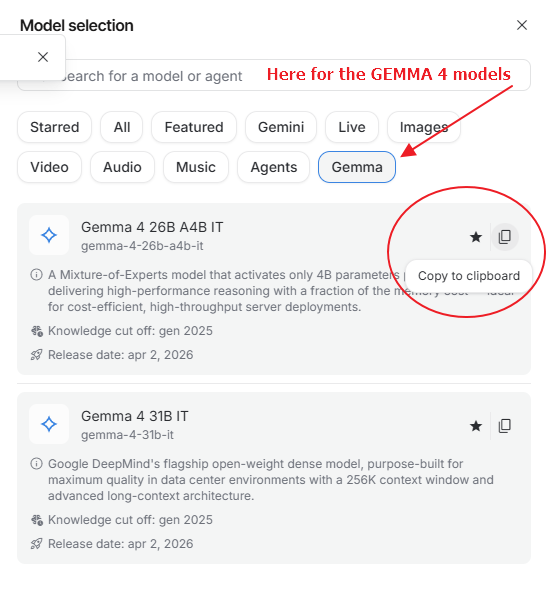
Filter the models or go for Gemini or Gemma: the model ID is right below the model name. You can easily Copy to clipboard it clicking on the 📄 icon.
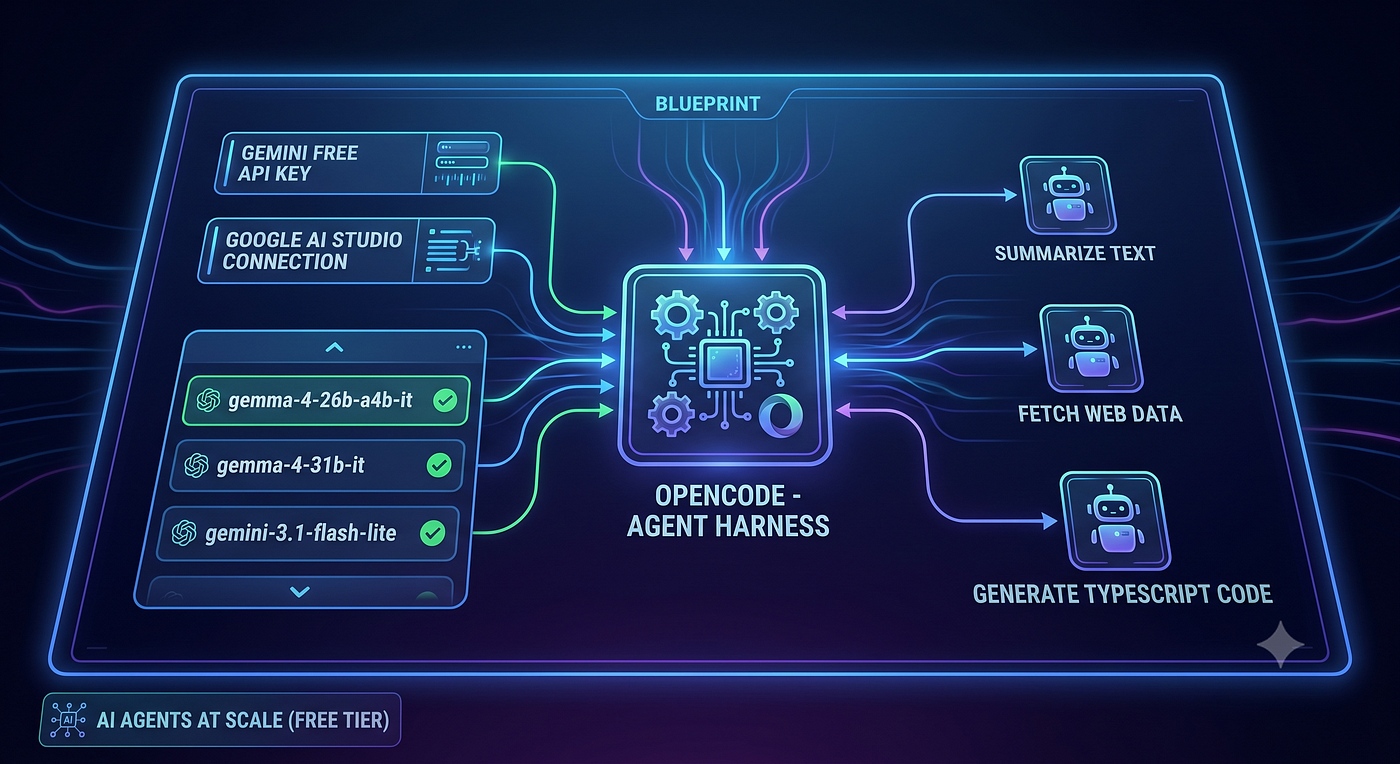
How to use them in Opencode
You can read more about Opencode in my Series here on Medium.
Opencode is an agent harness, that lets you plan and execute Generative AI model to run your tasks even without having a professional programming background or knowledge.
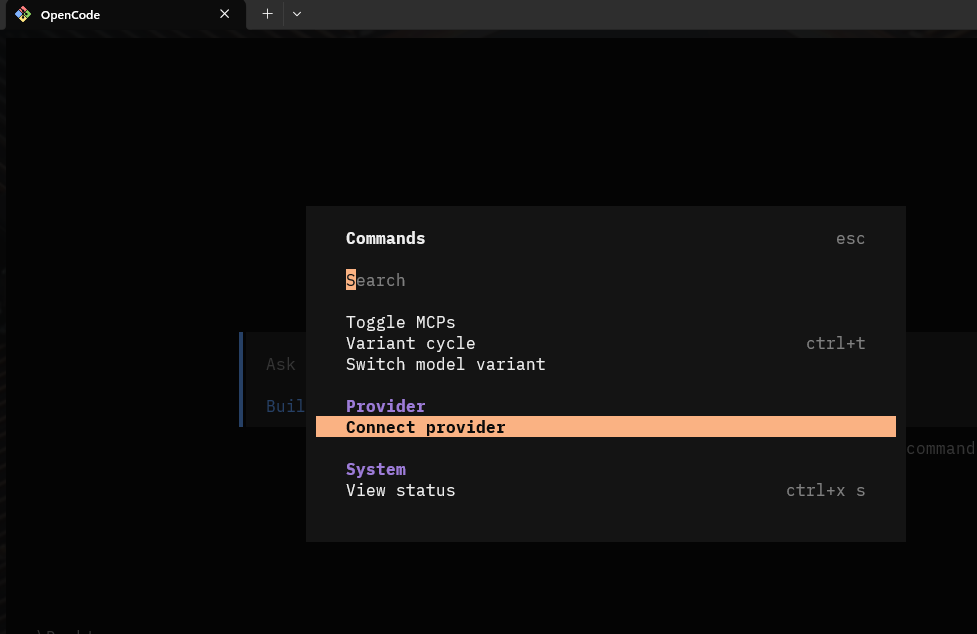
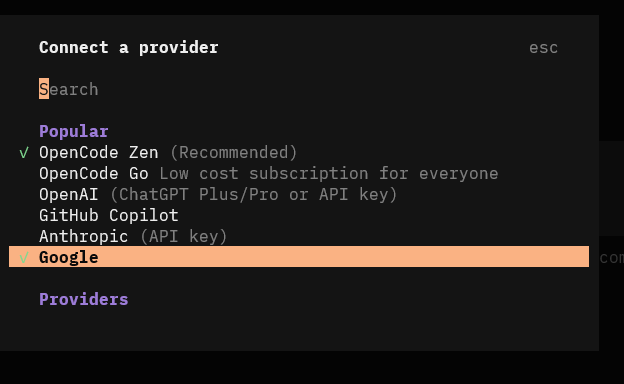
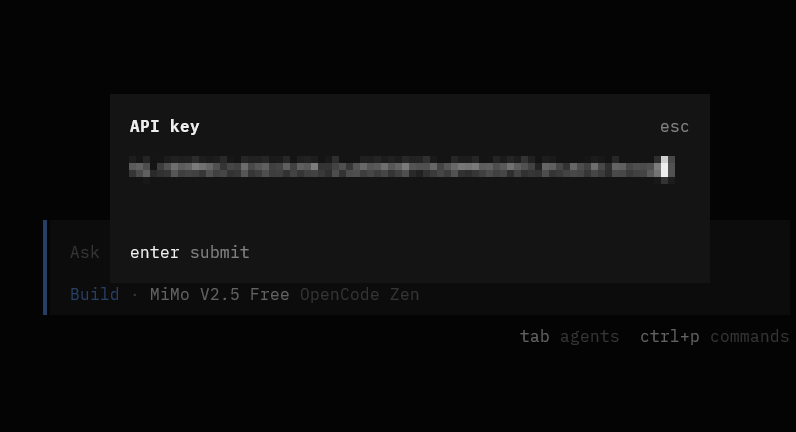
You can connect Opencode to Google AI with the API key you just created few sections above:
- start opencode
- Ctrl+p to open the options
- go to Connect provider
- look for Goolge
- paste there your API key
Now you will see all available models in the Google/Gemini API endpoints, and you can select the ones you want.
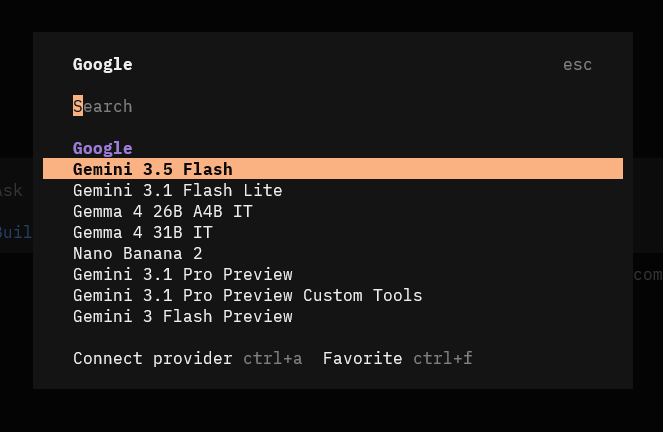
I suggest you to go for
gemma-4-26b-a4b-it
gemma-4-31b-it
gemini-3.1-flash-lite
because they have generous limits… and AI agents run a lot of calls!

How to use them in OpenWeb UI
I explained in my previous article about how to install OpenWeb UI: you will find there also the entire setup to get a powerful free Web search engine with SearXNG. That article is free here on Medium.
Once you have the Docker fired up and your browser pointed to localhost:3000 , go to Admin Panel → Settings → Connections
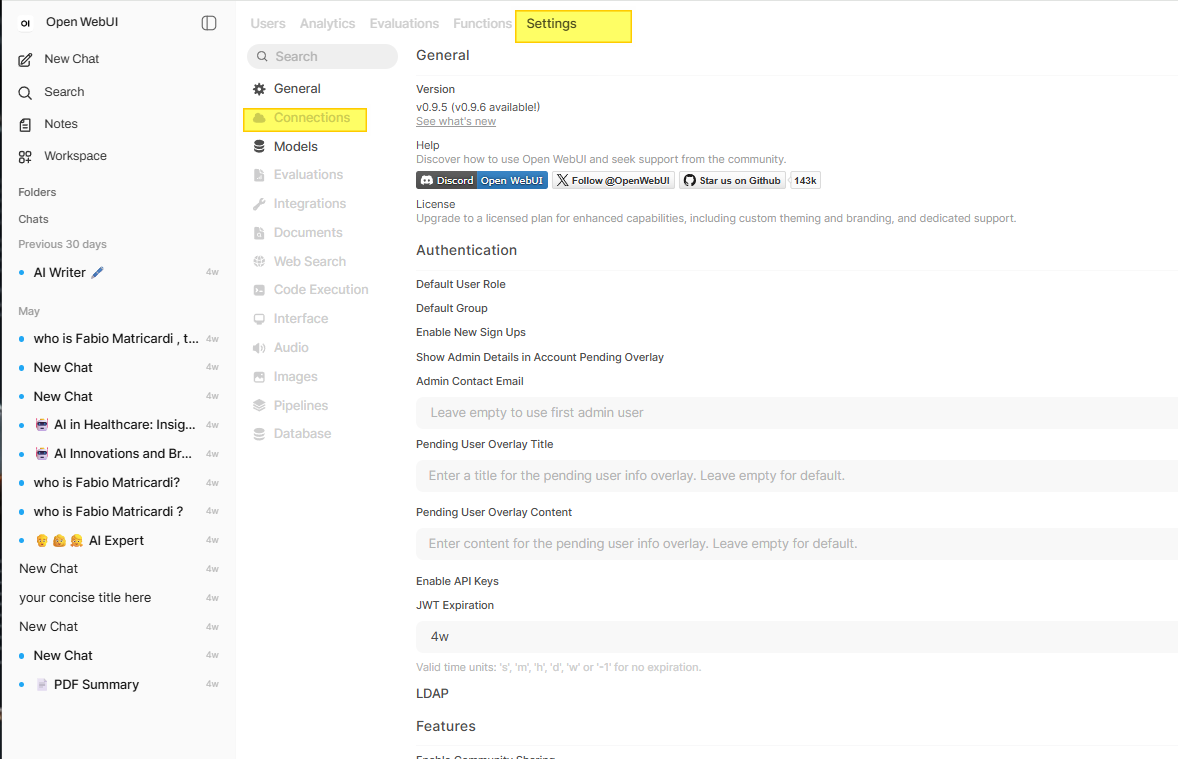
Add a new Connection in the OpenAI compatible API and start filling with the following details:
URL: [https://generativelanguage.googleapis.com/v1beta/openai/](https://generativelanguage.googleapis.com/v1beta/openai/)
BEARER: API type <paste your Gemini API key>
Model IDs: you can leave it empty or use one of the following
gemma-4-26b-a4b-it
gemma-4-31b-it
gemini-3.1-flash-lite
Then Save.
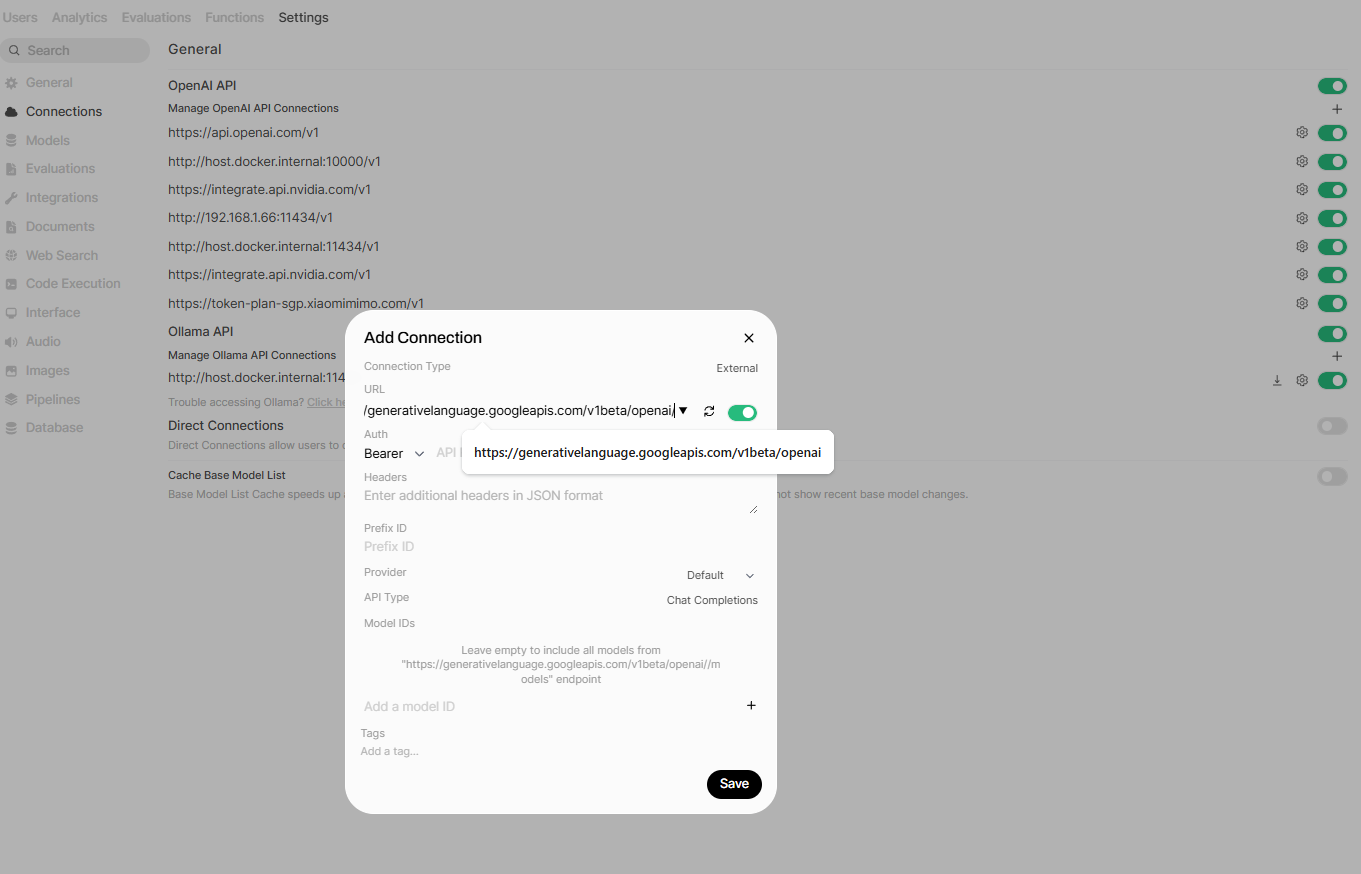
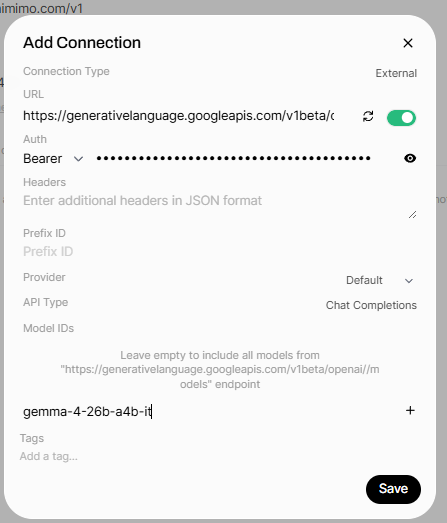
how to use Gemini and Gemma models in OpenWb UI
From now on, when you open a new chat in OpenWeb UI, you will find all models available from Google AI studio in the dropdown (you cn exclude the ones you don’t want to see…)
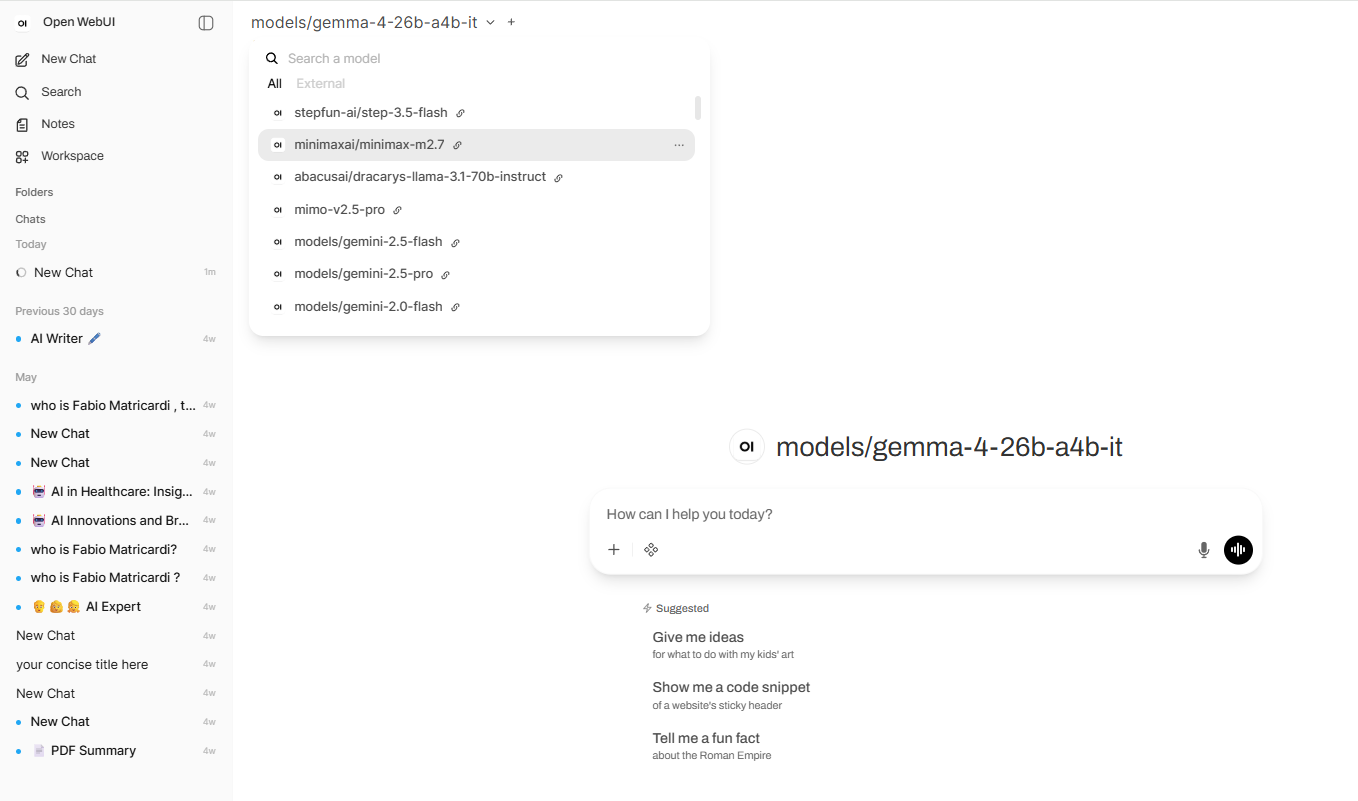
And you are done.
Wrapping It All Up
It’s easy to feel like the AI revolution is only for tech giants or younger developers pulling all-nighters. But the truth is, you don’t need a computer science degree, or a massive budget to make these models work for you.
With a basic Google account and a little bit of curiosity, you have a massive amount of computing power sitting right at your fingertips, completely for free.
Whether you want to automate a repetitive task at work, organize your personal notes, or build a smart assistant that runs locally on that old laptop gathering dust in your home office, the barrier to entry has completely vanished.
If you don’t know from where to start you can read this article here below:
Don’t let these resources sit idle. Head over to Google AI Studio, grab your API key, and hook it up to Python, OpenCode, or OpenWeb UI. Start small, experiment, and see what you can create.
The power is there… and now it’s your turn to build something useful with it!
I hope you enjoyed the article. If this story provided value and you wish to show a little support, you could:
- Clap a lot of times for this story
- Highlight the parts more relevant to be remembered (it will be easier for you to find them later and for me to write better articles)
- Write with me on this Publication: there is no better way to learn than writing about it!
- Follow my publication https://medium.com/artificial-intel-ligence-playground
If you want to read more, here are some ideas:
Sources:
[embed]Google AI Studio The fastest path from prompt to production with Geminiaistudio.google.com
메타데이터
- post_id
- 7bf88adf4898
- slug
- googles-underrated-goldmine-the-zero-dollar-blueprint-for-powerful-ai-7bf88adf4898
- url
- https://medium.com/artificial-intel-ligence-playground/googles-underrated-goldmine-the-zero-dollar-blueprint-for-powerful-ai-7bf88adf4898
- canonical_url
- https://medium.com/artificial-intel-ligence-playground/googles-underrated-goldmine-the-zero-dollar-blueprint-for-powerful-ai-7bf88adf4898
- author_url
- https://medium.com/@fabio.matricardi
- status
- ok
- fetched_at
- 2026-07-10 11:40:45