My Lecture Notes Were a Disaster. Audio to Text Fixed That.
How I stopped drowning in recordings and started actually studying
My Lecture Notes Were a Disaster. Audio to Text Fixed That.
How I stopped drowning in recordings and started actually studying
Second year of college. Biochemistry lecture, 8 AM, professor speaking at approximately the speed of an auctioneer on espresso.
I was doing what every student in that room was doing: furiously scribbling, half-listening, mostly just trying to keep up. My notes looked like someone had handed a pen to a caffeinated squirrel. Abbreviations I wouldn’t understand three days later. Arrows pointing at nothing. A sentence that just stopped mid-
By the time I got back to my dorm that afternoon, I had eleven pages of near-illegible notes and approximately zero confidence that I’d captured anything useful.
The professor, bless him, recorded every lecture. “It’s all there if you need to review,” he’d say cheerfully, as if re-watching a 75-minute video while also trying to study for three other exams was a completely reasonable use of human time.
It was not.
I spent more hours than I want to admit that semester re-listening to lectures at 2x speed, pausing every thirty seconds, trying to fill in the gaps in my notes. It wasn’t studying. It was transcription by hand, except slower and more miserable.
Then someone in my study group mentioned audio to text tools — the idea that you could upload a recording and get a full, readable transcript back in minutes. I hadn’t known that was possible. I haven’t gone back since.
The Dirty Secret of “Just Record the Lecture”
Professors love telling students to record lectures. Universities spend money on lecture capture systems. Study guides always say “review your recordings regularly.”
What nobody mentions is that recordings are essentially unusable as study tools unless you have unlimited time and infinite patience.
Think about it. You already sat through the lecture once. You already tried to take notes. Now you’re supposed to go back and watch the whole thing again, but this time successfully absorb everything you missed the first time while also remembering everything you already know? That’s not a study strategy. That’s a punishment.
The problem isn’t the recording. The problem is that audio is a terrible format for studying. You can’t scan it. You can’t search it. You can’t highlight the important parts or skip the tangents. You can’t review just the section on protein synthesis without sitting through twenty minutes of context you already understand.
Audio to text solves all of this. When a lecture becomes an **audio to text** document, it becomes something a student can actually work with.
What Happened When I Started Converting Lectures
The first time I ran a lecture recording through an audio to text converter, I was honestly a little shocked at how much I’d missed.
There it was in plain text — a full transcript of everything my professor had said. Complete sentences. Actual terminology spelled out. Explanations of concepts that had gone past me too fast to catch in real time.
But more than the content, what changed was how I could interact with it.
I could search for “mitochondrial membrane” and jump straight to that section. I could copy the definition of a term and paste it into my flashcard app. I could read through the whole lecture in fifteen minutes instead of sitting through seventy-five. I could mark up the document, add my own notes in the margins, restructure the information into an outline that made sense to my brain.
For the first time, the lecture recording wasn’t just a backup. It was a study tool.
My grades that semester were the best they’d been since I started college. I’m not going to claim it was all because of transcription. But having clean, searchable, editable lecture notes — instead of a pile of recordings I was too burned out to rewatch — made a real difference.
Why Most Students Haven’t Tried This Yet
When I tell other students about using an AI audio to text converter for lectures, the reactions usually fall into one of three categories.
“I didn’t know that was a thing.” Fair. Nobody really teaches you this. Study skills courses still talk about Cornell notes and color-coding highlighters. The idea that you can just upload an audio file and get a full transcript back isn’t something most students stumble onto by accident.
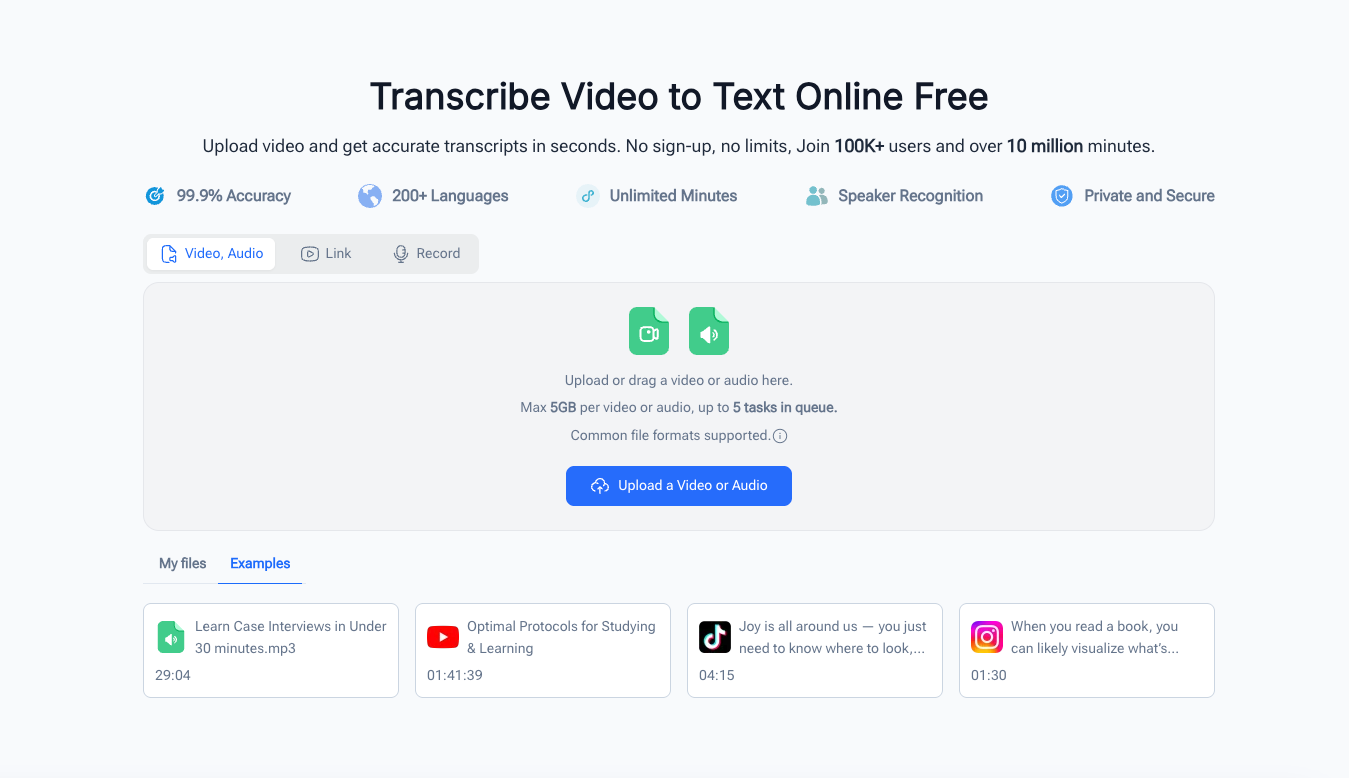
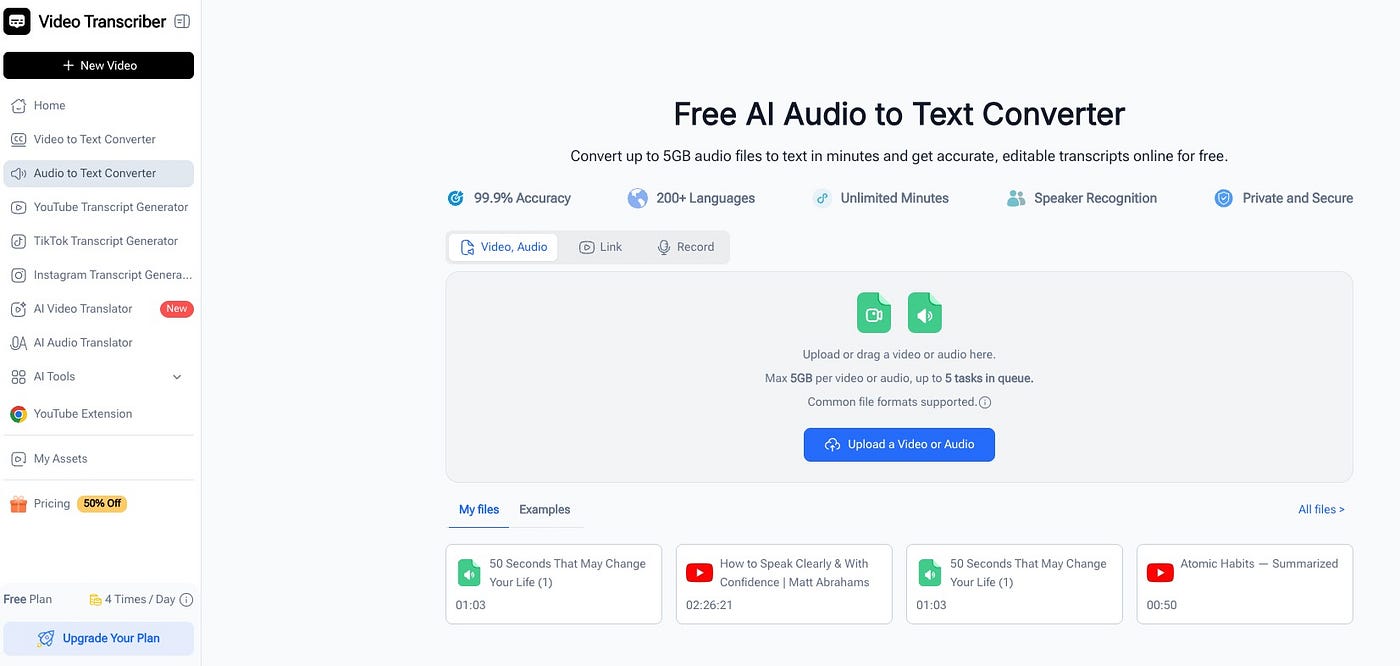
“Isn’t that expensive?” Nope. The tool I use — Video Transcriber AI — is free, requires no sign-up, and handles files up to 5GB. A 90-minute lecture recording is nowhere near that limit.
“Does it actually work on lecture audio?” Yes, better than you’d expect. Lecture recordings are generally cleaner than, say, a street interview or a crowded coffee shop call. A professor speaking into a classroom mic or a Zoom lecture gives an AI audio to text converter plenty to work with. Accuracy on decent lecture audio is high — and even when something needs a small correction, it’s faster to fix ten words than to manually transcribe the whole thing.
Free AI Audio to Text Converter
The Tool That Actually Fits a Student’s Life
Let me be specific about why Video Transcriber AI’s audio to text converter became my go-to, because the reasons are pretty practical.
No account, no subscription, no credit card. As a student, I’m not looking for another monthly charge. I just need something that works when I need it. You go to the page, upload the file, get the transcript. Done.
Supports the formats students actually use. Voice memos from your phone? M4A. Zoom cloud recording? MP4 audio. Dedicated recorder? WAV or MP3. The audio to text converter handles them all without needing you to convert anything first.
Long file support. Some lectures run 90 minutes. Some seminar recordings go even longer. The 5GB file limit means you’ll never hit a wall mid-lecture and end up with half a transcript.
Timestamps throughout. This is underrated for studying. When you’re reading through a transcript and you hit something you want to hear in context — the exact tone the professor used, whether something was said as a definite fact or a tentative suggestion — you can jump to that exact moment in the recording. The transcript and the audio work together.
Over 100 languages supported. International students, language courses, exchange programs — the AI audio to text converter doesn’t only work for English. That matters more than people realize.
Five Ways Students Actually Use This

Free AI Audio to Text Converter
Once you start converting your lecture audio to text, the uses expand pretty naturally. Here’s how I and people I know have made it part of a real study workflow:
Before exams: the transcript review sprint. Instead of rewatching two weeks of lectures, you read through the audio to text transcripts. A 75-minute lecture becomes a 12-minute read. You can cover more material in less time and actually retain it better, because reading at your own pace beats passive re-listening every time.
For group study sessions: the shared document. Instead of everyone comparing their messy handwritten notes, you share the transcript. Everyone’s working from the same source. Disagreements about what the professor actually said get resolved instantly — it’s right there in the text.
For research papers: the quotable source. When you need to reference something from a seminar or a guest lecture, you have the exact words in searchable text. No more rewinding and re-listening trying to get a quote right. You just **transcribe audio to text** and search.
For accessibility: the great equalizer. Students with auditory processing differences, non-native speakers working in a second language, anyone who learns better through reading than listening — transcripts make lectures accessible in a way recordings alone never can. Audio to text isn’t just convenient; for some students, it’s genuinely transformative.
For note-taking: the safety net. Some students record lectures as a backup and then never use the recording because it feels like too much effort. With an audio to text workflow, the backup actually gets used. You go to class, you take the notes you can, and you know that if you missed something, you can check the transcript later in two minutes instead of scrubbing through an hour of video.
“But Isn’t This Cheating Somehow?”
I’ve heard this concern, usually from students who feel vaguely guilty about making their studying more efficient.
It isn’t. Transcribing a lecture is the same as taking good notes — you’re capturing what was said so you can study it later. The professor said it, you recorded it with permission, and now you’re converting that recording into a more useful format. That’s not a shortcut around learning; it’s a better path to learning.
What you do with the transcript still matters. You still have to read it, understand it, connect it to other material, and apply it on the exam. The audio to text conversion just removes the most tedious and least educational part of the process — the mechanical act of transcription — so you can spend your energy on the actual learning.
The Semester That Could Have Gone Differently
I think about that second-year biochemistry class sometimes. All those hours I spent hunched over a laptop, rewinding recordings, trying to catch what I’d missed. The stress of not feeling like my notes were good enough. The exhaustion of a study method that was mostly just re-experiencing the lecture rather than actually learning from it.
If I’d known about audio to text tools then, that semester would have looked pretty different. Not easier, exactly — biochemistry was going to be hard regardless. But more manageable. More in control. Less like I was always behind and never quite catching up.
The recordings were always there. I just needed a way to actually use them.
메타데이터
- post_id
- 7caa2fbda601
- slug
- my-lecture-notes-were-a-disaster-audio-to-text-fixed-that-7caa2fbda601
- url
- https://medium.com/@eaglenlemarie376/my-lecture-notes-were-a-disaster-audio-to-text-fixed-that-7caa2fbda601
- canonical_url
- https://medium.com/@eaglenlemarie376/my-lecture-notes-were-a-disaster-audio-to-text-fixed-that-7caa2fbda601
- author_url
- https://medium.com/@eaglenlemarie376
- status
- ok
- fetched_at
- 2026-07-26 10:31:45