Loading and Transform your Dataset using Grain for Model Building in JAX and FLAX
Imagine that you have your dataset and you need to manage those dataset so it can easily to use in model building. We introduce Grain a…
Loading and Transform your Dataset using Grain for Model Building in JAX and FLAX
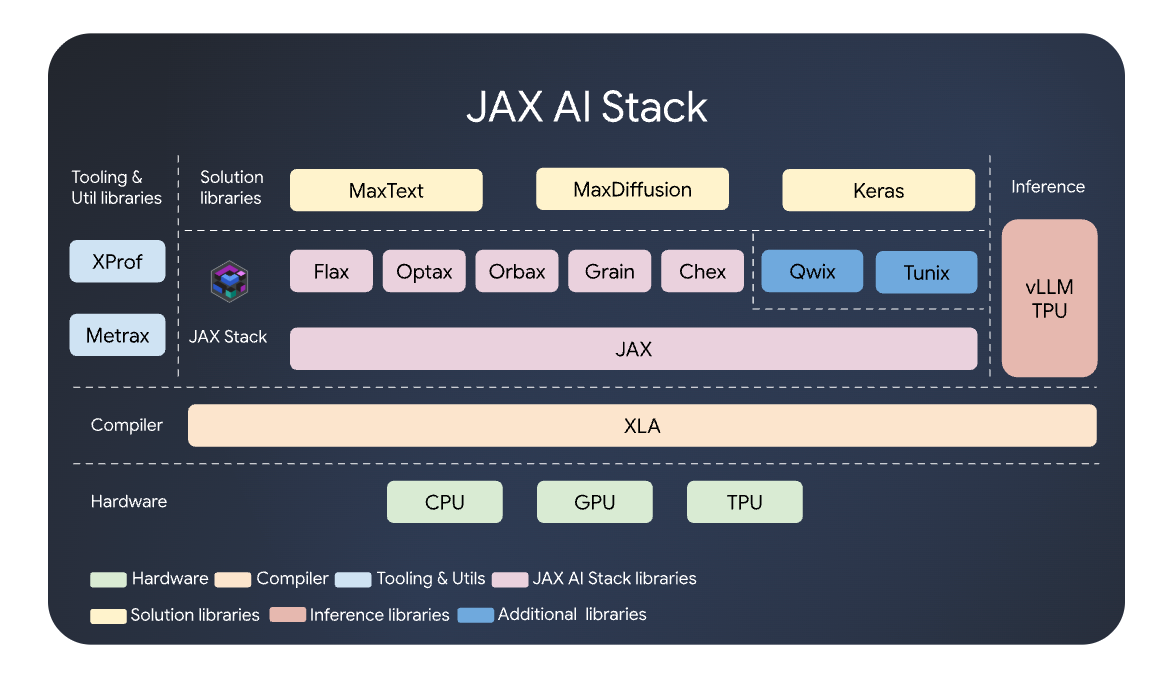
Imagine that you have your dataset and you need to manage those dataset so it can easily to use in model building. We introduce Grain a fast, deterministic, and modular data-loading library specifically designed to feed JAX and Flax models.
Grain has the ability to addresses ML pipelines by ensuring that data loading is resumable after some interruption during training and produces identical results across different runs. This tutorial will give an insight how to utilize Grain to create a sentiment analysis model using JAX and FLAX.
Grain is designed to have minimal dependencies. You can install it via pip and already included in the jax-ai-stack.
pip install jax-ai-stackA Grain pipeline typically consists of three main parts:
- Data Source: Where the raw data lives.
- Transformations: Operations to clean, map, or batch your data.
- DataLoader: The engine that connects the source and transforms to provide an iterator.
This tutorial will use CNN Model based on Convolutional Neural Networks for Sentence Classification by Yoon Kim published in 2014 with some modification that made to simplified the model. We also used IMDB Dataset for sentiment classification that can be downloaded from Kaggle.
The first thing is we will build the custom Data Source for loading our dataset. We will create a class based on grain.RandomAccessDataSource to read our dataset.
class MyCustomSource(grain.RandomAccessDataSource):
    def __init__(self, df, max_vocab_size=10000):
        self.data = df["review"].tolist()
        self.labels = df["sentiment"].tolist()
        self.vocab = self._generate_vocab(max_vocab_size)

    def _generate_vocab(self, max_vocab_size):
        counter = Counter()
        for text in self.data:
            words = word_tokenize(text.lower())
            counter.update(words)

        vocab = {"<PAD>": 0, "<OOV>": 1}

        for word, _ in counter.most_common(max_vocab_size - 2):
            vocab[word] = len(vocab)

        return vocab

    def __len__(self):
        return len(self.data)

    def __getitem__(self, index):
        return (self.data[index], self.labels[index])

    def get_vocab(self):
        return self.vocab
By inheriting from grain.RandomAccessDataSource, this class ensures that data can be accessed at any index instantly. This is crucial for shuffling and distributed training. Instead of reading a massive file from top to bottom, Grain can jump directly to specified index without overhead.
One of the standout features of this implementation is the internal vocabulary logic. Rather than relying on an external pre-processor, the class manages its own mapping during initialization:
- Tokenization: It breaks down raw reviews into individual words using
word_tokenize. - Frequency Tracking: It uses a
Counterto find which words actually matter, preventing your model from being overwhelmed by rare typos or unique strings. - Special Tokens: It reserves specific slots for data consistency:
<PAD>with index 0: Used to ensure all input sequences have the same length.<OOV>with index 1 to Handles "Out of Vocabulary" words that weren't frequent enough to make the cut.
The final method, get_vocab(), is a strategic "helper." In a Grain pipeline, you typically separate loading from transforming. By exposing the vocabulary here, you can pass it to a subsequent Transform layer that converts raw text strings into numerical tensors (sequences of integers) that a neural network can actually understand.
The next step is to build the Transformation by inherrited grain.MapTransform class. While the first part of your Grain pipeline focused on sourcing data, this second part focuses on transformation. In machine learning, computers don’t read words; they process numbers.
class TokenizeAndPad(grain.MapTransform):
    def __init__(self, vocab, max_len=30, oov_token="<OOV>"):
        self.vocab = vocab
        self.max_len = max_len
        self.oov_token = oov_token
        self.oov_id = self.vocab.get(oov_token, 1)

    def map(self, element):
        text, label = element
        raw_tokens = word_tokenize(text.lower())

        tokens = []
        for word in raw_tokens[:self.max_len]:
            token_id = self.vocab.get(word, self.oov_id)
            tokens.append(token_id)

        padding_length = self.max_len - len(tokens)
        if padding_length > 0:
            tokens.extend([0] * padding_length)

        return {
            "inputs": np.array(tokens, dtype=np.int32),
            "labels": np.array(label, dtype=np.int32)
        }
The TokenizeAndPad class serves as the translator that converts raw human language into a fixed-size numerical format that a model can ingest. Inheriting from grain.MapTransform means this logic is applied to every single piece of data as it flows through the pipeline.
The map method acts as an assembly line, taking a raw text element and processing it through three distinct stages: The class takes the text, converts it to lowercase, and breaks it into individual words. It then looks up each word in the vocab provided during initialization.
Deep learning models generally require inputs to have a consistent shape. The line raw_tokens[:self.max_len] ensures that if a user writes a 500-word essay for a review, the pipeline only keeps the first 30 words (as defined by max_len). This keeps the model efficient and prevents memory overflows. The next step is to ensure the lenght of each data is same we do some padding by utilizing zeros (the <PAD> token) to the end of the sequence until it hits exactly 30 tokens.
After creating the datasource and transformation, now we try to create the data loader.
def create_grain_loader(df, batch_size, shuffle=True):
    source = MyCustomSource(df)
    sampler = grain.IndexSampler(
        num_records=len(source),
        num_epochs=1,
        shard_options=grain.NoSharding(),
        shuffle=shuffle,
        seed=42
    )
    operations = [
        TokenizeAndPad(vocab=source.get_vocab(), max_len=25),
        grain.Batch(batch_size=batch_size, drop_remainder=False) # False for eval
    ]
    return grain.DataLoader(data_source=source, operations=operations, sampler=sampler, worker_count=0)
If the Source is your library and the Transform is your translator, the DataLoader is the conveyor belt that ties everything together. The function create_grain_loader acts as the architect, defining how data is sampled, processed, and ultimately delivered to your model in chunks (batches).
The grain.IndexSampler decides the order in which data is retrieved.
- Shuffling: By setting
shuffle=Trueand providing aseed, you ensure the model doesn't "memorize" the sequence of your training data, which is vital for generalization. - Sharding:
NoSharding()indicates that the entire dataset is being processed on a single device. In large-scale distributed training, this is where you would split data across multiple GPUs.
This is a list of sequential steps applied to every index pulled by the sampler:
- Transformation: It calls the
TokenizeAndPadclass we discussed earlier, using the vocabulary specifically generated by thesource. - Batching: Instead of sending one review at a time (which is slow),
grain.Batchgroups multiple samples into a single tensor. Settingdrop_remainder=Falseis particularly important for evaluation, as it ensures you don't skip the last few samples if they don't form a complete batch.
By combining these three components — Source, Transform, and Loader — you have built a professional-grade NLP pipeline.
- Source: Extracts raw data and builds a vocabulary.
- Transform: Cleans, truncates, and pads text into numerical arrays.
- Loader: Samples and batches the data for high-speed training.
Now we can try to use this data pipeline for creating the model. Before apply the data pipeline process. We create a CNN Model that will be used in this tutorial using JAX and FLAX.
class YoonKimCNN(nn.Module):
    vocab_size: int
    embedding_dim: int
    num_classes: int
    num_filters: int = 100
    filter_sizes: tuple = (3, 4, 5)

    @nn.compact
    def __call__(self, x):
        x = nn.Embed(num_embeddings=self.vocab_size, features=self.embedding_dim)(x)
        pooled_outputs = []
        for filter_size in self.filter_sizes:
            conv = nn.Conv(features=self.num_filters, kernel_size=(filter_size,))(x)
            act = nn.relu(conv)
            pooled = jnp.max(act, axis=1)
            pooled_outputs.append(pooled)
        h_pool = jnp.concatenate(pooled_outputs, axis=-1)
        logits = nn.Dense(features=self.num_classes)(h_pool)
        return logits
Now, we will create the main process for combining all of this process together in the JAX model building in main function of the python code. With the data pipeline ready and the CNN architecture defined, the final piece of the puzzle is the Training Loop. This section of the code handles the “learning” process — calculating errors and updating the model’s weights using JAX for high-performance computation and Optax for gradient-based optimization.
def compute_loss(params, apply_fn, inputs, labels, num_classes):
    logits = apply_fn(params, inputs)
    one_hot_labels = jax.nn.one_hot(labels, num_classes)
    return optax.softmax_cross_entropy(logits=logits, labels=one_hot_labels).mean()

def train_step(state, batch, num_classes, apply_fn, tx):
    loss_val, grads = value_and_grad(compute_loss)(state['params'], apply_fn, batch['inputs'], batch['labels'], num_classes)
    updates, new_opt_state = tx.update(grads, state['opt_state'], state['params'])
    new_params = optax.apply_updates(state['params'], updates)
    return {'params': new_params, 'opt_state': new_opt_state}, loss_val

def main():
    df = pd.read_csv("IMDB_dataset.csv").head(10000) # Small sample for demo
    le = LabelEncoder()
    df["sentiment"] = le.fit_transform(df["sentiment"])

    train_df, test_df = train_test_split(df, test_size=0.2, random_state=42)

    batch_size = 32
    vocab_size = 1000
    num_classes = 2

    model = YoonKimCNN(vocab_size=vocab_size, embedding_dim=50, num_classes=num_classes)
    rng = jax.random.PRNGKey(0)
    params = model.init(rng, jnp.ones((1, 25), jnp.int32))['params']

    def apply_fn(p, x): return model.apply({'params': p}, x)

    tx = optax.adam(learning_rate=1e-3)
    state = {'params': params, 'opt_state': tx.init(params)}

    train_loader = create_grain_loader(train_df, batch_size, shuffle=True)
    test_loader = create_grain_loader(test_df, batch_size, shuffle=False)

    print("Training...")
    for epoch in range(10):
        for batch in train_loader:
           state, loss = train_step(state, batch, num_classes, apply_fn, tx)
        print(f"Epoch {epoch} complete.")

    print("\n--- Evaluation ---")
    f1, y_true, y_pred = evaluate_model(state, test_loader, apply_fn)

    print(f"F1 Score: {f1:.4f}")
    print("\nDetailed Classification Report:")
    print(classification_report(y_true, y_pred, target_names=le.classes_))
The compute_loss function measures how far the model's predictions are from the actual truth.
- One-Hot Encoding: Since our labels are simple integers (0 or 1), we use
jax.nn.one_hotto convert them into a probability distribution format. - Softmax Cross Entropy: This is the standard loss function for classification. It penalizes the model heavily if it is confident in the wrong answer.
- Mean Loss: We average the loss across the entire batch to get a single scalar value that guides the optimization.
The train_step function is where the "magic" happens. In JAX, we use a functional approach to training:
**value_and_grad*: This powerful JAX function calculates both the current loss and the gradients* (the direction the weights need to move to reduce the loss).- Optimizer Update: Using the Adam optimizer from Optax, we calculate exactly how to tweak the parameters.
- Parameter Application: The weights are updated, creating a “new state” for the next batch.
Training is only half the battle. Once the loop finishes, the code calls evaluate_model to test the CNN on data it has never seen before. The output uses a Classification Report and an F1 Score. Unlike simple accuracy, the F1 Score provides a balanced view of how well the model identifies both positive and negative reviews, ensuring it hasn’t just learned to guess “positive” every time to cheat the system.
By combining Grain for data loading, Flax for the CNN architecture, and Optax/JAX for the training logic, you have implemented a modern, modular, and highly efficient NLP pipeline. This structure is not just for toy examples; it is the foundation used for scaling up to massive datasets and complex transformer models.
References
메타데이터
- post_id
- 7d9409cba76e
- slug
- loading-and-transform-your-dataset-using-grain-for-model-building-in-jax-and-flax-7d9409cba76e
- url
- https://medium.com/@joansantoso/loading-and-transform-your-dataset-using-grain-for-model-building-in-jax-and-flax-7d9409cba76e
- canonical_url
- https://medium.com/@joansantoso/loading-and-transform-your-dataset-using-grain-for-model-building-in-jax-and-flax-7d9409cba76e
- author_url
- https://medium.com/@joansantoso
- status
- ok
- fetched_at
- 2026-06-09 15:37:30