🧠 Understanding Azure Storage Account Types — Explained with Real-World Analogies
When you build applications on Azure, storage is often one of the first things you’ll configure. But here’s where many developers get…
🧠 Understanding Azure Storage Account Types — Explained with Real-World Analogies
When you build applications on Azure, storage is often one of the first things you’ll configure. But here’s where many developers get confused — there’s not just one type of storage account!
Azure offers different storage account types, each optimized for specific use cases — from general-purpose apps to high-performance workloads and virtual machines.
In this article, we’ll demystify the four main Azure Storage Account types — and explain them using real-world analogies you’ll actually remember.
🗂️ 1. Standard General Purpose v2 (GPv2)
💡 Overview — The Standard General Purpose v2 (GPv2) account is the default and most versatile storage option in Azure. It’s like the Swiss Army Knife of storage — capable of handling almost anything you throw at it.
It supports:
- Blob Storage — for unstructured data such as images, videos, backups, and documents.
- Queue Storage — for background task management or message passing between app components.
- Table Storage — a NoSQL key-value store for structured data.
- File Storage (Azure Files) — shared file systems accessible via SMB or NFS.
🚀 Best For — If your application involves a mix of data types (files, logs, tables, or queues), GPv2 is your go-to option. It’s ideal for:
- Web applications
- Mobile app backends
- Logging and monitoring solutions
- Backup or archival storage
💰 Pricing and Performance — GPv2 accounts support tiered pricing, so you can optimize costs based on access frequency:
- Hot tier: For frequently accessed data
- Cool tier: For infrequently accessed data
- Archive tier: For rarely accessed data
You can seamlessly move data between these tiers to balance cost and performance.
🧩 Real-World Analogy — Think of GPv2 like a Swiss Army Knife — it might not be the fastest at one thing, but it’s flexible enough to handle nearly every situation.
🗣️ Example: A retail app stores product images (Blob), background job messages (Queue), and configuration data (Table) — all inside one GPv2 account.
⚡ 2. Premium Block Blob Storage
💡 Overview — Premium Block Blob Storage is built for speed and performance. Unlike GPv2, this account supports only Blob storage — but it does that extremely well.
It’s backed by high-performance SSDs, which means data can be uploaded or downloaded almost instantly, with minimal latency.
🚀 Best For —
- Applications that require fast, consistent access to large amounts of data.
- Media and content platforms where users constantly upload or stream images/videos.
- AI/ML workloads that need high-speed access to large training datasets.
⚙️ Performance Notes —
Premium Block Blobs provide:
- Low latency (<5 ms typical)
- High IOPS (Input/Output Operations per Second)
- High throughput for concurrent uploads/downloads
🧩 Real-World Analogy — Think of this as a high-speed SSD drive. If Standard GPv2 is your everyday hard drive, Premium Block Blob is the lightning-fast SSD your performance-critical app deserves.
🗣️ Example: A social media app that allows users to upload thousands of photos every minute can rely on Premium Block Blob storage for instant responsiveness.

If you are enjoying this Article, leave a clap and 👉 Follow me on Medium for more informational articles like this. 👨💻Connect with me on LinkedIn & Git
🧳 3. Premium File Shares
💡 Overview —
Premium File Shares are optimized for Azure Files only. They allow teams and systems to share files across different machines — just like a traditional file server — but fully managed and scalable in the cloud.
It uses SSD-backed storage, ensuring high IOPS and low latency, even with heavy access from multiple users.
🚀 Best For —
- Enterprise-grade shared drives
- Lift-and-shift migrations from on-premises file servers
- Applications that require persistent shared storage across multiple virtual machines or containers
⚙️ Access and Protocols
Supports:
- SMB (Server Message Block) — used by Windows systems
- NFS (Network File System) — used by Linux and macOS
You can even integrate it with Active Directory or Azure AD for access control.
🧩 Real-World Analogy
Imagine your company’s shared file server, where HR, Finance, and IT each have separate folders. Now imagine hosting that entire server in Azure — with global access, scalability, and zero maintenance.
🗣️ Example: A global enterprise can store its documents, project reports, and configurations in Premium File Shares, allowing teams across continents to collaborate securely.
💽 4. Premium Page Blobs
💡 Overview —
Premium Page Blobs are built specifically for page blobs, a type of blob optimized for random read/write operations — perfect for Virtual Machine disks (VHDs).
Every Azure Virtual Machine (VM) disk is stored as a page blob behind the scenes. If you need fast, consistent performance for your VM workloads, this is the type of account you choose.
🚀 Best For
- Azure Virtual Machines (VMs) — especially production-grade ones.
- Databases like SQL Server or Oracle hosted on Azure VMs that require low-latency disk access.
- High-performance computing (HPC) workloads.
⚙️ Performance Notes
- SSD-based, offering predictable low latency and high throughput.
- Can handle up to 20,000 IOPS per disk.
- Designed for mission-critical workloads where performance cannot be compromised.
🧩 Real-World Analogy
Think of this as your computer’s hard disk — but in the cloud. It’s the virtual version of your SSD that your Azure VM uses to store its OS and data.
🗣️ Example: A financial analytics app running on Azure VMs uses Premium Page Blobs to store SQL Server databases, ensuring fast queries and reliable performance.
📊 Quick Comparison Table

🔮 Final Thoughts
Azure doesn’t believe in a “one-size-fits-all” approach to storage — and that’s a good thing. Each storage account type exists to optimize performance, reliability, and cost for a specific kind of workload.
If you’re unsure where to start:
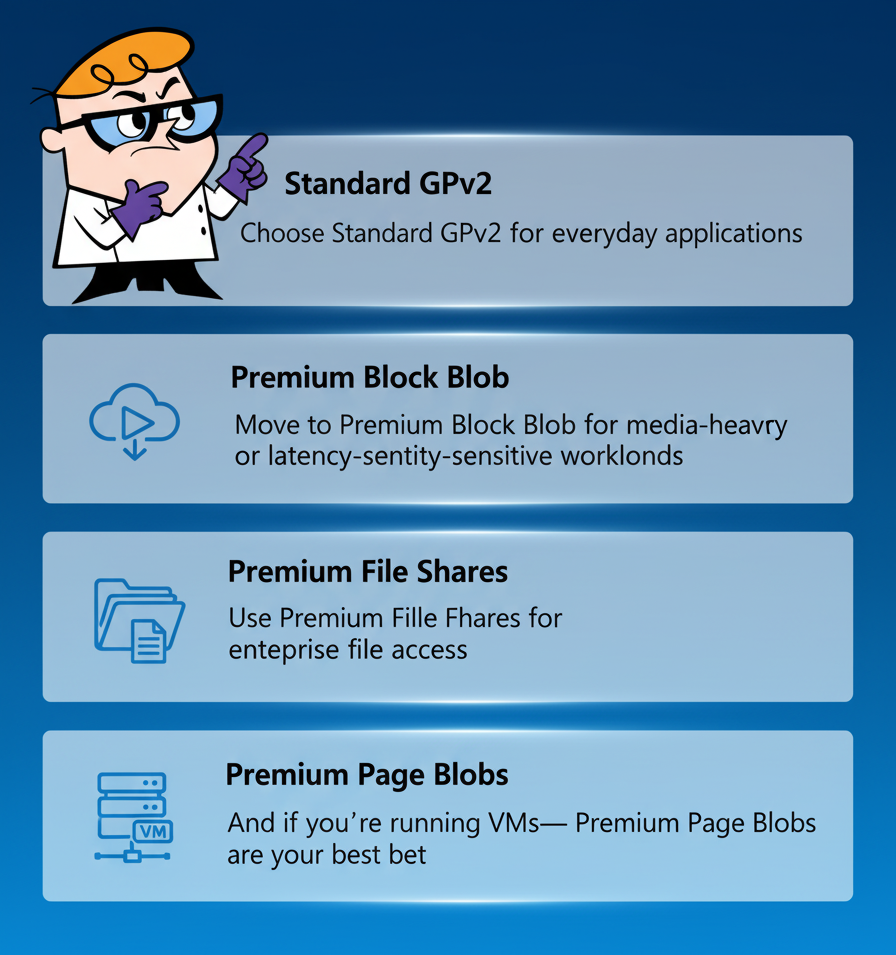
- Choose Standard GPv2 for everyday applications.
- Move to Premium Block Blob for media-heavy or latency-sensitive workloads.
- Use Premium File Shares for enterprise file access.
- And if you’re running VMs — Premium Page Blobs are your best bet.
Azure gives you the flexibility to pick what fits your project — and switch when your needs evolve.

Related Articles —
메타데이터
- post_id
- 7eaec889f322
- slug
- understanding-azure-storage-account-types-explained-with-real-world-analogies-7eaec889f322
- url
- https://medium.com/@rp99452/understanding-azure-storage-account-types-explained-with-real-world-analogies-7eaec889f322
- canonical_url
- https://medium.com/@rp99452/understanding-azure-storage-account-types-explained-with-real-world-analogies-7eaec889f322
- author_url
- https://medium.com/@rp99452
- status
- ok
- fetched_at
- 2026-08-03 23:20:39