The Workspace Agent Playbook: What Can Google’s Studio Actually Automate Today?
A practical guide to understanding which workflows are ready for AI automation — and which ones aren’t
The Workspace Agent Playbook: What Can Google’s Studio Actually Automate Today?
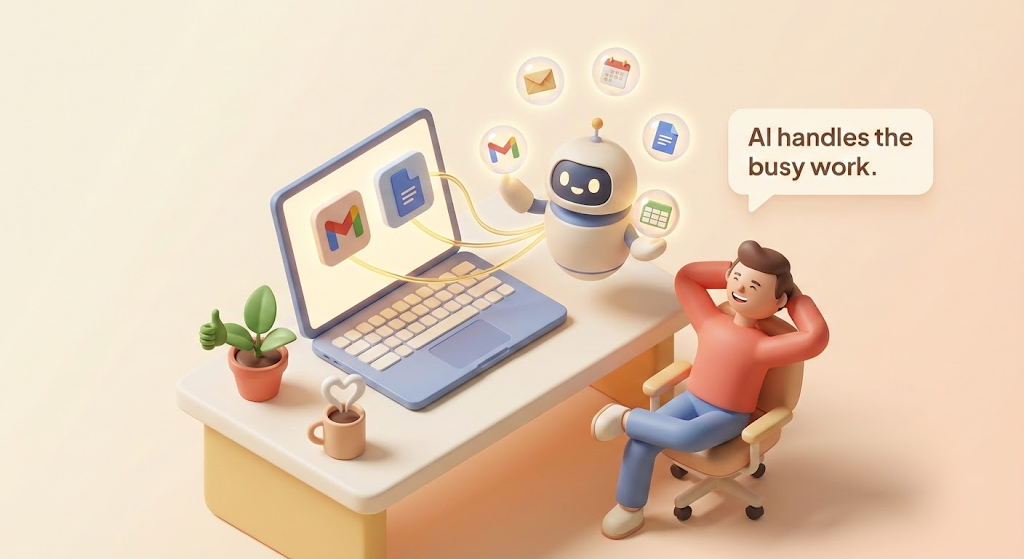
all images generated with nano-banana-pro and agents
A practical guide to understanding which workflows are ready for AI automation — and which ones aren’t
You’ve probably heard the pitch by now: AI agents will handle your boring work while you focus on the creative stuff. Every morning, instead of drowning in emails and calendar chaos, you’ll just tell an AI what needs to happen and poof — it’s done.
That’s the dream, anyway. But how much of that promise can you actually cash in on right now?
Google’s newly launched Workspace Studio is making some bold claims about AI agents embedded directly into Gmail, Docs, Sheets, and the rest of the Workspace family. I spent time digging into what’s actually possible today versus what’s still marketing fluff. Here’s what I found.

The “Agentic Gap” Is Real (But Shrinking)
Let’s address the elephant in the room: there’s a significant gap between what AI agents promise and what they deliver. Many companies rolled out chatbots and automation scripts only to watch them gather dust. Why? Because switching to a separate chat window or learning a complex workflow builder broke people out of their actual work.
Google’s approach is different — and it might actually work this time.

Workspace Studio agents live inside the apps you already use. That little double-arrow icon appears right in Gmail or Docs, giving the agent full context of what you’re working on. No tab switching. No copying and pasting context into a chatbot window.
As Google’s product director put it: legacy automation tools were “too rigid and technical.” Studio aims to let you delegate repetitive tasks to agents that can actually reason and understand context.
The 12 Workflows You Can Actually Automate Today
Not every task is ready for AI automation. But many are. Here’s a practical breakdown of what’s working right now, organized by reliability level.

High Reliability: Set It and (Mostly) Forget It

Email Triage is the killer use case. You can prompt an agent with something like “If an email contains a question for me, label it ‘To Respond’ and ping me in Chat.” The AI actually reasons over content — it’ll catch questions that don’t even have question marks. Google provides templates like “Label emails that have action items” that work out of the box.
File Organization is beautifully straightforward. Set up an agent to save email attachments to a specific Drive folder and log them in a Sheet. Triggers are unambiguous, actions are deterministic — this is exactly what AI agents do well.
Meeting Prep Briefs might be my favorite. Ten minutes before a meeting, an agent gathers the agenda, relevant docs, recent email threads, and sends you a summary in Chat. It’s like having a research assistant who never forgets.

Medium Reliability: Trust But Verify

Automated Status Updates work well for pulling data from Sheets and drafting weekly summaries. One team reported 90% reduction in drafting time. But treat these as first drafts — do a quick read before hitting send.
Document Drafting is where Gemini shines. It can create meeting agendas, proposal drafts, or summarize research into docs. The catch? AI occasionally includes outdated data or phrasing that isn’t quite right. Think of it as a tireless junior writer giving you a solid starting point.
Meeting Summaries and Follow-ups can automatically capture outcomes and email attendees with action items. Summarization is usually on-point for factual content, but nuance can be lost. For client or exec meetings, always review before sending.

Lower Reliability: Human-in-the-Loop Required

Smart Approvals can read requests, evaluate criteria, and route appropriately. But for anything with financial or compliance implications, use the “agent proposes, human signs off” pattern. Let the AI draft the approval decision, then require a quick human confirm.
Support Ticket Triage uses sentiment analysis to prioritize and categorize incoming requests. Modern AI can gauge sentiment with reasonably high accuracy, but be cautious about letting AI fully handle responses. A safe approach: let the agent draft responses for common issues and assign to a rep for quick review.

Templates vs. Custom Prompts: Which Should You Use?

Templates are your shortcut. Google provides dozens covering things like “Daily unread email summary” and “Star emails for follow-up.” They’re tested, they embed best practices, and they work out of the box.
Custom prompts unlock flexibility. In the Studio interface, you literally describe what you want: “Every time a file is added to the ‘Invoices’ folder, create a new row in my Finance Google Sheet with the file name, uploader, and date.” Gemini interprets that and builds the agent for you.
My advice: try a template first if one exists. You can always modify it later. Only go custom when you need something unique.

The Reliability Playbook: Three Patterns That Work
Even the best AI agents aren’t infallible. Here’s how to design workflows that minimize errors:

Checklists: Break complex tasks into smaller steps with clear intermediate outputs. If Step 1 looks wrong, you catch it before Step 2 runs.
Verification Gates: For high-stakes tasks, add human checkpoints. If an AI-drafted email contains certain keywords of concern, route it for approval instead of auto-sending.
Fallbacks: Plan for failure. If the AI can’t summarize an email, have a rule to just forward it to you instead. Graceful degradation beats silent failure every time.

What NOT to Automate (Yet)
Not everything should be handed to an AI. Hold off on:
- Tasks requiring human judgment: Sensitive employee communications, novel strategy decisions, ethical dilemmas
- Processes you don’t fully understand: If you can’t explain exactly how something works, don’t automate confusion
- High-risk actions: Auto-sending to large client distributions, executing financial transactions, deleting data
- One-off or highly variable tasks: If each instance is drastically different, automation ROI is low
The smartest automation decision is sometimes knowing when not to automate.

Getting Started: Your Quick Win Playbook

- Start small: Pick one or two high-frequency, low-risk tasks (email triage, meeting prep)
- Measure impact: Track time saved, errors caught, tasks completed
- Share wins: Nothing builds organizational buy-in like demonstrable success
- Expand thoughtfully: Add complexity gradually, not all at once
Google reports that early adopters built agents completing over 20 million tasks in a single month. The ROI is real — you just need to start.

The Bottom Line
Google Workspace Studio represents a genuine step forward in practical AI automation. The key insight isn’t that AI can do everything — it’s that AI can reliably handle a specific set of well-defined, repetitive tasks that currently eat up your day.
The agents aren’t magic wands. They’re more like diligent assistants who never forget to file that attachment, never miss a meeting prep, and never get tired of triaging emails.
Start with the quick wins. Build trust through success. Expand from there.
The future of work isn’t humans versus AI. It’s humans with AI — each doing what they do best.
What workflows are you automating with AI agents? Drop a comment below — I’d love to hear what’s working (and what isn’t) for you.
메타데이터
- post_id
- 7efdb3aeff64
- slug
- the-workspace-agent-playbook-what-can-googles-studio-actually-automate-today-7efdb3aeff64
- url
- https://medium.com/@Micheal-Lanham/the-workspace-agent-playbook-what-can-googles-studio-actually-automate-today-7efdb3aeff64
- canonical_url
- https://medium.com/@Micheal-Lanham/the-workspace-agent-playbook-what-can-googles-studio-actually-automate-today-7efdb3aeff64
- author_url
- https://medium.com/@Micheal-Lanham
- status
- ok
- fetched_at
- 2026-06-09 15:37:30