Part 6 — Flush vs Commit in Hibernate(When Does Hibernate Actually Hit the Database?)
Introduction
Part 6 — Flush vs Commit in Hibernate(When Does Hibernate Actually Hit the Database?)
Introduction
In the previous article, we learned how Hibernate uses Dirty Checking to automatically detect changes in managed entities. We saw that you can modify an entity and, without calling save(), Hibernate magically updates the database at the end of the transaction.
But here’s a question that puzzles many developers:
👉 When exactly does Hibernate execute the SQL? Is it the moment you change the entity? When you call a method? Or only when the transaction commits?
The answer is crucial for understanding Hibernate’s performance, debugging unexpected behavior, and avoiding common pitfalls.
To answer this, we need to understand two distinct concepts:
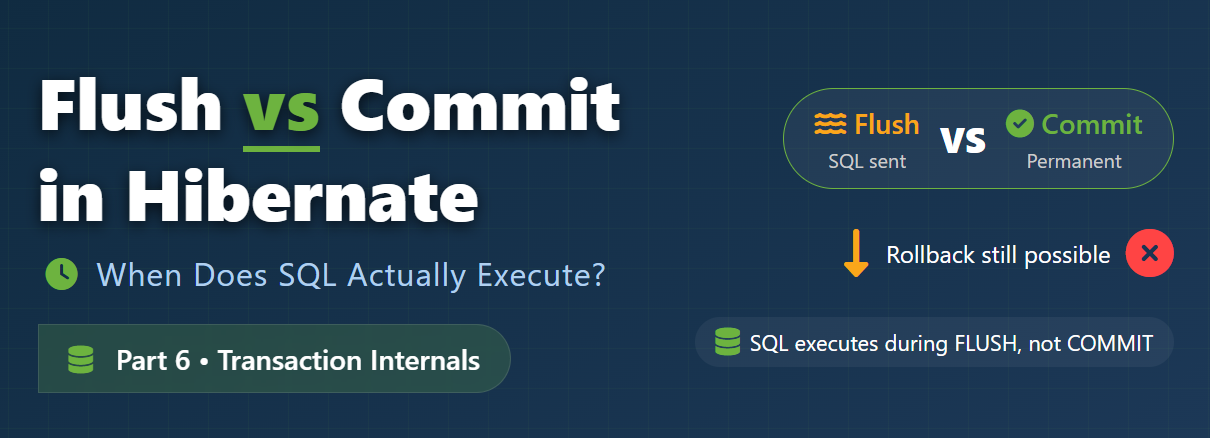
- Flush — synchronizing the persistence context with the database
- Commit — finalizing the transaction and making changes permanent
In this article, we’ll uncover:
- What
flushandcommitreally mean - The crucial differences between them
- When SQL is actually executed
- How flush modes affect behavior
- Real‑world examples and common interview traps
- Why and when you would explicitly call
flush()– with practical code scenarios
Let’s demystify Hibernate’s inner workings once and for all! 🚀
What is Flush?
Flush is the process by which Hibernate synchronizes the in‑memory state of the persistence context with the database. During a flush, Hibernate converts all pending changes (inserts, updates, deletes) into SQL statements and sends them to the database.
@Transactional
public void updateEmployee() {
 Employee emp = employeeRepository.findById(1L).orElseThrow();
 emp.setAddress("Delhi"); // in‑memory change
 // No SQL yet…
} // transaction commits → flush → UPDATE executed
At flush time, Hibernate will execute:
UPDATE employee SET address = 'Delhi' WHERE id = 1;Important: Flush does not commit the transaction. It only sends the SQL to the database. The changes are still temporary and can be rolled back.
What is Commit?
Commit is the act of finalizing the transaction and making all changes permanent in the database. When you commit:
- The transaction ends.
- All changes become visible to other transactions (depending on isolation level).
- Database locks are released.
- The changes survive a crash (durability).
@Transactional
public void updateEmployee() {
 // … modifications …
} // commit happens automatically at the end
Key Difference Between Flush and Commit

Execution Flow — A Visual Timeline

Key points:
- SQL (
UPDATE) is executed during flush, not necessarily at commit. - If a query is executed before flush, Hibernate may flush automatically to ensure the query sees the latest changes.
- At commit, if there are still pending changes, Hibernate flushes first, then commits.
When Does Flush Happen?
Flush occurs automatically in three scenarios:
✅ Case 1 — Before Transaction Commit
This is the most common case. When a @Transactional method ends, Spring calls commit(), which triggers a flush if there are pending changes.
✅ Case 2 — Before Query Execution (if FlushMode.AUTO)
If you execute a query (JPQL, Criteria, etc.) and there are pending changes that might affect the result, Hibernate flushes automatically to keep the data consistent.
@Transactional
public void updateAndQuery() {
 Employee emp = repo.findById(1L).get();
 emp.setAddress("Delhi"); // pending change
// This query will trigger an automatic flush
 List<Employee> list = repo.findAll();
}
Without the flush, the query would return stale data from the database.
✅ Case 3 — Explicit flush()
You can manually force a flush by calling entityManager.flush() or session.flush(). This is useful in two real‑world scenarios:
🔹 Scenario A: Obtaining a Generated Primary Key
When you persist an entity with an auto‑generated ID (e.g., @GeneratedValue), the actual database ID is not available until the INSERT is executed. If you need the ID immediately (to log it, pass to another service, or use as a foreign key), you can flush.
@Transactional
public void createOrder() {
 Order order = new Order();
 order.setCustomer("John Doe");
 entityManager.persist(order); // order is now managed, but ID not yet generated
// At this point, order.getId() is null (if using IDENTITY) or temporary.
 // To get the real database-generated ID now, we flush.
entityManager.flush(); // INSERT sent to DB, ID is generated and set on the order
Long newOrderId = order.getId(); // now contains the actual DB-generated ID
// Use the ID, e.g., create a related Payment
 Payment payment = new Payment();
 payment.setOrderId(newOrderId);
 entityManager.persist(payment);
}
Without the explicit flush, the INSERT might not happen until commit, so order.getId() would still be unavailable.
🔹 Scenario B: Catching Database Constraint Violations Early
If you have unique constraints or foreign key validations, you might want to detect violations immediately rather than waiting until commit (which could happen after other work is done). Flushing early lets you handle errors gracefully.
@Transactional
public void registerUser(String email, String name) {
 User user = new User();
 user.setEmail(email);
 user.setName(name);
 entityManager.persist(user);
try {
 entityManager.flush(); // Try to insert now - if email exists, exception thrown immediately
 } catch (PersistenceException e) {
 // Handle duplicate email (rollback and return user-friendly message)
 throw new DuplicateEmailException("Email already registered");
 }
// If we get here, the insert succeeded, so we can safely continue
 // e.g., send welcome email, create related profile, etc.
}
This pattern avoids performing expensive operations (like sending emails) before knowing the insert will succeed.
Note: After an explicit flush, the transaction is still open, so you can still roll back if needed.
What Happens After Flush? (Rollback is Still Possible)
After a flush, the SQL has been sent to the database, but the transaction is still open. This means:
- Other transactions may see the changes depending on isolation level (if the DB uses READ_COMMITTED, they won’t see uncommitted changes).
- If an exception occurs later in the transaction, you can still roll back, and the flushed changes will be undone.
Example with Rollback
@Transactional
public void updateEmployee() {
 Employee emp = repo.findById(1L).get();
 emp.setAddress("Delhi");
 entityManager.flush(); // UPDATE sent to DB, but not committed
throw new RuntimeException(); // rollback
}
Even though the UPDATE was executed, the rollback at the end will undo it, and the database will not reflect the change.
Flush Modes (Advanced)
Hibernate provides different flush modes to control when automatic flushing occurs. The most common are:

You can set the flush mode via:
entityManager.setFlushMode(FlushModeType.COMMIT);In Spring Boot, you can also configure it globally, but the default AUTO is suitable for most applications.
Common Interview Trap
Question: When does Hibernate execute SQL statements?
Common (wrong) answer: “At commit.”
Correct answer:
SQL is executed during flush, which typically happens before commit (or before query execution in AUTO mode). Commit simply makes those changes permanent and ends the transaction.
This distinction is crucial because after flush, you can still roll back, but after commit, you cannot.
Real‑World Understanding
Think of a transaction like editing a document in a text editor:
- Flush = saving a draft to disk (you can still undo)
- Commit = finalizing and closing the document (permanent)
You can save (flush) multiple times, but only the final “commit” makes the changes permanent.
Key Takeaways
- Flush : Sends SQL to the database but keeps transaction open.
- Commit : Ends transaction and makes changes permanent.
- SQL execution : Happens during flush, not necessarily at commit.
- Rollback possible after flush?: Yes
- Explicit flush : Useful for getting generated IDs and early constraint validation.
- Default flush mode :
AUTO(flush before commit and before affected queries).
🧠 Quick Challenge for You!
Test your understanding with this scenario:
@Transactional
public void testFlushVsCommit() {
 Employee emp = repo.findById(1L).get();
 emp.setName("New Name");
 repo.flush(); // explicit flush
// A crash happens here (power outage)
}
Questions:
- Was the
UPDATEexecuted before the crash? - After the system restarts, will the employee’s name be “New Name” in the database?
- What if the crash happened after the method finished normally but before the commit completed?
👇 Drop your answers in the comments below! This scenario often appears in advanced interviews.
💬 Let’s Discuss!
- Have you ever used explicit
flush()in production? What was the use case? - Have you encountered unexpected behavior due to flush timing?
- Any other Hibernate mysteries you’d like me to cover?
Leave a comment below — let’s learn together! 👇
🔜 What’s Next
Now that we understand when Hibernate executes SQL, the next concept is:
👉 **Part 7 — Lazy Loading vs Eager Loading in Hibernate**
We’ll explore:
- The difference between lazy and eager fetching
- How to choose the right strategy
- The dreaded
LazyInitializationException - Performance trade‑offs and best practices
📚 Spring Transactions & Hibernate Internals Series
- Part 1 — Transaction Management in Spring Boot
- Part 2 — How @Transactional Works Internally in Spring Boot
- Part 3 — The Self Invocation Problem in Spring Transactions
- Part 4 — Understanding Hibernate Persistence Context
- Part 5 — Dirty Checking in Hibernate
- Part 6 — Flush vs Commit in Hibernate 👈you are here
- Part 7 — Lazy Loading vs Eager Loading in Hibernate
- Part 8 — The N+1 Query Problem in Hibernate
- Part 9 — Interview Q&A
메타데이터
- post_id
- 7f9fbf3f780a
- slug
- flush-vs-commit-in-hibernate-when-does-hibernate-actually-hit-the-database-7f9fbf3f780a
- url
- https://medium.com/@varuntewani01/flush-vs-commit-in-hibernate-when-does-hibernate-actually-hit-the-database-7f9fbf3f780a
- canonical_url
- https://medium.com/@varuntewani01/flush-vs-commit-in-hibernate-when-does-hibernate-actually-hit-the-database-7f9fbf3f780a
- author_url
- https://medium.com/@varuntewani01
- status
- ok
- fetched_at
- 2026-07-13 06:23:13