I Found a GitHub Repo That Turns AI Coding Tools Into a Full Agent Operating System
There is a common problem many developers face when using AI coding tools.
I Found a GitHub Repo That Turns AI Coding Tools Into a Full Agent Operating System
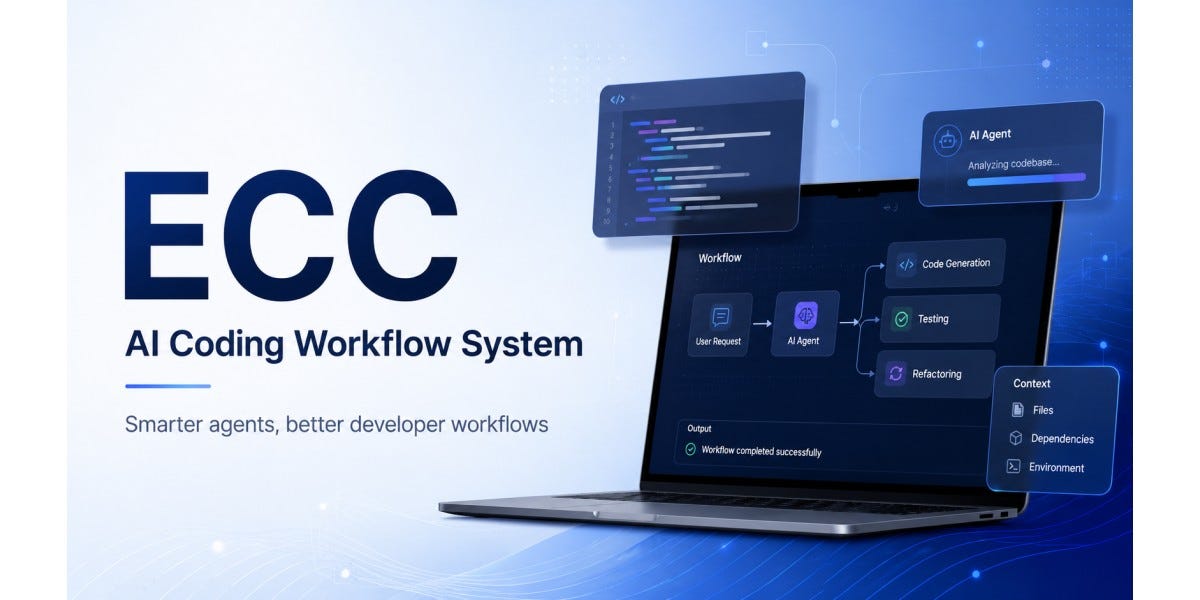
ECC
There is a common problem many developers face when using AI coding tools.
At first, tools like Claude Code, Cursor, Codex, OpenCode, Gemini, and GitHub Copilot feel powerful. You ask them to write code, review files, fix bugs, or explain a project, and they respond quickly. But after using them on real projects, the limits become obvious.
You keep repeating the same instructions.
You keep telling the AI your coding style.
You keep explaining your testing process.
You keep reminding it to check security, follow project rules, avoid shortcuts, and understand the codebase before making changes.
That is where ECC by affaan-m becomes interesting.
ECC is not just another prompt collection. It describes itself as a harness-native operator system for agentic work. In simple words, it is a complete system that gives AI coding agents better structure, memory, skills, rules, workflows, hooks, and security practices so they can behave more like reliable development assistants instead of random chatbots. The repository supports Claude Code, Codex, Cursor, OpenCode, Gemini, Zed, GitHub Copilot, and other AI agent harnesses.
What Is ECC?
ECC stands for a broader idea: making AI coding agents more useful in real software development.
Most AI tools are good at answering isolated questions. But software engineering is not isolated. A real project has architecture, coding standards, security rules, testing expectations, deployment patterns, documentation, and team habits. ECC tries to package these repeated workflows into reusable components.
The repo includes agents, skills, hooks, rules, MCP configurations, commands, and cross-harness setup files. According to the README content, ECC includes 61 agents, 246 skills, and 76 legacy command shims, along with support for multiple language ecosystems and tool environments.
That means instead of manually telling your AI assistant:
“Please review this code carefully.”
“Follow TDD.”
“Check security.”
“Do not ignore tests.”
“Use project conventions.”
ECC gives you reusable workflows and rules that help make those expectations part of the agent’s normal behavior.
Why ECC Is Useful
The biggest reason ECC is useful is simple: it reduces repeated explanation.
Every developer who uses AI coding tools eventually runs into the same frustration. The AI may be smart, but it forgets context. It may write code, but not always in your preferred style. It may fix one bug, but break another part of the system. It may sound confident, but skip testing or ignore security risks.
ECC solves this by adding structure around the AI workflow.
It gives you planning agents, review agents, build-fix agents, security reviewers, language-specific reviewers, testing workflows, and rules for different stacks. For example, it includes support for TypeScript, Python, Go, Java, Kotlin, Rust, Swift, PHP, Perl, C++, Django, Laravel, Spring Boot, Quarkus, Docker, E2E testing, API design, database migrations, and more.
That makes it useful for developers who want AI help but still care about engineering discipline.
Instead of treating AI coding as “ask and hope,” ECC turns it into a repeatable process:
Plan first.
Write tests.
Implement carefully.
Review code.
Run checks.
Improve documentation.
Scan for security issues.
This is much closer to how real software teams work.
What ECC Actually Does
ECC acts like a performance and workflow layer for AI coding agents.
It provides agents for specific jobs. For example, a planner can break down a feature, a code reviewer can inspect quality, a build resolver can help fix failing builds, and a security reviewer can look for vulnerabilities.
It provides skills, which are reusable workflows or domain knowledge packs. These skills cover areas like TDD, security review, frontend patterns, backend patterns, API design, deployment, content writing, market research, and machine learning workflows.
It provides rules, which are always-follow guidelines. These can include coding style, testing expectations, git workflow, performance rules, security practices, and language-specific standards.
It provides hooks, which can trigger actions during coding workflows. For example, hooks can help enforce checks, warn about risky patterns, save context, or support session memory.
It also supports MCP configurations, which help connect AI tools with external systems such as GitHub, Supabase, Playwright, memory tools, and documentation tools.
This is why ECC feels bigger than a normal GitHub repo. It is trying to become an operating layer for agentic software work.
Why It Is Becoming Popular
ECC is popular because it sits directly inside one of the biggest trends in software development: AI agents are moving from simple chat helpers to workflow operators.
Developers no longer just want an AI that can write a function. They want an AI that can understand a project, follow conventions, delegate tasks, run verification loops, remember patterns, and help ship better software.
The repository’s public README highlights major adoption signals, including large star and fork counts, 170+ contributors, support for 12+ language ecosystems, and an Anthropic Hackathon winner badge.
Another reason it is popular is cross-tool support. Many projects today are not locked into one AI coding environment. Some developers use Claude Code. Some use Cursor. Some use Codex. Some use OpenCode. Some use GitHub Copilot inside VS Code. ECC tries to create reusable workflows that work across these different environments instead of forcing developers into one tool.
Its 2.0.0 release candidate also focuses on becoming a cross-harness operating system for agentic work, with Claude Code, Codex, OpenCode, Cursor, Gemini, Zed, and terminal workflows treated as execution surfaces that can share skills, rules, hooks, MCP conventions, and operator workflows.
That is a strong idea because the future of AI coding may not belong to one assistant. It may belong to systems that can coordinate many assistants.
How to Use ECC
The easiest way to start is through Claude Code plugin installation.
First, add the ECC marketplace:
/plugin marketplace add https://github.com/affaan-m/ECCThen install the plugin:
/plugin install ecc@eccAfter installation, you can start using ECC commands and workflows. For example:
/ecc:plan "Add user authentication"This lets ECC help create a structured implementation plan instead of jumping directly into code.
The README also explains that Claude Code plugins do not automatically distribute rules, so you may need to manually copy the rule folders you want. For example:
git clone https://github.com/affaan-m/ECC.git
cd ECC
mkdir -p ~/.claude/rules/ecc
cp -R rules/common ~/.claude/rules/ecc/
cp -R rules/typescript ~/.claude/rules/ecc/You should only copy the rule folders you actually need. For example, if your project is Python-based, copy the Python rules. If it is TypeScript-based, copy TypeScript rules. Avoid copying everything blindly because too much context can make the AI slower or noisier.
ECC also supports manual installation using:
./install.sh --profile fullOn Windows PowerShell:
.\install.ps1 --profile fullOr through npm:
npx ecc-install --profile fullBut the README warns not to stack install methods. If you install the plugin, do not also run a full manual install on top of it, because that can create duplicate skills, duplicate hooks, and confusing behavior.
Best Use Cases
ECC is especially useful when you are working on a serious codebase and want AI to behave more consistently.
Use it when starting a new feature and you want a plan before coding.
Use it when reviewing code for quality, security, and maintainability.
Use it when fixing build errors.
Use it when enforcing TDD.
Use it when you want reusable project rules.
Use it when multiple developers or agents are working on the same repository.
Use it when you are tired of repeating the same instructions to AI every day.
It may be overkill for very small scripts or one-time experiments. But for real projects, team workflows, and long-running codebases, ECC can save time and reduce AI mistakes.
Final Thoughts
ECC is useful because it understands one important truth: AI coding is not just about generating code.
Good software development needs planning, testing, review, security, documentation, memory, and consistency. ECC tries to bring all of that into the AI coding workflow.
That is why this repo stands out. It does not simply say, “Here are some prompts.” It says, “Here is a full operating system for agentic work.”
For developers who already use Claude Code, Cursor, Codex, OpenCode, or Copilot, ECC is worth exploring because it shows where AI-assisted development is heading: not just smarter models, but better systems around those models.
Sources
GitHub repo: https://github.com/affaan-m/ECC
A quick note before you go 👋
I break down real AI shifts before they hit the mainstream 🚀 Click Follow now so you do not miss what matters next and drop a clap 👏 if this helped.
메타데이터
- post_id
- 7fc33f1d6cd4
- slug
- i-found-a-github-repo-that-turns-ai-coding-tools-into-a-full-agent-operating-system-7fc33f1d6cd4
- url
- https://medium.com/@shubhamchoudhary05/i-found-a-github-repo-that-turns-ai-coding-tools-into-a-full-agent-operating-system-7fc33f1d6cd4
- canonical_url
- https://medium.com/@shubhamchoudhary05/i-found-a-github-repo-that-turns-ai-coding-tools-into-a-full-agent-operating-system-7fc33f1d6cd4
- author_url
- https://medium.com/@shubhamchoudhary05
- status
- ok
- fetched_at
- 2026-06-16 19:09:56





