Learning New A.I. Editing Techniques in Photoshop 2026
Or, either don’t promise what you can’t deliver, or punt
PHOTO EDITING USING PHOTOSHOP AND A.I.
Learning New A.I. Editing Techniques in Photoshop 2026
Or, either don’t promise what you can’t deliver, or punt

Photo by Author, made for Lincoln Literacy in 2022, of young Indian dancers as part of the entertainment at a Gala.
All photos herein © Charles G. Haacker, Author.
Author’s note: Aside from using Grammarly as a spelling and grammar checker, the AI in this story was used in some of the illustrations only. I regard AI in photo editing as a tool. I value what it allows me to accomplish that I never could before.
I recently made an unforced error by telling a longtime client I was a Photoshop “Expert” when I am really still needing a lot of luck most of the time. I ought to have waited until I knew what they would ask me to do.
Pro tip: don’t do that. They asked for something I had never done (remove and replace an entire background). I couldn’t duck back in the alley; I had to stand and deliver. The stark reality was that I had to teach myself to perform a complex procedure I wasn’t at all sure I could.
Photographers seem to either love or loathe Adobe’s Creative Cloud (in my case, Photoshop 2026 yoked to Lightroom Classic, also 2026). The main bone of contention is the Subscription Model. It was introduced in 2013 and forced down the throats of working professional photographers, graphic designers, and retouchers who had previously been able to buy outright what they needed and pay for updates, or not, as they wished. I get it; they are justifiably angry.
The subscription model means that a worker never outright owns the application(s). We are renting them. There is an upside: constant updates to all apps with new features and bug fixes at no additional charge.
As a general rule, full-time working professionals who use Adobe applications stick with them because they can write off their costs as business expenses. They know they can rely on Adobe to deliver cutting-edge updates and upgrades in a steady stream.
There are cheaper, even free, apps that claim to do what Adobe does. Were I younger, I might take a flyer on one, but at my age (84), the learning curve is Sehr steil. I stick with what I know.
Sometime around 2006, my brother-in-law gave me a copy of Photoshop Elements 2.0, introduced in 2002, a legacy, stripped-down photo editing application designed for consumer use, featuring foundational tools like retouching, layers, and filters. It included a File Browser, Quick Fix options including the legendary Clone Stamp, and a Selection Brush.
I was over the moon.
At the time, I was still shooting analog (film), but every one-hour lab offered a disc of JPEGs along with the negatives and prints.
I bought a copy of Photoshop Elements 2.0 for Dummies and read the thing cover to cover. Twice.
I had a Fujichrome 400 slide I’d made in 2005 of the famed Ski Train flying out of Colorado’s high altitude Moffat Tunnel. I think it was the last roll of film I ever shot with my beloved Canon T90. A lab processed the slides, and we added a disc of JPEGs.
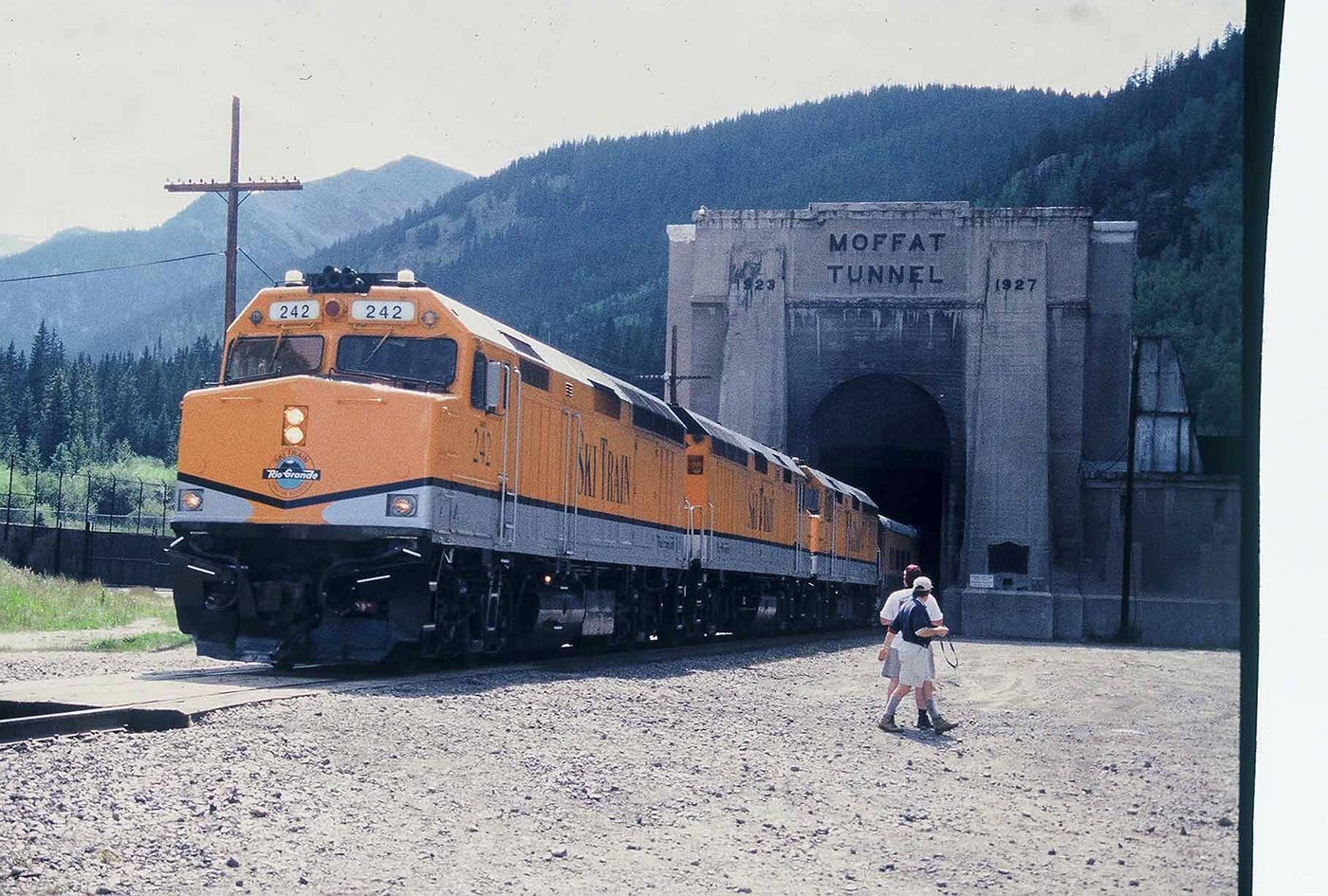
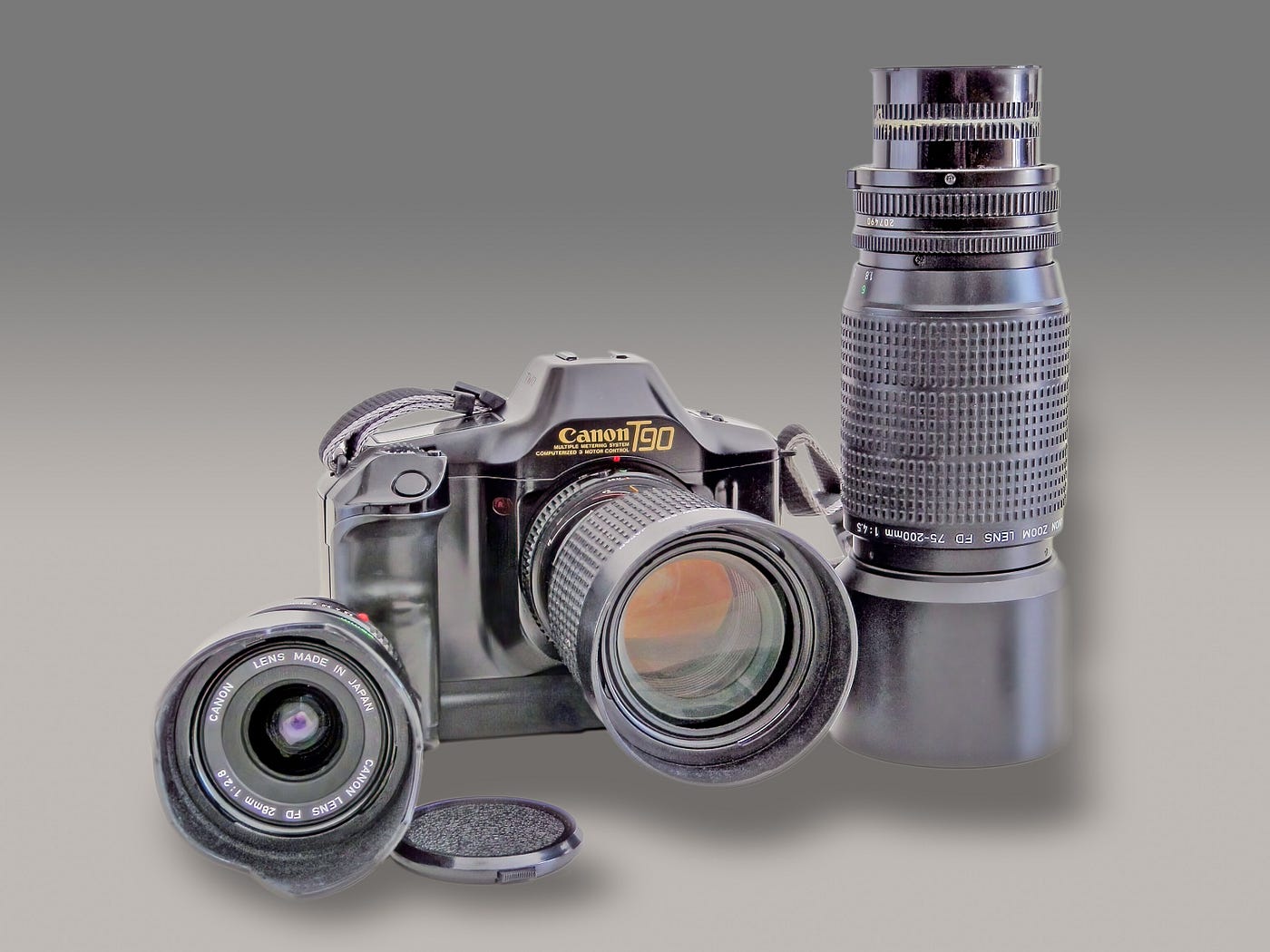
The Ski Train is exiting the Eastern Portal of the Colorado Moffat Railroad Tunnel at about 9,239 feet of elevation. At the right of the frame, you can see the end of the roll. The picture was made with my Canon T90, a respected semi-pro camera from the 1980s. Those two guys…? Grrrrrr
My wife and I waited at 9,000+ feet in blistering heat and crisping UV for a train to burst from the tunnel. We knew a train was coming because the huge curtains over the exit were closed and the enormous fans in the tunnel were clearing exhaust gases so the crew and passengers wouldn’t suffocate on carbon monoxide.
My Canon T90 was on its last frame of a 36-exposure roll. I had more film in the car, but it was a quarter-mile away. I just knew that if I tried to run to the car, the train would emerge and I would miss my literal only shot. As it turned out, I could have ambled to the car and back with a fresh roll, but you know how it is.
So I stayed put. Meanwhile, others were wandering around, waiting for the same train. And waiting. And waiting.
I did get my one-and-only shot, but there were two guys in my midground.
Dang!
But I had a secret weapon: the Clone Stamp that came with my Elements 2.0.
But I also had a secret weapon: the Clone Stamp that came with my Elements 2.0. I didn’t even know enough to do the edits on a separate layer,* so I got lucky not to screw it up. The version below has been reedited and refined over time in both Photoshop and Lightroom Classic. I left the Fuji 400's gnarly grain in the picture; I like it. There’s fringing, a JPEG artifact in the tree line on the ridge that I could remove, but as dishonest as this final version is, I am leaving it there. The picture is over 20 years old, and that locomotive has long since been replaced by the current Amtrak model, which is nowhere near as pretty. I am glad I have this.
- A layer in a photo editing app is analogous to a sheet of acetate; layers can be piled up to create a composite.

Edited Ski Train exiting the Eastern Portal of the Moffat Tunnel at about 9,239 feet of elevation, Summer, 2005. Clouds added.
In 2007, I made the shift from analog (film) to digital with a tiny, shirt-pocket point-and-shoot Nikon “Coolpix” L12. There followed a succession of cameras, culminating in 2018 with a Sony a6000, an entry-level APS-C “half-frame” mirrorless camera. I use that system to this day.
About 2019, I subscribed to what was then Adobe’s Creative Cloud (CC). Until then, I had been using Adobe Photoshop Elements (Version 14). I might have upgraded to Elements 15, but I had always wanted to try Lightroom, and the basic Adobe Photography Bundle included Photoshop plus Lightroom. I figured that, if I could master Elements, I had a leg up in Photoshop, so I subscribed to Basic Photography, which included Adobe Camera Raw and a couple of other things, all for the seriously low price of eleven bucks a month, less than a daily cuppa coffee.
In 2025, I began paying $257.27 annually; it may go up, but paying annually works out to $0.70 a day for access to the gold-standard photographic editing programs. At McDonald’s, I can get a small senior coffee for a dollar.
I would not switch from Adobe. It has taken years of consistent practice to develop any measurable skill in Photoshop and Lightroom Classic. I’m most skilled with Lightroom Classic, but there are jobs that only Photoshop or an equivalent app with layers can accomplish.
The difficult we do immediately: The impossible takes a little longer.



Samples of the sorts of pictures I have made for Lincoln Lieracy that they will use as wall decor in their offices.
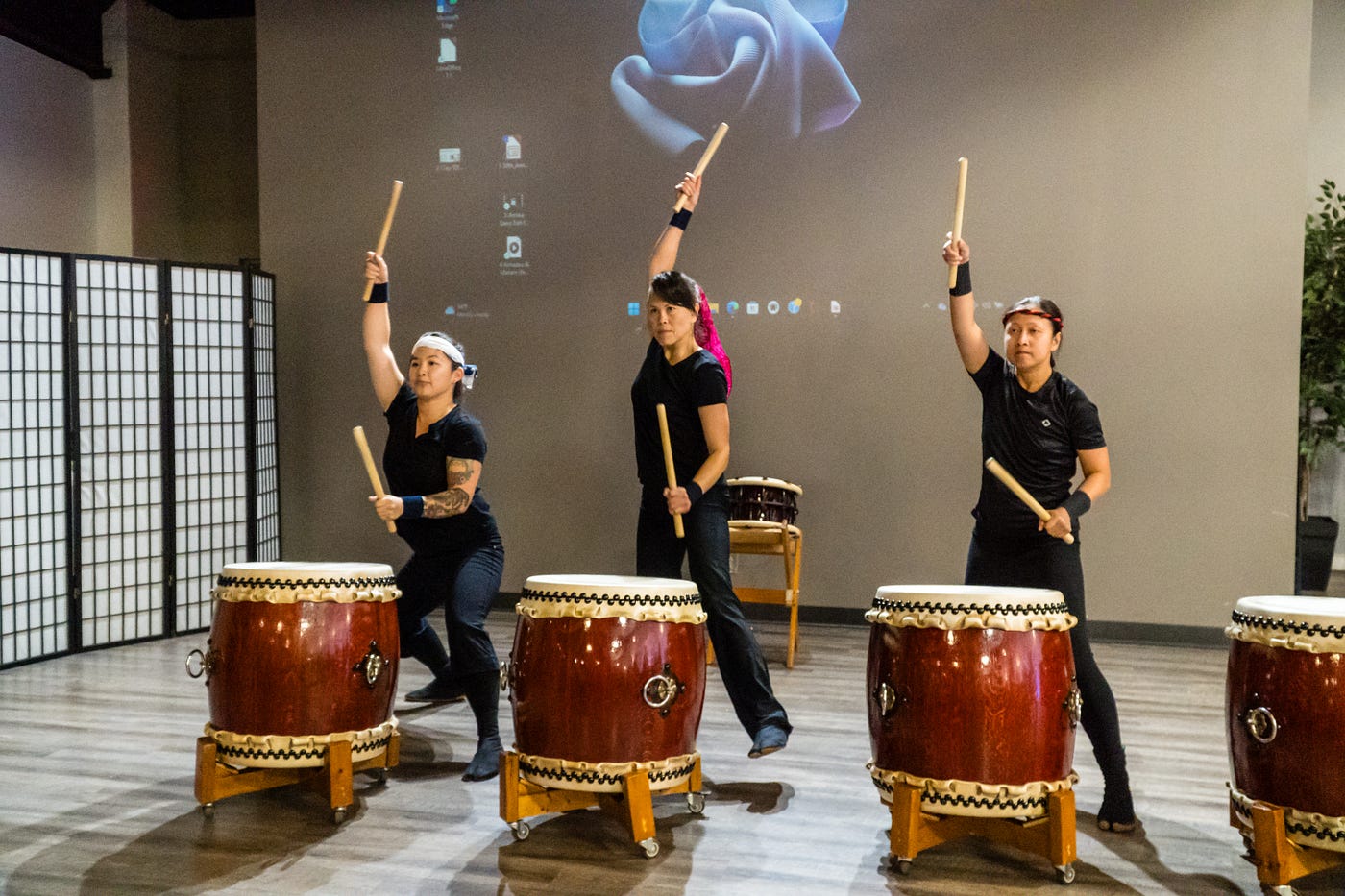
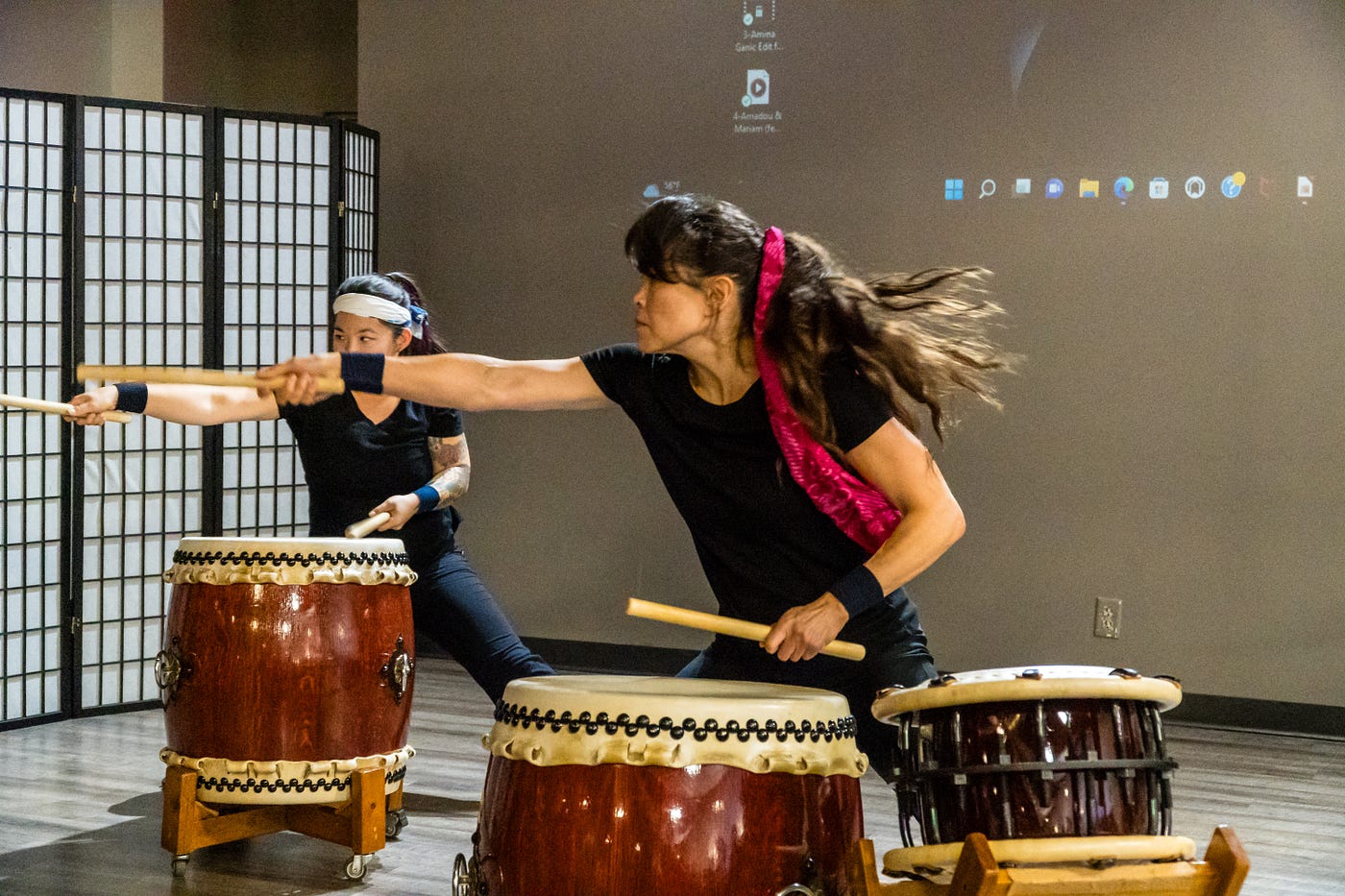
Members of Lincoln’s Own Kokyo Taiko perform at the Gala (hearing protection recommended). That background needed to go.
Lincoln Literacy, a steady client, wanted to display some of the photos I had taken for them over the years as wall decor in their offices.
They made their selections. The pictures were “camera-ready.” They had a select group they intended to make large canvas prints from, and a much larger group for matted 11x14s.
The same background as the Taiko Drummers above. At first glance I can be fogiven for thinking, “impossible.” but never say never.
Slated for a large canvas print were these lovely, colorful Indian dancers, but they wanted the distracting background gone.
Up until only a few months ago, creating a precise cutout of the dancers would have involved tedious, eye-grinding, headache-inducing selection work with Photoshop’s pen tool. The pen was the gold standard for making complex selections, such as around these lovely young women.
I say "was" because, just in time to rescue my exaggerated reputation, Photoshop released some of the most incredible AI-driven one-click selection tools that essentially make the pen tool obsolete.
2023: Photoshop released or improved some of its most incredible AI-powered one-click selection tools.

The one-click command in Photoshop 2026 is “select subject.”
Select Subject!
Having little to no idea what I was doing, I began experimenting, learning the process on the fly, making lots (lots!) of misteaks, piling up layers that mostly didn’t work. Select Subject had been around for years, but when Photoshop added AI to it, its accuracy became dumbfounding.
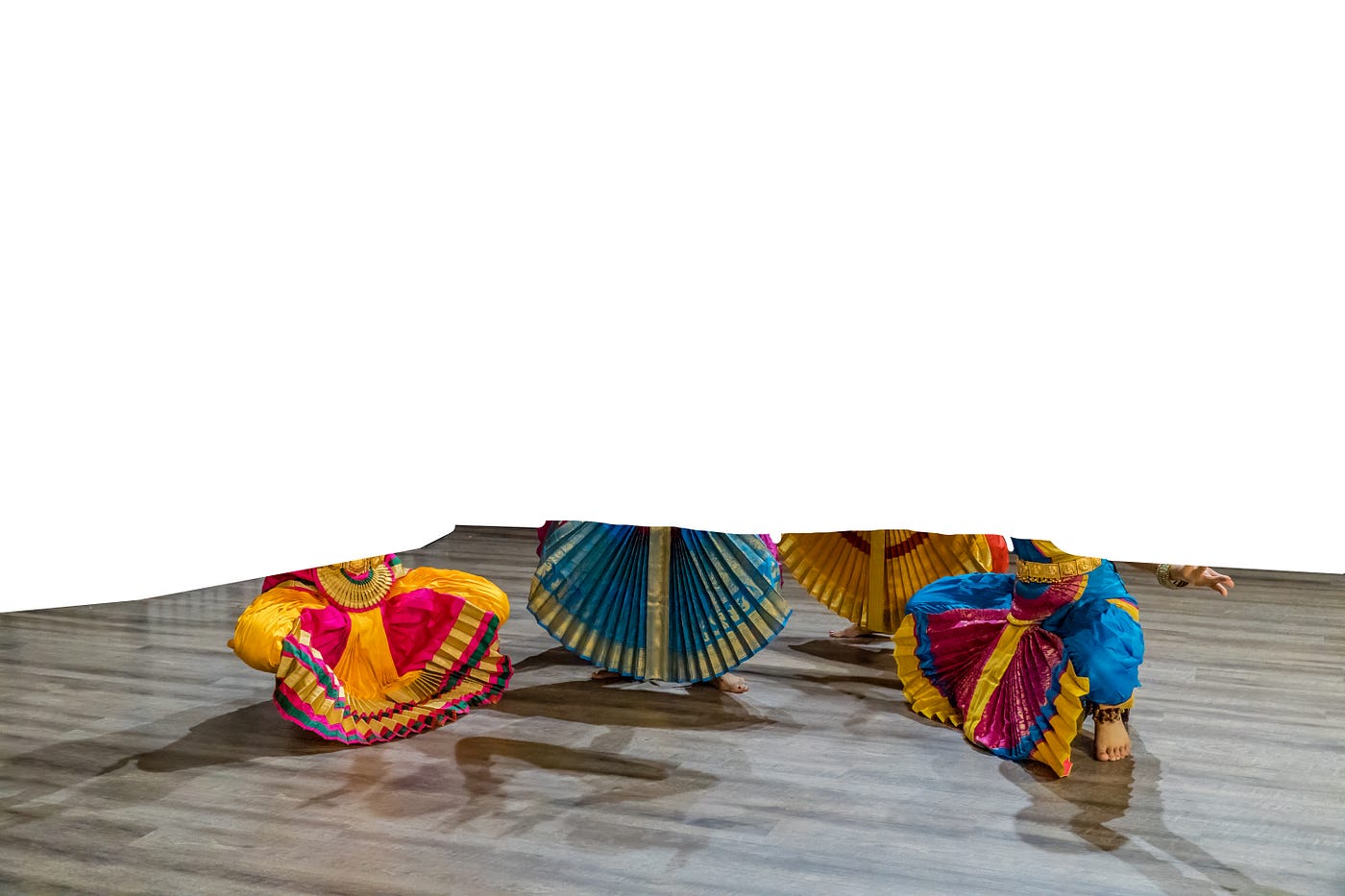
Two halves can make a whole.
After many hours of false starts, much growling, and [e̸x̸p̸l̸e̸t̸i̸v̸e̸s̸ ̸d̸e̸l̸e̸t̸e̸d̸], I blundered into this technique. At left is the carefully selected lower half of the dancers, with their floor and its important shadows.
At right are the full-length dancers with nothing around them, but if you mentally slide the right-hand group with its upper bodies over the left-hand group with its lower bodies and floor with shadows, you get this:




Indian-themed art from Adobe Stock. The peacock and temple carving have been expanded and blurred for use as a background.
The blank space layer created this way can be filled with anything, such as Indian-themed art from Adobe Stock, gradients, or plain white or gray drops.
Once I got the procedure figured out, I went a little nuts with backgrounds, plain and fancy. The blank space became a blank canvas.




This was filled with a light gray drop.
Eureka! I had done it! I taught myself to accomplish something I had never done, and added a new technique to my toolbox. I am chuffed. So is my client.
📸As always, gratitude for looking in. I sincerely appreciate it! Questions in the comments will be answered promptly, so PLEASE ASK! 😊👍
메타데이터
- post_id
- 803ee8f64bd5
- slug
- learning-new-a-i-editing-techniques-in-photoshop-2026-803ee8f64bd5
- url
- https://medium.com/counterarts/learning-new-a-i-editing-techniques-in-photoshop-2026-803ee8f64bd5
- canonical_url
- https://medium.com/counterarts/learning-new-a-i-editing-techniques-in-photoshop-2026-803ee8f64bd5
- author_url
- https://medium.com/@charles.haacker
- status
- ok
- fetched_at
- 2026-06-09 15:37:30