Music Notation Software, DAW and Realistic Sounds
An essential component of a portfolio you submit to music schools
Music Notation Software, DAW and Realistic Sounds
An essential component of a portfolio you submit to music schools
As a composition candidate and a person from the technology age, we can do more than write notes on paper. We can create beautiful-looking scores with notation software, and we can also generate realistic sound (without AI) for our application portfolio.
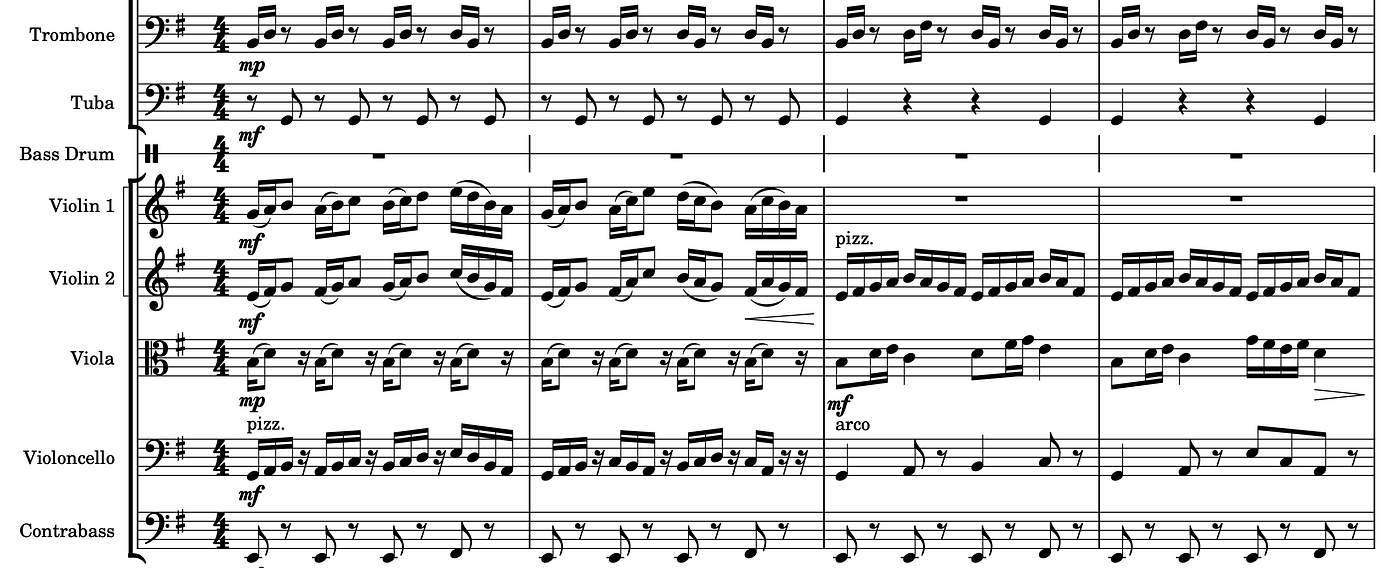
A screenshot of a section from a score composed by the author.
First things first, writing your notes correctly in 2026 requires music notation software. Writing scores that are organized, clean, and easy to read is fundamental, especially if you are going to apply for a composition program at music schools.
I chose MuseScore as my software. It’s very beginner-friendly and completely free.
I learned how to use the software by trial and error. To help you, there are plenty of resources available on the internet covering anything you might need to learn. You can also ask your own questions through their forum page.
You can hear what your notes sound like in real time with robotic playback, but MuseScore has a feature called MuseSounds, which is accessible through MuseHub. You can integrate high-quality sound libraries like VSL (Vienna Symphonic Library) into MuseScore to hear more realistic sounds.
Isn’t it amazing to hear your music with fantastic sound quality? Adding more realistic sounds alongside your notation in your portfolio for music schools can be a great advantage. Fasten your seatbelt, because we can make them even more realistic.
Playing MIDI (Musical Instrument Digital Interface) in DAWs (Digital Audio Workstations) gives you the opportunity to make your music more alive. I already had some familiarity with DAWs like Logic Pro, since I was using it to record my guitar. I had also learned a little bit about MIDI.
MIDI does not contain any sound information. It holds data such as which note will be played, the velocity at which the note is played, and how long it will last. You can export your score as a MIDI file from MuseScore.
You can import your MIDI file into a DAW and edit it to achieve more realistic sounds. The first thing you should do is use more comprehensive sound libraries, such as the full version of VSL or Spitfire Symphony Orchestra. These options can be more expensive than MuseSounds, but they definitely sound better.
In a DAW, you have more control than in notation software, obviously. If you pay attention to the topics I will mention now, you can achieve more realistic sounds quite easily.
Use your DAW’s MIDI humanization tools to slightly randomize note velocities. That is the most important part of avoiding robotic sounds. You can also apply small timing shifts to make the performance more realistic.
In a DAW, I was not trying to “mix professionally”; I was trying to remove the things that made my music sound fake. I used Equalization (EQ) to make the sounds clearer.
Use a Compressor to balance low and high dynamics. Add subtle Distortion to imitate the character of real instruments. Use Reverb to place your instruments in room or stage-like environments.
After these improvements, they gave me an opportunity. I started publishing what I composed under an album called Classic Series using the artist name “Nodelusion.” I also shared some of the soundtracks I wrote under the same name.
Stream my project “Nodelusion”: Spotify, Apple Music, YouTube Music and YouTube Music 2, and SoundCloud (early access).
I’ve shared some essential concepts that helped me create a more polished portfolio. I hope they support you on your own journey. See you in the next post.
메타데이터
- post_id
- 8053a38f6cda
- slug
- music-notation-software-daw-and-realistic-sounds-8053a38f6cda
- url
- https://medium.com/@ardamavi/music-notation-software-daw-and-realistic-sounds-8053a38f6cda
- canonical_url
- https://medium.com/@ardamavi/music-notation-software-daw-and-realistic-sounds-8053a38f6cda
- author_url
- https://medium.com/@ardamavi
- status
- ok
- fetched_at
- 2026-07-13 06:23:13