Databases Explained for Beginners: SQL, NoSQL, Tables, Queries, and How Real Applications Store…
Understanding How Apps Remember Information
Databases Explained for Beginners: SQL, NoSQL, Tables, Queries, and How Real Applications Store Data
Understanding How Apps Remember Information
Modern applications are everywhere.
When you log into Instagram, order food online, transfer money through a banking app, book a hotel room, or purchase a product from Amazon, something important happens behind the scenes:
The application remembers information.
It remembers your account, your password, your previous orders, your messages, your profile, your payment history, and much more.
But where is all this information stored?
The answer is simple: Databases.
If the frontend is what users see and the backend is the logic that powers an application, then databases are the memory of the application.
Without databases, every application would lose all its data whenever it restarted.
In this article, you’ll learn:
- What a database is
- Why databases are needed
- Tables, rows, columns, and records
- SQL vs NoSQL databases
- How queries work
- Real-world examples from banking and e-commerce
- Relationships between data
- How developers actually work with databases
- Where you can practice and write database code
Let’s begin.
What Is a Database?
A database is an organized collection of data that can be stored, managed, searched, and updated efficiently.
Think of it as a digital filing cabinet.
Instead of storing papers in folders, a database stores information electronically.
For example, a school database might store:
+-------------+-----------+-----------+
| Student ID  |   Name    |   Grade   |
+-------------+-----------+-----------+
|     1       |   Sarah   |   A       |
|     2       |   David   |   C       |
|     3       |   John    |   B       |
+-------------+-----------+-----------+
A company database might store:
- Employee details
- Salaries
- Attendance records
- Project assignments
A social media database might store:
- User accounts
- Posts
- Comments
- Followers
- Messages
Every modern software application depends on databases.
Why Do We Need Databases?
Imagine storing millions of customer records in text files.
Problems appear immediately:
- Slow searching
- Difficult updates
- Duplicate information
- Security issues
- Data corruption risks
Databases solve these problems by providing:
Fast Searching
Find specific records instantly.
Data Consistency
Data remains accurate and organized.
Security
Only authorized users can access certain data.
Backup and Recovery
Lost data can often be restored.
Scalability
Can handle millions or even billions of records.
Understanding Tables
Most databases organize information into tables.
A table is similar to a spreadsheet.
Example:
Users Table
+---------+------------+------------------------+
| UserID  |   Name     |     Email              |
+---------+------------+------------------------+
|   1     |   Alice    |   alice@email.com      |
|   2     |   Bob      |   bob@email.com        |
|   3     |   Charlie  |   charlie@email.com    |
+---------+------------+------------------------+
The table contains structured information.
Columns
Columns define what kind of information is stored.
- UserID
- Name
Think of columns as categories.
Rows
Rows represent individual records.
Example:
+---------+------------+------------------------+
|   1     |   Alice    |   alice@email.com      |
+---------+------------+------------------------+
This single row represents one user.
Every row stores data about one entity.
Database Terminology Every Beginner Should Know
+------------+-------------------------------+
|   Term     |   Meaning                     |
+------------+-------------------------------+
|  Table     |  Collection of related data   |
|  Row       |  One record                   |
|  Column    |  One data field               |
|  Record    |  Another name for row         |
|  Query     |  Request sent to database     |
|  Database  |  Collection of tables         |
+------------+-------------------------------+
These terms appear everywhere in software engineering.
What Is SQL?
SQL stands for: Structured Query Language
It is the language used to communicate with relational databases.
Developers use SQL to:
- Create tables
- Insert data
- Update data
- Delete data
- Search data
Example:
SELECT * FROM Users;Meaning: “Show all users.”
Basic SQL Queries
Insert Data
INSERT INTO Users
(Name, Email)
VALUES
('Alice', 'alice@email.com');
Adds a new user.
Retrieve Data
SELECT * FROM Users;Returns all records.
Filter Data
SELECT *
FROM Users
WHERE Name = 'Alice';
Returns only Alice’s record.
Update Data
UPDATE Users
SET Email='new@email.com'
WHERE UserID=1;
Updates information.
Delete Data
DELETE FROM Users
WHERE UserID=1;
Removes a record.
Primary Keys
Every record needs a unique identifier.
Example:
+---------+------------+
| UserID  |   Name     |
+---------+------------+
|   1     |   Alice    |
|   2     |   Bob      |
|   3     |   Alice    |
+---------+------------+
Here, user 1 and user 3 have the same name. Therefore, we need something unique to distinguish between the two, which in this case is the UserID.
This unique column is called a Primary Key.
It uniquely identifies every row.
Relationships Between Tables
Real applications rarely use a single table.
Imagine an e-commerce application.
Users table:
+---------+------------+
| UserID  |   Name     |
+---------+------------+
|   1     |   Alice    |
|   2     |   Bob      |
+---------+------------+
Orders table:
+----------+----------+------------+
| OrderID  |  UserID  |  Product   |
+----------+----------+------------+
|   101    |    1     |  Laptop    |
|   102    |    2     |  Earphone  |
|   103    |    1     |  Speaker   |
+----------+----------+------------+
How do tables connect to one another?
This is where Foreign Keys come in.
Notice:
UserID connects both tables (Orders table also contains a UserID column).
This UserID refers to a user that already exists in the Users table.
The UserID inside the Orders table is a Foreign Key.
A Foreign Key creates a relationship between tables.
This concept is fundamental to database design.
Notice also that one user can have many orders.
Without Foreign Keys, databases would struggle to maintain consistency and relationships between records.
For example:
- User Alice places an order.
- The order stores Alice’s UserID.
- The database now knows who owns that order.
This concept is fundamental to relational databases and is used extensively in real-world applications.

Defining Relationships
Database Design
Before developers create tables and write SQL queries, they first design how information should be organized.
This process is called Database Design.
A well-designed database makes applications:
- Faster
- Easier to maintain
- More scalable
- Less prone to errors
When designing a database, developers typically ask questions such as:
- What information needs to be stored?
- What tables are required?
- What columns should each table contain?
- How are the different tables connected?
- How can duplicate data be reduced?
For example, when building an online shopping platform, developers may identify the following entities:
- Users
- Products
- Orders
- Payments
Each of these becomes a separate table in the database.
Good database design is one of the most important steps in software development because poor design can cause major problems as applications grow.
Understanding ER Diagrams
Before building a database, developers often create visual diagrams to plan how data will be stored.
These diagrams are called Entity Relationship Diagrams (ER Diagrams).
An ER Diagram helps developers visualize:
- Tables
- Relationships
- Data flow
- Connections between entities
For an online shopping system, an ER Diagram might look like this:
   User
    |
    | places
    |
  Order
    |
    | contains
    |
 Product
This simple diagram tells us:
- A user can place orders.
- An order can contain products.
In larger systems, ER Diagrams may contain dozens or even hundreds of entities.
Although the diagrams can become complex, their goal remains simple:
To provide a blueprint for the database before development begins.
Think of an ER Diagram as an architect’s building plan before construction starts.
What Is a Relational Database?
A relational database stores data in related tables.
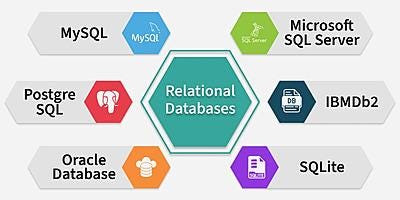
Relational Databases
These databases use SQL.
Most business systems rely on relational databases.
Real Banking System Example
Imagine a bank.
Customers table:
+-------------+-----------+
| CustomerID  |   Name    |
+-------------+-----------+
|     1       |   John    |
+-------------+-----------+
Accounts table:
+------------+-------------+------------+
| AccountID  | CustomerID  |   Balance  |
+------------+-------------+------------+
|    5001    |     1       |    100000  |
+------------+-------------+------------+
Transactions table:
+-----------------+-------------+------------+
|  TransactionID  |  AccountID  |   Amount   |
+-----------------+-------------+------------+
|        1        |    5001     |    -5000   |
+-----------------+-------------+------------+
The database tracks:
- Customers
- Accounts
- Deposits
- Withdrawals
- Transfers
Accuracy is critical.
A single mistake could cause financial losses.
This is why banks almost always use relational databases.
Understanding Transactions
Transactions are one of the most important features of modern databases.
A transaction is a group of database operations that must either:
- Complete successfully together
- Or fail together
There should never be a situation where only part of the work is completed.
Let’s look at a banking example.
Suppose:
Customer A - Account A contains: $1000
Customer B - Account B contains: $500
---------------------------
Customer A transfers $100 from Account A to Account B.
The database must perform two actions:
- Deduct $100 from Account A
- Add $100 to Account B
If the system crashes after the first step but before the second step, money effectively disappears.
Account A loses $100, but Account B never receives it.
This is unacceptable.
To prevent such problems, databases use transactions.
A transaction guarantees that:
Either
Step 1 succeeds
Step 2 succeeds
Or
Step 1 is cancelled
Step 2 is cancelled
Nothing is left half-finished.
This principle is critical in:
- Banking systems
- Payment gateways
- Online shopping platforms
- Airline booking systems
- Hospital management systems
Whenever accuracy matters, transactions play a crucial role.
Real E-Commerce Example
Consider Amazon.
The database stores:
Users
- Customer accounts
Products
- Name
- Price
- Stock
Orders
- Purchased items
Payments
- Payment history
Reviews
- Customer feedback
When a customer buys a product:
- Order is created.
- Stock is reduced.
- Payment is recorded.
- The shipping process begins.
All of this depends on databases.
What Is NoSQL?
As applications became larger, developers faced new challenges.
Social media applications generate enormous amounts of data.
Traditional relational databases are not always ideal for this scale.
This led to NoSQL Databases.

NoSQL Types
NoSQL means: “Not Only SQL.”
Unlike relational databases, NoSQL databases often do not rely on tables.
SQL vs NoSQL
+----------------------+----------------------------+
|     SQL              |      NoSQL                 |
+----------------------+----------------------------+
|  Tables              |  Flexible structures       |
|  Fixed schema        |  Flexible schema           |
|  Relational          |  Non-relational            |
|  Strong consistency  |  High scalability          |
|  Uses SQL            |  Different query methods   |
|  Great for banking   |  Great for social media    |
+----------------------+----------------------------+
SQL Example
{
  "UserID": 1,
  "Name": "Alice"
}
In SQL, this would typically be stored inside a table.
NoSQL Example
{
  "id": 1,
  "name": "Alice",
  "age": 24,
  "hobbies": [
    "Reading",
    "Gaming"
  ]
}
The entire object can be stored directly.
This flexibility is one reason NoSQL became popular.
Popular SQL Databases
MySQL
Very beginner-friendly.
Used by:
- Websites
- Startups
- Business applications
PostgreSQL
Powerful and highly respected.
Widely used in modern software companies.
Microsoft SQL Server
Common in enterprise environments.
Oracle Database
Popular among large corporations.
Popular NoSQL Databases
MongoDB
The most common NoSQL database for beginners.
Stores data as documents.
Cassandra
Designed for huge-scale systems.
Redis
Extremely fast.
Often used for caching.
When Should You Use SQL?
SQL is often the best choice when:
- Data relationships matter
- Accuracy is critical
- Transactions must be reliable
Examples:
- Banking systems
- Payroll software
- Accounting applications
- Hospital systems
When Should You Use NoSQL?
NoSQL is often useful when:
- Massive scalability is needed
- Data structure changes frequently
- Large volumes of unstructured data exist
Examples:
- Social media platforms
- Chat applications
- Content feeds
- Analytics systems
What Is a Query?
A query is simply a request sent to a database.
Examples:
“Find all users.”
SELECT * FROM Users;“Find orders from today.”
SELECT *
FROM Orders
WHERE OrderDate = CURRENT_DATE;
Queries are how applications communicate with databases.
What Are CRUD Operations?
After learning basic SQL queries, you’ll notice that most database activities fall into four common operations.
These are known as CRUD Operations.
+-------------+------------------------+---------------+
|  Operation  |     Meaning            |  SQL Command  |
+-------------+------------------------+---------------+
|   Create    |  Add new data          |     INSERT    |
|   Read      |  Retrieve data         |     SELECT    |
|   Update    |  Modify existing data  |     UPDATE    |
|   Delete    |  Remove data           |     DELETE    |
+-------------+------------------------+---------------+
Almost every application you use daily is built around these four operations.
For example, in a social media application:
Create
A user creates a new post.
INSERT INTO Posts
(Content)
VALUES
('Hello World');
Read
The application displays posts to users.
SELECT * FROM Posts;Update
The user edits a post.
UPDATE Posts
SET Content = 'Updated Post'
WHERE PostID = 1;
Delete
The user removes a post.
DELETE FROM Posts
WHERE PostID = 1;
Think about applications you use every day:
- Creating an account
- Viewing products
- Updating profile information
- Deleting a comment
All of these actions are examples of CRUD operations.
Understanding CRUD is important because it forms the foundation of how applications interact with databases.
How Does a Full Application Use Databases?
Suppose a user logs in.
Frontend:
- Login page
Backend:
- Receives username and password
Database:
- Stores user account information
Flow:
    User
     ↓
  Frontend
     ↓
  Backend
     ↓
  Database
     ↓
  Backend
     ↓
  Frontend
     ↓
    User
This is the architecture used by countless modern applications.
Where Can You Practice Databases?
You don’t need expensive software.
MySQL
Install:
- MySQL Community Server
- MySQL Workbench
PostgreSQL
Install:
- PostgreSQL
- pgAdmin
MongoDB
Install:
- MongoDB Community Edition
- MongoDB Compass
Online Platforms for Practice
- SQLBolt
- DB Fiddle
- SQLZoo
- W3Schools SQL Editor
- HackerRank SQL Challenges
- LeetCode Database Problems
These allow you to practice directly in the browser.
What Languages Work With Databases?
Almost every programming language supports databases.
Examples:
JavaScript
const users = await db.query(
"SELECT * FROM Users"
);
Python
cursor.execute(
"SELECT * FROM Users"
)
Java
ResultSet rs =
statement.executeQuery(
"SELECT * FROM Users"
);
Database knowledge transfers across languages.
A Quick Introduction to SQL Joins
As applications grow, data is often stored across multiple tables.
For example:
Users Table
+---------+------------+
| UserID  |   Name     |
+---------+------------+
|   1     |   Alice    |
+---------+------------+
Orders Table
+----------+----------+
| OrderID  |  UserID  |
+----------+----------+
|   101    |    1     |
+----------+----------+
Sometimes we want to combine information from both tables.
This is done using SQL Joins.
A Join allows databases to retrieve related information from multiple tables in a single query.
For example:
SELECT *
FROM Users
JOIN Orders
ON Users.UserID = Orders.UserID;
Joins are one of the most powerful features of SQL and are widely used in real-world applications.
We will explore them in detail in a future article.
A Quick Introduction to Indexing
Imagine opening a 1,000-page book and trying to find a topic without using the index.
You would need to search page by page.
Databases face the same challenge when searching through millions of records.
To solve this problem, databases use Indexes.
An index works similarly to the index section of a book.
Instead of scanning every row, the database can quickly locate the required information.
Indexes significantly improve search performance and are essential for large-scale applications.
However, indexes also consume additional storage and must be used carefully.
A Quick Introduction to Database Normalization
As databases grow, duplicate data can become a problem.
For example:
+-----------+---------------+------------+
|  Student  |   Course      |  Lecturer  |
+-----------+---------------+------------+
|   John    |  Mathematics  |  Reggie    |
|   Marie   |  Mathematics  |  Reggie    |
|   Peter   |  Mathematics  |  Reggie    |
+-----------+---------------+------------+
Notice how the lecturer’s name is repeated multiple times.
This duplication wastes storage and can create inconsistencies.

Database Normalization
Database Normalization is the process of organizing data to reduce duplication and improve consistency.
The goal is to:
- Reduce redundancy
- Improve data integrity
- Make databases easier to maintain
Normalization is a major topic in database design and is commonly discussed in software engineering interviews.
What Should You Learn Next?
After understanding databases, continue with:
- Database Design in depth
- ER Diagrams with practices
- SQL Joins
- Indexing
- Database Normalization
- Authentication Systems
- ORMs (Hibernate, Prisma, Sequelize)
- Database Security
- Data Modeling
- Data Warehousing
- Distributed Databases
These topics appear regularly in interviews and real-world projects.
Final Thoughts
Databases are one of the most important foundations of software engineering.
Frontend creates the user experience.
Backend handles business logic.
Databases store and organize information.
Together, they power nearly every application we use daily — from banking systems and e-commerce platforms to social media networks and mobile apps.
Whether you plan to become a frontend developer, backend engineer, full-stack developer, data engineer, AI engineer, or software architect, understanding databases is an essential skill that will stay relevant throughout your career.
Learn SQL first, build small projects, experiment with real databases, and gradually explore advanced topics like indexing, transactions, normalization, and NoSQL systems.
The sooner you become comfortable with databases, the easier the rest of software development becomes.
Thanks for reading! 🙂
If you are beginning your own journey into Business Analysis or Agile software development, feel free to share your thoughts or questions in the comments.
If this article helped simplify the real-world workflow of a Business Analyst, a clap or share would be greatly appreciated. 👍
메타데이터
- post_id
- 8116174ecca2
- slug
- databases-explained-for-beginners-sql-nosql-tables-queries-and-how-real-applications-store-8116174ecca2
- url
- https://medium.com/@Yathu_B/databases-explained-for-beginners-sql-nosql-tables-queries-and-how-real-applications-store-8116174ecca2
- canonical_url
- https://medium.com/@Yathu_B/databases-explained-for-beginners-sql-nosql-tables-queries-and-how-real-applications-store-8116174ecca2
- author_url
- https://medium.com/@Yathu_B
- status
- ok
- fetched_at
- 2026-06-09 15:37:30


