I built a smart CI/CD pipeline with AWS + AI that detects bad DevOps practices before deployment
Today, setting up CI/CD pipelines has become simple with the tools we have, especially when dealing with a cloud architecture. But do these…
I built a smart CI/CD pipeline with AWS + AI that detects bad DevOps practices before deployment
Today, setting up CI/CD pipelines has become simple with the tools we have, especially when dealing with a cloud architecture. But do these CI/CD pipelines truly understand what they’re analyzing? Are they capable of making recommendations based on the analysis performed? Last week, during a project where I had just joined as a DevOps engineer, I was surprised to see deployments with IAM policies granting admin access to AWS services, errors in the code, and even worse, security groups allowing open access for everyone!
The scanners passed correctly, performing the analysis well and detecting that everything was normal, without understanding the context or explaining the impact this would have once in production.
So I set up an intelligent pipeline combining classic DevOps tools and AI with Amazon Bedrock. The idea? To implement a system that reads your code, puts itself in the shoes of a DevOps expert, and only allows deployment if everything is okay; otherwise, if it sees that the deployment is risky, it blocks it before it reaches production.
📦 Full code: Github Link
What we are building:
- A classic pipeline with Trivy, TFlint, and Checkov scanners
- An intelligent system with AWS Bedrock that understands the code, analyzes the context, explains why it’s dangerous, and provides recommendations.
- Detailed reports are generated to allow you to read the analyses provided by Bedrock.
Prerequisites
- AWS Account (obviously)
- Terraform
- Python 3.13+ and NextJs
- Git and GitHub for version control and CI/CD
- AWS CLI configured
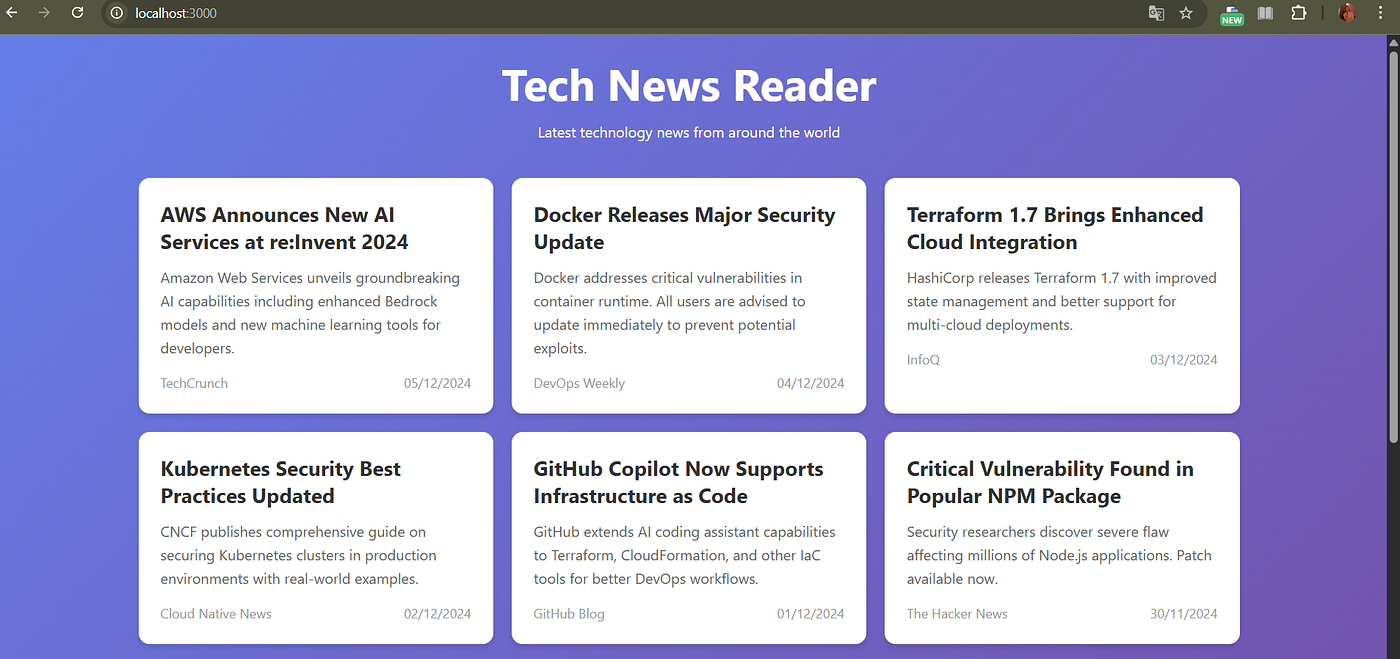
We start by creating a small test application. In our case, we’ll use a simple Next.js application. This application contains some bad practices that we intentionally added or included to test the capabilities of our solution. We tested our application (just the test frontend) and it works well.
Frontend View
These images clearly show that our code contains bad practices, including hardcoded credentials, a misconfigured Dockerfile with an unspecified image, sensitive environment variables, etc.


critical dockerfile
Next, we’ll set up the infrastructure using Terraform (still using some bad practices). Terraform is an infrastructure-as-code tool that automates infrastructure provisioning and management. If you’ve never used it, here’s the link to the documentation: Read documentation
!!!! Our Terraform code is strictly for educational use, never to be used in a real project!

Make sure you have configured the AWS CLI on your machine before connecting! Once the Terraform code is in place, you need to initialize the resources with
terraform initand than
terraform plan Finally, we can visualize the resources that will be created! Before launching our Terraform infrastructure (Terraform plan), we will first create the pipeline that will detect our code errors and the infrastructure..


The next step is to set up our intelligent pipeline with the classic scanners (trivy, TFLint, Checkov), the AI reviewer with Bedrock, and then the gatekeeper.
Trivy is the most popular open source security scanner for Vulnerability &, IaC, SBOM discovery, cloud scanning and Kubernetes security.
TFLint : A Terraform linter is a tool that helps ensure the quality and consistency of Terraform code by analyzing it for potential issues, errors, or violations of best practices.
Checkov: Checkov scans cloud infrastructure configurations to find misconfigurations before they’re deployed.
We will deploy our solution in ECS Fargate. ECS is an AWS service that allows us to deploy our applications in Docker containers. We have intentionally ignored best practices in order to test our solution.
When you push to GitHub, the GitHub Actions workflow is triggered. The first phase involves scanners using Trivy, Tflint, and Checkov, followed by the AI phase using Bedrock to analyze Terraform, the Dockerfile, and our JavaScript code.
The decision phase follows immediately. For this, we will use Gatekeeper to aggregate all the results. It decides whether the deployment should proceed or not based on the detected security issues. Finally, we will send the notification in a pull request and generate a JSON report, which can be viewed in the artifacts, and download all the zipped reports.
Our pipeline documentation contains our business logic for DevOps security in 4 phases. Classic scanners analyze code statically, trivy scans vulnerabilities and secrets, TFLint verifies Terrafm syntax, and checkov analyzes IaC security.
Unlike traditional scanners that follow predefined rules, AI integration goes further; we will use the AWS Bedrock Nova Pro model. Our model reads code like a DevOps expert, understands the context, detects documented and undocumented dangerous patterns, and explains why they are problematic.
For example, it doesn’t just say “IAM policy with wildcard,” but explains that “this policy grants full admin access to all services, which violates the principle of least privilege and could allow an attacker to compromise the entire AWS account.” The AI model analyzes the Terraform code and the source code (NextJS).


At the end, a report is generated containing all the technical details (each issue with its file, line, description, and recommendation). When the gatekeeper blocks the deployment, a pipeline_blocked.txt file is generated; this is a marker file that contains the error message and allows CI/CD teams to easily detect the failure.
Documentations:
- AWS Bedrock Nova Pro model :https://aws.amazon.com/nova/
- Checkov : https://www.checkov.io/
- Trivy : https://trivy.dev/docs/latest/guide/
- TFLint: https://github.com/terraform-linters/tflint
Project architecture :
.
├── app/                           # Next.js application (demo)
│   ├── page.tsx                   # Main page with bad practices
│   ├── layout.tsx
│   └── globals.css
│
├── terraform/                     # Infrastructure as Code
│   ├── main.tf                    # Provider configuration
│   ├── ecs.tf                     # ECS Fargate setup
│   ├── ecr.tf                     # Container registry
│   ├── iam.tf                     # IAM roles (with bad practices)
│   ├── networking.tf              # VPC, Security Groups
│   ├── alb.tf                     # Application Load Balancer
│   ├── variables.tf
│   └── outputs.tf
│
├── pipeline/                      # Smart DevOps Pipeline
│   ├── config.json                # Pipeline configuration
│   ├── main.py                    # Pipeline orchestrator
│   ├── gatekeeper.py              # Decision engine
│   ├── reporter.py                # Report generator
│   │
│   ├── scanners/                  # Classic security scanners
│   │   ├── trivy_scanner.py
│   │   ├── tflint_scanner.py
│   │   └── checkov_scanner.py
│   │
│   └── ai/                        # AI-powered analyzers
│       ├── bedrock_client.py      # Amazon Bedrock interface
│       ├── terraform_analyzer.py
│       ├── docker_analyzer.py
│       └── code_analyzer.py
│
├── .github/
│   └── workflows/
│       └── smart-pipeline.yml     # GitHub Actions workflow
│
├── Dockerfile                     # Container definition (with bad practices)
├── package.json
└── README.md
메타데이터
- post_id
- 8271ea482f45
- slug
- i-built-a-smart-ci-cd-pipeline-with-aws-ai-that-detects-bad-devops-practices-before-deployment-8271ea482f45
- url
- https://medium.com/@nehemiediav/i-built-a-smart-ci-cd-pipeline-with-aws-ai-that-detects-bad-devops-practices-before-deployment-8271ea482f45
- canonical_url
- https://medium.com/@nehemiediav/i-built-a-smart-ci-cd-pipeline-with-aws-ai-that-detects-bad-devops-practices-before-deployment-8271ea482f45
- author_url
- https://medium.com/@nehemiediav
- status
- ok
- fetched_at
- 2026-07-14 21:42:00





