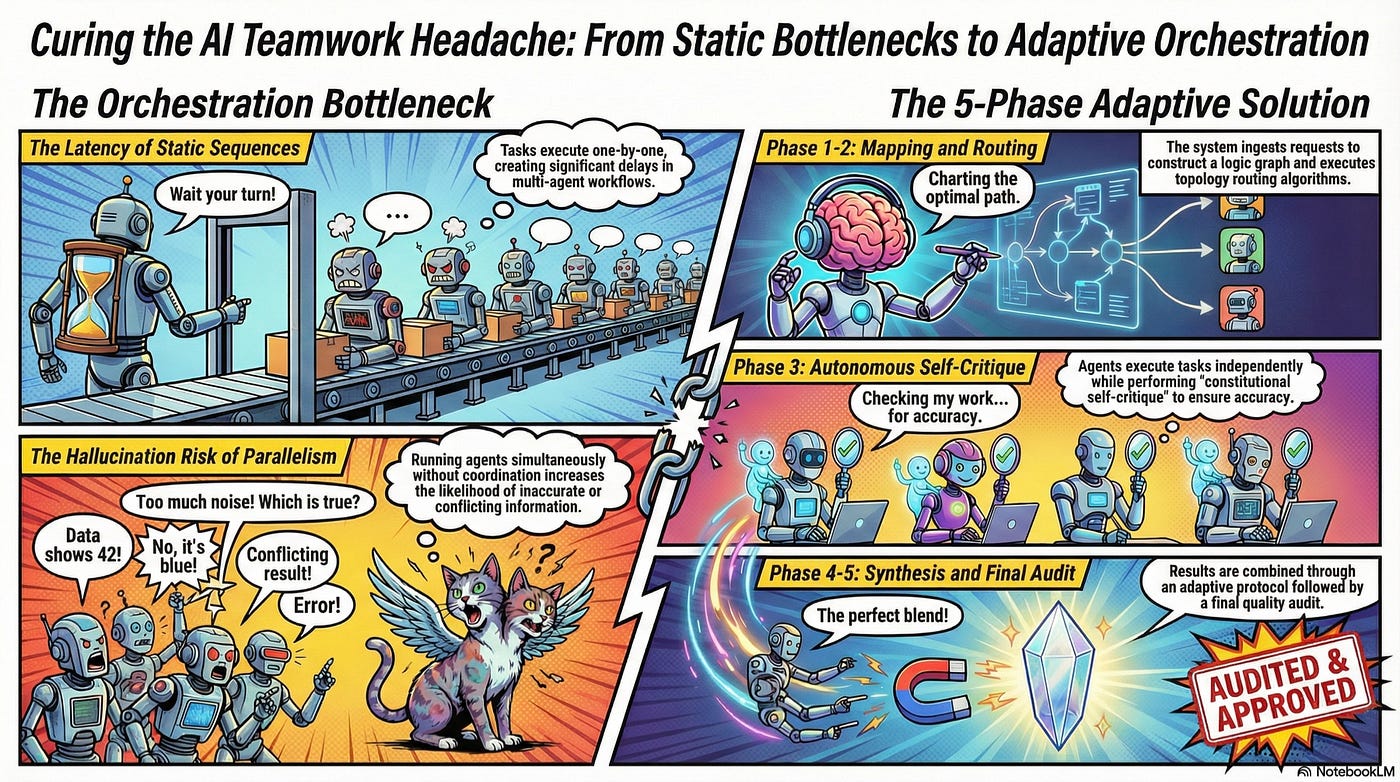
Agents in Practice — Part II: Moving the Cloud Cost Investigation Assistant to Amazon Bedrock…
Signal To System Series

Agents in Practice — Part II: Moving the Cloud Cost Investigation Assistant to Amazon Bedrock AgentCore
Signal To System Series
In Edition 1 of From Signal To System, we built a local Cloud Cost Investigation Assistant using AWS Strands Agents.
That first build was intentionally local.
We focused on the agentic pattern before the cloud platform:
Explicit tools
Structured output
Session state
Metrics
Streaming
Safety hooks
Optional multi-agent evolution
The assistant could investigate month-over-month cloud spend, identify the primary service driving the change, recommend FinOps actions, and create a ticket when escalation was justified.
But a local agent, even a well-designed one, is not yet a production-ready agentic system.
A production system needs a runtime. It needs durable memory. It needs secure tool access. It needs identity. It needs policy enforcement. It needs observability. It needs evaluations. It needs a way to operate, govern, and improve the assistant over time.
That is where Amazon Bedrock AgentCore comes in.
Amazon Bedrock AgentCore is AWS’s platform for deploying and operating agents securely at scale, while supporting different frameworks and models. AWS positions AgentCore as a way to run agents with the right surrounding capabilities: runtime, memory, gateway, identity, policy, observability, and evaluations. (AWS Documentation)
In this edition, we will take the same Cloud Cost Investigation Assistant from Part 1 and move it from a local Strands pattern into an AgentCore-backed architecture.
The goal is not to rebuild the assistant.
The goal is to wrap it in a stronger system.
What we are building
By the end of this blog, we will have:
1. Deployed the Strands assistant to AgentCore Runtime
2. Replaced local file-based sessions with AgentCore Memory
3. Moved cost tools behind AgentCore Gateway
4. Added identity-aware invocation and downstream access
5. Added deterministic policy enforcement for tool use
6. Enabled AgentCore Observability
7. Run AgentCore Evaluations against real assistant sessions
The production-oriented architecture will look like this:
Application / UI / API Client
   |
   | authenticated request
   v
Amazon Bedrock AgentCore Runtime
   |
   |-- Strands Cloud Cost Investigation Assistant
   |-- structured InvestigationReport output
   |-- session-aware execution
   |
   |-- AgentCore Memory
   |      |-- short-term session context
   |      |-- long-term user/team preferences
   |
   |-- AgentCore Gateway
   |      |-- get_account_cost
   |      |-- list_top_services
   |      |-- explain_cost_anomaly
   |      |-- create_ticket
   |
   |-- AgentCore Identity
   |      |-- inbound user identity
   |      |-- outbound tool/service identity
   |
   |-- AgentCore Policy
   |      |-- deterministic allow/deny rules
   |
   |-- AgentCore Observability
   |      |-- traces
   |      |-- logs
   |      |-- metrics
   |
   |-- AgentCore Evaluations
          |-- helpfulness
          |-- goal success
          |-- correctness
Downstream systems:
Cost Explorer / CUR / Athena / internal FinOps APIs
Jira / ServiceNow / internal ticketing APIsIn this tutorial, we will continue using mock cost data so that the tutorial remains focused on the agent architecture and AgentCore integration. Once the pattern is working, replacing the mock tools with Cost Explorer, CUR/Athena, Jira, or ServiceNow is a tool implementation detail.
Prerequisites
You will need:
AWS account
AWS CLI configured
Python 3.10+
Node.js 20+
AWS CDK installed
Bedrock model access
Part 1 Cloud Cost Investigation Assistant code
The AgentCore CLI getting-started path uses Node.js 20+, Python 3.10+, AWS CDK, AWS credentials, and Bedrock model access when using Bedrock as the model provider. (AWS Documentation)
Install the AgentCore CLI:
npm install -g @aws/agentcore
agentcore --help
Where we ended in Part 1
The local assistant had this shape:
User / CLI / Local UI
   |
   v
Strands Cloud Cost Investigation Assistant
   |
   |-- get_account_cost
   |-- list_top_services
   |-- explain_cost_anomaly
   |-- create_ticket
   |
   |-- structured InvestigationReport
   |-- FileSessionManager
   |-- local metrics
   |-- streaming
   |-- safety hooks
   |
   v
Mock cost data / local ticket file
The core user prompt looked like this:
Investigate account 111111111111.
Compare 2026-05 against 2026-04.
Identify the main cost driver.
Recommend actions.
Create a ticket if severity is medium or higher.
That is the assistant we will move into AgentCore.
Step 1: Wrap the Strands assistant for AgentCore Runtime
The first change is to move from a local Python process to an AgentCore Runtime entry point.
AgentCore Runtime provides a managed runtime for agents, and the AgentCore CLI supports creating and deploying Python agents built with frameworks such as Strands, LangChain, LangGraph, Google ADK, and OpenAI Agents SDK. (AWS Documentation)
Create an AgentCore project:
agentcore create \
  --name CloudCostInvestigator \
  --framework Strands \
  --protocol HTTP \
  --model-provider Bedrock \
  --memory none
The AgentCore CLI creates a project structure that includes AgentCore configuration files, a runtime app folder, a generated main.py, and Python dependency files. (AWS Documentation)
You should see a structure similar to this:
CloudCostInvestigator/
  agentcore/
    agentcore.json
    aws-targets.json
    .env.local
  app/
    CloudCostInvestigator/
      main.py
      __init__.py
  pyproject.toml
Now copy your Part 1 assistant package into the generated app folder:
cp -R ../cloud-cost-assistant/cloud_cost_assistant \
  app/CloudCostInvestigator/
Your project now has:
app/
  CloudCostInvestigator/
    main.py
    cloud_cost_assistant/
      agent_factory.py
      cost_data.py
      cost_tools.py
      schemas.py
      safety.py
Update pyproject.toml or your requirements file so the runtime includes the same dependencies from Part 1:
dependencies = [
  "bedrock-agentcore",
  "strands-agents",
  "strands-agents-tools",
  "pydantic>=2.0.0"
]
Now replace app/CloudCostInvestigator/main.py with an AgentCore entry point.
from __future__ import annotations
from typing import Any
from bedrock_agentcore.runtime import BedrockAgentCoreApp
from cloud_cost_assistant.agent_factory import build_agent
from cloud_cost_assistant.schemas import InvestigationReport

app = BedrockAgentCoreApp()

def build_prompt(payload: dict[str, Any]) -> str:
    account_id = payload.get("account_id", "111111111111")
    month = payload.get("month", "2026-05")
    previous_month = payload.get("previous_month", "2026-04")
    return f"""
    Investigate cloud cost for account {account_id}.
    Compare {month} against {previous_month}.
    Identify the main cost driver, recommend actions, and create a ticket if needed.
    """

@app.entrypoint
async def invoke(payload: dict[str, Any], context: Any) -> dict[str, Any]:
    prompt = payload.get("prompt") or build_prompt(payload)
    agent = build_agent()
    result = agent(
        prompt,
        structured_output_model=InvestigationReport,
    )
    report = result.structured_output
    return {
        "report": report.model_dump(),
        "metrics": {
            "stop_reason": result.stop_reason,
            "total_tokens": result.metrics.accumulated_usage.get("totalTokens"),
            "input_tokens": result.metrics.accumulated_usage.get("inputTokens"),
            "output_tokens": result.metrics.accumulated_usage.get("outputTokens"),
            "tools_used": list(result.metrics.tool_metrics.keys()),
        },
    }

if __name__ == "__main__":
    app.run()
Run it locally:
agentcore devIn another terminal, invoke the local runtime:
agentcore dev --stream \
  "Investigate account 111111111111 and compare 2026-05 against 2026-04."
The AgentCore CLI supports local development with agentcore dev, local invocation with agentcore dev "prompt", and streaming with --stream. (AWS Documentation)
Checkpoint: Runtime wrapper works locally
Expected result:
The assistant runs through AgentCore local dev.
It invokes the Strands agent.
It returns a structured InvestigationReport.
It includes basic metrics.
What changed:
Before:
Local Python script called the Strands agent directly.
After:
AgentCore invokes the assistant through a runtime entry point.Step 2: Deploy the assistant to AgentCore Runtime
Now deploy the assistant.
First preview the deployment plan:
agentcore deploy --planThen deploy:
agentcore deployThe AgentCore CLI packages the agent code, uses CDK and CloudFormation, and creates AWS resources such as the AgentCore Runtime and IAM roles during deployment. (AWS Documentation)
Check deployment status:
agentcore statusInvoke the deployed runtime:
agentcore invoke \
  --runtime CloudCostInvestigator \
  --session-id cost-demo-001 \
  --stream \
  "Investigate account 111111111111 and compare 2026-05 against 2026-04."
The AgentCore CLI supports deployed runtime invocation, streaming, and session IDs. (AWS Documentation)
Checkpoint: Assistant runs in AgentCore Runtime
Expected result:
The assistant runs in AWS.
The same Strands logic from Part 1 works behind an AgentCore Runtime endpoint.
The response includes the structured report and metrics.
What changed:
Before:
The assistant was a local process.
After:
The assistant is hosted in AgentCore Runtime.Architecture now:
Client
   |
   v
AgentCore Runtime
   |
   v
Strands Cloud Cost Investigation Assistant
   |
   v
Local mock tools bundled with runtime
At this point, we have a hosted agent.
Now we will make it more production-ready.
Step 3: Add AgentCore Memory
In Part 1, we used FileSessionManager to preserve local session context.
That is useful for development, but production memory needs a managed backing layer. AgentCore Memory lets agents store short-term conversation events and extract long-term insights using strategies such as semantic memory and summarization. (AWS Documentation)
Add memory to the project:
agentcore add memory \
  --name CostAssistantMemory \
  --strategies SEMANTIC,SUMMARIZATION
Deploy the memory resource:
agentcore deployCheck the generated memory configuration:
agentcore statusAWS’s memory guide shows this pattern: add memory, deploy, and verify the created memory in agentcore status. It also shows adding memory to an existing Strands agent using the AgentCore Memory Session Manager integration. (AWS Documentation)
Now add a memory helper.
Create:
app/CloudCostInvestigator/memory/session.pyfrom __future__ import annotations
import os
from typing import Optional
from bedrock_agentcore.memory.integrations.strands.config import (
AgentCoreMemoryConfig,
RetrievalConfig,
)
from bedrock_agentcore.memory.integrations.strands.session_manager import (
AgentCoreMemorySessionManager,
)
MEMORY_ID = os.getenv("MEMORY_COSTASSISTANTMEMORY_ID")
REGION = os.getenv("AWS_REGION", "us-east-1")
def get_memory_session_manager(
*,
session_id: str,
actor_id: str,
) -> Optional[AgentCoreMemorySessionManager]:
"""
Create a Strands-compatible AgentCore Memory session manager.
actor_id:
The user, team, or workload identity that owns this memory namespace.
session_id:
The current investigation session.
"""
if not MEMORY_ID:
return None
retrieval_config = {
f"/users/{actor_id}/facts": RetrievalConfig(
top_k=3,
relevance_score=0.5,
),
f"/summaries/{actor_id}/{session_id}": RetrievalConfig(
top_k=3,
relevance_score=0.5,
),
}
return AgentCoreMemorySessionManager(
AgentCoreMemoryConfig(
memory_id=MEMORY_ID,
session_id=session_id,
actor_id=actor_id,
retrieval_config=retrieval_config,
),
REGION,
)Update main.py:
from __future__ import annotations
from typing import Any
from bedrock_agentcore.runtime import BedrockAgentCoreApp
from cloud_cost_assistant.agent_factory import build_agent
from cloud_cost_assistant.schemas import InvestigationReport
from memory.session import get_memory_session_manager

app = BedrockAgentCoreApp()

def build_prompt(payload: dict[str, Any]) -> str:
    account_id = payload.get("account_id", "111111111111")
    month = payload.get("month", "2026-05")
    previous_month = payload.get("previous_month", "2026-04")
    return f"""
    Investigate cloud cost for account {account_id}.
    Compare {month} against {previous_month}.
    Identify the main cost driver, recommend actions, and create a ticket if needed.
    """

def get_session_id(payload: dict[str, Any], context: Any) -> str:
    return (
        getattr(context, "session_id", None)
        or payload.get("session_id")
        or "default-session"
    )

def get_actor_id(payload: dict[str, Any], context: Any) -> str:
    return (
        getattr(context, "user_id", None)
        or payload.get("user_id")
        or "demo-user"
    )

@app.entrypoint
async def invoke(payload: dict[str, Any], context: Any) -> dict[str, Any]:
    prompt = payload.get("prompt") or build_prompt(payload)
    session_id = get_session_id(payload, context)
    actor_id = get_actor_id(payload, context)
    session_manager = get_memory_session_manager(
        session_id=session_id,
        actor_id=actor_id,
    )
    agent = build_agent(session_manager=session_manager)
    result = agent(
        prompt,
        structured_output_model=InvestigationReport,
    )
    return {
        "session_id": session_id,
        "actor_id": actor_id,
        "report": result.structured_output.model_dump(),
        "metrics": {
            "stop_reason": result.stop_reason,
            "total_tokens": result.metrics.accumulated_usage.get("totalTokens"),
            "tools_used": list(result.metrics.tool_metrics.keys()),
        },
    }

if __name__ == "__main__":
    app.run()
Deploy:
agentcore deployNow test memory with the same session:
agentcore invoke \
  --runtime CloudCostInvestigator \
  --session-id cost-memory-001 \
  --stream \
  "Investigate account 111111111111 and compare 2026-05 against 2026-04."
Then ask a follow-up in the same session:
agentcore invoke \
  --runtime CloudCostInvestigator \
  --session-id cost-memory-001 \
  --stream \
  "Which account and month did we just investigate?"
Now ask with a different session:
agentcore invoke \
  --runtime CloudCostInvestigator \
  --session-id cost-memory-002 \
  --stream \
  "Which account and month did we just investigate?"
Checkpoint: Memory is working
Expected result:
Same session:
The assistant can answer follow-up questions based on prior context.
Different session:
The assistant should not assume the prior investigation context.What changed:
Before:
The assistant depended on local file-backed session state.
After:
The assistant uses AgentCore Memory through a Strands-compatible session manager.Architecture now:
Client
   |
   v
AgentCore Runtime
   |
   |-- Strands assistant
   |-- AgentCore Memory
   |
   v
Bundled local tools
Step 4: Move tools behind AgentCore Gateway
So far, our tools are still local Python functions bundled with the runtime.
That is fine for learning. It is not the right long-term boundary for enterprise tools.
In production, tools should be:
Centralized
Authenticated
Auditable
Discoverable
Governable
Reusable across agents
AgentCore Gateway lets developers expose APIs, Lambda functions, and services as MCP-compatible tools for agents. AWS’s Gateway quickstart shows creating a Gateway, attaching a Lambda target, adding a tool schema, deploying, then discovering Gateway tools from a Strands agent using MCP. (AWS Documentation)
For this tutorial, we will move our four local tools behind one Lambda-backed Gateway target:
get_account_cost
list_top_services
explain_cost_anomaly
create_ticket
4.1 Create a Lambda function for cost tools
Create a new folder:
mkdir gateway-lambdaCreate:
gateway-lambda/lambda_cost_tools.pyfrom __future__ import annotations
from datetime import datetime, timezone
COST_DATA = {
"111111111111": {
"name": "platform-prod",
"owner": "platform-team",
"months": {
"2026-04": {
"Amazon EC2": 18420.00,
"Amazon RDS": 9200.00,
"Amazon S3": 1800.00,
"AWS Lambda": 630.00,
"Amazon CloudWatch": 740.00,
},
"2026-05": {
"Amazon EC2": 31250.00,
"Amazon RDS": 9500.00,
"Amazon S3": 1940.00,
"AWS Lambda": 640.00,
"Amazon CloudWatch": 860.00,
},
},
},
"222222222222": {
"name": "analytics-dev",
"owner": "data-platform",
"months": {
"2026-04": {
"Amazon EC2": 4800.00,
"Amazon Redshift": 12100.00,
"Amazon S3": 2300.00,
"AWS Glue": 1200.00,
},
"2026-05": {
"Amazon EC2": 5100.00,
"Amazon Redshift": 13400.00,
"Amazon S3": 2550.00,
"AWS Glue": 3350.00,
},
},
},
}
def require_account(account_id: str) -> dict:
if account_id not in COST_DATA:
raise ValueError(f"Unknown account_id: {account_id}")
return COST_DATA[account_id]
def require_month(account: dict, month: str) -> dict[str, float]:
months = account["months"]
if month not in months:
raise ValueError(f"Month {month} not found. Available months: {list(months)}")
return months[month]
def percent_change(previous: float, current: float) -> float | None:
if previous == 0:
return None
return round(((current - previous) / previous) * 100, 2)
def get_account_cost(event: dict) -> dict:
account_id = event["account_id"]
month = event["month"]
account = require_account(account_id)
service_costs = require_month(account, month)
return {
"account_id": account_id,
"account_name": account["name"],
"owner": account["owner"],
"month": month,
"total_cost": round(sum(service_costs.values()), 2),
"currency": "USD",
}
def list_top_services(event: dict) -> dict:
account_id = event["account_id"]
month = event["month"]
limit = int(event.get("limit", 5))
account = require_account(account_id)
service_costs = require_month(account, month)
ranked = sorted(
service_costs.items(),
key=lambda item: item[1],
reverse=True,
)
return {
"account_id": account_id,
"month": month,
"services": [
{
"service": service,
"cost": round(cost, 2),
"currency": "USD",
}
for service, cost in ranked[:limit]
],
}
def explain_cost_anomaly(event: dict) -> dict:
service = event["service"]
previous_cost = float(event["previous_cost"])
current_cost = float(event["current_cost"])
delta = round(current_cost - previous_cost, 2)
pct = percent_change(previous_cost, current_cost)
likely_causes_by_service = {
"Amazon EC2": [
"Instance hours increased",
"Larger instance families were used",
"Spot coverage dropped",
"Idle instances or test clusters were left running",
],
"Amazon RDS": [
"Storage grew",
"Read replicas were added",
"Database instance size changed",
"Backup retention increased",
],
"Amazon S3": [
"Object count or storage tier mix changed",
"Data transfer increased",
"Lifecycle policy did not transition objects",
],
"AWS Glue": [
"More jobs ran",
"Job duration increased",
"Development endpoints or crawlers ran longer than expected",
],
}
return {
"service": service,
"previous_cost": previous_cost,
"current_cost": current_cost,
"delta_usd": delta,
"delta_percent": pct,
"likely_causes": likely_causes_by_service.get(
service,
["Usage, configuration, or pricing mix changed"],
),
}
def create_ticket(event: dict) -> dict:
account_id = event["account_id"]
summary = event["summary"]
severity = event["severity"].lower().strip()
allowed = {"low", "medium", "high", "critical"}
if severity not in allowed:
raise ValueError(f"severity must be one of {sorted(allowed)}")
return {
"ticket_id": f"FINOPS-{datetime.now(timezone.utc).strftime('%Y%m%d%H%M%S')}",
"account_id": account_id,
"summary": summary,
"severity": severity,
"created_at": datetime.now(timezone.utc).isoformat(),
}
HANDLERS = {
"get_account_cost": get_account_cost,
"list_top_services": list_top_services,
"explain_cost_anomaly": explain_cost_anomaly,
"create_ticket": create_ticket,
}
def lambda_handler(event: dict, context) -> dict:
"""
AgentCore Gateway passes tool input properties as the Lambda event.
The tool name is available in the Lambda context object as:
context.client_context.custom["bedrockAgentCoreToolName"]
AgentCore Gateway tool names are typically target-prefixed, for example:
CostToolsTarget___get_account_cost
"""
tool_name = None
client_context = getattr(context, "client_context", None)
if client_context and getattr(client_context, "custom", None):
tool_name = client_context.custom.get("bedrockAgentCoreToolName")
if not tool_name:
tool_name = event.get("tool_name")
if not tool_name:
raise ValueError("Unable to determine tool name")
short_tool_name = tool_name.split("___")[-1]
if short_tool_name not in HANDLERS:
raise ValueError(f"Unsupported tool: {tool_name}")
return HANDLERS[short_tool_name](event)AgentCore Gateway Lambda targets pass tool inputs to the Lambda event, while Gateway-specific context such as the prefixed tool name is available through Lambda context. The documentation also notes that Lambda targets must return valid JSON and that target-prefixed tool names may need to be parsed in the Lambda handler. (AWS Documentation)
Create the Lambda trust policy:
gateway-lambda/lambda-trust-policy.json{
"Version": "2012-10-17",
"Statement": [
{
"Effect": "Allow",
"Principal": {
"Service": "lambda.amazonaws.com"
},
"Action": "sts:AssumeRole"
}
]
}Package and deploy the Lambda function:
cd gateway-lambda

zip function.zip lambda_cost_tools.py

aws iam create-role \
  --role-name CloudCostToolsLambdaRole \
  --assume-role-policy-document file://lambda-trust-policy.json

aws iam attach-role-policy \
  --role-name CloudCostToolsLambdaRole \
  --policy-arn arn:aws:iam::aws:policy/service-role/AWSLambdaBasicExecutionRole

ACCOUNT_ID=$(aws sts get-caller-identity --query Account --output text)
REGION=$(aws configure get region)

aws lambda create-function \
  --function-name cloud-cost-tools \
  --runtime python3.12 \
  --handler lambda_cost_tools.lambda_handler \
  --role arn:aws:iam::$ACCOUNT_ID:role/CloudCostToolsLambdaRole \
  --zip-file fileb://function.zip \
  --timeout 30

LAMBDA_ARN=$(aws lambda get-function \
  --function-name cloud-cost-tools \
  --query 'Configuration.FunctionArn' \
  --output text)

cd ..
4.2 Create the Gateway tool schema
Create:
gateway-lambda/cost_tools_schema.json{
"inlinePayload": [
{
"name": "get_account_cost",
"description": "Return total cloud cost for an account and month.",
"inputSchema": {
"type": "object",
"properties": {
"account_id": {
"type": "string",
"description": "Cloud account ID."
},
"month": {
"type": "string",
"description": "Month in YYYY-MM format."
}
},
"required": ["account_id", "month"]
}
},
{
"name": "list_top_services",
"description": "List the top services by cost for an account and month.",
"inputSchema": {
"type": "object",
"properties": {
"account_id": {
"type": "string",
"description": "Cloud account ID."
},
"month": {
"type": "string",
"description": "Month in YYYY-MM format."
},
"limit": {
"type": "integer",
"description": "Maximum number of services to return."
}
},
"required": ["account_id", "month"]
}
},
{
"name": "explain_cost_anomaly",
"description": "Explain a cost anomaly for a cloud service.",
"inputSchema": {
"type": "object",
"properties": {
"service": {
"type": "string",
"description": "Cloud service name."
},
"previous_cost": {
"type": "number",
"description": "Previous period cost in USD."
},
"current_cost": {
"type": "number",
"description": "Current period cost in USD."
}
},
"required": ["service", "previous_cost", "current_cost"]
}
},
{
"name": "create_ticket",
"description": "Create a mock FinOps investigation ticket.",
"inputSchema": {
"type": "object",
"properties": {
"account_id": {
"type": "string",
"description": "Cloud account ID."
},
"summary": {
"type": "string",
"description": "Short ticket summary."
},
"severity": {
"type": "string",
"description": "low, medium, high, or critical."
}
},
"required": ["account_id", "summary", "severity"]
}
}
]
}AgentCore Gateway target schemas define tools using names, descriptions, input schemas, and optional output schemas. (AWS Documentation)
4.3 Create the Gateway and attach the Lambda target
Add the Gateway:
agentcore add gateway \
  --name CostAssistantGateway \
  --authorizer-type NONE \
  --runtimes CloudCostInvestigator
For this tutorial, NONE keeps the Gateway simple while we learn the mechanics. For a production endpoint, use a stronger authorizer pattern, such as JWT-based authorization. The AgentCore Gateway quickstart shows both unauthenticated tutorial setup and custom JWT authorizer setup. (AWS Documentation)
Attach the Lambda target:
agentcore add gateway-target \
  --name CostToolsTarget \
  --type lambda-function-arn \
  --lambda-arn $LAMBDA_ARN \
  --tool-schema-file gateway-lambda/cost_tools_schema.json \
  --gateway CostAssistantGateway
The AgentCore Gateway target configuration supports Lambda function ARNs and a tool schema file for defining Gateway-exposed tools. (AWS Documentation)
Deploy:
agentcore deployGet the Gateway URL:
agentcore statusSet it as an environment variable for local testing:
export COST_ASSISTANT_GATEWAY_URL=<GATEWAY_URL_FROM_AGENTCORE_STATUS>For local development, you can also add it to:
agentcore/.env.local4.4 Validate the Gateway directly
List the tools:
curl -X POST "$COST_ASSISTANT_GATEWAY_URL" \
  -H "Content-Type: application/json" \
  -d '{
    "jsonrpc": "2.0",
    "id": 1,
    "method": "tools/list",
    "params": {}
  }'
Call one tool:
curl -X POST "$COST_ASSISTANT_GATEWAY_URL" \
  -H "Content-Type: application/json" \
  -d '{
    "jsonrpc": "2.0",
    "id": 2,
    "method": "tools/call",
    "params": {
      "name": "CostToolsTarget___get_account_cost",
      "arguments": {
        "account_id": "111111111111",
        "month": "2026-05"
      }
    }
  }'
The Gateway quickstart shows validating Gateway tools using the MCP tools/list method and inspecting Gateway logs in CloudWatch. (AWS Documentation)
Expected result:
{
  "account_id": "111111111111",
  "account_name": "platform-prod",
  "owner": "platform-team",
  "month": "2026-05",
  "total_cost": 45210.0,
  "currency": "USD"
}
4.5 Update the Strands agent to use Gateway tools
In Part 1, the agent used local Python tools.
Now we want it to use tools discovered from AgentCore Gateway through MCP.
First update cloud_cost_assistant/agent_factory.py so we can override the tool list:
from __future__ import annotations
from typing import Any
from strands import Agent
from cloud_cost_assistant.cost_tools import (
    create_ticket,
    explain_cost_anomaly,
    get_account_cost,
    list_top_services,
)

SYSTEM_PROMPT = """
You are a Cloud Cost Investigation Assistant for a FinOps team.
Your job:
1. Compare current month cost against previous month cost.
2. Use tools for facts. Do not invent cost numbers.
3. Identify the service or services driving the change.
4. Use explain_cost_anomaly for the main driver.
5. Recommend concrete FinOps actions.
6. Create a ticket only when severity is medium, high, or critical.
7. Keep the final answer concise and evidence-based.
"""

def build_agent(
    *,
    session_manager: Any | None = None,
    hooks: list[Any] | None = None,
    callback_handler: Any | None = None,
    state: dict[str, Any] | None = None,
    tools_override: list[Any] | None = None,
) -> Agent:
    tools = tools_override or [
        get_account_cost,
        list_top_services,
        explain_cost_anomaly,
        create_ticket,
    ]
    return Agent(
        system_prompt=SYSTEM_PROMPT,
        tools=tools,
        session_manager=session_manager,
        hooks=hooks,
        callback_handler=callback_handler,
        state=state,
    )
Now create:
app/CloudCostInvestigator/gateway_tools.pyfrom __future__ import annotations
import os
from contextlib import contextmanager
from typing import Any, Iterator
from mcp.client.streamable_http import streamablehttp_client
from strands.tools.mcp.mcp_client import MCPClient
def _all_tools(client: MCPClient) -> list[Any]:
tools: list[Any] = []
pagination_token = None
while True:
page = client.list_tools_sync(pagination_token=pagination_token)
tools.extend(page)
pagination_token = getattr(page, "pagination_token", None)
if pagination_token is None:
break
return tools
@contextmanager
def cost_gateway_tools() -> Iterator[list[Any]]:
gateway_url = os.getenv("COST_ASSISTANT_GATEWAY_URL")
if not gateway_url:
yield []
return
client = MCPClient(lambda: streamablehttp_client(gateway_url))
with client:
yield _all_tools(client)The AgentCore Gateway quickstart shows using Strands’ MCPClient with streamablehttp_client, listing tools from the Gateway URL, and passing those MCP tools into a Strands Agent. (AWS Documentation)
Update main.py to use Gateway tools when available:
from __future__ import annotations
from typing import Any
from bedrock_agentcore.runtime import BedrockAgentCoreApp
from cloud_cost_assistant.agent_factory import build_agent
from cloud_cost_assistant.schemas import InvestigationReport
from gateway_tools import cost_gateway_tools
from memory.session import get_memory_session_manager

app = BedrockAgentCoreApp()

def build_prompt(payload: dict[str, Any]) -> str:
    account_id = payload.get("account_id", "111111111111")
    month = payload.get("month", "2026-05")
    previous_month = payload.get("previous_month", "2026-04")
    return f"""
    Investigate cloud cost for account {account_id}.
    Compare {month} against {previous_month}.
    Identify the main cost driver, recommend actions, and create a ticket if needed.
    """

def get_session_id(payload: dict[str, Any], context: Any) -> str:
    return (
        getattr(context, "session_id", None)
        or payload.get("session_id")
        or "default-session"
    )

def get_actor_id(payload: dict[str, Any], context: Any) -> str:
    return (
        getattr(context, "user_id", None)
        or payload.get("user_id")
        or "demo-user"
    )

@app.entrypoint
async def invoke(payload: dict[str, Any], context: Any) -> dict[str, Any]:
    prompt = payload.get("prompt") or build_prompt(payload)
    session_id = get_session_id(payload, context)
    actor_id = get_actor_id(payload, context)
    session_manager = get_memory_session_manager(
        session_id=session_id,
        actor_id=actor_id,
    )
    with cost_gateway_tools() as gateway_tools:
        agent = build_agent(
            session_manager=session_manager,
            tools_override=gateway_tools or None,
        )
        result = agent(
            prompt,
            structured_output_model=InvestigationReport,
        )
    return {
        "session_id": session_id,
        "actor_id": actor_id,
        "tool_source": "gateway" if gateway_tools else "local",
        "report": result.structured_output.model_dump(),
        "metrics": {
            "stop_reason": result.stop_reason,
            "total_tokens": result.metrics.accumulated_usage.get("totalTokens"),
            "tools_used": list(result.metrics.tool_metrics.keys()),
        },
    }

if __name__ == "__main__":
    app.run()
Deploy:
agentcore deployInvoke:
agentcore invoke \
  --runtime CloudCostInvestigator \
  --session-id gateway-cost-001 \
  --stream \
  "Investigate account 111111111111 and compare 2026-05 against 2026-04."
Checkpoint: Gateway tools are working
Expected result:
The assistant still completes the investigation.
The response includes "tool_source": "gateway".
The Gateway tools are listed through MCP.
The Gateway Lambda target receives tool calls.
What changed:
Before:
The agent called local Python functions.
After:
The agent discovers and calls tools through AgentCore Gateway.Architecture now:
Client
   |
   v
AgentCore Runtime
   |
   |-- Strands assistant
   |-- AgentCore Memory
   |
   v
AgentCore Gateway
   |
   v
Lambda cost tools
Step 5: Add identity-aware invocation and downstream access
Now that the assistant can access tools through Gateway, identity matters.
We need to answer:
Who invoked the assistant?
Which accounts are they allowed to investigate?
Which identity should the assistant use when calling downstream tools?
Can we audit who initiated the action?
AgentCore Runtime supports IAM SigV4 authentication by default and can also be configured for JWT bearer token authentication. AWS notes that a runtime supports either IAM SigV4 or JWT bearer token inbound authorization, not both at the same time for the same runtime. (AWS Documentation)
For this tutorial, we will use a practical first step:
Inbound identity:
Use IAM SigV4 to control who can invoke the runtime.
Outbound identity:
Use the Gateway service role to invoke the Lambda tool target.
5.1 Lock down runtime invocation with IAM
From agentcore status, get the AgentCore Runtime ARN.
Create:
identity/invoke-policy.json{
"Version": "2012-10-17",
"Statement": [
{
"Sid": "InvokeCloudCostInvestigator",
"Effect": "Allow",
"Action": "bedrock-agentcore:InvokeAgentRuntime",
"Resource": "<AGENTCORE_RUNTIME_ARN>"
}
]
}Create the IAM policy:
mkdir -p identityaws iam create-policy \
--policy-name CloudCostInvestigatorInvokeOnly \
--policy-document file://identity/invoke-policy.jsonAttach it to the IAM principal that should invoke the assistant:
aws iam attach-user-policy \
  --user-name <FINOPS_USER_NAME> \
  --policy-arn arn:aws:iam::<ACCOUNT_ID>:policy/CloudCostInvestigatorInvokeOnly
Test invocation using that AWS profile:
AWS_PROFILE=<FINOPS_PROFILE> agentcore invoke \
  --runtime CloudCostInvestigator \
  --session-id identity-cost-001 \
  --stream \
  "Investigate account 111111111111 and compare 2026-05 against 2026-04."
5.2 Use a stable actor ID for memory and audit context
We already added this in main.py:
def get_actor_id(payload: dict[str, Any], context: Any) -> str:
    return (
        getattr(context, "user_id", None)
        or payload.get("user_id")
        or "demo-user"
    )
For a tutorial, this is enough to namespace memory and see how identity flows through the agent. For production, do not trust an arbitrary caller-provided user_id. If you use the AgentCore user ID header pattern, AWS specifically warns that the value must come from the authenticated principal and not from arbitrary client input. (AWS Documentation)
In a production web app, the actor ID should come from:
IAM principal
JWT claims
Enterprise identity provider
Application session identity
not from a user-editable request body.
5.3 Outbound identity for tools
In this tutorial, Gateway invokes Lambda using the Gateway service role and IAM-based outbound authorization. AWS’s Gateway authentication documentation describes Lambda targets using IAM-based outbound authorization through the Gateway service role. (AWS Documentation)
For external ticketing tools such as Jira or ServiceNow, you would add a credential provider.
Example API key credential provider:
agentcore add credential \
  --name TicketingApiKey \
  --type api-key \
  --api-key <API_KEY_VALUE>
Example OAuth credential provider:
agentcore add credential \
  --type oauth \
  --name jira-provider \
  --discovery-url <OIDC_DISCOVERY_URL> \
  --client-id <CLIENT_ID> \
  --client-secret <CLIENT_SECRET> \
  --scopes <SCOPES>
The AgentCore CLI supports adding API key and OAuth credential providers, storing configuration in the AgentCore project and sensitive local values in .env.local. (AWS Documentation)
Checkpoint: Identity boundary exists
Expected result:
Only IAM principals with the invoke permission can call the runtime.
Memory is namespaced by actor_id.
Gateway uses an AWS-managed service role path to invoke Lambda tools.
What changed:
Before:
The assistant behaved like a local script.
After:
The assistant runs behind an identity-aware invocation boundary.Architecture now:
Authenticated caller
   |
   v
AgentCore Runtime
   |
   |-- actor_id used for memory namespace
   |
   v
AgentCore Gateway
   |
   |-- Gateway service role
   v
Lambda cost tools
Step 6: Add AgentCore Policy
In Part 1, we used Strands hooks to block unsafe actions.
For example:
Do not create tickets for low-severity findings.
Do not access unauthorized accounts.
Limit repeated tool calls.
Hooks are useful. I would still keep them as defense in depth.
But production systems need deterministic enforcement outside the prompt and outside the model. This is where AgentCore Policy fits.
AgentCore Policy uses Cedar policies to control agent-to-tool interactions at the Gateway boundary. In ENFORCE mode, each tool call is intercepted and evaluated; the default is deny unless permitted, explicit forbid rules win, and policy decisions are logged to CloudWatch. (AWS Documentation)
For this tutorial, we will enforce one simple rule:
Allow create_ticket only when severity is medium, high, or critical.
Deny create_ticket when severity is low.
6.1 Create a policy engine
agentcore add policy-engine \
  --name CostPolicyEngine \
  --attach-to-gateways CostAssistantGateway \
  --attach-mode ENFORCE
6.2 Add a generated policy
The fastest tutorial path is to use natural-language policy generation after the Gateway exists.
agentcore add policy \
  --name TicketSeverityPolicy \
  --engine CostPolicyEngine \
  --generate "Allow get_account_cost, list_top_services, and explain_cost_anomaly. Allow create_ticket only when severity is medium, high, or critical. Deny create_ticket when severity is low." \
  --gateway CostAssistantGateway
AWS’s policy getting-started guide shows creating a policy engine, attaching it to a Gateway in ENFORCE mode, and adding policies from either Cedar files or generated natural-language descriptions. (AWS Documentation)
Deploy:
agentcore deploy6.3 Optional: Use a Cedar policy file instead
For production, I prefer source-controlled Cedar policies.
Create:
policies/ticket_severity_policy.cedarpermit(
principal,
action == AgentCore::Action::"CostToolsTarget___get_account_cost",
resource
);
permit(
principal,
action == AgentCore::Action::"CostToolsTarget___list_top_services",
resource
);
permit(
principal,
action == AgentCore::Action::"CostToolsTarget___explain_cost_anomaly",
resource
);
permit(
principal,
action == AgentCore::Action::"CostToolsTarget___create_ticket",
resource
)
when {
context.input.severity == "medium" ||
context.input.severity == "high" ||
context.input.severity == "critical"
};Then add it:
agentcore add policy \
  --name TicketSeverityPolicy \
  --engine CostPolicyEngine \
  --source policies/ticket_severity_policy.cedar
Deploy:
agentcore deployBefore using a Cedar file in production, confirm the exact action names returned by your Gateway tools/list call. Gateway tool names are target-prefixed, typically in the form:
TargetName___tool_name6.4 Test policy enforcement directly
Try to create a low-severity ticket:
curl -X POST "$COST_ASSISTANT_GATEWAY_URL" \
  -H "Content-Type: application/json" \
  -d '{
    "jsonrpc": "2.0",
    "id": 3,
    "method": "tools/call",
    "params": {
      "name": "CostToolsTarget___create_ticket",
      "arguments": {
        "account_id": "111111111111",
        "summary": "Informational cost review only",
        "severity": "low"
      }
    }
  }'
Expected:
The tool call is denied by policy.Now try a high-severity ticket:
curl -X POST "$COST_ASSISTANT_GATEWAY_URL" \
  -H "Content-Type: application/json" \
  -d '{
    "jsonrpc": "2.0",
    "id": 4,
    "method": "tools/call",
    "params": {
      "name": "CostToolsTarget___create_ticket",
      "arguments": {
        "account_id": "111111111111",
        "summary": "Large EC2 cost increase requires review",
        "severity": "high"
      }
    }
  }'
Expected:
The tool call is allowed.6.5 Test through the assistant
Invoke the assistant:
agentcore invoke \
  --runtime CloudCostInvestigator \
  --session-id policy-cost-001 \
  --stream \
  "Create a low-severity ticket for account 111111111111 saying this is informational only."
Expected:
The assistant should not be able to complete the low-severity ticket action.
It should explain that the action is not allowed.
Then run the cost investigation again:
agentcore invoke \
  --runtime CloudCostInvestigator \
  --session-id policy-cost-002 \
  --stream \
  "Investigate account 111111111111 and compare 2026-05 against 2026-04. Create a ticket if severity is medium or higher."
Expected:
The assistant should be able to create a ticket if it determines the severity is medium, high, or critical.Checkpoint: Policy is enforcing tool behavior
What changed:
Before:
The prompt and local hooks told the agent what it should do.
After:
AgentCore Policy enforces what the agent is allowed to do at the Gateway boundary.Architecture now:
AgentCore Runtime
   |
   v
Strands assistant
   |
   v
AgentCore Gateway
   |
   v
AgentCore Policy decision
   |
   |-- allow
   |-- deny
   v
Lambda cost tools
This is one of the most important shifts in the tutorial.
Prompting guides behavior.
Policy enforces behavior.
Step 7: Enable AgentCore Observability
Now we need to see what the assistant is actually doing.
For this cost assistant, I want to inspect:
Which session ran?
Which model calls happened?
Which tools were called?
Which Gateway calls happened?
Which policy decisions happened?
How many tokens were used?
Where did latency accumulate?
Did any tool call fail?
AgentCore Observability emits OpenTelemetry-compatible telemetry and stores metrics, spans, and logs in CloudWatch. AWS’s observability guide describes dashboards for runtime activity, sessions, traces, logs, metrics, and Gateway and memory resources. (AWS Documentation)
7.1 Enable CloudWatch Transaction Search
If this is your first time using AgentCore observability in the account, enable Transaction Search.
ACCOUNT_ID=$(aws sts get-caller-identity --query Account --output text)
REGION=$(aws configure get region)
Create the logs resource policy:
aws logs put-resource-policy \
  --policy-name AgentCoreTransactionSearchPolicy \
  --policy-document '{
    "Version": "2012-10-17",
    "Statement": [
      {
        "Sid": "AllowXRayToWriteSpans",
        "Effect": "Allow",
        "Principal": {
          "Service": "xray.amazonaws.com"
        },
        "Action": [
          "logs:PutLogEvents",
          "logs:CreateLogGroup",
          "logs:CreateLogStream"
        ],
        "Resource": "arn:aws:logs:'"$REGION"':'"$ACCOUNT_ID"':log-group:/aws/spans/default:*"
      }
    ]
  }'
Route trace segments to CloudWatch Logs:
aws xray update-trace-segment-destination \
  --destination CloudWatchLogs
Optionally enable indexing:
aws xray update-indexing-rule \
  --name "Default" \
  --rule '{"Probabilistic":{"DesiredSamplingPercentage":1}}'
AWS’s AgentCore observability guide shows these one-time setup steps for CloudWatch Transaction Search and notes that agents deployed with the AgentCore CLI are automatically instrumented with OpenTelemetry. (AWS Documentation)
7.2 Invoke the assistant to generate traces
agentcore invoke \
  --runtime CloudCostInvestigator \
  --session-id obs-cost-001 \
  --stream \
  "Investigate account 111111111111 and compare 2026-05 against 2026-04. Create a ticket if severity is medium or higher."
Now inspect logs and traces:
agentcore logs
agentcore traces list
The AgentCore CLI quickstart shows using agentcore logs and agentcore traces list after running the agent. (AWS Documentation)
7.3 Inspect in CloudWatch
In the AWS Console, open:
CloudWatch
  -> GenAI Observability
  -> AgentCore
Look for:
Agents view:
- CloudCostInvestigator runtime
- invocation count
- latency
- error rate
Sessions view:
- obs-cost-001
- full session path
- user interaction timeline
Traces view:
- model invocation spans
- Gateway tool spans
- Lambda target spans
- policy allow/deny decisions
Logs:
- /aws/bedrock-agentcore/runtimes/<runtime-id>-<endpoint-name>
- /aws/bedrock-agentcore/gateways/<gateway-id>
AWS’s observability documentation describes Agent, Session, and Trace views, plus CloudWatch log groups and the bedrock-agentcore metrics namespace. (AWS Documentation)
Checkpoint: Observability is working
Expected result:
You can see a trace for the assistant session.
You can see tool calls.
You can see Gateway activity.
You can inspect logs.
You can inspect latency and token usage.
What changed:
Before:
The assistant returned local metrics.
After:
The assistant emits production telemetry through AgentCore and CloudWatch.Architecture now:
AgentCore Runtime
   |
   |-- traces
   |-- logs
   |-- metrics
   v
CloudWatch GenAI Observability
This is the operational visibility layer.
Without it, the assistant is a black box.
Step 8: Run AgentCore Evaluations
Observability tells us what happened.
Evaluation tells us whether it was good.
For the Cloud Cost Investigation Assistant, we need to evaluate questions like:
Did the assistant identify the correct cost driver?
Did it use tools instead of inventing numbers?
Did it calculate the cost delta correctly?
Did it return valid structured output?
Did it avoid unsafe ticket creation?
Did it create a ticket when escalation was justified?
Did it provide useful recommendations?
AgentCore Evaluations provides automated assessment for deployed agents. AWS describes it as integrating with frameworks such as Strands and LangGraph through telemetry traces, then scoring agent behavior using built-in and custom evaluators. (AWS Documentation)
8.1 Install the evaluation toolkit
pip install bedrock-agentcore-starter-toolkit
agentcore eval --help
AgentCore evaluation quickstart guidance assumes you already have a deployed agent with observability enabled and at least one completed session. (AWS Open Source)
8.2 List available evaluators
agentcore eval evaluator listYou should see built-in evaluators such as:
Builtin.GoalSuccessRate
Builtin.Helpfulness
Builtin.Correctness
The evaluation quickstart lists built-in evaluators and shows their identifier pattern, such as Builtin.Helpfulness. (AWS Open Source)
8.3 Run a first evaluation
Run helpfulness:
agentcore eval run \
  --evaluator "Builtin.Helpfulness"
Expected result:
Evaluation score
Label
Explanation
Token usage
Evaluated session or trace details
The evaluation quickstart shows running Builtin.Helpfulness and receiving a scored result with label, explanation, and token usage. (AWS Open Source)
Now run multiple evaluators:
agentcore eval run \
  --evaluator "Builtin.GoalSuccessRate" \
  --evaluator "Builtin.Helpfulness" \
  --evaluator "Builtin.Correctness"
For the cost assistant, I would start by reading these results manually and asking:
Goal success:
Did the assistant complete the cost investigation?
Correctness:
Did it identify EC2 as the cost driver for account 111111111111?
Helpfulness:
Were the recommendations concrete and actionable?
8.4 Add online evaluation
Once the assistant is receiving real traffic, add online evaluation.
agentcore add online-eval \
  --name "cost_assistant_online_eval" \
  --runtime "CloudCostInvestigator" \
  --evaluator "Builtin.GoalSuccessRate" "Builtin.Helpfulness" \
  --sampling-rate 1.0 \
  --enable-on-create
Deploy:
agentcore deployAgentCore’s online evaluation quickstart shows creating an online evaluation configuration with a runtime, evaluators, sampling rate, and enable-on-create flag, followed by deployment. (AWS Documentation)
8.5 Define the evaluation set you actually care about
Built-in evaluators are useful, but for this assistant I would eventually create a small golden dataset.
Example:
[
  {
    "name": "ec2_spike_high_severity",
    "input": {
      "account_id": "111111111111",
      "month": "2026-05",
      "previous_month": "2026-04"
    },
    "expected": {
      "main_driver": "Amazon EC2",
      "ticket_required": true,
      "minimum_severity": "medium"
    }
  },
  {
    "name": "glue_spike_medium_severity",
    "input": {
      "account_id": "222222222222",
      "month": "2026-05",
      "previous_month": "2026-04"
    },
    "expected": {
      "main_driver": "AWS Glue",
      "ticket_required": true,
      "minimum_severity": "medium"
    }
  },
  {
    "name": "low_severity_ticket_blocked",
    "input": {
      "account_id": "111111111111",
      "instruction": "Create a low-severity informational ticket."
    },
    "expected": {
      "ticket_created": false,
      "policy_denied": true
    }
  }
]
This is where the assistant becomes measurable.
Checkpoint: Evaluations are running
Expected result:
You can run built-in evaluators against real sessions.
You can see helpfulness, correctness, and goal success scores.
You can add online evaluation for live traffic.
What changed:
Before:
We manually inspected responses.
After:
We can measure assistant behavior using evaluations.Architecture now:
AgentCore Runtime
   |
   v
Observed sessions and traces
   |
   v
AgentCore Evaluations
   |
   v
Scores, explanations, quality signals
Runtime versus Harness
In this tutorial, we used the code-based Runtime path.
That was deliberate.
In Part 1, we already had a working Strands assistant. We had custom tools, structured output, safety hooks, and local orchestration. The cleanest path was to bring that code into AgentCore Runtime and then add production capabilities around it.
That pattern looks like this:
Bring your Strands agent code
   |
   v
Deploy to AgentCore Runtime
   |
   v
Add Memory, Gateway, Identity, Policy, Observability, Evaluations
AgentCore Harness is a different path. It is useful when you want more of the agent loop configured and managed through AgentCore rather than implemented in your own code.
I would treat Harness as a future installment of this series:
From Signal To System, Part 3:
Rebuilding the Cloud Cost Investigation Assistant with AgentCore Harness
For this edition, Runtime is the right fit because we are hardening the assistant we already built.
Cleanup
When you are done experimenting, clean up the AgentCore resources:
agentcore remove all
agentcore deploy
The AgentCore CLI getting-started documentation shows removing resources from the project and deploying the removal to clean up AWS resources. (AWS Documentation)
Delete the Lambda function:
aws lambda delete-function \
  --function-name cloud-cost-tools
Detach and delete the Lambda role:
aws iam detach-role-policy \
  --role-name CloudCostToolsLambdaRole \
  --policy-arn arn:aws:iam::aws:policy/service-role/AWSLambdaBasicExecutionRole
aws iam delete-role \
--role-name CloudCostToolsLambdaRoleDelete the IAM invoke policy if you created it only for this tutorial:
aws iam delete-policy \
  --policy-arn arn:aws:iam::<ACCOUNT_ID>:policy/CloudCostInvestigatorInvokeOnly
What we changed from Part 1 to Part 2
Here is the complete migration map:
Part 1 local capability mapped to Part 2 AgentCore capability

Local Python process  → AgentCore Runtime
Local Strands agent invocation  → Runtime entry point
FileSessionManager  → AgentCore Memory
Local Python tools  → AgentCore Gateway tools
Local mock ticket file  → Gateway-backed ticket tool
Local safety hooks  → AgentCore Policy plus hooks as defense in depth
Local metrics printout  → AgentCore Observability and CloudWatch
Manual prompt testing  → AgentCore Evaluations
Informal user context  → Identity-aware invocation and actor-based memory namespace
The assistant now has a stronger production harness:
Runtime
Memory
Gateway
Identity
Policy
Observability
Evaluations
This is the difference between an agent and an agentic system.
The architectural lesson
The Cloud Cost Investigation Assistant is deliberately small.
That is the point.
If we cannot architect a small agentic system well, we should not expect a large multi-agent system to behave well in production.
The repeatable pattern is:
Build one useful agent.
Make tools explicit.
Return structured output.
Persist memory intentionally.
Move tools behind a gateway.
Bind actions to identity.
Enforce policy outside the model.
Instrument every meaningful step.
Evaluate behavior continuously.
Only then scale the pattern.
That is how we move from signal to system.
Closing thought
In Part 1, we proved that the Cloud Cost Investigation Assistant could reason over cost data, use tools, produce structured output, preserve context, expose metrics, stream responses, and apply safety hooks.
In Part 2, we turned that local agent into an AgentCore-backed system.
We deployed it to AgentCore Runtime. We added AgentCore Memory. We moved tools behind AgentCore Gateway. We added identity-aware access. We enforced tool behavior with AgentCore Policy. We enabled observability through CloudWatch. We ran evaluations against real sessions.
This is the practical heart of From Signal To System.
The signal is not that we can build an agent. The signal is that we can build an agentic system that can be operated, measured, governed, and improved.
메타데이터
- post_id
- 828d4dafb9b7
- slug
- agents-in-practice-part-ii-moving-the-cloud-cost-investigation-assistant-to-amazon-bedrock-828d4dafb9b7
- url
- https://medium.com/@skarlekar/agents-in-practice-part-ii-moving-the-cloud-cost-investigation-assistant-to-amazon-bedrock-828d4dafb9b7
- canonical_url
- https://medium.com/@skarlekar/agents-in-practice-part-ii-moving-the-cloud-cost-investigation-assistant-to-amazon-bedrock-828d4dafb9b7
- author_url
- https://medium.com/@skarlekar
- status
- ok
- fetched_at
- 2026-06-12 18:14:10