Everything You Need to Know About CTEs in SQL
Have you ever written a big SQL query with multiple joins, window functions, and subqueries — and felt like the whole thing looked like a…
Everything You Need to Know About CTEs in SQL
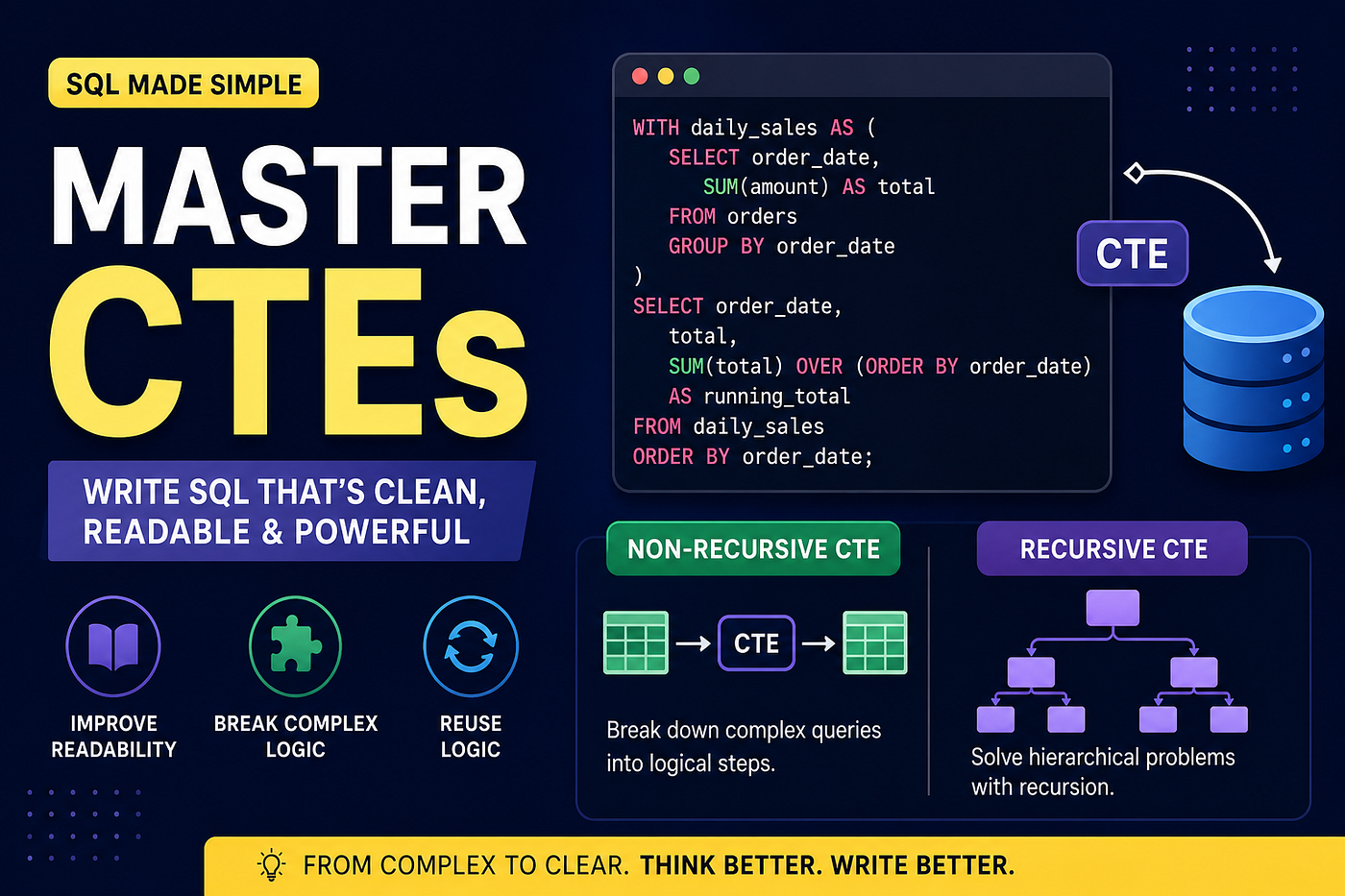
Have you ever written a big SQL query with multiple joins, window functions, and subqueries — and felt like the whole thing looked like a wall of code? When an error pops up, you don’t even know where to start looking.
Your fix is a CTE — Common Table Expression.
What Is a CTE?
A CTE is a temporary, named result set — kind of like a virtual table — that can be used multiple times within a query to simplify and organise your logic. But it only exists for the duration of that query. No permanent storage. No creating actual tables. Just a clean, readable way to break a complex query into named steps.
Syntax
WITH cte_name AS (
    -- your query goes here
    SELECT ...
    FROM ...
    WHERE ...
)
SELECT *
FROM cte_name;
The WITH keyword starts the CTE. You give it a name. You write your query inside the brackets. Then you use that name in the main query below — just like a real table.
Advantages of CTEs
- Improves readability — your query tells a story instead of looking like a puzzle
- Modularity — breaks complex logic into small, named chunks
- Reusability — can be referenced multiple times within the same query
CTE vs Subquery — When to Use Which
Situation Use Logic used only once, simple query Subquery is fine Same logic needed multiple times CTE Query has many levels of nesting CTE You want readable, maintainable SQL CTE Quick inline filter Subquery Recursive logic (hierarchy, tree) CTE (recursive)
One rule worth remembering: if your subquery is more than 5 lines or appears more than once, turn it into a CTE.
CTE vs Temp Table vs View
These three often get confused. Here’s how they differ:
                  CTE           Temp Table        View
─────────────────────────────────────────────────────────
Scope           Single query  Session-wide      Permanent
Stored on disk  No            Yes               No (just SQL)
Reusable        No            Yes (in session)  Yes (always)
Recursive       Yes           No                No
Performance     Same as SQ    Faster for large  Depends
                              repeated queries
Best for        Readability,  Heavy repeated    Shared, reused
one query computation logic across queries- Use a CTE when you need clean, readable logic within one query.
- Use a Temp Table when you’re doing heavy computation that you’ll query multiple times in a session — the result gets stored on disk.
- Use a View when you want to save a query that multiple people or queries will reuse permanently.
Real-World Use Case — Running Totals
Calculate a running total of sales by date:
WITH daily_sales AS (
    SELECT
        order_date,
        SUM(amount) AS daily_total
    FROM orders
    GROUP BY order_date
)
SELECT
    order_date,
    daily_total,
    SUM(daily_total) OVER (ORDER BY order_date) AS running_total
FROM daily_sales
ORDER BY order_date;
The CTE first aggregates sales by day. The main query then applies a window function on top of that clean result — much easier than trying to do both in one go.
Types of CTEs:
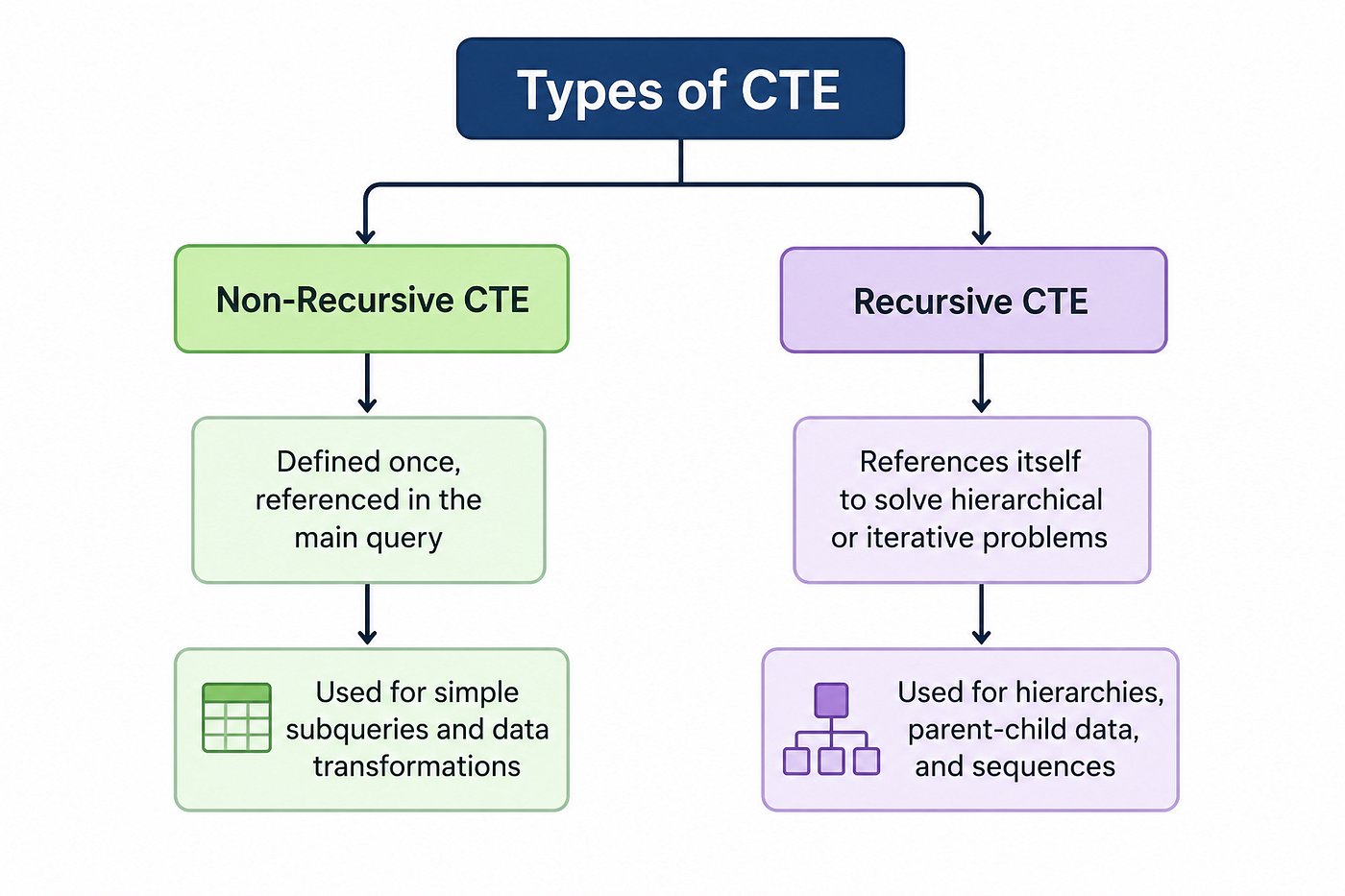
Recursive CTEs — The Advanced Part
A recursive CTE is one that references itself. This sounds confusing at first, but it solves one specific type of problem perfectly: hierarchical data.
Think of an org chart, a file system, a category tree, or a bill of materials. These are all cases where rows refer to other rows in the same table.
Example: Employee → Manager hierarchy
-- Table structure:
-- emp_id | name     | manager_id
-- 1      | CEO      | NULL
-- 2      | CTO      | 1
-- 3      | Manager  | 2
-- 4      | Dev      | 3
Find the full reporting chain from any employee up to the CEO:
WITH RECURSIVE org_chart AS (
-- Anchor: start with the CEO (no manager)
    SELECT emp_id, name, manager_id, 0 AS level
    FROM employees
    WHERE manager_id IS NULL
    UNION ALL
    -- Recursive: keep joining to find the next level down
    SELECT e.emp_id, e.name, e.manager_id, oc.level + 1
    FROM employees e
    JOIN org_chart oc ON e.manager_id = oc.emp_id
)
SELECT emp_id, name, level
FROM org_chart
ORDER BY level;
Output:
emp_id  name      level
1       CEO       0
2       CTO       1
3       Manager   2
4       Dev       3
A recursive CTE always has two parts:
WITH RECURSIVE cte_name AS (
-- 1. Anchor member (starting point, runs once)
    SELECT ...
    UNION ALL
    -- 2. Recursive member (references the CTE itself, runs repeatedly)
    SELECT ...
    FROM cte_name  -- ← this is what makes it recursive
    JOIN ...
)
The database runs the anchor first, gets a result, then runs the recursive part on that result, then runs it again on the new result — and keeps going until no new rows are produced. Then it combines everything with UNION ALL.
Another Example: Generate numbers from 1 to 20
WITH RECURSIVE generate_num AS (
    SELECT 1 AS num
    UNION ALL
    SELECT num + 1
    FROM generate_num
    WHERE num < 20
)
SELECT * FROM generate_num;
Why num < 20 and not num <= 20?
This is a subtle but important point. Remember — the WHERE condition controls when the recursion stops, not what gets included in the final result.
Here’s what happens step by step:
Anchor runs first  → produces num = 1
Recursive runs     → WHERE 1 < 20  ✅ → produces num = 2
Recursive runs     → WHERE 2 < 20  ✅ → produces num = 3
...
Recursive runs     → WHERE 19 < 20 ✅ → produces num = 20
Recursive runs     → WHERE 20 < 20 ❌ → stops here
So WHERE num < 20 allows the recursive step to run when num is 19, which generates 20 — and then stops. Your final result includes 1 through 20. ✅
Now if you used num <= 20:
Recursive runs     → WHERE 19 <= 20 ✅ → produces num = 20
Recursive runs     → WHERE 20 <= 20 ✅ → produces num = 21  ← one extra!
Recursive runs     → WHERE 21 <= 20 ❌ → stops here
You’d get 1 through 21 — one number more than you wanted. ❌
The rule: the condition WHERE num < N means "keep going while num is less than N" — so the last value generated is N itself. Think of it like a for loop:
# This prints 1 to 20, not 1 to 19
for num in range(1, 21):   # stop BEFORE 21
    print(num)
Same logic. The condition is the exit gate — when it becomes false, the recursion stops and that row is not added.
When to use recursive CTEs:
- Org charts / employee hierarchy
- Category trees (parent → child → grandchild)
- File system paths
- Bill of materials (product → components → sub-components)
- Finding connected nodes in a graph
One Last Thing
CTEs are not a performance hack. They’re a thinking tool.
The real value is that they force you to break a problem into named, logical steps — and named things are easier to debug, easier to explain, and easier to change six months later when you’ve forgotten what you wrote.
Write SQL that the next person (or future you) can read without needing a decoder ring. CTEs are how you do that.
메타데이터
- post_id
- 82bed206bd10
- slug
- everything-you-need-to-know-about-ctes-in-sql-82bed206bd10
- url
- https://medium.com/@saswativirat18/everything-you-need-to-know-about-ctes-in-sql-82bed206bd10
- canonical_url
- https://medium.com/@saswativirat18/everything-you-need-to-know-about-ctes-in-sql-82bed206bd10
- author_url
- https://medium.com/@saswativirat18
- status
- ok
- fetched_at
- 2026-06-10 21:21:38





