🧠Part 2 ~ Azure Virtual Networks: The First Boundary You Must Draw in the Cloud
Let’s begin with a deceptively simple question: If your physical network has routers, firewalls, and servers — how do you replicate that…
🧠Part 22 ~ Azure Virtual Networks: The First Boundary You Must Draw in the Cloud
Basic ~ Azure Networking .
Let’s begin with a deceptively simple question: If your physical network has routers, firewalls, and servers — how do you replicate that in the cloud?
You don’t copy cables. You recreate boundaries. And in Azure, that boundary is called a Virtual Network (VNet).
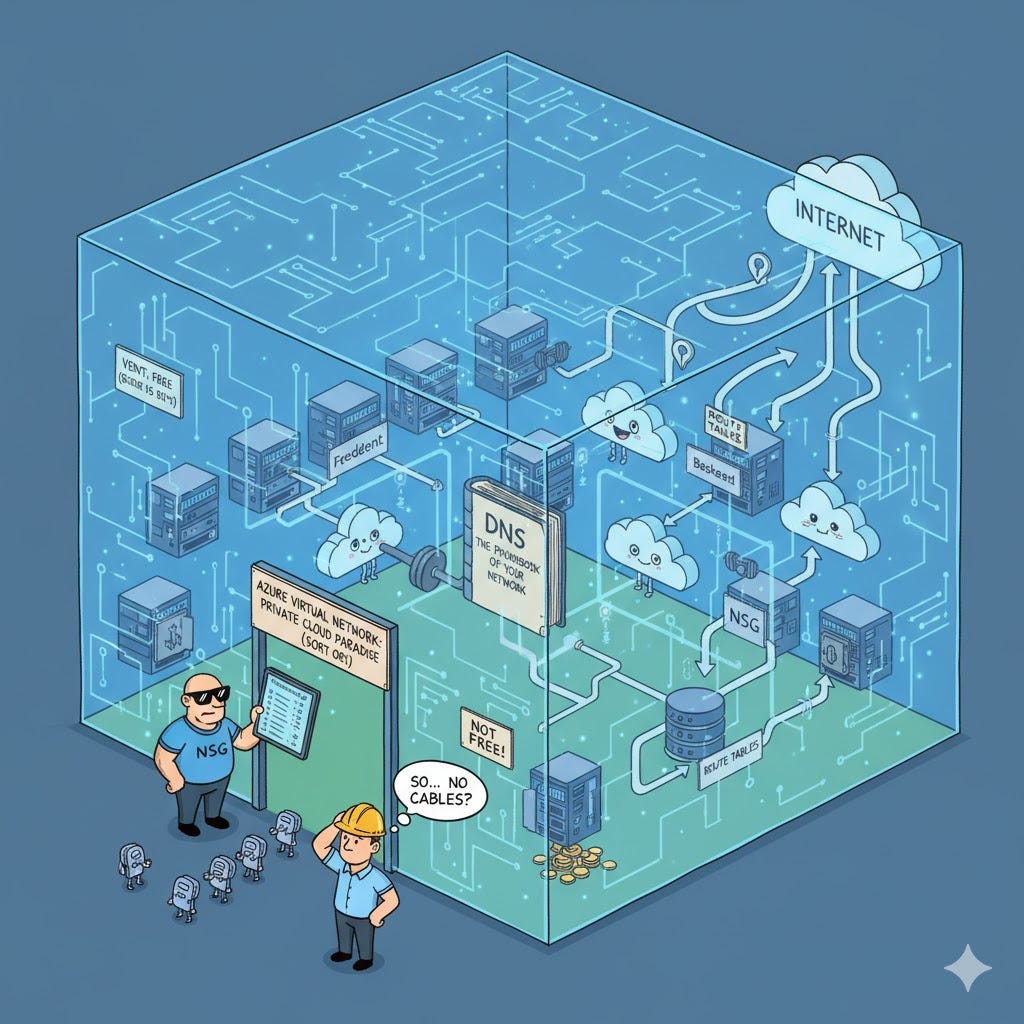
🏗️ What Is a Virtual Network, Really?
A VNet is Azure’s way of saying:
“Here’s your private space. Build your infrastructure inside it.”
- It’s a logical boundary, like your on-prem LAN — but in the cloud.
- Every organization creates its own VNet. It’s isolated by default.
- Resources inside one VNet cannot see or talk to resources in another unless explicitly allowed.
🔒 Think of it like a gated community. You decide who gets in, who talks to whom, and what traffic flows where.
🧱 VNet Is Just the Skeleton — You Add the Organs
Creating a VNet is free. It’s just a boundary. But the moment you add:
- Virtual Machines
- Load Balancers
- Public IPs
- Gateways
…you start incurring charges. These are the organs of your cloud infrastructure.
🧭 Mapping Physical to Virtual: Same same but different !!

Let’s say your on-prem setup includes:
- A web server in a DMZ (Demilitarized Zone)
- A database server in an internal subnet
- A firewall and a router managing traffic
In Azure, you recreate this with:
- Frontend subnet → Web servers
- Backend subnet → Database servers
- NSGs (Network Security Groups) → Firewalls
- Azure infrastructure → Routers
🧠 It’s not identical — but it’s functionally equivalent. That’s why lift-and-shift becomes possible.
🔄 How Traffic Flows in Azure VNets
Let’s walk through a typical request:
- A user sends a request from the internet.
- It hits Azure’s infrastructure (acting as the router).
- Azure filters out malicious traffic (DDoS protection, etc.).
- The request reaches your frontend subnet.
- NSG checks inbound rules — if allowed, it passes through.
- The request hits the load balancer.
- Load balancer forwards it to one of your web servers.
- Web server processes the request and calls the backend database.
- Database executes the query and returns the result.
- The response travels back through the same path.
🔁 It’s a full loop — from internet to Azure to your app and back.
🔥 DMZ vs Internal Subnet: Know the Difference
DMZ (Demilitarized Zone)
- Directly accessible from the internet
- Hosts public-facing apps
- Needs strict firewall rules
Internal Subnet
- No direct internet access
- Hosts sensitive resources
- Protected by internal NSGs and firewalls
❗ Misconception Alert: Just because something is in the cloud doesn’t mean it’s exposed. Subnets + NSGs = layered security.
🔐 NSGs: Your Rulebook for Traffic
Network Security Groups are like programmable firewalls.
- You define inbound and outbound rules.
- You control which IPs, ports, and protocols are allowed.
- NSGs can be applied at the subnet level or individual NIC level.
🧠 Think of NSGs as bouncers at the subnet gate. They check every packet’s ID before letting it in.
🚀 Why Start with a VNet?
If you’re using Infrastructure as a Service (IaaS) in Azure, your journey starts with a VNet.
Whether you’re:
- Migrating from on-prem
- Building a dev/test environment
- Hosting production workloads
…you need a VNet to define your boundaries.
✅ Bottom Line: No VNet, no structure. It’s the first thing you create before deploying anything meaningful.
🧠 DNS: The Phonebook of Your Network
Azure VNets come with a built-in DNS service:
- Automatically maps VM names to IPs
- Lets you use hostnames instead of hardcoded IPs
Want more control? You can replace Azure DNS with your own custom DNS server.
🧱 Subnets, Address Spaces, and Route Tables
A VNet is divided into subnets, each with its own:
- Address space (subset of the VNet’s IP range)
- NSG (optional)
- Route table (optional)
❗ Address spaces must not overlap. Each subnet gets a unique slice of the VNet’s IP range.
Route tables define how traffic flows:
- From source to destination
- Across subnets or out to the internet
You configure them manually — giving you full control over routing logic.
🔌 NICs: The Entry Points to Your Virtual Machines
Every VM in Azure has at least one NIC (Network Interface Card):
- Think of it as the VM’s Ethernet or Wi-Fi card
- Each NIC has its own IP address
- One VM can have multiple NICs (up to 16 for large sizes)
🏠 Analogy: Your VM is a house. NICs are the gates. More gates = more simultaneous visitors.
Each NIC can host a different application, listening on a different IP and port. This enables parallel communication — multiple apps talking to the outside world independently.
🔐 NSGs: Configurable at Multiple Levels
You can attach NSGs at:
- Subnet level → Controls traffic for all VMs in that subnet
- NIC level → Controls traffic for a specific VM
🔍 NSGs are flexible. You can fine-tune access at both macro and micro levels.
🧭 Summary: What You Should Know So Far
Term What It Represents
VNet Your cloud boundary — like a gated community
Subnet A segment within the VNet — like a building
NIC The VM’s network card — like a gate to your flat
NSG The rulebook — who’s allowed in or out
DNS The phonebook — maps names to IPs
Route Table The GPS — decides how traffic flows
🧠 Final Thought
You don’t need to master every term today. Just be aware of the building blocks.
As you start creating VNets, subnets, and VMs in Azure, these concepts will become second nature.
🧪 Think of this as your first lab session in Azure networking. You’ve seen the map. Soon, you’ll start walking the terrain.
✍️ Written by Shubham 🎓 Making complex systems intuitive through curiosity-driven storytelling
메타데이터
- post_id
- 833cdda7a1dc
- slug
- part-2-azure-virtual-networks-the-first-boundary-you-must-draw-in-the-cloud-833cdda7a1dc
- url
- https://medium.com/@barmanshubham70/part-2-azure-virtual-networks-the-first-boundary-you-must-draw-in-the-cloud-833cdda7a1dc
- canonical_url
- https://medium.com/@barmanshubham70/part-2-azure-virtual-networks-the-first-boundary-you-must-draw-in-the-cloud-833cdda7a1dc
- author_url
- https://medium.com/@barmanshubham70
- status
- ok
- fetched_at
- 2026-06-22 00:32:12


