The Best AI Reminder App in 2026 (For People Who Already Have Too Many Apps)
Including the one that reads your apps so you don’t have to
The Best AI Reminder App in 2026 (For People Who Already Have Too Many Apps)
Including the one that reads your apps so you don’t have to
Photo by Lucrezia Carnelos on Unsplash
It feels strange to me that reminder apps 5 years ago would totally look different than it is today.
Back then, a reminder app had one job. You typed a task, set a time, and it pinged you. That was the whole product.
Now they do a lot more. With AI on the backend, reminder apps now can reprioritize your list based on workload, schedule tasks around your energy levels, and send context-aware notifications that vary so you don’t stop registering them. Some can even parse a sentence like “remind me to send Maya the deck before her 2pm” and handle the rest without you touching a single field.
It got significantly smarter.
But smart and useful aren’t always the same thing. The more I tested these apps, the more I kept running into a problem none of them were designed to solve.
My reminders weren’t missing because I forgot to enter them. They were missing because they already existed somewhere else. In a Slack thread. In an email. In a calendar invite I’d opened and not really read. Getting any of that into a reminder app meant running the same process every time: see it, decide it mattered, switch apps, log it.
That overhead sounds minor until it’s the day you’re too slammed to do it. Which is exactly when it matters most.
I’ve tested most of the AI reminder apps worth testing. Some of them are genuinely good. Here’s what I actually think about each one, and why I ended up somewhere I didn’t expect.
1. Saner.AI — with native AI app.
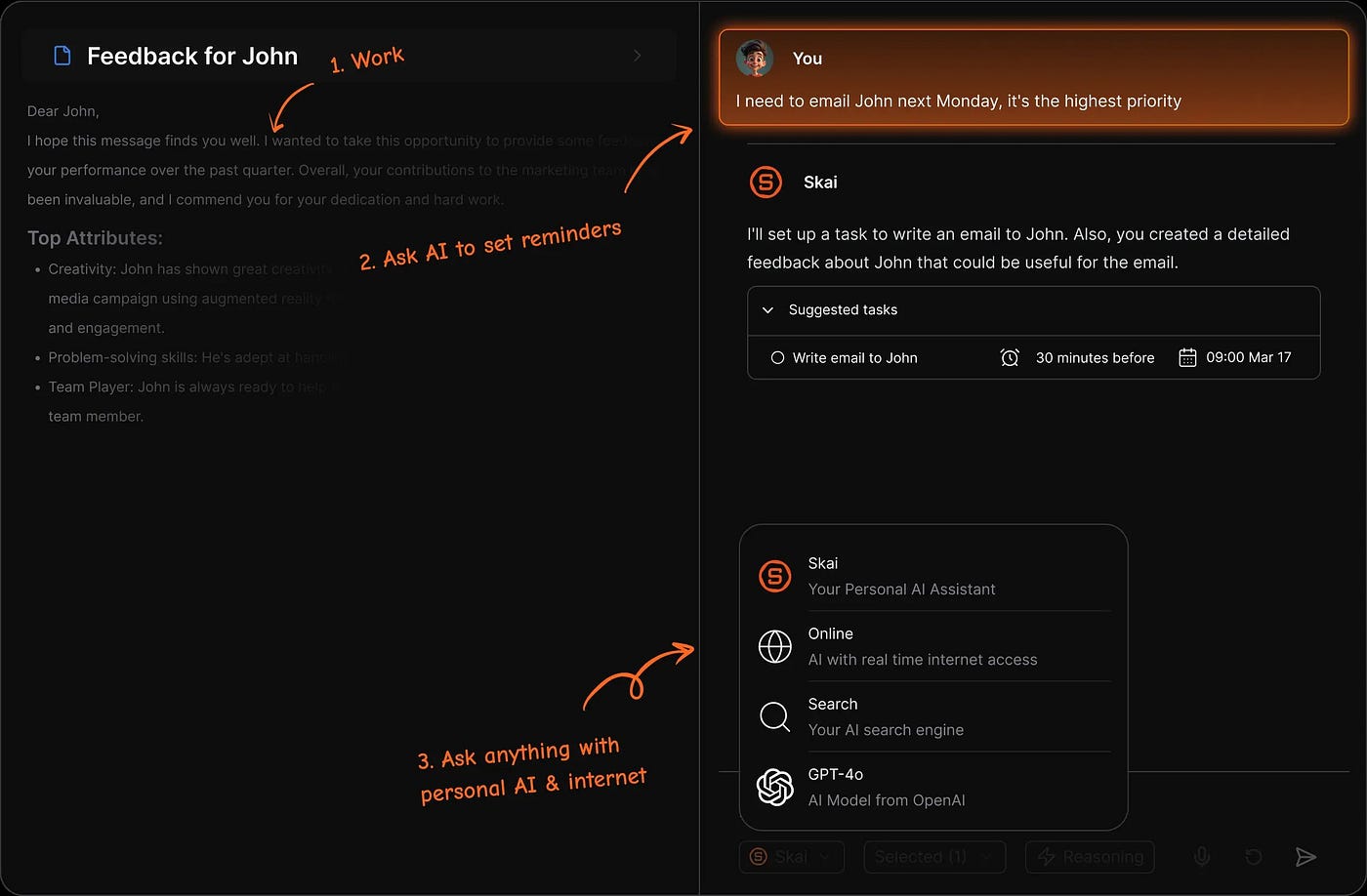
This is the most serious AI layer in the category. It’s built specifically for knowledge workers and people with ADHD, and the context-aware notifications are the real differentiator.
Most reminder apps send you the same alert on repeat until you act on it. You stop registering it after the third time. Saner.AI varies the message, which sounds minor until you realize notification blindness was the reason you missed the deadline in the first place.
It also positions itself as a second brain, not just a task list. If you want to actively build and manage a system that learns from your patterns, this is probably the strongest option in the category.
The catch is that word “actively.” You still feed it everything. The intelligence is in how it handles your input, not in finding what you’ve already got.
2. Lifestack — for scheduling around your energy.
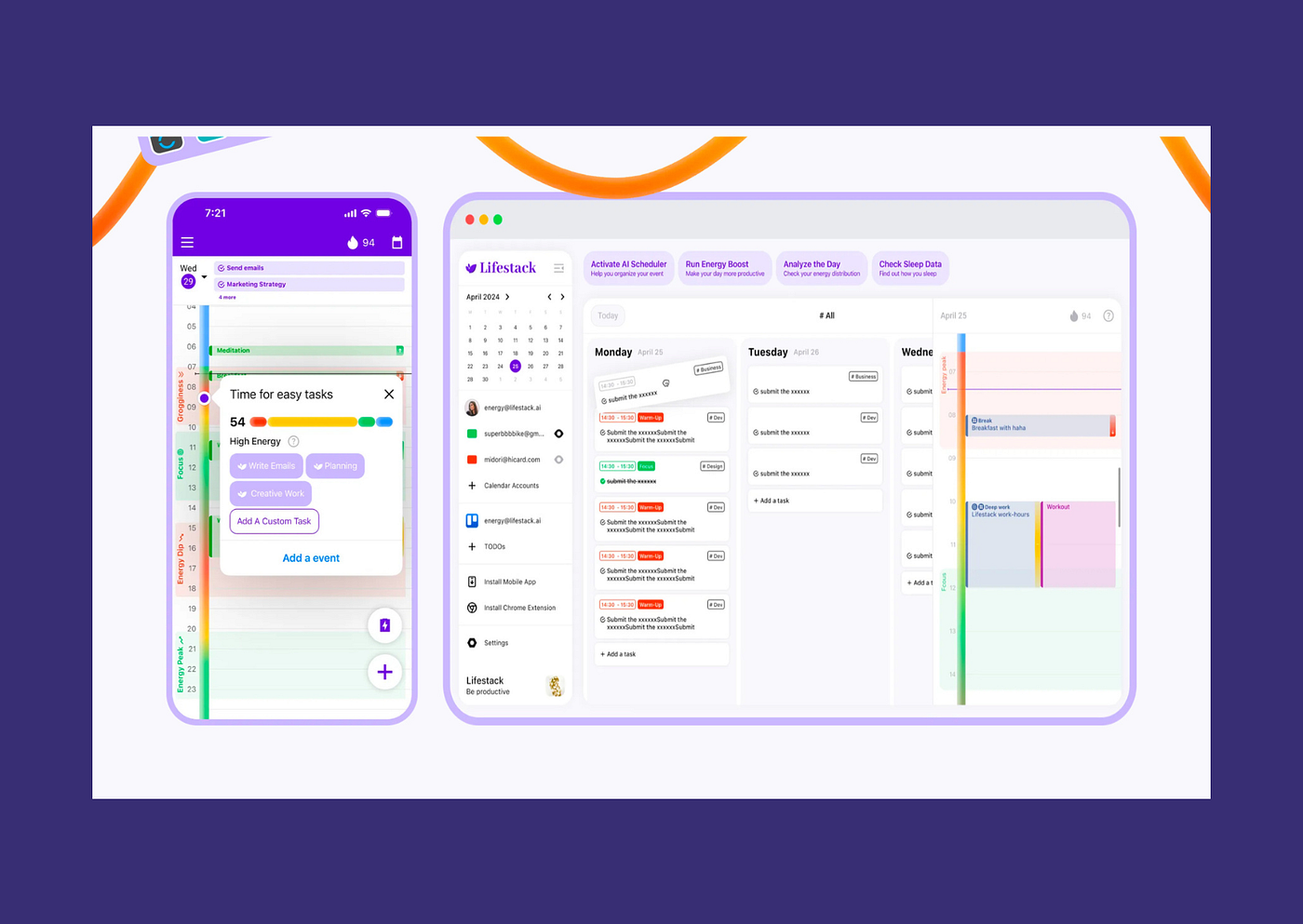
Lifestack does something I haven’t seen anyone else do well: it schedules reminders around your energy level, not just your calendar. Deep work tasks get routed to high-focus windows. Low-effort things get slotted into gaps between meetings.
For people whose productivity isn’t consistent across the day, that’s a real insight. Most reminder apps treat every hour as identical.
The tradeoff is setup time. You need to invest upfront defining your task types and your focus patterns. If you’re already stretched thin, that onboarding can feel like one more thing to complete before you get to actually completing anything.
3. TickTick — an all-in-one option
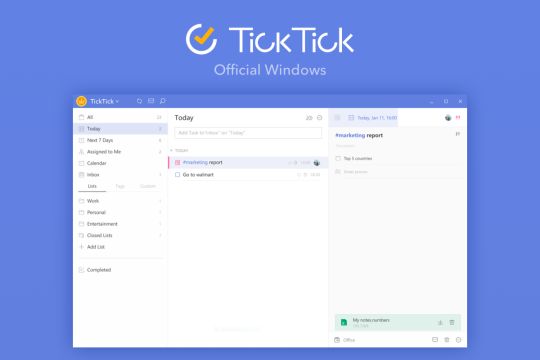
The most versatile option at the lowest price. Habit tracking, Pomodoro timer, calendar view, and reminders all in one place. The free plan gives you more than most competitors put behind a paywall.
The AI features are light compared to Saner.AI. There’s not much intelligence here, just solid design and reliable performance. For a lot of people that’s enough. If you want one app that covers tasks, habits, and reminders without a steep learning curve, TickTick is the honest answer.
4. Todoist — for project-driven work
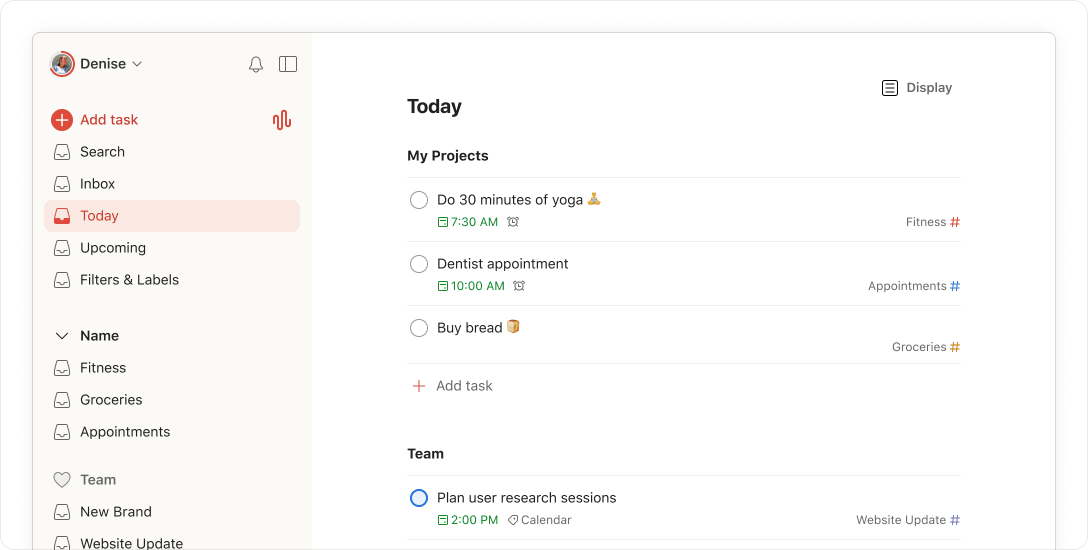
The cleanest natural language input in the market. You can type “remind me to send the Q3 deck to Maya tomorrow at 11” and it parses everything correctly. For project-driven work with defined deliverables and collaborators, it’s still the most refined option available.
Where it struggles is if your day is reactive by nature. Todoist is built around tasks you define in advance. It doesn’t adapt well to a workday that arrives as a stream of messages and meeting requests.
5. Any.do — for keeping it simple
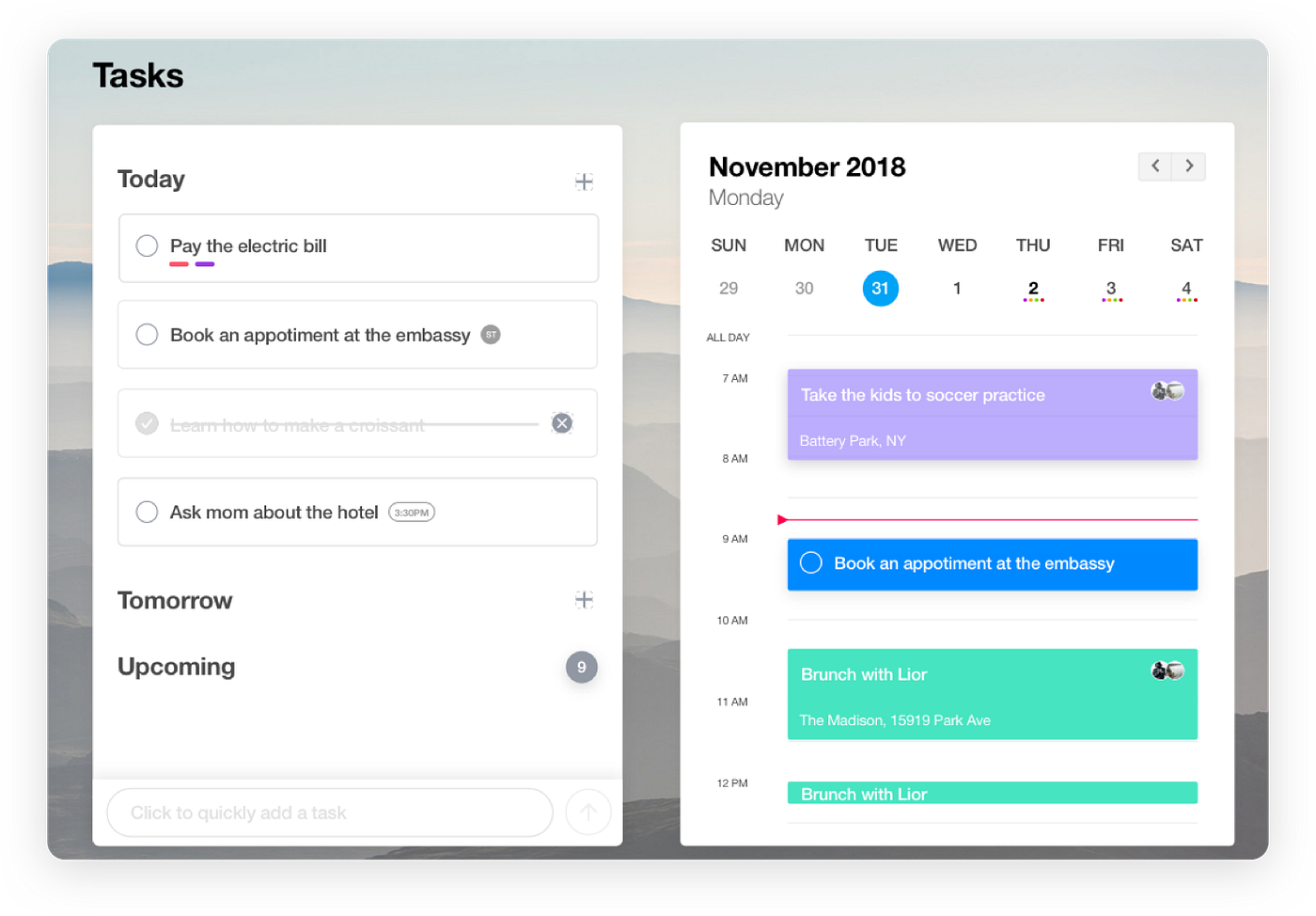
The morning planning prompt is a genuinely nice touch. Every day it asks you to review what’s ahead and schedule your priorities, which nudges you toward intentionality before things get away from you.
Beyond that, the AI angle is mostly marketing. It’s a clean, simple app with a pleasant interface. If you want something easy to start and don’t need deep features, it does the job. Just don’t expect the AI to do much of the work.
6. Constella — the one that fills the gap none of them fills
Here’s the thing I kept running into with every app on this list.
They all wait for me to tell them something. And the reminders I kept missing weren’t things I’d forgotten to enter. They were things that already existed somewhere in my workflow.
A deadline mentioned in a Slack thread. A confirmation request sitting in my inbox. A detail buried in a calendar invite I’d opened but not really read. To get any of those into a reminder app, I had to run the same process every time: see it, decide it mattered, switch apps, and log it. That’s four steps for every task that originates somewhere other than inside my own head.
On a slow day, fine. On the days when I most needed those reminders, I didn’t have the bandwidth for four steps. So I skipped them. And then I missed things.
What I actually needed wasn’t a smarter place to put reminders. I needed something that could read where they already were.
I started using a daily planner that connects to Slack, Gmail, Calendar, and Messages and pulls tasks from what’s already there. No manual entry. The deadline surfaces because the Slack message exists, the confirmation because the email is sitting in my inbox. I open my morning and the plan is already built.
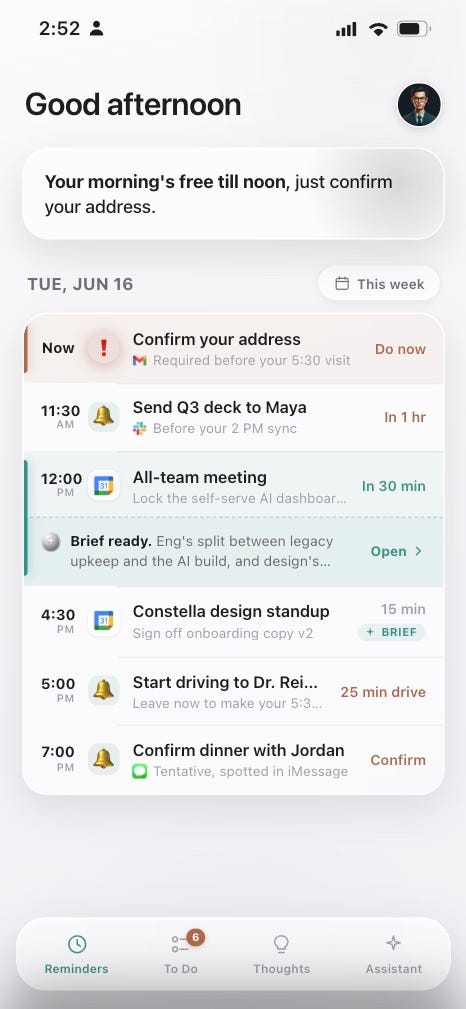
Constella pulling my reminders automatically from Slack, Gmail, and Calendar — I didn’t create any of these manually
This is a sponsored placement. Try Constella only if it sounds useful for how you actually work. It’s 100% private, local, and free.
The best reminder app is the one that matches the shape of your actual problem.
If your problem is capture and organization, Saner.AI or Lifestack will take you a long way. If you want reliable reminders without much complexity, TickTick is hard to beat for what it costs.
But if you’re already generating signals across five apps and the last thing you need is another one asking you to feed it, the traditional reminder app category isn’t solving your problem.
The most useful thing I found wasn’t the app that managed reminders best. It was the one that didn’t need me to create them.
FAQ
What is the best AI reminder app for ADHD in 2026?
Saner.AI is the strongest purpose-built option. Its context-aware, non-repetitive notifications are specifically designed to counter notification blindness, which is a consistent problem with standard reminder apps. Lifestack is worth looking at if scheduling around energy levels fits how you work. Both still require you to manually enter tasks.
What’s the difference between Saner.AI and TickTick?
Saner.AI is built around an AI assistant that learns from your patterns and varies how it reminds you. TickTick is a more traditional task manager with strong feature depth at a lower price. If you want meaningful AI behavior, Saner.AI. If you want reliability and value, TickTick.
Is there an app that automatically creates reminders from my email and Slack?
Most traditional reminder apps require manual entry. There are tools that connect to your existing apps and pull tasks from what’s already there, reading across Slack, Gmail, Calendar, and Messages to build your plan automatically without any manual input.
Do I need a reminder app if I already use Google Calendar?
Depends on what’s slipping. If you’re missing things that are already in your calendar, a reminder app won’t fix it. If things are slipping because they live in email and Slack but never make it into your calendar, the problem is transfer friction. Adding another app to that chain usually makes it worse.
메타데이터
- post_id
- 837b2f0d7e30
- slug
- best-ai-reminder-app-837b2f0d7e30
- url
- https://medium.com/better-workflow/best-ai-reminder-app-837b2f0d7e30
- canonical_url
- https://medium.com/better-workflow/best-ai-reminder-app-837b2f0d7e30
- author_url
- https://medium.com/@theo-james
- status
- ok
- fetched_at
- 2026-06-20 20:29:01