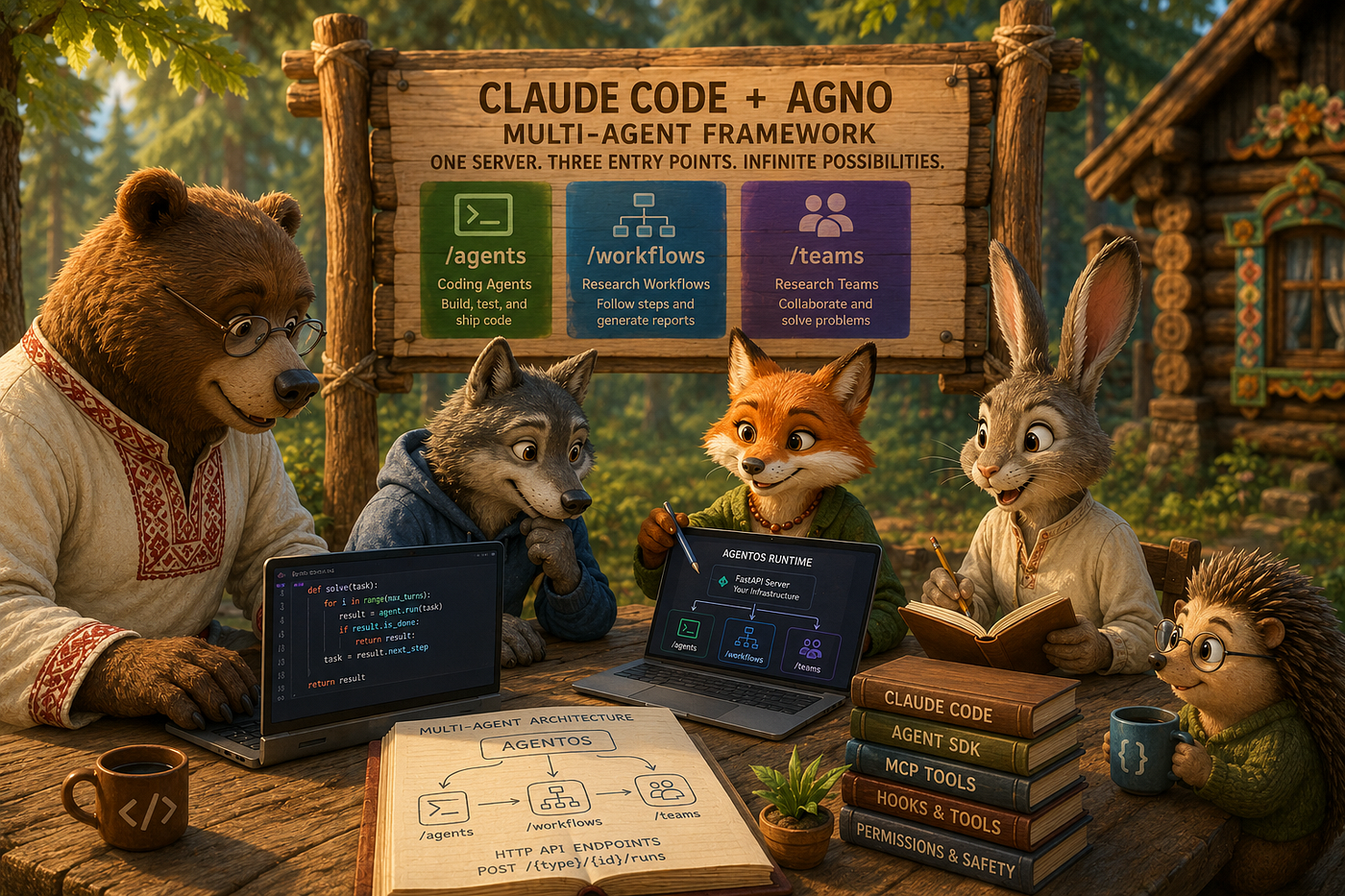
Wiring ClaudeAgent Into an Agno Workflow: Write, Test, and Self-Fix
A practical guide to integrating ClaudeAgent into an Agno Workflow using the executor pattern — covering the framework constraint that…
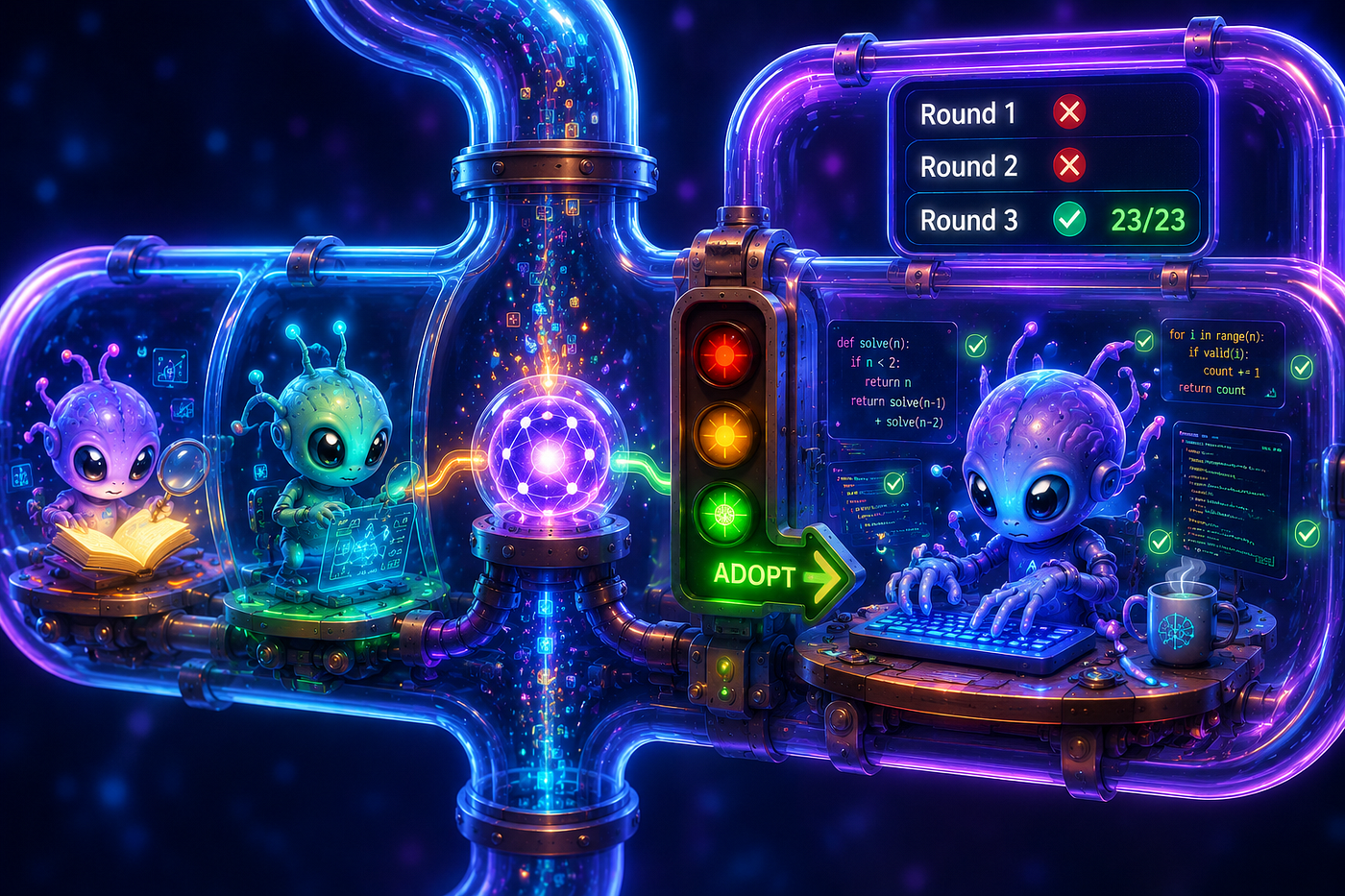
Adventure started here
Wiring ClaudeAgent Into an Agno Workflow: Write, Test, and Self-Fix
A practical guide to integrating ClaudeAgent into an Agno Workflow using the executor pattern — covering the framework constraint that prevents direct step assignment, the correct StepInput fields, and a verified write-test-fix loop with session threading across rounds.
Daniel Miessler put the direction clearly on X:
“Claude Code is about to release a feature called /workflows that I think will be extremely significant. Especially for Enterprise AI. I talked about this in 2024 in a post called Companies Are Just Graphs of Algorithms. Basically the idea is that all work is just an algorithm, i.e., a series of steps to accomplish a goal… Well this is closer to the final form.” — @DanielMiesslerows feature for Claude Code isn't available yet at the time of writing — but the direction is clear. Claude Code stops being something you talk to and starts being something you compose into larger pipelines: an active node in a graph of automated steps, not a chat assistant sitting outside the system.
That architecture is already buildable today. Agno provides the orchestration layer: parallel steps, conditional branching, session persistence. The Claude Agent SDK provides the execution layer: a Claude Code subprocess that reads files, writes code, runs tests, and self-corrects. Combining them produces something neither framework provides alone — a pipeline where research, decision, and verified code generation happen in a single automated run.
There are two non-obvious technical obstacles to making this work. Both are covered in full below.
The Three Building Blocks
**AgentOS** (introduction) is Agno's runtime — a FastAPI service you run yourself. Start it once; it listens for HTTP requests. Each registered agent or workflow gets its own URL. A teammate, a curl command, or a CI pipeline can call any of them. The control plane at os.agno.com connects to your running server for a chat UI and session browser.
**Workflow** (workflows) is Agno's fixed-pipeline primitive. A sequence of Step objects, with optional Parallel (run steps concurrently) and Condition (branch based on a Python function). The right tool when the steps are known in advance and need to run in a defined order. Workflow steps expect Agno's native Agent class — and that last sentence is the source of the first obstacle.
**ClaudeAgent** (multi-framework integration) is Agno's adapter for the Claude Agent SDK / Claude Code. It registers Claude Code as an HTTP endpoint on AgentOS at POST /agents/{name}/runs. Use it when the job involves reading and editing real files, running shell commands, and verifying results — the read→edit→test loop that Claude Code's built-in tools (Read, Write, Edit, Bash, Glob) provide (how Claude Code works).
Critical detail: ClaudeAgent extends BaseExternalAgent, not Agno's native Agent class. Different class hierarchies entirely.
What We’re Building
A workflow that evaluates a Python library end-to-end — from web research through working code with passing tests, no human steps in between.
User: "Evaluate the aiohttp library for async HTTP client sessions in Python"
  │
  ▼
┌─────────────────────────────────────────────────────────────────┐
│  Agno Workflow: Library Evaluator                               │
│  POST /workflows/library-evaluator/runs                         │
│                                                                 │
│  Step 1 — Parallel (two native Agno Agents, WebSearch)          │
│    ├── Web Research Agent   → production track record, CVEs     │
│    └── Usage Patterns Agent → API idioms, gotchas, examples     │
│                                                                 │
│  Step 2 — Synthesis Agent (native Agno Agent)                   │
│    Consolidates findings → ends with ADOPT or SKIP              │
│                                                                 │
│  Step 3 — Condition: "adopt" in synthesis output?               │
│    └── Step 4: executor = write_test_and_fix                    │
│         ├─ Round 1: HTTP POST → ClaudeAgent                     │
│         │   Writes demo.py + test_demo.py                       │
│         │   subprocess pytest → PASS ✅ or FAIL ↓               │
│         ├─ Round 2: HTTP POST (same session_id)                 │
│         │   ClaudeAgent receives full pytest failure output     │
│         │   Reads files, edits, re-verifies → pytest ↓          │
│         └─ Round 3: final attempt → returns result either way   │
└─────────────────────────────────────────────────────────────────┘

Both surfaces run on the SAME AgentOS server:
  /workflows/library-evaluator/runs  ← pipeline entry point
  /agents/code-developer/runs        ← ClaudeAgent (internal HTTP target)
One curl command. One Python file. No manual steps between research and working code.
Why You Can’t Do Step(agent=claude_agent)
The obvious approach:
from agno.agents.claude import ClaudeAgent
from agno.workflow.step import Step

code_developer = ClaudeAgent(name="code-developer", ...)
step = Step(name="write-code", agent=code_developer)   # ← ValueError at startup
This fails with a ValueError before the server starts. The root cause is in Agno's internals:
# agno/workflow/step.py
class Step:
    agent: Optional[Agent] = None   # agno.Agent only — not BaseExternalAgent

# agno/workflow/parallel.py → _prepare_steps()
elif isinstance(step, Agent): ...   # ClaudeAgent fails this isinstance check
else: raise ValueError(f"Invalid step type: {type(step).__name__}")
Agno’s multi-framework overview documents this directly: ClaudeAgent runs as a separate HTTP endpoint on the same AgentOS server, not as a nested component inside a Workflow or Team. Register them side-by-side; call them via URL.
This is intentional separation. Native Agno Agent is a lightweight LLM wrapper with Agno toolkits. ClaudeAgent is a full coding environment with file access, subprocess execution, hooks, and session memory. Different interfaces, different lifecycle. The solution is the executor parameter on Step, which provides more control than a direct assignment would allow — it enables the multi-round fix loop described below.
The Bridge: Step(executor=async_callable)
Any async def function is a valid step executor. The function receives the step's input, performs the required operations, and returns a string that becomes that step's output in the pipeline:
from agno.workflow.step import Step

Step(
    name="write-test-fix",
    executor=write_test_and_fix,   # any async def
)
Inside the executor, the ClaudeAgent’s HTTP endpoint is called using httpx:
import httpx

async with httpx.AsyncClient(timeout=300) as client:
    payload = {"message": prompt, "stream": "false"}
    resp = await client.post(
        "http://localhost:7779/agents/code-developer/runs",
        data=payload,
    )
Both the Workflow and the ClaudeAgent are registered on the same AgentOS instance:
from agno.os import AgentOS

agent_os = AgentOS(
    agents=[code_developer],        # /agents/code-developer/runs
    workflows=[library_evaluator],  # /workflows/library-evaluator/runs
)
The HTTP call is a local loopback. More importantly, the executor pattern gives control over the loop: call ClaudeAgent multiple times, thread a session_id between calls, inspect the result between rounds. That is the write→test→fix mechanism.
session_id: Memory Across Rounds
The self-correction loop only works if ClaudeAgent carries memory across rounds. Without it, Round 2 is a cold start — no knowledge of what was written in Round 1, no context about what failed. The agent generates new files from scratch and likely reproduces the same bug.
session_id is how Agno persists conversation state (persisting sessions). On the first call without a session ID, AgentOS creates a new session and returns its ID in the response body. Pass that same ID on the next call and ClaudeAgent resumes exactly where it left off — prior code, prior reasoning, every tool call made, every file written.
payload: dict[str, str] = {"message": prompt, "stream": "false"}
if session_id:
    payload["session_id"] = session_id   # thread context from prior rounds

resp = await client.post(
    "http://localhost:7779/agents/code-developer/runs",
    data=payload,
)
session_id = resp.json().get("session_id") or session_id
Three lines that turn a one-shot code generator into something that can look at its own failing test output and make a targeted fix rather than starting over.
The Pitfall That Will Break Your Condition Branch
After wiring everything up, there is a failure mode that produces no error and no warning. The Condition step always returns False. The executor never fires. The Workflow completes — Parallel, synthesis, Condition — and reports success. No code is written. The pipeline appears to complete successfully while producing no output.
The cause: step_input.get_input_as_string() does not return the previous step's output. It returns the original user message — the prompt sent to the Workflow endpoint. In this case: "Evaluate the aiohttp library...". That string never contains the word adopt, so the Condition evaluator returns False on every run, silently.
The synthesis Agent’s output is in step_input.previous_step_content. That is the correct field.
from agno.workflow.types import StepInput

def should_adopt(step_input: StepInput) -> bool:
    """
    get_input_as_string() returns the ORIGINAL user message - not the synthesis output.
    The previous step's output lives in step_input.previous_step_content.
    Checking the wrong field means the Condition always returns False
    and the executor never fires, with no error message to indicate why.
    """
    content = str(step_input.previous_step_content or "").lower()
    return "adopt" in content
The same mistake applies in the executor. Passing step_input.get_input_as_string() as the research findings sends the user's original question to ClaudeAgent, not the synthesis output. Use previous_step_content in both places: the Condition evaluator and the executor function.
The Write → Test → Fix Loop
The full executor:
import subprocess, sys, httpx
from agno.workflow.types import StepInput

async def write_test_and_fix(step_input: StepInput) -> str:
    """
    Orchestrates write → test → fix via HTTP calls to /agents/code-developer/runs.
    Round 1: ClaudeAgent writes demo.py + test_demo.py from scratch.
    Round 2+: ClaudeAgent receives the full pytest failure and fixes - using
              the same session, so it has full context of what it wrote.
    """
    # previous_step_content holds the synthesis output - NOT get_input_as_string()
    synthesis = str(step_input.previous_step_content or "")
    session_id: str | None = None
    test_output: str = ""
    for rnd in range(1, 4):  # max 3 rounds
        if rnd == 1:
            prompt = (
                f"Based on this research:\n\n{synthesis[:3000]}\n\n"
                "Write a complete Python usage example for this library. "
                "Save it as demo.py. Write pytest tests in test_demo.py. "
                "After writing each file, read it back to confirm it was saved."
            )
        else:
            prompt = (
                f"Pytest failed (round {rnd - 1}/3). Full output:\n\n{test_output}\n\n"
                "Fix demo.py and/or test_demo.py so all tests pass. "
                "Read each file before editing, then read it again after."
            )
        async with httpx.AsyncClient(timeout=300) as client:
            payload: dict[str, str] = {"message": prompt, "stream": "false"}
            if session_id:
                payload["session_id"] = session_id   # retain context
            resp = await client.post(
                "http://localhost:7779/agents/code-developer/runs", data=payload
            )
            resp.raise_for_status()
            session_id = resp.json().get("session_id") or session_id
        result = subprocess.run(
            [sys.executable, "-m", "pytest", "test_demo.py", "-v", "--tb=short"],
            capture_output=True, text=True, timeout=60, shell=False,
        )
        test_output = result.stdout + result.stderr
        if result.returncode == 0:
            return f"✅ All tests passed on round {rnd}/3.\n\n{test_output}"
    return f"⚠️ Tests still failing after 3 rounds.\n\n{test_output}"
Key design decisions:
**subprocess.run(..., shell=False)** — list form, never a string command. Avoids shell injection (Python security note).**timeout=300on the HTTP client** — ClaudeAgent may use 15–20 tool calls to write, verify, and read files. Allow sufficient time for those tool calls to complete before the client times out.- The loop always terminates. Tests pass or the round counter runs out. The loop exits on either condition, regardless of output content.
- Round 2 sends the FULL pytest output — raw lines, not a summary. ClaudeAgent needs the exact assertion text and line number to make a targeted fix.
The ClaudeAgent is configured with permission_mode="acceptEdits" so it writes and edits files autonomously without pausing for confirmation on each tool call (permission modes).
Verified Execution: aiohttp Library Evaluation
The prompt sent to the Workflow:
Evaluate the aiohttp library for async HTTP client sessions in PythonHere is what the pipeline produced, step by step.
Step 1 — Parallel Research
The Web Research Agent and the Usage Patterns Agent ran concurrently. The Web Researcher returned a 400-word brief covering aiohttp’s history (first release November 2013), GitHub stars (15,000+), production adoption (Home Assistant, aiobotocore, aiogram), recent CVEs (all patched), and a production-readiness verdict. The Usage Patterns Agent returned seven concrete usage examples — the ClientSession context manager pattern, concurrent fan-out with asyncio.gather and Semaphore, TCPConnector configuration, timeout setup, and a list of common mistakes. Both finished independently, in parallel.
Step 2 — Synthesis
aiohttpis a mature, dual-purpose async HTTP client/server framework for Python, built natively onasyncio. With 10+ years of production use, 15,000+ GitHub stars, active maintenance (latest: v3.13.5, March 2026), and adoption by major projects like Home Assistant,aiobotocore, andaiogram, aiohttp is genuinely battle-tested. Known CVEs are patched quickly and require specific server-side configurations to exploit. ItsClientSessionAPI manages connection pooling, keepalives, cookies, auth, and WebSocket support. Always reuse a single session across your application lifetime and set explicitClientTimeout— the default 5-minute timeout is dangerous in production.
Final word: ADOPT
Step 3 — Condition
The should_adopt evaluator checked step_input.previous_step_content, found "adopt", returned True. The executor was invoked.
Steps 4–6 — Write, Test, Fix
Three rounds. Same session ID throughout. Server logs:
[Round 1] Calling /agents/code-developer/runs (session_id=None)
[Round 1] ClaudeAgent responded (new session_id=sess_a7f3c1d...)
[Round 1] pytest exit code: 1
[Round 2] Calling /agents/code-developer/runs (session_id=sess_a7f3c1d...)
[Round 2] ClaudeAgent responded (new session_id=sess_a7f3c1d...)
[Round 2] pytest exit code: 1
[Round 3] Calling /agents/code-developer/runs (session_id=sess_a7f3c1d...)
[Round 3] ClaudeAgent responded (new session_id=sess_a7f3c1d...)
[Round 3] pytest exit code: 0   ✅
The same session ID across all three rounds. ClaudeAgent did not receive three isolated prompts — it accumulated context: original code, first failure, first fix, second failure. That cumulative picture is what makes a targeted Round 3 fix possible.
The Final Pytest Output
platform win32 -- Python 3.13.7, pytest-9.0.2
collecting ... collected 23 items
test_lib_demo.py::TestMakeConnector::test_returns_tcp_connector          PASSED [  4%]
test_lib_demo.py::TestMakeConnector::test_custom_limit_accepted          PASSED [  8%]
test_lib_demo.py::TestDefaultTimeout::test_total                         PASSED [ 13%]
test_lib_demo.py::TestDefaultTimeout::test_connect                       PASSED [ 17%]
test_lib_demo.py::TestDefaultTimeout::test_sock_read                     PASSED [ 21%]
test_lib_demo.py::TestFetchJson::test_returns_dict                       PASSED [ 26%]
test_lib_demo.py::TestFetchJson::test_passes_query_params                PASSED [ 30%]
test_lib_demo.py::TestFetchJson::test_no_params_gives_empty_args         PASSED [ 34%]
test_lib_demo.py::TestFetchJson::test_raises_client_response_error_404   PASSED [ 39%]
test_lib_demo.py::TestFetchJson::test_raises_client_response_error_500   PASSED [ 43%]
test_lib_demo.py::TestFetchText::test_returns_string                     PASSED [ 47%]
test_lib_demo.py::TestFetchText::test_raises_on_4xx                      PASSED [ 52%]
test_lib_demo.py::TestPostJson::test_roundtrip_simple                    PASSED [ 56%]
test_lib_demo.py::TestPostJson::test_empty_payload                       PASSED [ 60%]
test_lib_demo.py::TestPostJson::test_nested_payload                      PASSED [ 65%]
test_lib_demo.py::TestPostJson::test_raises_on_server_error              PASSED [ 69%]
test_lib_demo.py::TestFetchConcurrent::test_all_succeed                  PASSED [ 73%]
test_lib_demo.py::TestFetchConcurrent::test_single_url                   PASSED [ 78%]
test_lib_demo.py::TestFetchConcurrent::test_empty_list_returns_empty     PASSED [ 82%]
test_lib_demo.py::TestFetchConcurrent::test_partial_errors_captured      PASSED [ 86%]
test_lib_demo.py::TestFetchConcurrent::test_all_errors_returns_full_list PASSED [ 91%]
test_lib_demo.py::TestFetchConcurrent::test_concurrency_limit_many_urls  PASSED [ 95%]
test_lib_demo.py::TestFetchConcurrent::test_order_preserved              PASSED [100%]
========================= 23 passed in 0.79s =========================
What ClaudeAgent Generated
lib_demo.py
The implementation file, condensed to show structure. The full version covers all seven aiohttp patterns the synthesis recommended: session lifecycle, explicit timeouts, TCPConnector limits, GET/POST helpers, and concurrent fan-out.
"""
aiohttp — Async HTTP Client Demo
Demonstrates the key production patterns for aiohttp.ClientSession:
  - Session lifecycle: single shared session, two nested async with blocks
  - Explicit ClientTimeout: total / connect / sock_read
  - TCPConnector with per-host connection limit
  - GET with query params, JSON + text response parsing
  - POST with JSON body
  - Concurrent fan-out via asyncio.gather + asyncio.Semaphore
  - Error handling: aiohttp.ClientResponseError (not requests.HTTPError)
"""
import asyncio
from typing import Any
import aiohttp
# Always set explicit timeouts - the aiohttp default is 5 minutes,
# which is dangerously long for most production use cases.
DEFAULT_TIMEOUT = aiohttp.ClientTimeout(total=30, connect=5, sock_read=10)

def make_connector(limit_per_host: int = 10) -> aiohttp.TCPConnector:
    """Return a TCPConnector that caps connections per target host.
    Bounding per-host connections prevents a single slow dependency from
    exhausting the entire connection pool, and guards against accidental
    client-side DDoS when many tasks fan out to the same host.
    """
    return aiohttp.TCPConnector(limit_per_host=limit_per_host)

async def fetch_json(
    session: aiohttp.ClientSession,
    url: str,
    *,
    params: dict[str, str] | None = None,
) -> Any:
    """GET url and return the parsed JSON body.
    Always consume the response body inside the async with block -
    the connection is returned to the pool only after the body is read.
    """
    async with session.get(url, params=params) as resp:
        resp.raise_for_status()
        return await resp.json()

async def fetch_concurrent(
    urls: list[str],
    *,
    concurrency_limit: int = 5,
    timeout: aiohttp.ClientTimeout = DEFAULT_TIMEOUT,
) -> list[str | Exception]:
    """Fetch multiple URLs concurrently, capping parallel connections.
    Uses asyncio.Semaphore to honour concurrency_limit and
    asyncio.gather(return_exceptions=True) so individual failures
    do not abort the entire batch.
    """
    if not urls:
        return []
    sem = asyncio.Semaphore(concurrency_limit)
    connector = make_connector(limit_per_host=concurrency_limit)
    async def _one(sess: aiohttp.ClientSession, url: str) -> str:
        async with sem:
            async with sess.get(url) as resp:
                resp.raise_for_status()
                return await resp.text()
    async with aiohttp.ClientSession(connector=connector, timeout=timeout) as sess:
        return await asyncio.gather(
            *(_one(sess, u) for u in urls),
            return_exceptions=True,
        )
test_lib_demo.py
The test file is equally notable. ClaudeAgent did not write tests that call the real internet — it built a local aiohttp.test_utils.TestServer that the tests run against entirely in-process. Each test function gets a fresh server instance via an async fixture. No network dependency, no flakiness from external services.
"""
Pytest suite for lib_demo.py — aiohttp async HTTP client patterns.
All tests run against a local aiohttp test server (aiohttp.test_utils.TestServer);
no external network calls are made.
"""
from aiohttp import web
from aiohttp.test_utils import TestServer
import pytest_asyncio
from lib_demo import fetch_concurrent, fetch_json, fetch_text, make_connector, post_json
pytestmark = pytest.mark.asyncio

@pytest_asyncio.fixture
async def server() -> TestServer:
    """Start a local aiohttp TestServer for each test function."""
    app = web.Application()
    app.router.add_get("/json",         _handle_json)
    app.router.add_get("/text",         _handle_text)
    app.router.add_post("/post",        _handle_post)
    app.router.add_get("/error",        _handle_not_found)      # 404
    app.router.add_get("/server-error", _handle_server_error)   # 500
    async with TestServer(app) as srv:
        yield srv

class TestFetchConcurrent:
    async def test_partial_errors_captured_not_raised(
        self, server: TestServer
    ) -> None:
        """Failed URLs become Exception entries; successes remain text."""
        good = str(server.make_url("/text"))
        bad  = str(server.make_url("/error"))   # 404
        results = await fetch_concurrent([good, bad, good], concurrency_limit=3)
        assert results[0] == "hello world"
        assert isinstance(results[1], aiohttp.ClientResponseError)
        assert results[1].status == 404
        assert results[2] == "hello world"
    async def test_order_preserved(self, server: TestServer) -> None:
        """Result list must be positionally aligned with the input URL list."""
        good = str(server.make_url("/text"))
        bad  = str(server.make_url("/error"))
        urls = [good, bad, good, bad]
        results = await fetch_concurrent(urls, concurrency_limit=4)
        for i, (url, result) in enumerate(zip(urls, results)):
            if url == good:
                assert result == "hello world", f"index {i} expected text"
            else:
                assert isinstance(result, Exception), f"index {i} expected error"
The partial-failure and ordering tests are the hardest to write correctly for a concurrent function: they require understanding that asyncio.gather(return_exceptions=True) preserves input order regardless of which coroutines finish first, and that a failed fetch must not raise but must land as an Exception in the result list at the correct index. ClaudeAgent produced both on the first attempt — the failures in Rounds 1 and 2 were in the async fixture teardown, not the test logic itself. Round 3 fixed the fixture handling and all 23 tests passed.
What This Architecture Unlocks
The library evaluator is a demonstration. The underlying pattern — Workflow orchestration driving ClaudeAgent as a session-threaded, self-correcting node — applies broadly.
Automated dependency evaluation at scale. A team evaluating 20 candidate libraries runs the Workflow overnight. ClaudeAgent writes a working proof-of-concept with passing tests for every ADOPT recommendation. By morning there is working code for every library that cleared the research filter — not write-ups. What takes two engineer-days per library becomes a batch job.
Self-healing code generation in CI. A build fails. A Workflow collects context: stack trace, failing test, recent git history. ClaudeAgent writes a fix and verifies it with tests. If they pass, a draft PR is opened. The PR only exists when the fix actually works.
Enterprise SOP automation — Miessler’s graph, made concrete. Each step in a business process maps to a Workflow node. Some nodes are native Agno agents: pulling data from APIs, classifying inputs, generating summaries with WebSearchTools or YFinanceTools. Some nodes are ClaudeAgent: writing transformation scripts, validating schemas with code, generating auditable reports. The Workflow is the SOP. The Condition is the decision gate. The executor pattern is how a code-writing node gets wired into an otherwise-declarative pipeline.
Iterative data pipeline generation. A Workflow reads a schema and specifies what a transformation should do. ClaudeAgent writes the ETL script. The executor runs it against sample data. If it errors, the failure goes back to ClaudeAgent for a targeted fix. The pipeline only reaches deployment when the output checks out.
Adaptive test generation. A Workflow reads a feature specification and produces a testing brief. ClaudeAgent generates the test suite. The loop runs until coverage targets are met or the round limit is hit. Engineers review a stable, passing suite rather than an empty file.
How to Run It
Start the server:
python your_app.py
# AgentOS starts on port 7779
# /agents/code-developer/runs
# /workflows/library-evaluator/runs
Send the request:
curl -X POST http://localhost:7779/workflows/library-evaluator/runs \
  -F "message=Evaluate the aiohttp library for async HTTP client sessions in Python" \
  -F "stream=false"
Using **os.agno.com** gives the visual view: connect to http://localhost:7779, pick library-evaluator from the Chat surface dropdown, type the message, and watch the "Behind the Scenes" panel show each step executing in real time.
To test the SKIP path, try an abandoned library:
Evaluate the abandoned Python cgi module from the standard librarySynthesis ends with SKIP. The Condition returns False. The executor never fires. No code is written. The pipeline explains why.
What the Combination Provides
Agno Workflow alone provides: parallel research with WebSearchTools or YFinanceTools, deterministic branching with Condition, sequential orchestration, and session persistence via SqliteDb. It does not provide: file editing, subprocess execution, or the read→edit→test loop Claude Code is built around.
ClaudeAgent alone provides: all of Claude Code’s file tools (Read, Write, Edit, Bash, Glob), the built-in self-correction loop (how Claude Code works), hooks for pre/post-tool policy (hooks), and session memory per request. It does not provide: multi-step orchestration, parallel execution, or programmatic branching based on content.
Combined: parallel research through Agno, a Python function making the branching decision (not an LLM), and Claude Code handling the implementation — with session threading so each round builds on prior context rather than starting fresh. The executor is the bridge between those two worlds.
This is not a workaround. It is a deliberate architectural choice: full orchestration control, deterministic branching, multi-round self-correction, and shared session persistence — all composable in plain Python. The graph Miessler describes is already buildable. The nodes just need to be wired.
Recent Update: Claude Code Dynamic Workflows — What Changed and What Stays the Same
May 28, 2026 — Anthropic shipped Claude Opus 4.8 alongside a new Claude Code feature called dynamic workflows. This article was written before that release. This section explains what dynamic workflows are, how they relate to the architecture described above, and why everything in this article still applies.
The Prediction Came True
This article opened with Daniel Miessler’s prediction: “Claude Code is about to release a feature called /workflows that I think will be extremely significant… Claude Code stops being something you talk to and starts being something you compose into larger pipelines.”
Dynamic workflows are that feature. They shipped on May 28, 2026, in research preview.
The Shift in One Sentence
Before dynamic workflows, every AI task ended the same way. Claude finished. Stopped. Waited for you. You reviewed, decided what was missing, prompted again. Reviewed again. You were the loop between every AI task.
Dynamic workflows removes you from the loop. You define what done looks like — a completion state, not a prompt — and Claude runs until it gets there. Verifying its own work. Catching its own mistakes. Iterating until the answer converges.
That single shift changes the nature of the interaction. The old framing is “Write me 10 ad ideas.” The new framing is “Don’t come back until you’ve found the best ad idea in my category.” The old framing gives Claude a task. The new framing gives Claude a completion state and gets out of the way.
What Dynamic Workflows Actually Are
Everything in this article — the Agno Workflow, the executor function, the session_id loop — is a pipeline you designed. You decided how many research agents to run, how many fix rounds to allow, which Python function makes the branching decision. Agno executes your design. Claude executes one step of it.
A dynamic workflow inverts that. You describe the goal. Claude designs the pipeline — decides how many agents to spawn, how to divide the work, how long to keep going. Then it executes its own plan.
The difference is not subtle. In one case the human is the architect and Claude is the worker. In the other, Claude is both.
The Adversarial Verification Loop — the Real Innovation
What makes dynamic workflows qualitatively different from “just running more agents” is the verification step.
When you run two research agents in the Agno Parallel step in this article, they work independently and both results go forward. There is no agent whose job is to find holes in what the other agent produced.
In a dynamic workflow, after agents produce their findings, a separate set of adversarial agents tries to refute those findings. A research finding that cannot withstand refutation is discarded. A code file that fails an adversarial code review is rewritten. The run continues iterating until the adversarial agents can no longer find anything wrong — until the answers converge.
Where Each Tool Fits — A Practical Map
This is not a competition. Agno Workflow and Claude Code dynamic workflows solve different problems.
Agno Workflow is the right tool when:
- You need the pipeline phases to run in a specific, guaranteed order that Claude cannot change
- You need a human approval gate that always fires — Claude cannot decide it is confident enough to skip it
- You need a deterministic audit trail (step 1 ran, step 2 ran, step 3 produced this output)
- You are composing a small number of well-understood steps (research → synthesise → decide → code)
- You want to use Agno’s ecosystem: SqliteDb session persistence, the os.agno.com Control Plane UI, session traces
The library evaluator in this article is a perfect Agno Workflow use case. The steps are known, the order is fixed, the branching logic is a Python function (not an AI guess), and the session_id threading across fix rounds needs Agno's session database.
Claude Code dynamic workflows are the right tool when:
- The task is too large for a single agent pass — hundreds of files, a whole codebase
- You do not know in advance how many subtasks the job will produce
- You need independent verification of results, not just self-correction
- You want adversarial quality checks, not just “does pytest pass?”
- You can tolerate higher, less predictable token costs in exchange for higher quality at scale
A dynamic workflow would be the wrong tool for the library evaluator. You do not want Claude deciding whether to run the synthesis step or skip straight to coding. You do not want Claude deciding whether the test results are good enough to stop. Those decisions belong in deterministic Python code — in the Condition evaluator and the run_until_clean loop — exactly as written in this article.
How to Trigger a Dynamic Workflow (Practical Steps)
Prerequisites:
- Claude Code v2.1.154 or later — run
claude updateto get it - Max, Team, or Enterprise plan (on by default for Max and Team; admin-enabled for Enterprise)
- Auto mode enabled — run
/permissionsinside Claude Code and select auto mode
Two ways to trigger:
Option 1 — Use the word “workflow” in your prompt. Claude detects it, writes an orchestration script, shows you what it plans to run, and asks for confirmation before starting.
# Example — library evaluation from this article, scaled up
claude
# Then in the session:
"Create a workflow to evaluate the top 10 async HTTP libraries for Python.
For each one, write a working usage example with passing tests.
Don't stop until all 10 are implemented and tested."
Option 2 — Enable ultracode. Open the effort menu in Claude Code (CLI, Desktop, or VS Code), select ultracode. This sets effort to xhigh and lets Claude automatically decide when a task warrants spinning up a full workflow.
Interesting Obsrvation:
The phrase “Don’t stop until [completion state]” is the prompt pattern that makes the most effective use of this feature. You are not writing a list of instructions — you are describing what finished looks like and letting Claude figure out how to get there.
The Three-Level Mental Model
The cleanest way to think about the full stack is as three nested levels, each responsible for a different scope:
Level 1 — Agno Workflow
  You design this. Phases, order, human gates, branching.
  Claude cannot change the structure.
  ┌─────────────────────────────────────────┐
  │ Step: Research  →  Step: Synthesise     │
  │ Condition: adopt?                       │
  │   └─ Step: executor ──────────────────┐ │
  └───────────────────────────────────────┼─┘
                                          │
Level 2 — ClaudeAgent (the executor)      │
  Claude executes one specific step.      │
  Reads files, writes code, runs tests.   │
  session_id threads context across rounds.
  ┌─────────────────────────────────────┐  │
  │ Round 1: write demo.py + tests      │◄─┘
  │ Round 2: fix failing tests          │
  │ Round 3: all 23 tests pass ✅        │
  └─────────────────────────────────────┘

Level 3 - Dynamic Workflow (inside an executor, for scale)
  Claude designs AND executes this.
  Used when Level 2 is not enough - too many files,
  too large a codebase, adversarial quality needed.
  ┌─────────────────────────────────────────────┐
  │ Agent 1: screen A  ─┐                       │
  │ Agent 2: screen B  ─┤→ adversarial review   │
  │ Agent N: screen N  ─┘   → converge → done   │
  └─────────────────────────────────────────────┘
The architecture in this article lives entirely at Levels 1 and 2. Dynamic workflows add Level 3 — triggered from inside an executor when the task grows beyond what a single ClaudeAgent session can handle.
What Does Not Change
Everything this article covers is still correct and still necessary.
The executor pattern is still the only way to include a ClaudeAgent in an Agno Workflow. That has not changed. ClaudeAgent still extends BaseExternalAgent, still cannot be passed to Step(agent=...), and the ValueError at startup is still the first thing new developers hit.
The StepInput.previous_step_content pitfall is still real. Whether the executor calls a single ClaudeAgent or triggers a dynamic workflow, it still receives a StepInput object, and get_input_as_string() still returns the original user message — not the synthesis output. The correct field is still previous_step_content.
The session_id threading still matters — both for multi-round ClaudeAgent loops and internally within a dynamic workflow. Session persistence via SqliteDb still works exactly as described.
The separation between Agno Workflow (macro orchestration) and ClaudeAgent (file execution) is still the right architectural boundary. Dynamic workflows do not collapse that boundary — they extend Level 2 when Level 2 is not enough.
One Sentence Each
Agno Workflow: You design a fixed pipeline; AI executes each step within it.
ClaudeAgent (executor): AI reads files, writes code, and self-corrects within one step of your pipeline, remembering context across rounds via session_id.
Claude Code dynamic workflow: AI designs and executes a massive parallel task — hundreds of agents with adversarial verification — when the task is too large for one session.
All three together: Agno controls the phases; ClaudeAgent executes each phase; dynamic workflows handle the phases that require scale.
Terminology
Agno — An open-source Python framework for building multi-agent AI systems. It provides the scaffolding to define agents, connect them into pipelines, persist sessions, and expose everything over HTTP. Think of it as the “server framework” layer that sits around your AI agents.
AgentOS — Agno’s built-in HTTP server component. It wraps registered agents and workflows in a FastAPI application and exposes each one as a URL endpoint. You send a message to a URL; the agent or workflow responds. The control panel at os.agno.com connects to your running server for a chat UI and session browser.
Workflow — Agno’s fixed-pipeline primitive. A sequence of Step objects that run in a defined order, with optional Parallel (run steps concurrently) and Condition (branch based on a Python function). The right tool when the steps and their order are known in advance.
Step — One unit of work inside an Agno Workflow. A Step wraps either a native Agno Agent (via the agent= parameter) or any Python async function (via the executor= parameter). The executor pattern is the bridge that lets non-Agno components — including ClaudeAgent — participate in a Workflow.
Parallel — An Agno Workflow construct that runs multiple Steps at the same time and waits for all of them to complete before moving on. Used in this article to run two research agents simultaneously, cutting total research time roughly in half.
Condition — An Agno Workflow construct that evaluates a Python function and only executes its child Step if the function returns True. Used in this article to branch: only generate code if the synthesis agent recommended adopting the library.
Claude Code — Anthropic’s agentic coding tool. It can read and edit files, run shell commands, search codebases, and coordinate multi-step work. Available as a terminal CLI, an IDE extension, and — via the Agent SDK — as a headless engine you call from Python.
ClaudeAgent — Agno’s integration class for Claude Code. It wraps the Claude Agent SDK so that a Claude Code session can be registered on AgentOS as an HTTP endpoint, given a system prompt, scoped to specific tools, and connected to a session database. Critically, ClaudeAgent extends BaseExternalAgent, not Agno's native Agent class — which is why it cannot be passed directly to Step(agent=...).
Claude Agent SDK — Anthropic’s Python SDK for running Claude Code programmatically. It spawns a claude CLI subprocess, manages the conversation loop, handles tool calls, and returns structured results. ClaudeAgent in Agno is built on top of this SDK.
session_id — A unique identifier returned by AgentOS after the first HTTP call to an agent endpoint. Passing the same session_id in a subsequent call resumes the conversation exactly where it left off — the agent remembers every file it wrote, every tool it called, and every decision it made, without you re-sending any of that context. In this article it threads context across the write→test→fix rounds.
StepInput — The object Agno passes to an executor function when a Workflow Step runs. It contains the original user message (get_input_as_string()) and the previous step's output (previous_step_content). A critical pitfall covered in this article: get_input_as_string() returns the original user prompt, not the previous step's output — use previous_step_content to chain steps.
executor pattern — The technique of passing an async Python function to Step(executor=my_function) instead of a native Agno agent. The function receives a StepInput, can call any external service (including a ClaudeAgent endpoint via HTTP), and returns a string result. This is the only supported way to include ClaudeAgent inside an Agno Workflow.
Write→Test→Fix loop — A self-correction pattern where Claude Code writes code, immediately runs tests via subprocess, and — if tests fail — reads the failure output and tries again, up to a configured maximum number of rounds. Each round is a separate HTTP call to the same session_id, so the agent accumulates full context across all rounds.
CI/CD — Continuous Integration / Continuous Deployment. A software development practice where every code change is automatically built, tested, and (if it passes) deployed without manual steps. In this article’s context: the pipeline endpoint (POST /workflows/library-evaluator/runs) can be called from a CI system, turning library evaluation and code generation into an automated step in a development workflow.
LLM — Large Language Model. The AI model at the core of Claude Code and Agno’s native agents. In this article: Claude Sonnet 4.6 powers ClaudeAgent; a smaller, faster model powers the research and synthesis agents since those tasks require web search and summarization, not file editing.
FastAPI — A modern Python web framework used internally by AgentOS to serve HTTP endpoints. You do not interact with it directly — AgentOS handles it — but it is why each agent and workflow gets a clean REST URL and why the server can handle concurrent calls.
httpx — A Python HTTP client library with native async support. Used in this article to make async HTTP calls from the executor function to the ClaudeAgent endpoint on AgentOS. Chosen over requests because the executor runs inside an async function and needs a non-blocking HTTP client.
References
- Daniel Miessler — Companies Are Just a Graph of Algorithms (May 2024): danielmiessler.com
- Agno — AgentOS Introduction: docs.agno.com/agent-os/introduction
- Agno — Workflow Overview: docs.agno.com/workflows/introduction
- Agno — Multi-Framework: Claude Agent SDK: docs.agno.com/agent-os/multi-framework/claude-agent-sdk
- Agno — Multi-Framework Overview: docs.agno.com/agent-os/multi-framework/overview
- Agno — Persisting Sessions: docs.agno.com/sessions/persisting-sessions/overview
- Claude Code — How Claude Code Works: code.claude.com/docs/en/how-claude-code-works
- Claude Code — Permission Modes: code.claude.com/docs/en/permission-modes
- Claude Code — Hooks: code.claude.com/docs/en/hooks
- Claude Agent SDK — Overview: code.claude.com/docs/en/agent-sdk/overview
- httpx — Async Client: python-httpx.org
- Python — subprocess security considerations: docs.python.org/3/library/subprocess.html#security-considerations

Thank you!
메타데이터
- post_id
- 83be4fdb7acd
- slug
- wiring-claudeagent-into-a-n-agno-workflow-write-test-and-self-fix-83be4fdb7acd
- url
- https://medium.com/@alexanddanik/wiring-claudeagent-into-a-n-agno-workflow-write-test-and-self-fix-83be4fdb7acd
- canonical_url
- https://medium.com/@alexanddanik/wiring-claudeagent-into-a-n-agno-workflow-write-test-and-self-fix-83be4fdb7acd
- author_url
- https://medium.com/@alexanddanik
- status
- ok
- fetched_at
- 2026-06-14 13:58:26