Emmet: The HTML Jetpack
If you are just beginning your web dev journey, you must have felt that you spend way too much typing just typing angle brackets (<>) and…
Emmet: The HTML Jetpack

If you are just beginning your web dev journey, you must have felt that you spend way too much typing just typing angle brackets (<>) and closing tags. Manually writing every <div> and <li> feels such a herculean task in this rapid moving world with countless lines of code.
Enter, Emmet: A secret jetpack that superspeed your HTML and CSS skills.
What is Emmet?
In simple terms, Emmet is a shorthand language for HTML. It allows you to type short abbreviations(like secret code) and instantly expand them into full blocks of code by hitting the Tab key.
Imagine if you could type omw on your phone and it automatically expanded into: "I am currently on my way, see you in ten minutes!" That is exactly what Emmet does for your HTML.
How it works in your editor?
Emmet isn’t a separate piece of software you need to buy. It is a plugin built into almost every modern code editor, including VS Code, Sublime Text, and Atom.
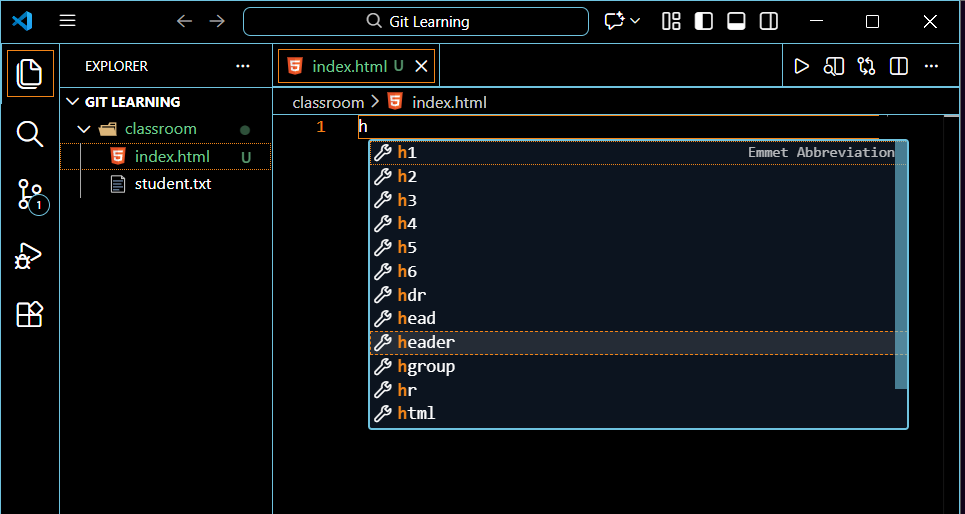
Emmet Workflow
Here’s a visual of the Emmet workflow:
- Type your abbreviation.
- Observe the preview window that pops up (often labelled “Emmet Abbreviation”).
- Press Tab to “expand” the code.
Why You Should Use Emmet?
It may feel like ‘cheating’ initially, but Emmet is just a trick up your sleeve to enhance your coding and is actually considered a best practice.
It’s advantages are:
- Speed: You can write a whole navigation bar in two seconds instead of two minutes.
- Accuracy: Emmet never forgets to close a tag or add a closing quote.
- Focus: It allows you to focus on the structure of your site rather than the syntax of the language.
The Core Shortcuts: Beginner to Pro
Let’s look at some Emmet transformations to better get the idea of it.
i) Basic Elements
To create any tag, just type the name of the tag, no brackets required.
Examples:
//Emmet Abbreviation
h1
//Press Tab:
<h1></h1>
//Emmet Abbreviation
p
//Press Tab:
<p></p>ii) Classes and IDs
Emmet uses the same symbols as CSS to define styles. Use a period (.) for classes and a hashtag (#) for IDs.
Examples:
//Emmet Abbreviation
div.container
//Press Tab:
<div class="container"></div>
//Emmet Abbreviation
h2#title
//Press Tab:
<h2 id="title"></h2>//Emmet Abbreviation
p.lead.blue
//Press Tab:
<p class="lead blue"></p>iii) Nesting and Multiplication
This is where the real magic happens. You can define parent and child relationships using the > symbol, and repeat elements using *.
Example:
//Emmet Abbreviation
nav>ul>li*3
//Press Tab:
<nav>
    <ul>
        <li></li>
        <li></li>
        <li></li>
    </ul>
</nav>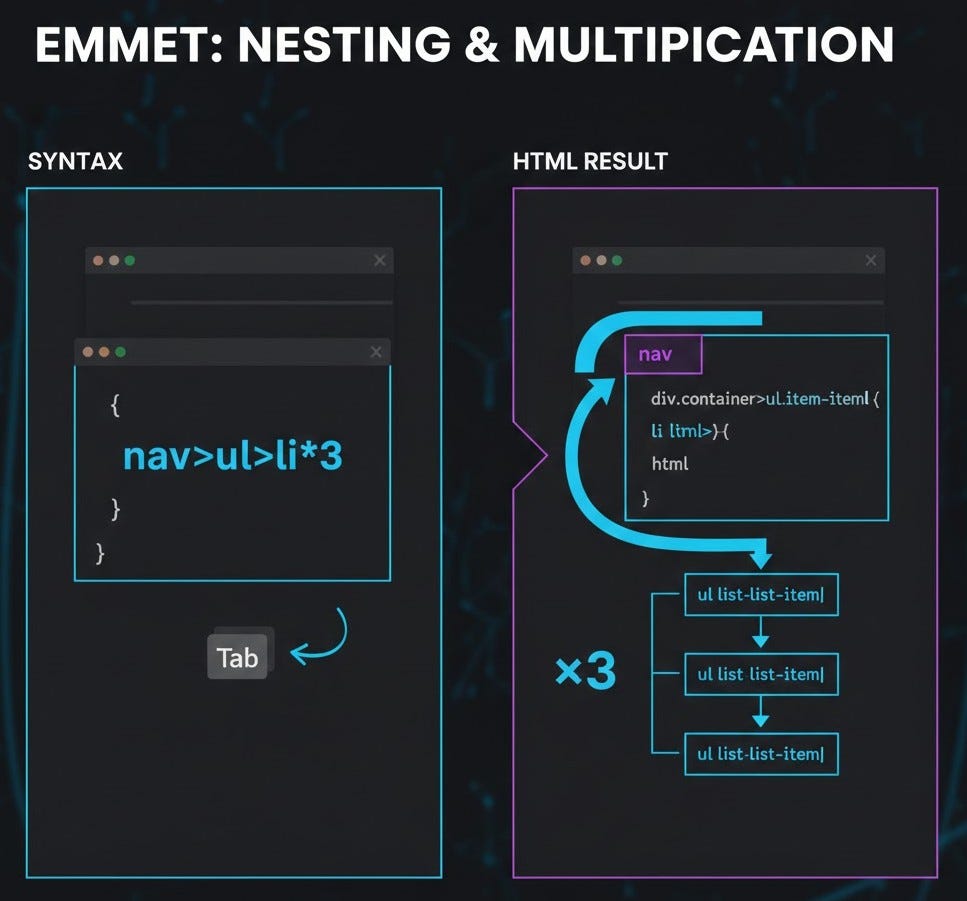
iv) The Boiler Plate
A simple ! can be typed to write the entire boiler plate code(below) through Emmet, including the meta tags, language settings, and document structure you need to get started.
<!DOCTYPE html>
<html lang="en">
<head>
    <meta charset="UTF-8">
    <meta name="viewport" content="width=device-width, initial-scale=1.0">
    <title>Document</title>
</head>
<body>

</body>
</html>
Endnote For You
The best way to learn Emmet is to use it. Open your code editor right now, create a new .html file, and try to expand this Boss Level abbreviation:
Emmet Abbreviation:
header>div.logo+nav>ul>li*3>aEmmet is an optional tool, but once you master these basic patterns, writing HTML will feel less like a chore and more like a superpower.
메타데이터
- post_id
- 83d64f14ecc6
- slug
- emmet-the-html-jetpack-83d64f14ecc6
- url
- https://medium.com/@amritbiswas612/emmet-the-html-jetpack-83d64f14ecc6
- canonical_url
- https://medium.com/@amritbiswas612/emmet-the-html-jetpack-83d64f14ecc6
- author_url
- https://medium.com/@amritbiswas612
- status
- ok
- fetched_at
- 2026-07-13 06:23:13