Troubleshooting your Fabric Mirrored database
Not sure why this is happening today, but there are 3 people having Fabric Mirroring (SQL issues). So instead of explaining everything 3…
Troubleshooting your Fabric Mirrored database
Not sure why this is happening today, but there are 3 people having Fabric Mirroring (SQL issues). So instead of explaining everything 3 times, I’ll put it in a blog.
Only the first section is about SQL, the rest of this blog is about applies to ALL Mirroring sources, SQL, Snowflake, Google Big Query, Open Mirroring, as once the data hits the landing zone, its all the same.
I’m going to focus on Azure SQL/Fabric SQL mirroring now because they are so similar, but basically SQL DB/SQL MI/Fabric SQL DB/SQL Server 2025 Mirroring is the same.
There are 4 places to check for issues;
- The source (SQL DB/Fabric SQL DB/SQL MI)
- Replicator
- Onelake
- SQL Analytic Endpoint
What is happening under the covers:
i) When there is a transaction in SQL, SQL writes a file to Onelake (into the landing zone).
ii) The replicator engine picks up on the file and turns it into Delta tables (you can see the delta tables).
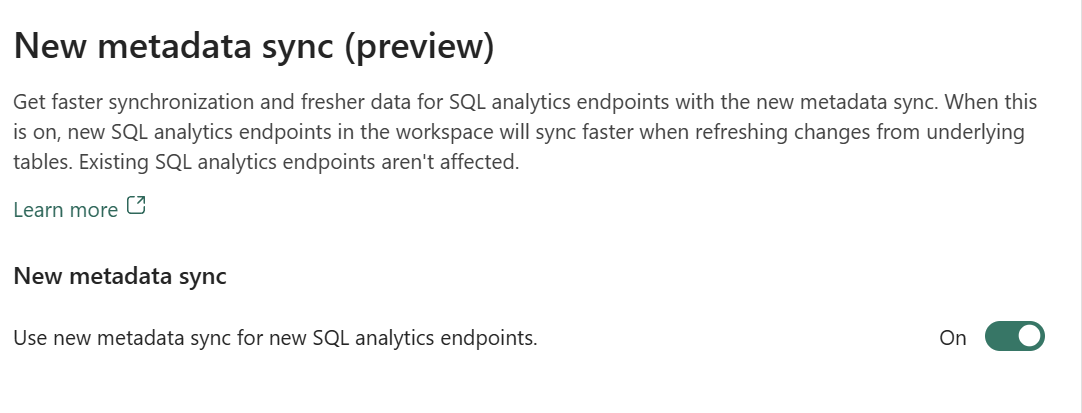
iii) If the SQL Analytics Endpoint (AE) is running, MD Sync will pick up on the Delta table and update the SQL AE with the changes.
Troubleshooting;
- Check the source…
i) There is a whole document on checking the source; Troubleshoot mirroring from Fabric SQL database — Microsoft Fabric | Microsoft Learn (The Fabric SQL DB/Azure SQL DB/SQL MI are all basically the same).
ii) If you run EXEC sp_help_change_feed; You will see 1 row per table.

Checking the state
Is the state 4? Are there values in the snapshot date columns? (You might be impatient)
iii) The Fabric UX will also give you a hint if there is a problem.
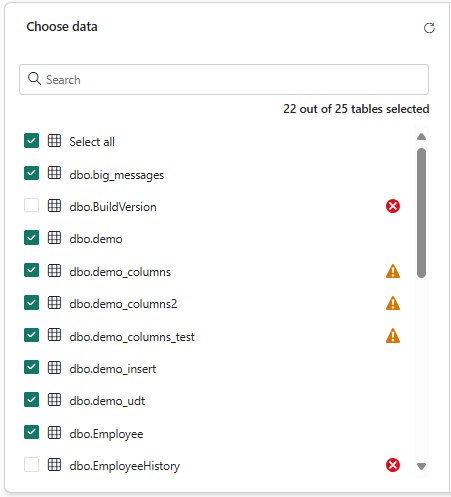
Imaging showing warnings and errors on tables
If there is a problem with a specific table, de-select save, then re-select the table.
iv) There can also be unpredictable behaviour if the capacity have been paused. So if you have paused and restarted the capacity, then pause and restart Mirror after it.

v) Always check the capacity, just incase you have run out of capacity.
vi) If the Capacity pauses, the Replicator may not start after the capacity starts (this is being fixed) — so you may need to stop and restart the replicator
2. Replicator
After the SQL Engine has pushed the change the landing, the Replicator engine picks up on the change and turns it into a Delta table.
To check this, turn on workspace Monitoring and query the MirroredDatabaseTableExecutionLogs table.

To see if the Replicator has updated the delta table correctly, then use Azure Storage Explorer to view the Delta table.
3. Onelake
Lets check to see if the Delta table has been created and if it’s updated.
The animations below show how to find the path to the Delta table and how to use Azure Storage Explorer to find the Delta table.

Animation showing how to find the path to the Delta table

Animation showing how to find the Delta Table using the path
Look at the Delta table / load it into a notebook (use the ABFSS path) and see if the changes have been written to the Delta table. (You can also create a lakehouse and create a shortcut to the Mirrored table)

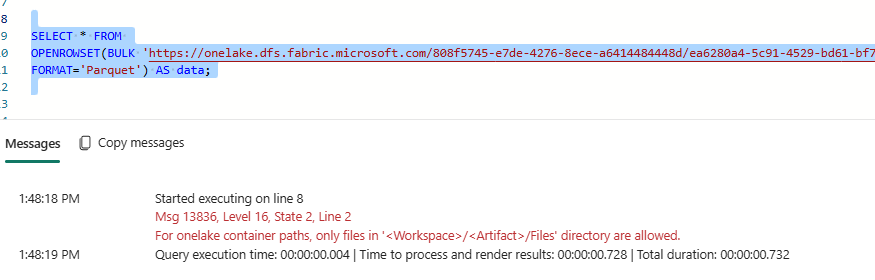
Image showing notebook reading Delta table using ABFSS path
If the changes have been written to the Delta table, we know the Replicator is working.
4. SQL Analytic Endpoint
It’s very possible everything has worked so far, but you are not seeing the latest data in the SQL analytics endpoint. This is because there is a background service that’s updating the SQL analytics endpoint. You dont know when this is going to run, so if you want to make sure everything is up to date, you need to force a sync using the REST API.
I don’t need to recap, but the posts are below.
Refresh Your Fabric Data Instantly with the New MD Sync API | by Mark Pryce-Maher | Medium
Troubleshooting MD Sync in Microsoft Fabric | by Mark Pryce-Maher | Sep, 2025 | Medium
메타데이터
- post_id
- 84e158f2ba5d
- slug
- you-broke-my-mirror-azure-sql-db-fabric-sql-db-sql-mi-84e158f2ba5d
- url
- https://medium.com/@sqltidy/you-broke-my-mirror-azure-sql-db-fabric-sql-db-sql-mi-84e158f2ba5d
- canonical_url
- https://medium.com/@sqltidy/you-broke-my-mirror-azure-sql-db-fabric-sql-db-sql-mi-84e158f2ba5d
- author_url
- https://medium.com/@sqltidy
- status
- ok
- fetched_at
- 2026-07-17 10:16:35