How to Create Visual Webinar Notes with Pixtel
Introduction
How to Create Visual Webinar Notes with Pixtel
Introduction
Webinars often contain useful slides, diagrams, demonstrations, and key points that you may want to revisit later.
Instead of manually pausing the webinar and saving screenshots one by one, Pixtel makes it easier to capture and organize the important moments.
Capture Important Webinar Moments
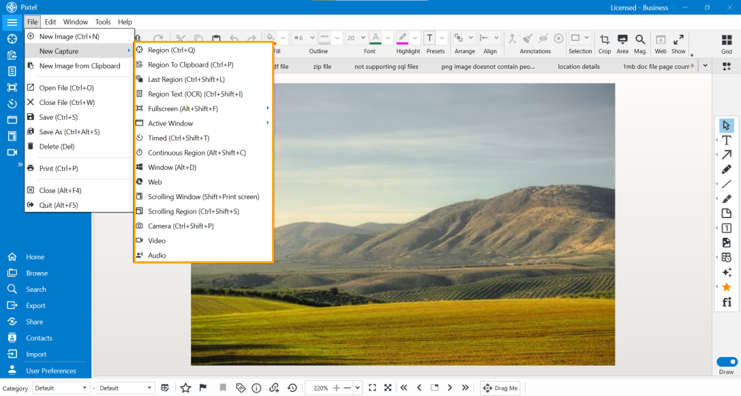
While attending a webinar, you can use Pixtel to capture the screens you want to keep.
If the speaker moves quickly through multiple screens, you can use the available capture options to collect the important content without interrupting your learning.

Annotate the Important Points
After capturing the webinar screens, you can use Pixtel’s annotation tools to highlight the information that matters most.
Add a simple highlight, arrow, or text to mark an important point, diagram, or example.
This makes your captures easier to understand when you revisit them later.

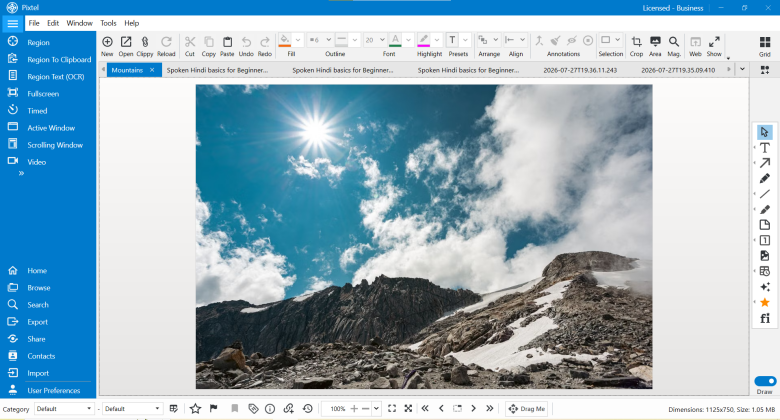
View All Your Captures in Grid View
Once the webinar is over, you may have several screenshots.
Switch to Grid View to see all your captures together.
You can quickly review the screenshots, identify the important ones, and get a complete view of the information you captured from the webinar.

Share Your Webinar Notes
After reviewing your captures, you can share the useful webinar notes with your team, classmates, or other learners.
Pixtel also allows you to share your visual content across supported cloud platforms, making it easier to keep your notes accessible and share them whenever needed.

A Simple Workflow
With Pixtel, creating visual webinar notes can be as simple as:
Capture → Annotate → View → Share
Instead of losing important information after the webinar ends, you can keep the key moments as clear, visual notes that are easy to review and share.
Conclusion
Webinars can move quickly, but you don’t have to lose the important information.
With Pixtel, capture the important moments, annotate what matters, review everything together in Grid View, and share your visual notes across cloud platforms.
Learn it. Capture it. Keep it with Pixtel.
Capture once and use it whenever you need it. It isn’t just a tool — it’s Pixtel.
Call-to-Action
Capture once and use it forever. It isn’t just a tool — it’s Pixtel.
메타데이터
- post_id
- 84f93a669ddc
- slug
- how-to-create-visual-webinar-notes-with-pixtel-84f93a669ddc
- url
- https://medium.com/@pixtelmarketing2/how-to-create-visual-webinar-notes-with-pixtel-84f93a669ddc
- canonical_url
- https://medium.com/@pixtelmarketing2/how-to-create-visual-webinar-notes-with-pixtel-84f93a669ddc
- author_url
- https://medium.com/@pixtelmarketing2
- status
- ok
- fetched_at
- 2026-08-25 06:20:31