Stop Installing a Different App for Every File: Meet Any File Viewer for Android
Have you ever received a file on your Android phone and thought:
Stop Installing a Different App for Every File: Meet Any File Viewer for Android
Have you ever received a file on your Android phone and thought:
“What am I supposed to use to open this?”
A PDF needs one app. A Word document needs another. An Excel spreadsheet needs another. A ZIP file needs an archive manager. A JSON file looks like a wall of text. And then there are HTML, XML, CSS, JavaScript, logs, CSV files, images, audio, and video.
For something as simple as viewing a file, your phone can quickly turn into a collection of specialized apps.
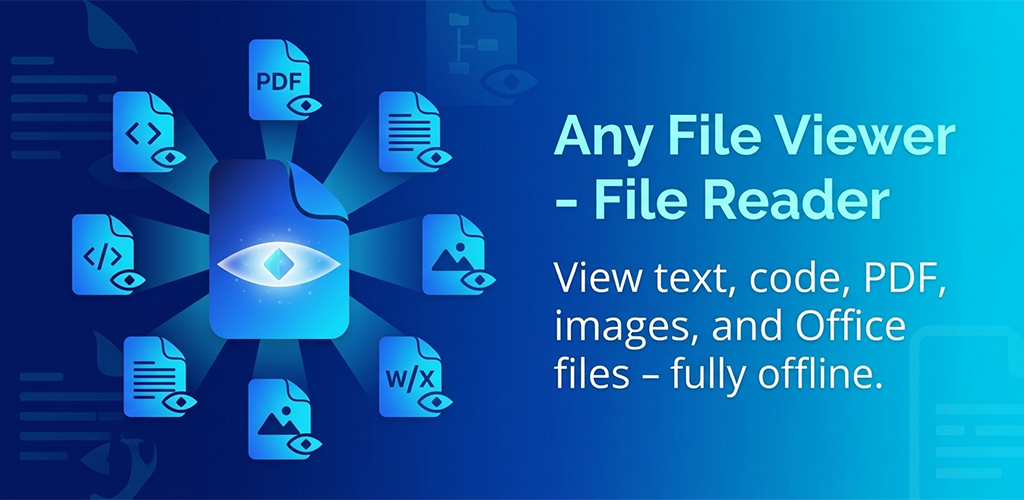
That’s the problem Any File Viewer — File Reader is designed to solve.
https://play.google.com/store/apps/details?id=com.tiptinker.anyfileviewer
One App for the Files You Actually Encounter
The idea behind Any File Viewer is simple:
If you just need to open a file, you shouldn’t have to install a dedicated app for everything.
The app brings a wide range of everyday file formats into one lightweight viewing experience.
You can open and view:
· PDF documents
· Word files
· Excel spreadsheets
· PowerPoint presentations
· CSV files
· Text files
· JSON
· XML
· HTML
· CSS
· JavaScript
· Log files
· Images
· Audio
· Video
And for developers and technical users, the text and code viewer includes useful features such as line numbers, search, and code formatting/beautification for supported formats.
That makes it useful for much more than just documents.

A Handy Tool for Developers
One of the things that makes a universal file viewer particularly useful is that files don’t always come from the apps that created them.
Maybe someone sends you a JSON configuration file.
Maybe you download an XML document.
Maybe you need to quickly inspect an HTML page or CSS file.
Maybe a server log arrives as a plain-text attachment.
Normally, you might need to find a suitable editor or developer tool just to take a quick look.
With Any File Viewer, you can open supported text and code files directly and use search and line numbers to navigate them more easily. JSON, XML, HTML, CSS, and JavaScript can also be beautified for easier reading.
It’s not trying to replace a full development environment.
And that’s precisely the point.
Sometimes you don’t need an IDE.
You just need to look inside a file.

No Microsoft Office Required
Another common situation is receiving an Office document when you don’t have the corresponding desktop software installed.
Any File Viewer can open supported Word, Excel, PowerPoint, and CSV files directly on your Android device.
Imagine you’re traveling and someone sends you a spreadsheet.
You don’t necessarily want to install a large productivity suite just to check three rows of data.
Or perhaps you’re looking at a presentation someone emailed you and simply need to verify its contents.
A universal viewer can be much more convenient for these quick tasks.

Your Files Stay on Your Device
File access is also an area where simplicity matters.
Any File Viewer uses the standard Android system file picker to open files. According to its Google Play listing, this means the app does not request broad storage access. The listing also currently declares that no data is collected and no data is shared with third parties.
There’s an important distinction here:
You choose the file you want to open through Android’s file picker rather than giving the app unrestricted access to your entire storage.
For people who care about minimizing unnecessary permissions, that’s a meaningful design choice.
Works Offline
Not every file needs the cloud.
If you’re opening a document, checking a log, looking at some JSON, or viewing an image that’s already stored on your phone, sending the file to a remote server shouldn’t be necessary.
Any File Viewer supports viewing text, code, PDFs, images, and Office files fully offline.
That makes it especially convenient when you’re:
· Traveling without reliable internet
· Working with locally stored documents
· Checking downloaded files
· Inspecting technical files
· Handling files that you simply don’t want to upload somewhere else
Sometimes the best workflow is the simplest one:
Open the file → view it → get the information you need → close it.
More Than Just Documents
Calling it a “file reader” might actually undersell what it can do.
You can browse images with pinch-to-zoom, read PDFs page by page, and play supported audio and video files.
That means you can use the same app for very different situations.
A downloaded PDF in the morning.
A CSV file at lunch.
A JSON configuration file in the afternoon.
A video attachment in the evening.
Instead of constantly asking yourself which application supports which format, you have one place to start.

Set It as Your Default File Viewer
There’s another small feature that can make a surprisingly big difference:
Any File Viewer can be set as the default app for “Open with” actions from file managers.
Once configured, opening supported files can become a much more natural part of your Android workflow.
You don’t need to open the viewer first.
Just tap a file and let Android route it to the app.
It’s a small convenience, but these small conveniences are often what make a utility app genuinely useful.
Who Is Any File Viewer For?
It’s particularly useful for people who frequently encounter files outside the handful of formats they normally use.
For everyday Android users
If your Downloads folder is full of random files, Any File Viewer gives you a convenient way to inspect them without searching for a specialized application every time.
For students
You may receive PDFs, presentations, spreadsheets, CSV datasets, text files, and other documents throughout the semester.
Having one viewer for many of these formats can simplify your phone.
For developers
JSON, XML, HTML, CSS, JavaScript, and log files are common parts of development workflows.
Sometimes you just need to inspect a file quickly from your phone rather than opening your laptop.
For remote workers
When you’re away from your computer, being able to quickly inspect an Office document or PDF can save you from installing multiple applications.
For anyone who hates app clutter
This might be the biggest audience of all.
If you don’t want five different apps installed simply because five different people sent you five different file types, a universal file viewer makes a lot of sense.
The Philosophy Is Simple
There are countless apps designed to do one very specific thing.
And specialized apps are great when you need specialized functionality.
But viewing a file isn’t always a specialized task.
Sometimes you just want to know:
What’s inside this file?
That’s where a universal viewer becomes useful.
Any File Viewer takes that simple idea and brings it to Android: open a file, view its contents, search when necessary, and move on with your day.
No complicated workflow.
No need to figure out which app you need first.
Just open the file.
Try Any File Viewer
If you regularly receive unfamiliar files, work with documents on your phone, inspect code or data files, or simply want to reduce the number of file-related apps on your Android device, Any File Viewer is worth a try.
One app. Many file types. One simple purpose: make your files easier to open and view.
👉 **Get Any File Viewer on Google Play**
Your next mystery file might not need another app.
It might just need Any File Viewer.
메타데이터
- post_id
- 852f4e3e5e71
- slug
- stop-installing-a-different-app-for-every-file-meet-any-file-viewer-for-android-852f4e3e5e71
- url
- https://medium.com/@tiptinker/stop-installing-a-different-app-for-every-file-meet-any-file-viewer-for-android-852f4e3e5e71
- canonical_url
- https://medium.com/@tiptinker/stop-installing-a-different-app-for-every-file-meet-any-file-viewer-for-android-852f4e3e5e71
- author_url
- https://medium.com/@tiptinker
- status
- ok
- fetched_at
- 2026-08-21 00:49:35