LangChain4j: The Ultimate Java Developer’s Guide to Building Enterprise AI Applications with RAG…
Why Every Java Developer Should Learn LangChain4j in 2026
LangChain4j: The Ultimate Java Developer’s Guide to Building Enterprise AI Applications with RAG, Tool Calling, and Agents
Why Every Java Developer Should Learn LangChain4j in 2026
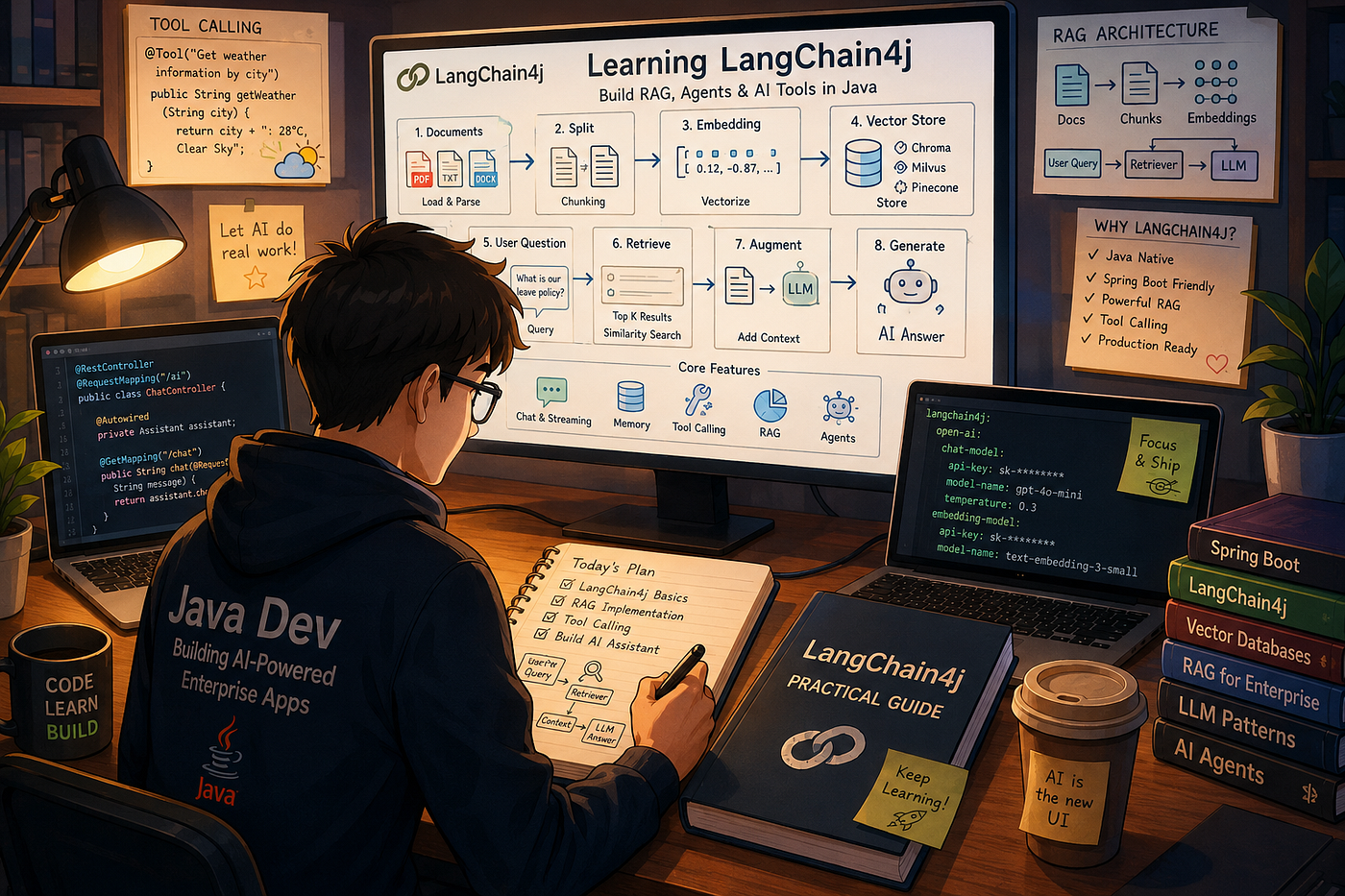
AI image
Artificial Intelligence is no longer a Python-only game.
Today, enterprise organizations are building production AI systems directly within their existing Java and Spring Boot ecosystems. Whether it’s an internal knowledge base, an intelligent customer support assistant, a document search engine, or a business automation agent, Java developers are increasingly expected to integrate Large Language Models (LLMs) into real-world applications.
The challenge?
Most AI frameworks originated in Python, while enterprise software still heavily relies on Java.
This is where LangChain4j comes in.
LangChain4j has quickly become one of the most popular AI frameworks in the Java ecosystem, enabling developers to build:
- AI Chatbots
- Enterprise Knowledge Bases
- RAG Applications
- Intelligent Agents
- Tool-Calling Assistants
- Document Processing Platforms
all using familiar Java and Spring Boot patterns.
In this article, we’ll explore:
✅ What LangChain4j is
✅ How it compares with Spring AI and AgentScope
✅ Building chat applications
✅ Streaming AI responses
✅ Conversation memory
✅ Tool Calling
✅ Enterprise RAG Implementation
✅ Production Best Practices
By the end, you’ll have enough knowledge to build a production-ready AI application in Java.
What is LangChain4j?
LangChain4j is an open-source Java framework designed to simplify the development of Large Language Model applications.
Think of it as a bridge between:
- OpenAI
- Claude
- Gemini
- Llama
- Qwen
and your Java application.
Instead of manually handling prompts, API calls, embeddings, vector databases, and conversation history, LangChain4j provides standardized abstractions.
Core Capabilities
- Chat Models
- Streaming Responses
- Conversation Memory
- RAG (Retrieval-Augmented Generation)
- Tool Calling
- Agent Workflows
- Vector Database Integration
- Document Parsing
For enterprise teams, this means significantly faster AI adoption without reinventing the wheel.
Why LangChain4j is Winning the Java AI Race
Most Java developers evaluate three frameworks:
FrameworkBest ForLangChain4jEnterprise AI ApplicationsSpring AILightweight Spring IntegrationAgentScopeMulti-Agent Systems
Where LangChain4j Excels
Superior RAG Support
Everything required for enterprise knowledge bases is available out of the box.
Simplified Tool Calling
Business APIs can be exposed to AI models using annotations.
Spring Boot Friendly
Fits naturally into existing enterprise architectures.
Vendor Agnostic
Switch between OpenAI, Claude, Gemini, or local models without changing business logic.
Production Ready
Used for:
- Internal Knowledge Portals
- Customer Service Bots
- HR Assistants
- Financial Advisors
- Document Intelligence Platforms
Setting Up LangChain4j in Spring Boot
Maven Dependencies
<!-- Spring Boot -->
<dependency>
    <groupId>org.springframework.boot</groupId>
    <artifactId>spring-boot-starter-web</artifactId>
</dependency>

<!-- LangChain4j -->
<dependency>
    <groupId>dev.langchain4j</groupId>
    <artifactId>langchain4j-spring-boot-starter</artifactId>
    <version>1.0.0-beta1</version>
</dependency>
<!-- OpenAI Integration -->
<dependency>
    <groupId>dev.langchain4j</groupId>
    <artifactId>langchain4j-open-ai-spring-boot-starter</artifactId>
    <version>1.0.0-beta1</version>
</dependency>
Application Configuration
langchain4j:
  open-ai:
    chat-model:
      api-key: ${OPENAI_API_KEY}
      model-name: gpt-4o-mini
      temperature: 0.3
      timeout: 30s

embedding-model:
      api-key: ${OPENAI_API_KEY}
      model-name: text-embedding-3-small
A low temperature is ideal for business applications because it produces more consistent answers.
Building Your First AI Chat API
Let’s expose a simple REST endpoint.
@RestController
@RequestMapping("/ai")
public class ChatController {

@Autowired
    private OpenAiChatModel chatModel;
    @GetMapping("/chat")
    public String chat(@RequestParam String question) {
        return chatModel.chat(question);
    }
}
Request:
GET /ai/chat?question=What is Kubernetes?Response:
"Kubernetes is an open-source container orchestration platform..."Congratulations.
You just built your first Java AI API.
Streaming Responses Like ChatGPT
Modern users expect real-time streaming.
Instead of waiting 10 seconds for a complete answer, responses appear token-by-token.
@GetMapping(
    value="/stream",
    produces=MediaType.TEXT_EVENT_STREAM_VALUE
)
public Flux<String> stream(
    @RequestParam String question) {

return Flux.create(sink -> {
        streamingChatModel.chat(
            question,
            response -> {
                if(response != null) {
                    sink.next(response.content());
                }
            }
        );
    });
}
Benefits:
- Better user experience
- Reduced perceived latency
- ChatGPT-style interactions
Adding Conversation Memory
Without memory:
User:
My name is Rahul.AI:
Nice to meet you.Later:
What's my name?AI:
I don't know.Not ideal.
Let’s fix that.
AI Service Interface
public interface Assistant {

    String chat(String message);
}
Memory Configuration
@Bean
public Assistant assistant(
        OpenAiChatModel model) {

    return AiServices.builder(Assistant.class)
            .chatModel(model)
            .chatMemory(
                    MessageWindowChatMemory
                            .withMaxMessages(10)
            )
            .build();
}
Now the AI remembers the last 10 messages automatically.
No manual prompt engineering required.
Tool Calling: Let AI Execute Business Logic
This is where things become truly interesting.
Most chatbots only generate text.
Enterprise AI systems perform actions.
Examples:
- Check order status
- Fetch customer details
- Generate reports
- Query inventory
- Check weather
LangChain4j makes this incredibly simple.
Creating a Weather Tool
@Component
public class WeatherTool {

    @Tool("Get weather information by city")
    public String getWeather(String city) {
        return city +
               ": 28°C, Clear Sky";
    }
}
Registering the Tool
@Bean
public Assistant assistant(
        OpenAiChatModel model,
        WeatherTool weatherTool) {

    return AiServices.builder(Assistant.class)
            .chatModel(model)
            .tools(weatherTool)
            .build();
}
User Interaction
User:
What's the weather in Mumbai?Behind the scenes:
- LLM identifies weather intent
- Calls WeatherTool
- Gets business data
- Generates response
Response:
The current weather in Mumbai is
28°C with clear skies.
The model didn’t hallucinate.
It used actual business logic.
Enterprise RAG: The Most Important AI Architecture Today
One major problem with LLMs:
They don’t know your company’s private information.
For example:
What is our leave approval policy?GPT has no idea.
Your HR handbook isn’t part of its training data.
This is where RAG comes in.
What is RAG?
Retrieval-Augmented Generation combines:
- Vector Search
- Company Documents
- Large Language Models
Workflow:
Documents
      ↓
Chunking
      ↓
Embeddings
      ↓
Vector Database
      ↓
User Question
      ↓
Semantic Search
      ↓
Relevant Context
      ↓
LLM Response
The AI answers using your private knowledge.
Creating a Vector Store
For local testing we’ll use Chroma.
@Bean
public ChromaEmbeddingStore embeddingStore() {

    return ChromaEmbeddingStore.builder()
            .baseUrl("http://localhost:8000")
            .collectionName("company-docs")
            .build();
}
Loading Documents
Document document =
        FileSystemDocumentLoader
                .loadDocument(
                        "docs/hr-policy.txt");
Splitting Large Documents
List<TextSegment> segments =
    DocumentSplitters
            .recursive(500,100)
            .split(document);
Why chunking?
Because embedding models perform better on smaller pieces of text.
Creating Embeddings
List<Embedding> embeddings =
        embeddingModel
                .embedAll(segments)
                .content();

embeddingStore.addAll(
        embeddings,
        segments
);
Now your documents are searchable.
Creating the Retriever
@Bean
public EmbeddingStoreContentRetriever retriever(
        ChromaEmbeddingStore store) {

    return EmbeddingStoreContentRetriever
            .builder()
            .embeddingStore(store)
            .embeddingModel(embeddingModel)
            .maxResults(5)
            .minScore(0.7)
            .build();
}
Building the RAG Assistant
public interface RagAssistant {

    String chat(String question);
}
@Bean
public RagAssistant ragAssistant(
OpenAiChatModel model,
ContentRetriever retriever) {
return AiServices.builder(
RagAssistant.class)
.chatModel(model)
.contentRetriever(retriever)
.build();
}Now the AI can answer questions from your internal documents.
Real Enterprise Use Cases
HR Knowledge Assistant
Employees ask:
How many casual leaves do I get?The assistant retrieves the answer from HR policies.
Banking Customer Support
Customers ask:
What is the loan foreclosure process?The AI answers using internal banking documentation.
E-Commerce Operations
Support teams ask:
What is the return policy for premium members?Answers come directly from company SOPs.
IT Operations Assistant
Engineers ask:
How do I deploy services to GKE production?The AI retrieves internal deployment documentation.
Production Best Practices
After implementing AI systems in multiple enterprises, several patterns consistently emerge.
Don’t Use Chroma in Production
Use:
- Milvus
- Qdrant
- Pinecone
for scalability and persistence.
Limit Conversation History
MessageWindowChatMemory
    .withMaxMessages(20)
Unlimited history leads to:
- High token costs
- Slower responses
- Reduced accuracy
Tune Similarity Thresholds
Recommended starting point:
minScore(0.7)Too low:
- Irrelevant results
Too high:
- Missing useful context
Secure Tool Calls
Never expose business tools without:
- Authentication
- Authorization
- Validation
- Auditing
Otherwise AI could invoke sensitive APIs.
Use Low Temperature for Enterprise Systems
temperature: 0.2Ideal for:
- Knowledge bases
- Customer support
- Policy assistants
Higher temperatures are better for creative applications.
Final Thoughts
LangChain4j has become one of the most important frameworks in the Java AI ecosystem because it solves a critical challenge:
How do enterprise Java teams build production-ready AI applications without abandoning their existing Spring Boot architecture?
Its combination of:
- RAG
- Tool Calling
- Memory Management
- Streaming Responses
- Vector Database Integration
- Spring Boot Compatibility
makes it a powerful foundation for modern AI systems.
If you’re a Java developer looking to move into AI engineering, mastering LangChain4j is one of the highest-leverage skills you can learn today.
The future of enterprise AI won’t be built only in Python. A significant portion will run inside Spring Boot applications, and LangChain4j is rapidly becoming the framework leading that transformation.
Thank you for reading!
If you found this article useful, feel free to give it a clap 👏, share it with your friends, and follow for more deep dives into distributed systems, Spring Boot architecture, Kafka, Redis, and high-scale backend engineering.
😊 Your support is the biggest motivation to continue sharing technical insights.
메타데이터
- post_id
- 85c73bfed5b2
- slug
- langchain4j-the-ultimate-java-developers-guide-to-building-enterprise-ai-applications-with-rag-85c73bfed5b2
- url
- https://medium.com/codetutorials/langchain4j-the-ultimate-java-developers-guide-to-building-enterprise-ai-applications-with-rag-85c73bfed5b2
- canonical_url
- https://medium.com/codetutorials/langchain4j-the-ultimate-java-developers-guide-to-building-enterprise-ai-applications-with-rag-85c73bfed5b2
- author_url
- https://medium.com/@umeshcapg
- status
- ok
- fetched_at
- 2026-07-09 04:10:03