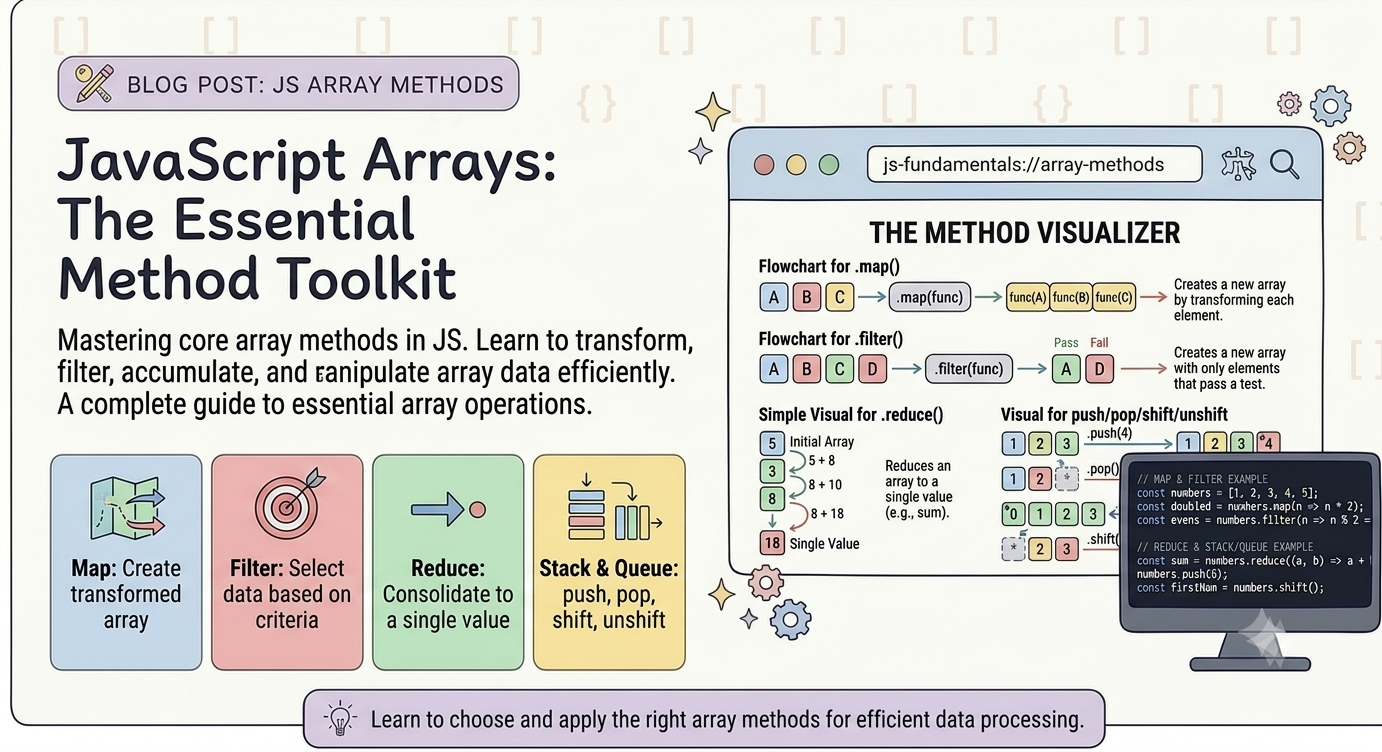
Arrays in JavaScript: Store More, Do More
1 . Introduction
Arrays in JavaScript: Store More, Do More
1 . Introduction
Imagine we need to store the names of 10 students , a list of products , or the scores of multiple players . Creating a separate variable for every value would quickly become messy and difficult to manage . This is where arrays come in picture. IN JS , an array allow us to store multiple values in a single variable and work with them efficiently . Whether we’re handling a list of users , managing items in a shopping cart, storing API data or solving DSA problems , arrays are one of the most commonly used data structures .
In this blog we’ll explore JS arrays , how to create and access them , modify their contents , use common array methods and understand some of the concepts that make arrays so powerful.
2. What are arrays and why do we need them ?
In Js , an array is an ordered collection of values stored inside a single variable . Instead of holding just one piece of information an array acts like a list container that can hold multiple numbers , strings , objects or even other arrays .
Without arrays , managing data sets becomes incredibly chaotic . We need them for several critical reasons :-
- Preventing Variable Pollution : If we need to store a list of 50 students , names creating 50 separate variables (
student 1,student2, etc). is incredibly messy and inefficient . An array keeps our global environment clean by grouping related data into one place. - Efficient Data looping and Iteration : Because arrays are ordered by numerical indexes , we can write a single loop to process thousands of items in just a few lines of code .
let prices = [10,23,12,40];

for(let i = 0 ; i < prices.length ;i++){
prices[i] = prices[i] * 2 ;
 }
- Access to Powerful Built-in Methods : JS arrays come packed with native prototypes methods that make data manipulation fast and readable , We don’t have to write complex logic from scratch , we can use built-in tools instead .
3. How to create an Array in JS
There are many ways to create an array in JS , the most common way to create an array in JS is by using array literal syntax with square brackets [] .
- Using Array Literals : This is the simplest , most readable and most efficient method . We could simply enclose a comma-separated list of values inside square brackets
[].
//Creating an empty array

const emptyArr = [];

//Creating an Array with elements

const fruits = ["Mango" , "Banana" , "Orange"];

//Creating an array with mix data types
const mixedArray = [ 42 , 'Hello' , true , {name:"John"}]:
2. Using the Array() Constructor : We can call the built-in Array global object constructor . We can use it with or without the new keyword .
- With elements : Passing multiple arguments initialises the array with those elements.
- With a single number : Passing a single number creates an empty array with that specific
lengthcalled a sparse array.
// Creating an array with elements
const colors = new Array('Red', 'Green', 'Blue');

// Creating an empty array with a length of 5
const emptySlots = new Array(5);- Using Static Factory Methods : Modern JS offers dedicated static methods on the
Arrayobject for specific creation use cases .
Array.of(): Creates an array from its argument . Unlike the constructor ,Array.of(5)will creates an array with one element[5]instead of 5 empty slots .Array.from(): Creates an array from an array-like or iterable object (like a NodeList ,setor string ) .
// Using Array.of()
const numbers = Array.of(1, 2, 3); // [1, 2, 3]

// Using Array.from() to turn a string into an array of characters
const chars = Array.from('Hello'); // ['H', 'e', 'l', 'l', 'o']
4 . Accessing elements using index
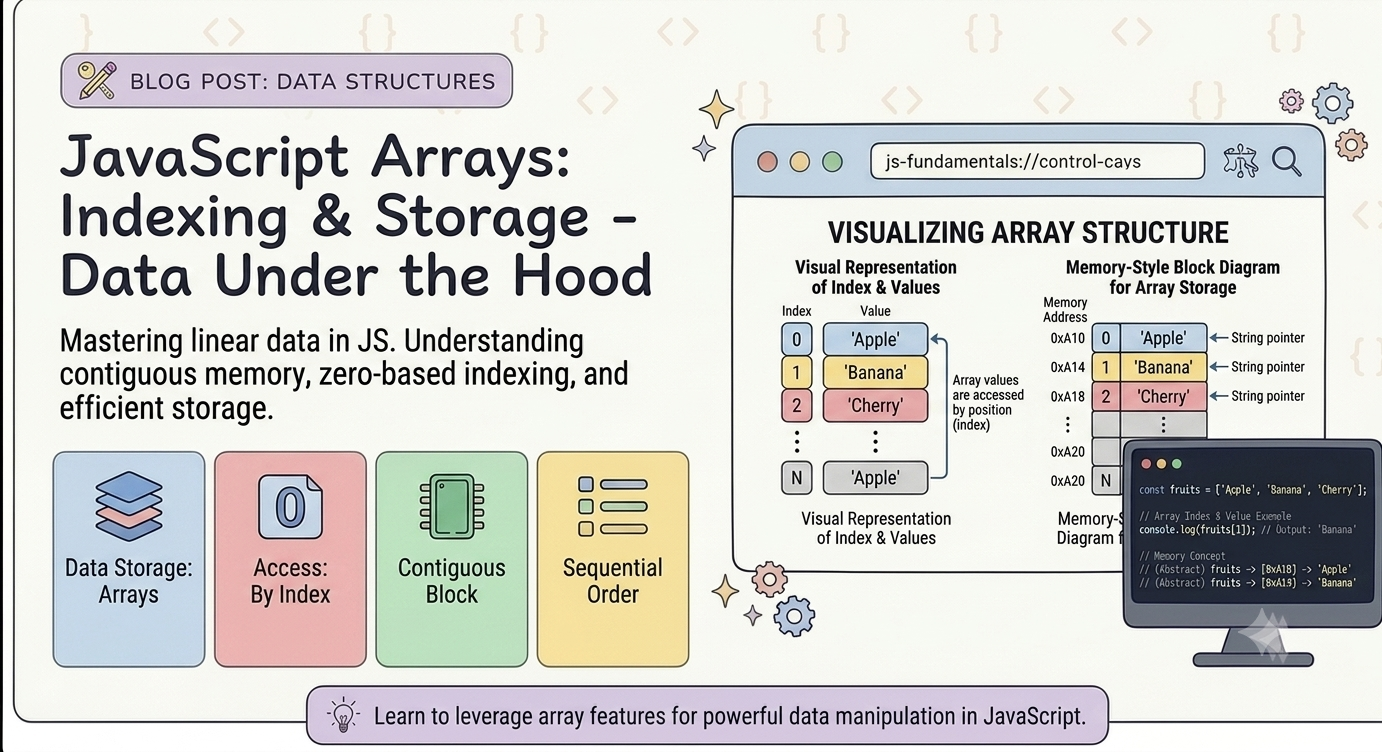
To access an element in an array , we can use square brackets ( [] ) with the index of the elements we want to access , the index starts at 0 for the first element in the array and increments by 1 for each subsequent element
example of how to access elements in an array in Js :
const fruits = ['apple', 'banana', 'orange', 'grape'];

// Access the first element
const firstFruit = fruits[0];
console.log(firstFruit); // Output: "apple"

// Access the third element
const thirdFruit = fruits[2];
console.log(thirdFruit); // Output: "orange"
In this eg , we have an array of fruits and we use square brackets with the index of the element we want to access to assign the value of the first and third elements to varialbes .
5. Updating the Elements
To update an element in JS array , we can either mutate the original array directly or return a new modified array without changing the original ( non-mutating/ immutable approach) .
The most common , direct way to update an array element is by assigning a new value using its index brackets (array[index] = newValue) .
- Mutating Approaches ( Modifies the original Array )
- By direct Index Assignment : Access the specific position using brackets notation and reassign it .
let fruits = ['apple', 'banana', 'cherry'];
fruits[1] = 'blueberry';

console.log(fruits); // ['apple', 'blueberry', 'cherry']- Using
splice(): Thesplice()method targets an index , removes a set number of items , and replaces them.
let numbers = [10, 20, 30];
// syntax: splice(startIndex, deleteCount, newItem)
numbers.splice(1, 1, 99);

console.log(numbers); // [10, 99, 30]- Using loops (
forEachorfor) : Useful when we need to update all elements or find elements that match a dynamic condition .
let scores = [5, 12, 8, 15];
scores.forEach((value, index) => {
  if (value < 10) {
    scores[index] = value * 2; // Double numbers less than 10
  }
});

console.log(scores); // [10, 12, 16, 15]
2 . Non-Mutating Approaches ( Returns a New Array)
- Using
Map(): Transforms elements safely by returning an updated copy of the array based on a condition
const initialList = ['red', 'green', 'blue'];
const updatedList = initialList.map(item => item === 'green' ? 'emerald' : item);

console.log(updatedList); // ['red', 'emerald', 'blue']
console.log(initialList); // ['red', 'green', 'blue'] (Unchanged)- Using
with(): A modern JS alternative to bracket assignment that produces a new copy . It accepts positive indices or negative indices to count backwards from the end .
const items = ['A', 'B', 'C', 'D'];
const newItems = items.with(2, 'Z'); // Replaces index 2

console.log(newItems); // ['A', 'B', 'Z', 'D']- Updating an Array of Objects : When elements are structured objects combine
findIndex()orMap()to locate and modify targeted keys .
let users = [
  { id: 1, name: 'Alice', active: false },
  { id: 2, name: 'Bob', active: false }
];

// Option A: Mutating with findIndex
const index = users.findIndex(u => u.id === 2);
if (index !== -1) users[index].active = true;

// Option B: Non-mutating with map
const updatedUsers = users.map(user =>
  user.id === 2 ? { ...user, active: true } : user
);
These are the few common ways to update the array in JS .
6 . Array length Property
In Js length property returns or sets the total number of elements slots inside an array instance . It is a live property that automatically stays synchronised with the array’s content , and its value is always strictly greater than the highest numerical index used in the array .
Reading the Length
Because Js arrays use zero-based indexing , the length of an array is always one number higher than the index of the final element . We can access it directly without using parentheses .
const fruits = ['apple', 'banana', 'cherry'];
console.log(fruits.length); // Outputs: 3

// Accessing the last item
const lastItem = fruits[fruits.length - 1];
console.log(lastItem); // Outputs: 'cherry'
Modifying the length
Unlike many programming languages where array sizes are fixed , Js allows us to rewrite the length property directly to modify our array structure .
- Truncating an array : Assigning a lower value than the current length permanently deletes elements beyond that threshold .
- Clearing an array : Setting the property to
0completely empties the array instantly . - Extending an array : Assigning a higher value expands the array layout by creating empty slots , rather than filling them with actual
undefinedvalues .
const numbers = [10, 20, 30, 40, 50];

// Truncate
numbers.length = 3;
console.log(numbers); // [10, 20, 30]

// Extend
numbers.length = 5;
console.log(numbers); // [10, 20, 30, <2 empty items>]

// Clear completely
numbers.length = 0;
console.log(numbers); // []
7. Conclusion
Arrays are one of the most fundamental and useful data structures in JavaScript. They allow you to store multiple values in a single variable and provide a wide range of methods to add, remove, search, transform, and manipulate data efficiently.
In this blog we have explored the arrays and their some common methods , we have also seen that how we can modify , update and access different values from the array using different methods provided by the JS .
If you’re just getting started, don’t try to memorize every array method. Instead, practise using them and understand when and why you would use each one.
Till then keep building and keep exploring !!!!!!!
Please share your feedback with us
Thank you !!!!!😀
메타데이터
- post_id
- 85c83ae67f08
- slug
- arrays-in-javascript-store-more-do-more-85c83ae67f08
- url
- https://medium.com/@anshultrip1234/arrays-in-javascript-store-more-do-more-85c83ae67f08
- canonical_url
- https://medium.com/@anshultrip1234/arrays-in-javascript-store-more-do-more-85c83ae67f08
- author_url
- https://medium.com/@anshultrip1234
- status
- ok
- fetched_at
- 2026-08-19 13:10:02