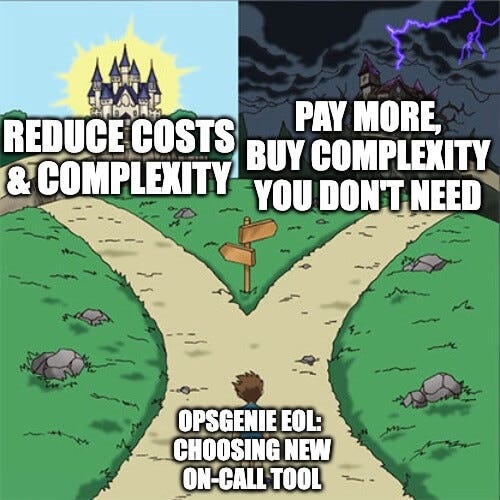
Top Incident Management Solutions: Best Incident Management Software in 2026
Modern teams aren’t struggling because they lack data, but because they’re drowning in it. Here’s how the top incident management tools in…
Top Incident Management Solutions: Best Incident Management Software in 2026
Modern teams aren’t struggling because they lack data, but because they’re drowning in it. Here’s how the top incident management tools in 2026 stack up.
Every engineering team understands that moment where an incident hits and suddenly all sense of structure ceases to exist.
Someone starts digging through logs, dashboards and old Slack threads in the hopes of uncovering the source of the problem, while someone else swears that everything was “fine yesterday.” Meanwhile, your incident management tool is offering up everything but the one thing you actually need: clarity.
And then, right in the middle of the world falling down around you, it hits you:
Modern teams aren’t struggling because they lack data, but because they’re drowning in it.
The tools built for yesterday’s enterprise aren’t the ones you need when you’re in the middle of chaos. But the tools of today certainly are.
The Old Guard vs the New Wave
Incident management has split into two clear camps: the Old Guard and the New Wave. The former are powerful, feature-stuffed platforms built for large teams and scaling enterprises. They can do almost anything, if you have the budget, time, and patience to set them up.
The latter takes the opposite approach. They’re leaner, calmer, and designed for how teams actually work today. They create order, not chaos, and reduce noise rather than amplify it. In other words, alerting tools that don’t have you biting your nails to the quick mid-incident.
Teams aren’t chasing “more features” anymore. They just want something fast, simple, and drama-free.
Let’s take a closer look at the top incident management tools in 2026.
At a Glance

The table, titled At a Glance, evaluates five incident management tools based on their pros, cons, target audience, pricing, and complexity. First, All Quiet offers a simple setup, integrated workflows, unlimited notifications, and a low total cost of ownership, though it is not built for extreme enterprise customization. It is best for small to mid-sized teams, startups, and scaleups, featuring a standard plan at four dollars and ninety-nine cents per user per month, a pro plan at nine dollars and ninety-nine cents, and custom enterprise pricing, with a low overall complexity. Second, PagerDuty provides enterprise-grade workflows, deep integrations, and reliable alerting, but it is expensive, complex, and can be noisy if not properly tuned. It is best for large enterprises and site reliability engineering heavy organizations, offering a free tier, a professional plan at twenty-one dollars per user per month, a business plan at forty-one dollars, and custom enterprise pricing, with a high complexity level. Third, Opsgenie, which is marked as deprecated for 2027, features a strong presence inside the Atlassian ecosystem and solid alerting, but carries a deprecation risk, Jira lock-in, and requires a migration. It is best suited for short-term, Jira-centric teams, offering a free tier, an essentials plan at nine dollars and forty-five cents per user per month, a standard plan at nineteen dollars and ninety-five cents, and an enterprise plan at thirty-one dollars and ninety cents, with a medium complexity rating. Fourth, ilert delivers strong uptime monitoring, European Union hosting, and AI-assisted workflows, but it is expensive and add-ons increase the overall cost. It is best for monitoring-heavy teams and European Union compliance, with a pro plan at nineteen euros per user per month, a scale plan at thirty-nine euros, and an enterprise plan at four hundred and forty-nine euros, carrying a medium to high complexity. Finally, Zenduty features highly customizable workflows and a strong Slack and Teams integration, balanced against a complex setup and a higher learning curve. It is best for large support organizations and multi-team setups, with a starter plan at five dollars per user per month, a growth plan at fourteen dollars, and custom enterprise pricing, operating at a high complexity level.
Want a deeper, tool-by-tool comparison?
The New Wave of Incident Management Tools
Lean, integrated and modern
Before we look at the Old Guard, let’s start off with a tool that’s carving a new direction for incident response in 2026. It’s simpler, calmer, and built for real teams; but more importantly, it’s quieter.
All Quiet: The Modern Solution for Teams Seeking Less Noise and More Clarity
It’s not called All Quiet for fun. It’s built to cut the nonsense and reduce noise. All Quiet doesn’t like complexity, and it’s not trying to be a control tower for every planet in the Milky Way. Its mission is simplicity: clear alerts, integrated workflows, and a calm on-call experience without the 200-setting scavenger hunt.
And when it’s the middle-of-the-night, your brain is running at 40%, and your cat is judging your life choices, the lower cognitive load can make all the difference.
Pros vs Cons

The table, titled Pros vs Cons, details the feature breakdown for All Quiet across three columns, which include the specific feature, whether All Quiet supports it, and corresponding descriptive notes. First, the platform includes a simple, intuitive setup, which is indicated with a green checkmark, and the notes specify that there is no multi-day configuration needed. Second, it features integrated workflows, marked with a green checkmark, which brings alerts, triage, and resolution into a single flow. Third, noise reduction is supported with a green checkmark, as the system is explicitly designed to prevent alert fatigue. Fourth, the tool offers fast onboarding, indicated by a green checkmark, meaning new engineers can use it immediately. Fifth, transparent pricing is supported with a green checkmark, ensuring there are no surprise add-ons. Finally, enterprise-grade complexity is marked with a red X, meaning it is not supported, with the accompanying note explaining that the platform is not built for extreme customization, which is true by design.
Integrated Workflows
Rather than separating it into individual steps, All Quiet brings incident reporting together: it treats it as one continuous flow, from alert to resolution, without you having to switch between multiple different tabs and tools.
Here’s what it looks like from start to finish:
- Alerts come in clean, without duplicates or noise
- On-call schedules and escalations are automatically connected
- The right people get notified instantly
- Everything is handled in the same place as the alert
- Resolution steps are tracked without manual admin
- Post-incident follow-ups are built into the workflow
- You go back to dreaming about effortless incident response
No integrations held together with superglue, no detective work, and no “where did this alert come from?” Just simple, smooth monitoring.
And when you’re currently paying for a monitoring tool, an alerting tool, an on-call tool, a collaboration tool, and a post-mortem tool… wouldn’t one system that handles everything take the weight off?
Lower Cost of Ownership
Subscription price matters, but what about the total cost of ownership? We’re talking less time spent configuring, maintaining, and babysitting the tool, and more time spent actually shipping and building features. With All Quiet, setup takes hours, not weeks. There’s no configuration marathon; onboarding is, quite simply, plug and play.
And the noise reduction pays for itself: fewer alerts, fewer distractions, and far fewer sleepless nights. Plus, since workflows are fully integrated, you’re not bouncing between ten different tools to resolve one incident.
Best of all, All Quiet’s pricing is predictable and low-budget. No hidden fees or add-ons once you get set up, and no budget creep. It provides low-maintenance software that does what it’s supposed to do.
Pricing
All Quiet keeps their pricing intentionally simple, with no hidden add-ons or “enterprise-only” features, and no surprise fees for SMS or phone alerts.

The table details three different subscription plans across four columns, which include the plan name, price per user per month, target audience, and key features. First, the Standard plan costs four dollars and ninety-nine cents, is best for small teams, and includes unlimited users, incidents, and integrations, alongside SMS, phone, email, and push alerts, all monitoring types, on-call schedules, escalation policies, and mobile apps. Second, the Pro plan is priced at nine dollars and ninety-nine cents, is best for multi-team organizations, and offers everything in the Standard plan plus status pages, OIDC and SCIM, a Terraform provider, a public REST API, cross-team collaboration, and advanced reporting. Finally, the Enterprise plan requires custom pricing, is built for larger organizations with compliance needs, and includes everything in the Pro plan plus advanced auditing and logging, custom onboarding, a dedicated success channel, and custom billing.
All plans include:
- Unlimited inbound & outbound integrations
- Unlimited monitors (HTTP, ping, heartbeat, cron)
- Unlimited teams
- Unlimited notifications (SMS, calls, email, push)
- Unlimited incidents
- Unlimited escalation policies
- iOS & Android apps with native DND-overrides
Ideal for Small and Mid-Sized Teams
All Quiet is built for teams that want a modern incident management tool that isn’t bloated with complexity, and without the enterprise price or maintenance burden. It’s perfect for:
- Startups
- Scale-ups
- SaaS companies
- DevOps teams
- SRE teams with limited bandwidth
- Any team that wants clarity over complexity
It works so well because it’s not trying to be everything for everyone. It knows exactly who it’s built for, and it does that job exceptionally well.
The Old Guard
Powerful but heavyweight
Despite the new age shift, the Old Guard tools still dominate enterprise environments. And to be fair, they’re powerful. They do what they promise, but they’re more expensive, have steeper learning curves, and involve more maintenance than most small teams are equipped to deal with.
Let’s look closely at the four major players of the Old Guard and how they compare.
PagerDuty: The Enterprise Standard That’s Overkill for Smaller Teams
Perhaps the name that everyone knows, mostly because it’s been around forever. Sure, it’s full of useful features and reliable integrations, but for smaller teams, it can feel like trying to fly a 747 when all you really needed was a bike.
Pros vs Cons

The table, titled Pros vs Cons, details the feature breakdown for PagerDuty across three columns, which include the evaluated feature, whether PagerDuty fulfills it, and the corresponding explanatory notes. First, a simple, intuitive setup is marked with a red X, meaning it is not supported, and the notes specify that setup can take days or weeks. Second, the platform includes integrated workflows, which is indicated with a green checkmark, though the notes mention that while they are strong, they often require tuning. Third, noise reduction is marked with a red X, with the accompanying note stating that the system can be noisy without careful configuration. Fourth, fast onboarding is also marked with a red X, which is attributed to a steeper learning curve. Fifth, transparent pricing receives a red X as well, because add-ons increase the overall cost quickly. Finally, enterprise-grade complexity is supported, indicated by a green checkmark, with the notes explicitly highlighting that the platform is built for large organizations.
Pricing
While PagerDuty has a free option, it’s limited and is more of a “starter kit” than a full-blown incident management software.

The table details the PagerDuty pricing structure across four distinct tiers and three columns, which specify the tier name, the price per user per month, and the corresponding feature notes. First, the PagerDuty Free tier is priced at zero dollars and is noted for having limited features. Second, the PagerDuty Professional tier costs twenty-one dollars and includes basic on-call and alerting capabilities. Third, the PagerDuty Business tier is priced at forty-one dollars and provides advanced workflows and analytics. Finally, the PagerDuty Enterprise tier requires custom pricing and offers full automation combined with enterprise support.
Who It’s Best For
PagerDuty’s target market is any organization where complexity is unavoidable. There are enough people to manage it, but they need direction and structure. It’s best for:
- Large enterprises
- Companies with complex, multi-team escalation paths
- Orgs that rely on niche integrations and SLEs
Not ideal for lean teams, cost-sensitive orgs, or anyone that values simplicity over configurability.
Opsgenie: Great Inside Atlassian but Not Much Else (Plus Deprecation in 2027)
Opsgenie is a classic for teams that live inside Jira. In the Atlassian ecosystem, everything flows naturally: alerts become Jira issues and workflows follow Jira logic. Everything works together in Atlassian’s own little microverse.
But outside that microverse, you’re at sea without a life raft. And with deprecation looming, Opsgenie is no longer a long-term solution, and more of a temporary gap-filler.
Pros vs Cons

The table, titled Pros vs Cons, details the feature breakdown for Opsgenie across three columns, which include the specific feature being evaluated, whether Opsgenie supports it, and corresponding explanatory notes. First, a simple, intuitive setup is marked with a red X, indicating it is not supported, and the notes specify that setup depends heavily on Jira structure. Second, the platform includes integrated workflows, which is indicated with a green checkmark, though the notes highlight that this is strong inside Atlassian only. Third, noise reduction is marked with a red X, with the accompanying note stating that the alert logic is tied to Jira rules. Fourth, fast onboarding is also marked with a red X, which the notes attribute to the fact that it requires Jira familiarity. Fifth, transparent pricing receives a red X, because the product is bundled with Atlassian plans. Finally, enterprise-grade complexity is supported, indicated by a green checkmark, with the notes explaining that it is good for large Jira organizations.
Pricing
Opsgenie’s pricing is wrapped up in Atlassian’s ecosystem, which works very well if you’re all-in on Jira, but not so much if you’re not.

The table details the Opsgenie pricing structure across four distinct tiers and three columns, which specify the tier name, the price per user per month, and the corresponding feature notes. First, the Opsgenie Free tier is priced at zero dollars and is noted for providing basic alerting. Second, the Opsgenie Essentials tier costs nine dollars and forty-five cents and includes limited workflows. Third, the Opsgenie Standard tier is priced at nineteen dollars and ninety-five cents and offers most features. Finally, the Opsgenie Enterprise tier costs thirty-one dollars and ninety cents, providing advanced integrations.
Lock-In Issues
Opsgenie is glued to Jira. If Jira slows down, Opsgenie slows down. If Jira goes down, Opsgenie goes with it. And if you ever want to migrate, you’ll be untangling a web of workflows for weeks.
In a nutshell: if Jira’s having a bad day, so are you.
Deprecation Implications
The bigger issue for Opsgenie enthusiasts is its expiration date. Atlassian has confirmed that Opsgenie will be completely out of action by April 2027, with final sales in June 2025. No matter when you adopt it, you’ll be forced to migrate whether you like it or not.
If you’re still with Opsgenie, now’s the time to explore modern alternatives before the window becomes uncomfortably small.
Who It’s Best For
Opsgenie is ideal for:
- Jira-centric teams
- Atlassian-locked enterprises
- Anyone looking for a short-term solution
If long-term stability is the goal, Opsgenie simply isn’t built for the future.
ilert: Europe’s Pricey but Strong Uptime-Focused Solution
ilert is Europe’s uptime-monitoring specialist: a solid all-in-one for monitoring, alerting, and on-call. It’s reliable and feature-rich, but it’s pricey. Add a few users or advanced features and the budget starts stretching in ways smaller teams won’t love.
Pros vs Cons

The table, titled Pros vs Cons, details the feature breakdown for ilert across three columns, which include the specific feature being evaluated, whether ilert supports it, and corresponding explanatory notes. First, a simple, intuitive setup is marked with a red X, indicating it is not supported, and the notes specify that more configuration is required. Second, the platform includes integrated workflows, which is indicated with a green checkmark, and the notes highlight that monitoring and on-call are combined. Third, noise reduction is marked with a red X, with the accompanying note stating that the system can be noisy with many monitors. Fourth, fast onboarding is also marked with a red X, which the notes attribute to the platform being more complex than newer tools. Fifth, transparent pricing receives a red X, because it features higher cost tiers. Finally, enterprise-grade complexity is supported, indicated by a green checkmark, with the notes explaining that the tool provides strong monitoring depth.
Pricing

The table details the ilert pricing structure across three distinct tiers and three columns, which specify the tier name, the price per user per month, and the corresponding feature notes. First, the ilert Pro tier is priced at nineteen euros and is noted for providing core features. Second, the ilert Scale tier costs thirty-nine euros and is built for larger organizations. Finally, the ilert Enterprise tier is priced at forty-nine euros, offering compliance and support.
Who It’s Best For
ilert is a great fit for:
- Monitoring-heavy teams
- EU-based companies with strict compliance needs
- Teams that want uptime + alerting in one tool
Its premium pricing makes it less ideal for cost-sensitive teams or anyone who prefers simplicity over deep monitoring features.
Zenduty: The Complex Workflow Wizard
Zenduty is the most customizable tool in the Old Guard. It’s a workflow builder’s dream and a minimalist’s nightmare. If you love all the bells and whistles of conditional logic, intricate escalation paths, and hundreds of different levers and switches to play with, then Zenduty is the tool for you.
Pros vs Cons

The table, titled Pros vs Cons, details the feature breakdown for Zenduty across three columns, which include the specific feature being evaluated, whether Zenduty supports it, and corresponding explanatory notes. First, a simple, intuitive setup is marked with a red X, indicating it is not supported, and the notes specify that it has a steep learning curve. Second, the platform includes integrated workflows, which is indicated with a green checkmark, and the notes highlight that they are highly customizable. Third, noise reduction is marked with a red X, with the accompanying note stating that it requires careful tuning. Fourth, fast onboarding is also marked with a red X, which the notes attribute to a complex interface. Fifth, transparent pricing receives a green checkmark, showing it is supported, with the notes indicating it has clear tiers. Finally, enterprise-grade complexity is supported, indicated by a green checkmark, with the notes explaining that the platform is very flexible.
Pricing
Unlike the product itself, Zenduty’s pricing is relatively straightforward.

The table details the Zenduty pricing structure across three distinct tiers and three columns, which specify the tier name, the price per user per month, and the corresponding feature notes. First, the Zenduty Starter tier is priced at five dollars and is noted for providing basic alerting. Second, the Zenduty Growth tier costs fourteen dollars and includes most features. Finally, the Zenduty Enterprise tier requires custom pricing, offering advanced workflows.
Who It’s Best For
Zenduty is perfect for:
- Large support orgs
- Teams with complex, multi-team workflows
- Companies that want deep customization
Small teams looking for simplicity, or anyone who doesn’t enjoy building workflows for fun, should look elsewhere.
Final Thoughts
Incident management: the alert handling process that’s actually about handling reality. Teams are smaller yet deal with more responsibility, systems are more complex but still tied to legacy processes, and nobody has the patience (or hours in the day) for any of it.
The Old Guard still has its place in enterprises with enough resources to handle their weight. They’re powerful and bursting with features, but you’ll pay in complexity, cognitive load, and a whole lot of maintenance.
The New Wave’s approach is different. Fewer levers, less configuration, and only one tab, which means more clarity, peace, and easy workflows. All Quiet sits at the top of the tier list because it solves the problem the giants created: by bringing everything together into one calm, integrated flow that teams can actually breathe in.
Teams aren’t asking “which tools have the most features?” anymore. They’re asking “which tools keep my team sane?” The answer isn’t complexity, but simplicity and silence.
If you’re ready to simplify your incident response and empower your team with the digital solution they’ve been missing, talk to us today.
메타데이터
- post_id
- 85caad4d49e9
- slug
- top-incident-management-solutions-best-incident-management-software-in-2026-85caad4d49e9
- url
- https://medium.com/@allquiet/top-incident-management-solutions-best-incident-management-software-in-2026-85caad4d49e9
- canonical_url
- https://medium.com/@allquiet/top-incident-management-solutions-best-incident-management-software-in-2026-85caad4d49e9
- author_url
- https://medium.com/@allquiet
- status
- ok
- fetched_at
- 2026-06-17 08:20:12