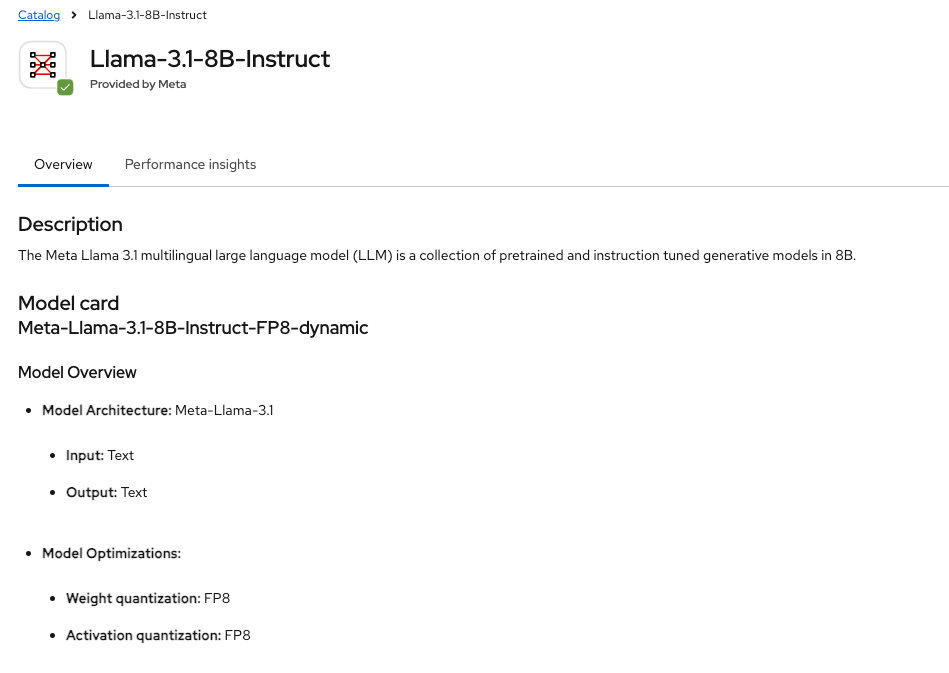
Creating an MCP (Model Context Protocol) Server on OpenShift
Large Language Models are increasingly being augmented with external tools, data sources, and actions.The Model Context Protocol (MCP) is…
Creating an MCP (Model Context Protocol) Server on OpenShift
Large Language Models are increasingly being augmented with external tools, data sources, and actions.The Model Context Protocol (MCP) is emerging as a standard way to expose such capabilities in a structured and model-agnostic way .
In this article, we walk through how to create and run an MCP server on OpenShift, treating it like a real production microservice. And Test it using Openshift AI 3.x playground.Testing setup is mentioned in my previous article *OpenShift AI 3.0: Model Deployment, AI Asset Endpoints, and the Gen AI Playground*
Choosing the MCP Server Implementation
FastMCP is a popular framework for building servers that use the open Model Context Protocol (MCP), which provides a standardized way for AI language models (LLMs) to access external data and tools.
Local Implementation
In this example we create simple MCP server on the developer machine.
- server.py
from fastmcp import FastMCP
from fastapi import FastAPI
from fastapi.middleware.cors import CORSMiddleware
import uvicorn

mcp = FastMCP("Customer Tools")

@mcp.tool
def get_customer_details(customer_id: str) -> dict:
    return {
        "customer_id": customer_id,
        "name": "John Doe",
        "email": "john.doe@example.com",
        "status": "Gold",
        "country": "Germany",
    }

# Create BOTH ASGI apps
mcp_http_app = mcp.http_app(transport="streamable-http")
mcp_sse_app  = mcp.http_app(transport="sse")   # yes, same factory, different transport

# Pick one lifespan to pass to FastAPI.
# (Streamable-http is the critical one for OpenShift AI.)
app = FastAPI(lifespan=mcp_http_app.lifespan)

@app.get("/healthz")
def healthz():
    return {"ok": True}

# Mount endpoints
app.mount("/mcp", mcp_http_app)     # OpenShift AI uses this
app.mount("/sse", mcp_sse_app)      # MCP Inspector/debug uses this

# Added for testing with the Browser based application
app.add_middleware(
    CORSMiddleware,
    allow_origins=["*"],
    allow_methods=["*"],
    allow_headers=["*"],
)

if __name__ == "__main__":
    uvicorn.run(app, host="0.0.0.0", port=8080)
- requirements.txt
fastmcp
fastapi
uvicorn- Run the python code.
$ python server.py
INFO:     Started server process [4840]
INFO:     Waiting for application startup.
INFO:     Application startup complete.
INFO: Uvicorn running on http://0.0.0.0:8080 (Press CTRL+C to quit)- Verify it.
# curl localhost:8080/healthz
{"ok":true}

# curl localhost:8080/sse/sse
event: endpoint
data: /sse/messages/?session_id=cb1d705707714fa79ef8ca9a4caa3b8d
: ping - 2026-01-06 08:38:59.551426+00:00

# curl -i -N -X POST localhost:8080/mcp/mcp -H "Content-Type: application/json"   -H "Accept: application/json, text/event-stream"   -d '{"jsonrpc":"2.0","id":1,"method":"initialize","params":{"protocolVersion":"2024-11-05","clientInfo":{"name":"curl","version":"0.1"},"capabilities":{}}}'
HTTP/1.1 200 OK
date: Tue, 06 Jan 2026 08:37:34 GMT
server: uvicorn
cache-control: no-cache, no-transform
connection: keep-alive
content-type: text/event-stream
mcp-session-id: 96618d51b8aa4f6eb5518853046a4b87
x-accel-buffering: no
Transfer-Encoding: chunked
event: message
data: {"jsonrpc":"2.0","id":1,"result":{"protocolVersion":"2024-11-05","capabilities":{"experimental":{},"prompts":{"listChanged":true},"resources":{"subscribe":false,"listChanged":true},"tools":{"listChanged":true}},"serverInfo":{"name":"Customer Tools","version":"2.14.2"}}}- MCP Inspector can also be run to verify it.
npx -y @modelcontextprotocol/inspector@latest
Starting MCP inspector...
⚙️ Proxy server listening on localhost:6277
🔑 Session token: 7a3326852db47d6beb07c7f1ebf9a265b02dbecacffb858375e2593224f3e0d2
   Use this token to authenticate requests or set DANGEROUSLY_OMIT_AUTH=true to disable auth

🚀 MCP Inspector is up and running at:
   http://localhost:6274/?MCP_PROXY_AUTH_TOKEN=7a3326852db47d6beb07c7f1ebf9a265b02dbecacffb858375e2593224f3e0d2

🌐 Opening browser...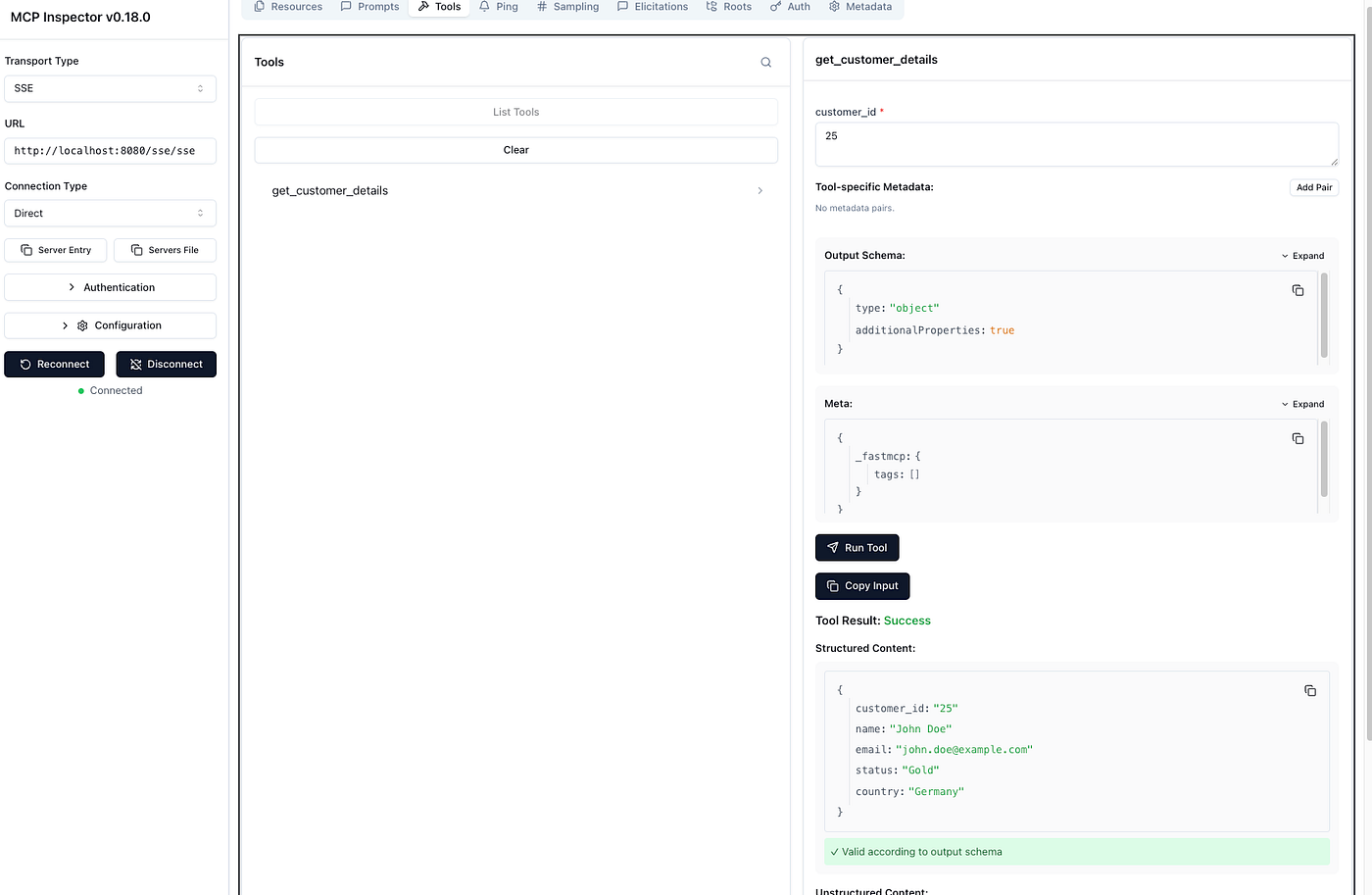
Containerizing the MCP Server
- Comment the server.py run part,And CORS settings.
from fastmcp import FastMCP
from fastapi import FastAPI
from fastapi.middleware.cors import CORSMiddleware
import uvicorn

mcp = FastMCP("Customer Tools")

@mcp.tool
def get_customer_details(customer_id: str) -> dict:
    return {
        "customer_id": customer_id,
        "name": "John Doe",
        "email": "john.doe@example.com",
        "status": "Gold",
        "country": "Germany",
    }

# Create BOTH ASGI apps
mcp_http_app = mcp.http_app(transport="streamable-http")
mcp_sse_app  = mcp.http_app(transport="sse")   # yes, same factory, different transport

# Pick one lifespan to pass to FastAPI.
# (Streamable-http is the critical one for OpenShift AI.)
app = FastAPI(lifespan=mcp_http_app.lifespan)

@app.get("/healthz")
def healthz():
    return {"ok": True}

# Mount endpoints
app.mount("/mcp", mcp_http_app)     # OpenShift AI uses this
app.mount("/sse", mcp_sse_app)      # MCP Inspector/debug uses this

# Added for testing with the Browser based application
app.add_middleware(
    CORSMiddleware,
    allow_origins=["*"],
    allow_methods=["*"],
    allow_headers=["*"],
)

#if __name__ == "__main__":
    #uvicorn.run(app, host="0.0.0.0", port=8080)
- Create a Containerfile with ubi9/python-311 as base image.Move the execution part(uvicorn..) from server.yaml to this file.
FROM registry.access.redhat.com/ubi9/python-311

WORKDIR /opt/app-root/src

COPY requirements.txt .
RUN pip install --no-cache-dir -r requirements.txt

COPY server.py .

EXPOSE 8080

# Run MCP SSE server and bind to 0.0.0.0:8080
# Start uvicorn directly (proxy-aware) and serve the Starlette app object "app"
CMD ["uvicorn", "server:app", "--host", "0.0.0.0", "--port", "8080", "--proxy-headers", "--forwarded-allow-ips", "*"]- Build it.
podman build --no-cache --platform=linux/amd64 -t customer-mcp-sse:0.1 -f Containerfile .- Tag it and push it you available registry
podman tag localhost/customer-mcp-sse:0.1 <REPO_URL>/customer-mcp-sse:0.1
podman push <REPO_URL>/customer-mcp-sse:0.1
Kubernetes Scaffolding for Deploying an MCP Server
apiVersion: apps/v1
kind: Deployment
metadata:
  name: customer-mcp
  labels:
    app: customer-mcp
spec:
  replicas: 1
  selector:
    matchLabels:
      app: customer-mcp
  template:
    metadata:
      labels:
        app: customer-mcp
    spec:
      containers:
        - name: customer-mcp
          image: <REPO_URL>/customer-mcp-sse:0.1
          imagePullPolicy: IfNotPresent
          ports:
            - name: http
              containerPort: 8080
          readinessProbe:
            httpGet:
              path: /healthz
              port: 8080
            initialDelaySeconds: 3
            periodSeconds: 10
          livenessProbe:
            httpGet:
              path: /healthz
              port: 8080
            initialDelaySeconds: 10
            periodSeconds: 20
          resources:
            requests:
              cpu: 50m
              memory: 128Mi
            limits:
              cpu: 500m
              memory: 512Mi
apiVersion: v1
kind: Service
metadata:
name: customer-mcp
labels:
app: customer-mcp
spec:
selector:
app: customer-mcp
ports:
- name: http
port: 8080
targetPort: 8080
type: ClusterIP- Apply the above definition to the Openshift cluster and create a edge route to access it externally from the cluster.
curl -k https://<Openshift_Edge_Route>/healthz
{"ok":true}NOTE: To test the below part ,Openshift AI 3.x and LLamaStack enablement is prerequisite.
- Create a ConfigMap
apiVersion: v1
kind: ConfigMap
metadata:
  name: gen-ai-aa-mcp-servers
  namespace: redhat-ods-applications
data:
  Customer-MCP-Server: |
    {
      "url": "https://<Openshift_Edge_Route>/mcp/mcp",
      "description": "The Customer MCP server provide customer details."
} - Go to OpenshiftAI Dashboard,Try it in playground.

- Request the customer details with some id .

메타데이터
- post_id
- 85dceac65c07
- slug
- creating-an-mcp-model-context-protocol-server-on-openshift-85dceac65c07
- url
- https://medium.com/@shrishs/creating-an-mcp-model-context-protocol-server-on-openshift-85dceac65c07
- canonical_url
- https://medium.com/@shrishs/creating-an-mcp-model-context-protocol-server-on-openshift-85dceac65c07
- author_url
- https://medium.com/@shrishs
- status
- ok
- fetched_at
- 2026-07-14 04:13:03