Your custom build configurations and Cocoapods
Traps I overcome on the way to find the right way to use custom build configurations with Cocoapods.
Your custom build configurations and Cocoapods
For a new iOS project, it comes with 2 default build configurations Debug and Release but there are times you need more than that. For example, in my case, I want a build configuration for Adhoc distribution and a test build configuration to prevent test code compiles into other builds.
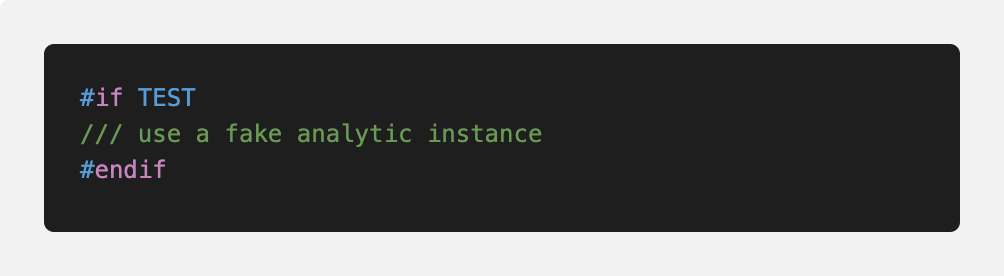
Test macro in swift
Example:
I have macro control to replace the actual analytic instance with a fake instance.
My application features are split into multiple frameworks managed by Cocoapods and there are test macros like this in my whole project.
Problems start to surface when I start running the tests integrated to the hosting app or the target app, either it compiles failed or it is using the wrong build setting or wrong instance. For example, testability setting is not turned on and the unit test failed.
My team and I add post_install to force to enable testability, later we have slow build time and we use the post_install to change the SWIFT_OPTIMIZATION_LEVEL setting. After a few post_install patches, it seems stable down. Then I face another problem with SWIFT_ACTIVE_COMPILATION_CONDITIONS; it is empty for Adhoc and my QA builds failed to complete the tests. Now I think its time learn what is happening and how to fix it.
A journey of learning
Photo by Patrick Tomasso on Unsplash
I tried to google about using custom build config with Cocoapods but there isn’t many. After reading a few blog post and Cocoapods Github repo issues and endless time of reading Cocoapods Podfile syntax reference, I finally spot the issue that I am facing. In the Podfile syntax reference, it says
It is possible also to specify whether the build settings of your custom build configurations should be modelled after the release or the debug presets. To do so you need to specify a hash where the name of each build configuration is associated to either
:releaseor:debug.
The problem I am facing is, Cocoapods used :release configuration because I didn't specify it in the Podfile. Obviously, :release build configuration has testability disabled and optimization set to the whole module, etc.
Another snippet I found and I think it is worth mention here.
For this process to run smoothly is obvious that both the Pods and our project have to be configured in the same way. If that’s not true we could be calling methods of a library in our project expecting the code to run in a certain way, but the actual code would be different.
👍 The rule of thumb is that the Pods and our target have to have the same preprocessor macro settings.
Cocoapod setting in Podfile cannot alter the target app configuration.
In my case, I have both Test and Adhoc custom build config; I need to specify which build setting it should model after when installing pods. So I decide to map Debug to Test and Release to Adhoc.
A question pops up in my brain, how can I synchronize my customized Debug or Release with Test and Adhoc over time? Then another question, will I customize the Debug or Release setting of the pod? I will have to leave it for another time because I need to fix the problem I have now.
Traps
[embed]
Now I know my problem and I know the solution. It is a simple fix, right?. Let’s do it.
I made a new Cocoapods library with hosting app to test. In my test Podfile, I put recommended setting
project 'BuildSettingDefault', 'Adhoc' => :release, 'Test' => :debug I run the pod install and then verify the settings are set to the right value.
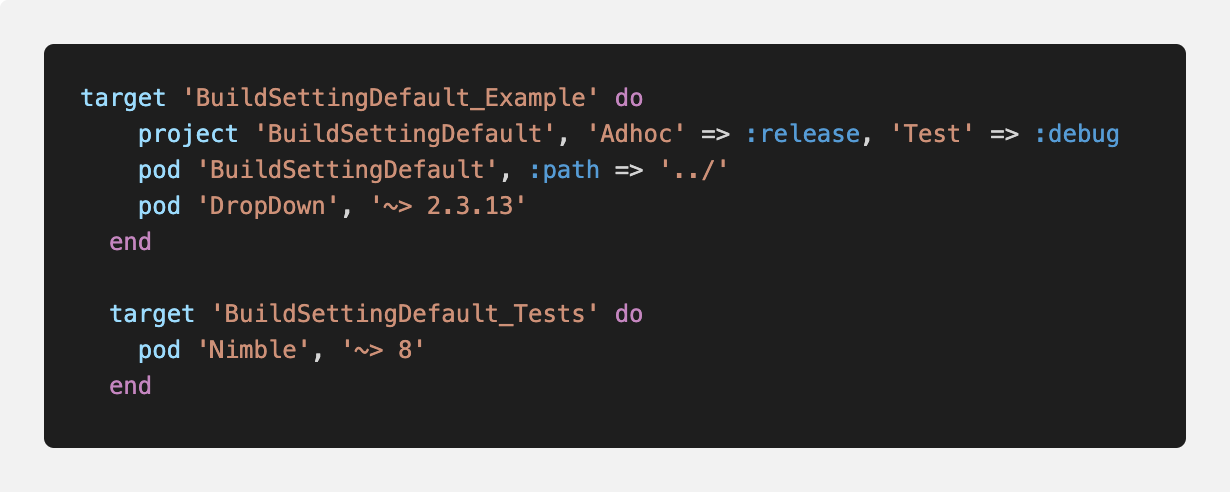
So I do the same to my project but it doesn’t work. 😱
Trap #1
If you have multiple targets at the root level of the Pod file, then make sure you put that project setting into each target block. Or you can put that line at the root, top of the Podfile otherwise it won’t work.
I cannot remember why my team and I put all the test target out and not nested within the app target like the Cocoapods default.
Trap #2
Now I put the project setting at the root or the right place, I deintegrate and install pod with all my app and frameworks again. When I inspect the setting (visually), I found another trap. Even using the project setting, it doesn’t solve my problem.
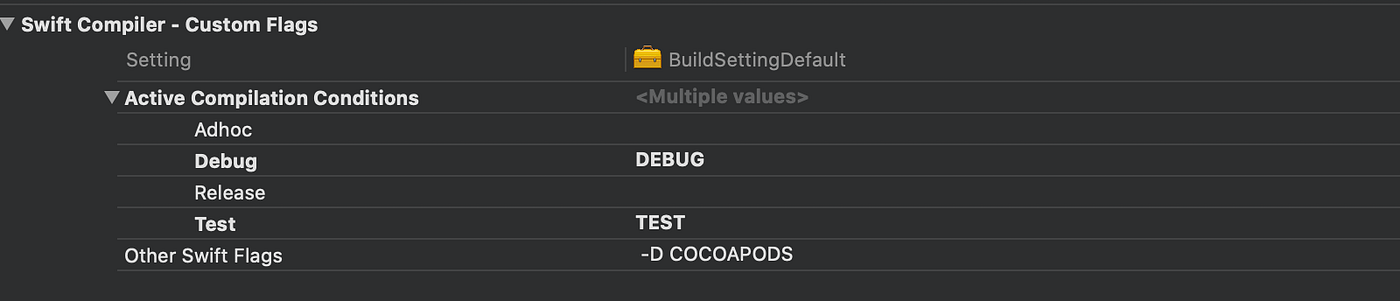
Empty setting
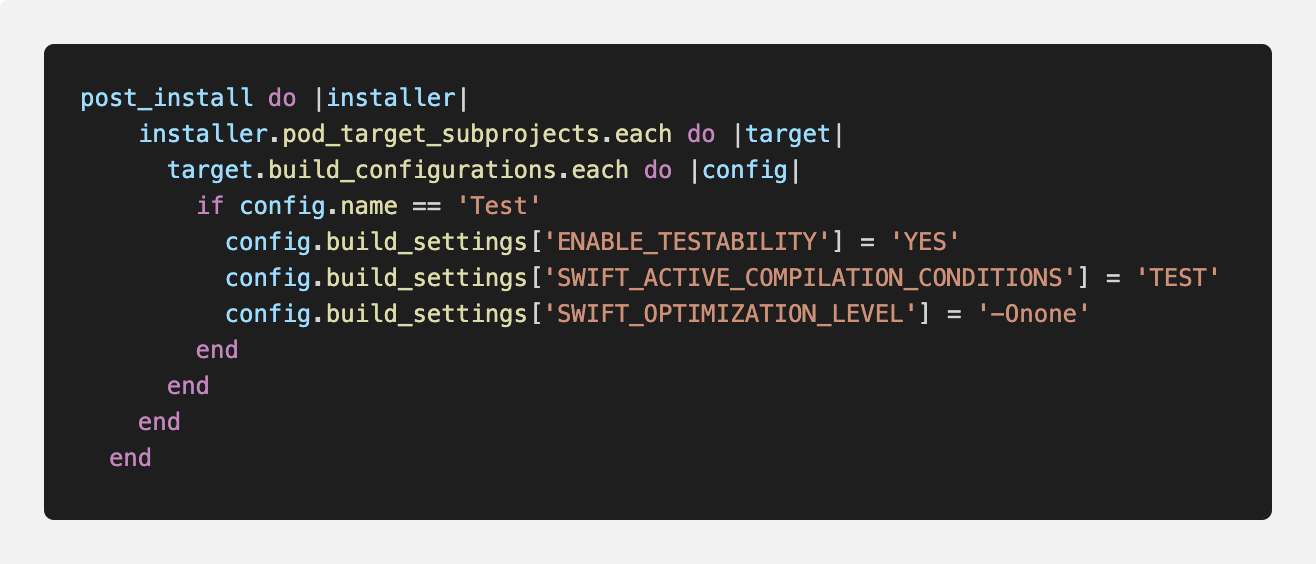
SWIFT_ACTIVE_COMPILATION_CONDITIONS, GCC_PREPROCESSOR_DEFINITIONS settings are still not set with the right value. Debug or Release build setting values over when install pods and some value is not in the default preset. I still need to use post_install to set the build setting, and it will be multiple post_install across multiple Podfiles.
At this moment, I wonder the same question again I mentioned previously, how to apply build setting across different frameworks.
I copy-paste the post_install function across all the Podfiles. It is a tedious process to run the pod deintegrate and pod install over 6 Podfiles.
Trap #3
After running pod install, I inspect the value again and discover that post_install never apply Pods-BuildSettingDefault_Example but build setting for all the subproject is set correctly. Note: I turned on multiple_pod_projects and incremental_installation since Cocoapods 1.8.
I thought pod_target_subprojects should work because I saw it working somewhere before and also the reason why I copy and use it 😛
I wonder why and start another round of reading, then I found another gem in the comment section for this cocoapod issue.
For multiple_pod_projects and incremental_installation options, I should generated_projects instead.
Another tip from the author:
So for your post-install hook example, replacing
installer.pods_projectwithinstaller.generated_projectsshould prevent any exceptions. It's also worth noting that due to the nature of incremental installation, the post install hook may not get applied to all of your targets as we only install the set of targets that have changed since the last installation. So when adding a new post install hook that you'd like to be applied to all targets in your project right away, you should pass the--clean-installflag topod installorpod update.
Finally, I apply all the learning to my Podfile; It works as expected.
- Add project setting to Target or root of Podfile
- Add post_install function but use generated_projects instead.
- Use clean-install flag
The Long journey comes to an end, I hope. I found my answer to my quest but at the same time added many more to my list to solve. Looking back at what I learned in this post, it is not that difficult but there are many careless mistakes. Regardless, I enjoy every moment building up the knowledge and applying small learning to work.
References
메타데이터
- post_id
- 86d4e2a17633
- slug
- your-custom-build-configurations-and-cocoapods-86d4e2a17633
- url
- https://blog.devgenius.io/your-custom-build-configurations-and-cocoapods-86d4e2a17633
- canonical_url
- https://blog.devgenius.io/your-custom-build-configurations-and-cocoapods-86d4e2a17633
- author_url
- https://medium.com/@dlai
- status
- ok
- fetched_at
- 2026-07-13 06:23:13