Designing Live Activities for a quick-commerce app — Zepto
It was WWDC22, Apple released the iPhone 14 Pro with all new pill-shaped design which they called as Dynamic Island.
Designing Live Activities for a quick-commerce app — Zepto
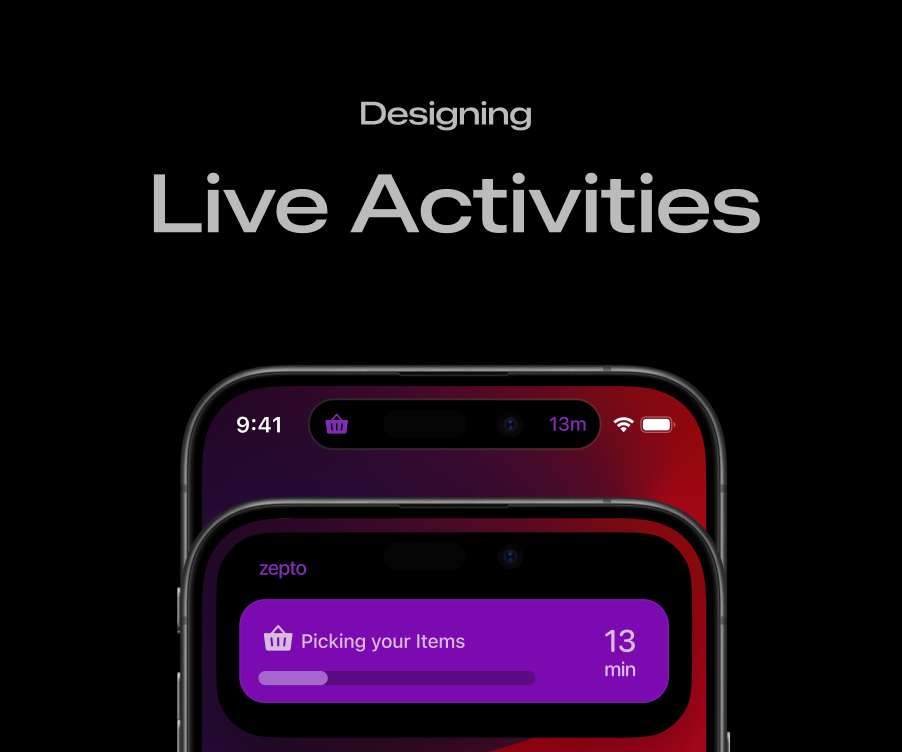
It was WWDC22, Apple released the iPhone 14 Pro with all new pill-shaped design which they called as Dynamic Island.
Moving forward to the present, From iPhone 15 Series this pill-shaped design called as Dynamic Island is now Standardized across its lineup.
Slowly the Designers/Developers leveraged the Use of Live Activities to enhance the Experience across iOS Devices.
Little Context
Now that the pill-shaped design so called as Dynamic Island is getting Standardised across the iOS Devices.
I think this is the right time to start designing for any App which comes under one of the categories like food-sharing, grocery, ride-sharing apps which has defined starting and ending point as these liveactivities are a perfect use-case for these segments.
So I began analysing the Live Activities from different Categories
Food Sharing App : Swiggy , Zomato
Grocery Delivery App: Instamart , Blinkit
Through my Hueristic Analysis every design followed a pattern which has Clear Brand Identity, consistent use of colors, Image-Text Coordination and No high tech words used.
What Apple says is ‘Prioritize important information to make it easy to understand at a quick glance.’
Zepto: A quick-commerce grocery delivery app which delivers the grocery with-in 10 min as its USP, with majority of darkstores located in Tier-1 cities.
Why did I choose Zepto?
Now that the standardization of pill-shaped design throughout the iPhone 15 lineup made me move further with designing the LiveActivities.
Since most of Zepto Darkstores are located at Tier-1 cities, I assumed that people living in Tier-1 cities has the ability to purchase iPhones. The exact number is not known but what i found from web is most of the tier-1 cities has an average of 18% market share of iPhones
Going deep the exact number of users who uses Zepto on iOS Platform is still a question for me.
Keeping aside about the numbers for a moment. I will describe the process i went through in designing liveactivities for Zepto App.
Dynamic Island
Generally the pill-shaped cutout called as Dynamic Island has three sizes to display the Information
Compact View — This view basically consists of leading and trailing area to accomodate information.
Minimal View — This view consists of Minimal Attached(attached to sensor) and Minimal Detached(away from sensor)
Expanded View — This view consists of leading and trailing area along with center and bottom areas to accomodate rich details.
Minimal Attached & Minimal Detached displays the information through Relevance Score which is internally provided by the System.

Compact, Minimal and Expanded View in Dynamic Island
Designing the Live-Activities for the QC *Delivery App *Zepto.**
From Apple Human Interface Guidelines Apple mentions that a few best practices:
1.‘’Create a Live Activity that matches your app’s visual aesthetic and personality in both dark and light appearances.’’
2.‘’If your app has a recognizable key color people associate with it, use the key color for the background of your Live Activity.’’
Moving on. Choosing a right color to match the brand visual aesthetic plays an important role.
So with the help of existing Logo that Zepto currently has I extracted couple of colors blockwise from top-to-bottom.
From this I gathered 6 colors out of which I selected 2 colors that makes the Zepto Brand recognizable with color purple.

First things first, for the qc-delivery the process is like as follows
Order an Item/Items → Order goes to nearest dark-store →Order Confirmed →Pick the relevant Items → Pack those Items → Assign a Rider for Delivery via bike/cycle/e-bike → Delivered to Home.
Few stages I choose to include are:
- Letting users know that the order received to nearest darkstore.
- Letting know that Items are Picking in the Darkstore.
- Letting users know that Packing is Done.
- Informing users that Order is On the Way.
- When delivery-guy reached location Inform Reached Location in the UI.
- When Order gets delivered to the user Inform them by Delivery Succesfully.
Few questions that i had was ,
Is it worth providing many Status? Within a span of 10–12 min
Will the users get frustrated with those 5–6 expanded views?
So the text that gets displayed on every view would be like these:
- Placing Order to nearest Dark-store [ rank:1]
- Picking your Items [rank: might skip]
- Packing your Items [rank:2]
- On the Way [rank:3]
- Get ready to Collect [rank:4]
- Delivered Successfully. [rank:5]

Step:1 Placing Order to nearest Dark Store

Step:2 Picking your Items

Step:3 Packing your Items

Step:4 Delivery by E-Bike/Bike/Cycle

Step:5 Get Ready to Collect

Step:6 Delivered Successfully!

Minimal View has two seperate Views in it called as Minimal Attached and Minimal Detached.
Minimal Detached View can be a circle or oval based on the shape of element.
Designed the leading & trailing width to be similar, This creates a cohesive feel while animating if its in Minimal Detached View.

When user locks his phone and when it is in Standby Mode. The Expanded View scales by 2x and this can be viewed in Landscape.
Similarly, With Night Mode turned on The Expanded View scales by 2x and this can be viewed in Landscape with red tint.

While delivering the Order to the User. It is critical to let them know If delivery is delayed or its on time as provided ETA to avoid frustration.
Designed, a minimal UI representing different states
If delivery is On Time with Green Color.
If delivery is delayed with Orange.
If delivery is cancelled with Red.
Desaturating the existing color improved the readability on bright backgrounds.

Designing the loading bar with consistent steps is quite an easy task.
Since there are Four Stages involved.
With my Intuition and thought I asked myself simple questions.
Whats the Avg Time it takes in Picking up Items?
Whats the Avg Time it takes in Packing those Items?
Whats the Avg Time it takes in Assigning Driver & Delivering to me?
Whats the Avg Time it takes in Delivering to Doorstep?
I somehow guessed the average value but most of the Q-Commerce Delivery Apps has different set of Timeframes for each stage.This is what differentiates from its Competitors.
Picking Items → ~1–2 min | 2 Parts
Packing Items → ~1–2 min | 1 Part
Driver Assign → ~5–10 min | 4 Parts
At Location → ~1–2 min | 1 Part
Now that the bar should have consistent steps.
Adding all the Parts resulted in 8.
For every change in the loading bar the total length bar gets divided by this number 8.
Lets say the length is 216. 8 Parts is what we are going to accomodate the progress of all stages
216/8 is 27
For each part 27 gets multiplied with no.of.parts
2 part get the length of 27*2 = 54 => Possible AddOns: 27,54
1 Part gets the length of 27*1 = 27 => Possible AddOns: 27 only
4 Part gets the length of 27*4 = 108 => Possible AddOns: 27,54,81,108
1 Part gets the length of 27*1 = 27 => Possible AddOns: 27 only


After a few iterations. I found that text is not visible,
Shifting to a dark bright color solved the issue with readability. This is almost close to the existing Zepto UI. which prefers Light Mode in their App.
Conclusion:
Designing LiveActivities was bit challenging to me.
All the WWDC Videos related to Design and a few Articles showcasing how they craft Live Activities in their design process helped me to think from a different perpective.
I even revisited Human Interface Guidelines couple of times in designing to make sure the design meets the required criteria.
Thanks for skimming though the casestudy looks visual heavy. For now keeping it Simple and Detailed. Im still in upgrading my portfolio and eager to know more about Design Process of iOS Platforms.
I hope this casestudy could provide some insights.
View the Prototype here:
메타데이터
- post_id
- 896b4d7d1d4e
- slug
- designing-live-activities-for-a-quick-commerce-app-zepto-896b4d7d1d4e
- url
- https://medium.com/@uiscoop/designing-live-activities-for-a-quick-commerce-app-zepto-896b4d7d1d4e
- canonical_url
- https://medium.com/@uiscoop/designing-live-activities-for-a-quick-commerce-app-zepto-896b4d7d1d4e
- author_url
- https://medium.com/@uiscoop
- status
- ok
- fetched_at
- 2026-07-23 10:24:43


