ActivityNotFoundException in Android: How to Reproduce and Fix It
A real debugging technique using an AOSP emulator
ActivityNotFoundException in Android: How to Reproduce and Fix It
A real debugging technique using an AOSP emulator
Activities are one of the fundamental building blocks of an Android application. Every app has at least one activity as its entry point. While ActivityNotFoundException is easy to fix, reproducing it during development can be surprisingly difficult. In this article, I'll show you both.
What is ActivityNotFoundException?
When we try to start an activity through Intent and an activity to execute that particular action is not found on the Android device, we will encounter this exception. And this will occur mostly in the case of Implicit Intents. Just defining it from the official Android documentation below
- Implicit intents do not name a specific component, but instead declare a general action to perform, which allows a component from another app to handle it. For example, if you want to show the user a location on a map, you can use an implicit intent to request that another compatible app display it.
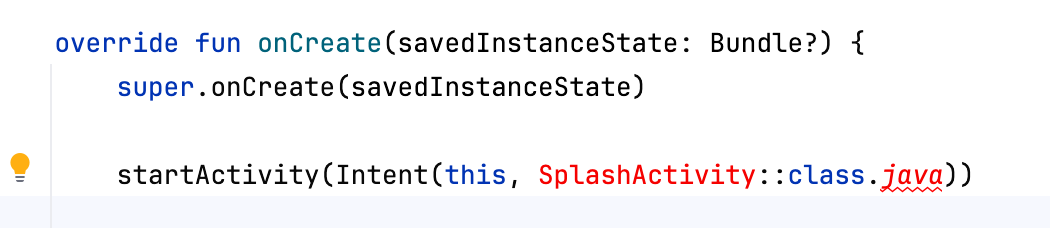
The compiler can detect whether an activity is available for Explicit Intents. For example,
startActivity(Intent(this, SplashActivity::class.java))gives me a compilation error in Android Studio if there is no such activity created, as shown in red in the image below
But in case of an implicit intent, since we don’t explicitly specify the activity name like below,
val i = Intent(Intent.ACTION_VIEW)
i.data = Uri.parse("https://www.google.com")
startActivity(i)
we won’t get a compilation error, but there is a chance of getting a runtime exception, which is android.content.ActivityNotFoundException. This means that there is no particular component or activity present on the Android phone to execute the Intent action Intent.ACTION_VIEW. More information can be found here: **https://developer.android.com/guide/components/intents-filters**
How can we reproduce this exception?
Let’s consider the example snippet
val i = Intent(Intent.ACTION_VIEW)
i.data = Uri.parse("https://www.google.com")
startActivity(i)
This code simply tries to open Google’s web address in a browser. If I try to run this code on my personal Xiaomi device, I won’t encounter any issue as my device already has Google APIs and default browsers like Chrome.
Most production devices already contain a browser, which is why many developers never encounter this crash during testing. It usually appears on AOSP emulators, enterprise devices, custom ROMs, or heavily restricted devices.
So how to reproduce?
To reproduce this crash, we will need an Android emulator without Google APIs. That means an Android AOSP emulator as shown in the video below.
[embed]Creating AOSP Emulator
Once the emulator is created, we will have to check if any browser is available. We should note that the crash can be reproduced only when the emulator doesn’t have a browser. My emulator has a WebView Shell.
[embed]Disabling webview in emulator
We should disable the WebView Shell app by going to Settings -> Search for web -> WebView Shell -> DISABLE.
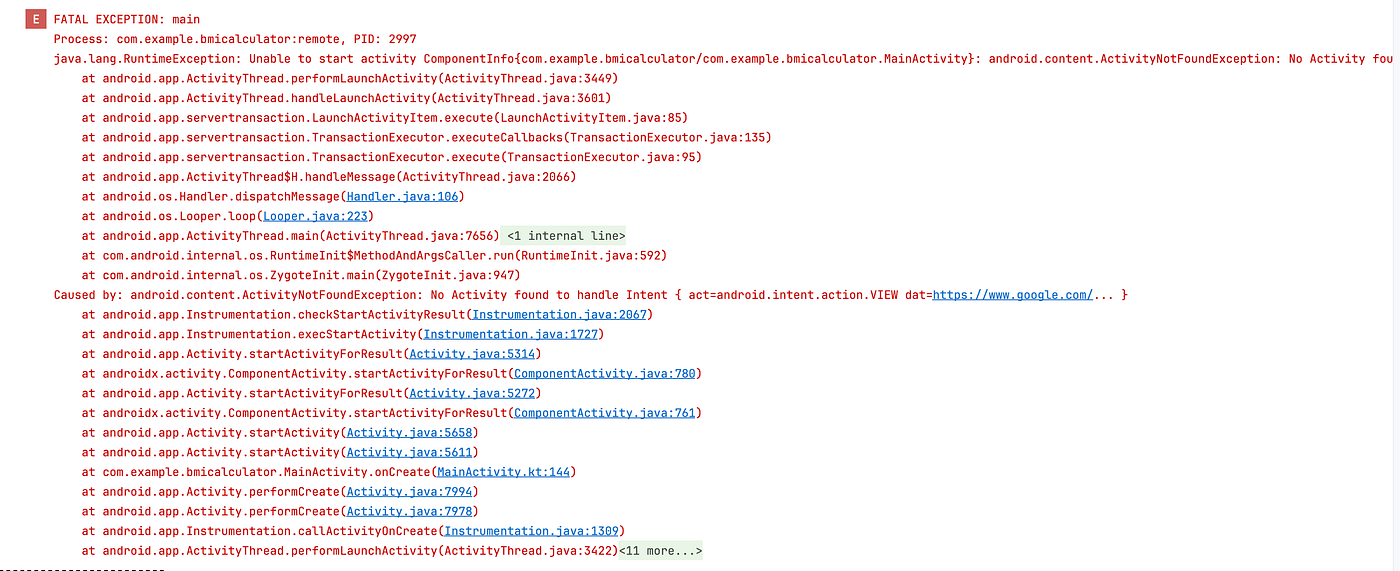
Once done, if we run the app, we will be easily reproducing the exception, and logcat confirms that
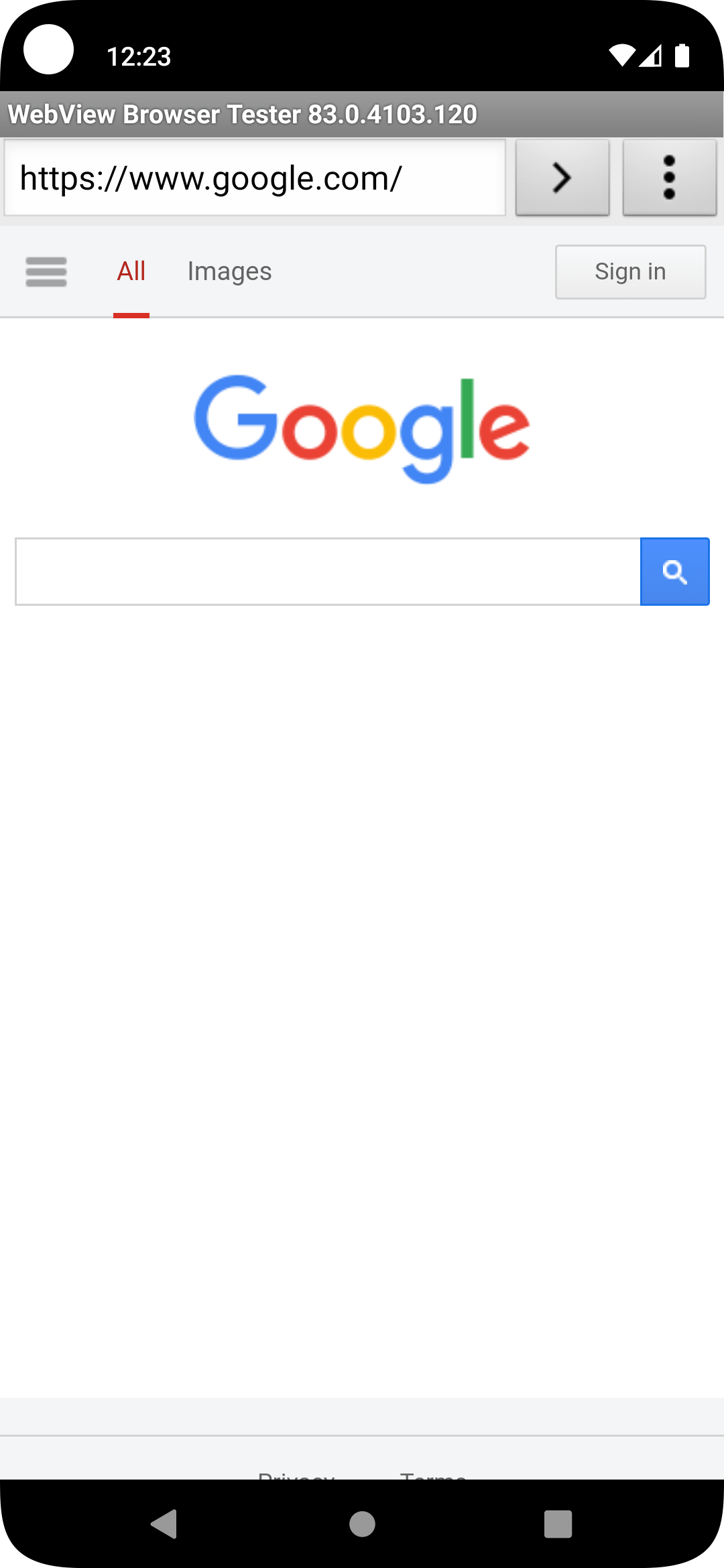
Without disabling this WebView Shell app, the webpage will be shown in the emulator without any issue, as shown in the image below
Now that we can reproduce the issue, the fix is simple
        val i = Intent(Intent.ACTION_VIEW)
        i.data = Uri.parse("https://www.google.com")
        if (i.resolveActivity(packageManager) != null) {
            startActivity(i)
        }
resolveActivity() asks Android's PackageManager whether there is at least one exported activity capable of handling this intent. If none is found, it returns null, allowing us to avoid ActivityNotFoundException.
This code just checks whether a suitable app is found on the Android device that can handle the intent action Intent.ACTION_VIEW. In our case, a browser app. If such an app is found, then only the web page will be opened. But instead of handling the positive flow or happy flow, it is better to show a message to the user during the negative flow, i.e the browser app not found or disabled scenario. So it is better to write our code like this
        val i = Intent(Intent.ACTION_VIEW)
        i.data = Uri.parse("https://www.google.com")
        if (i.resolveActivity(packageManager) != null) {
            startActivity(i)
        } else {
            Toast.makeText(this, "Unable to open the webpage. Please install
            browser app and try again.",
            Toast.LENGTH_LONG).show()
        }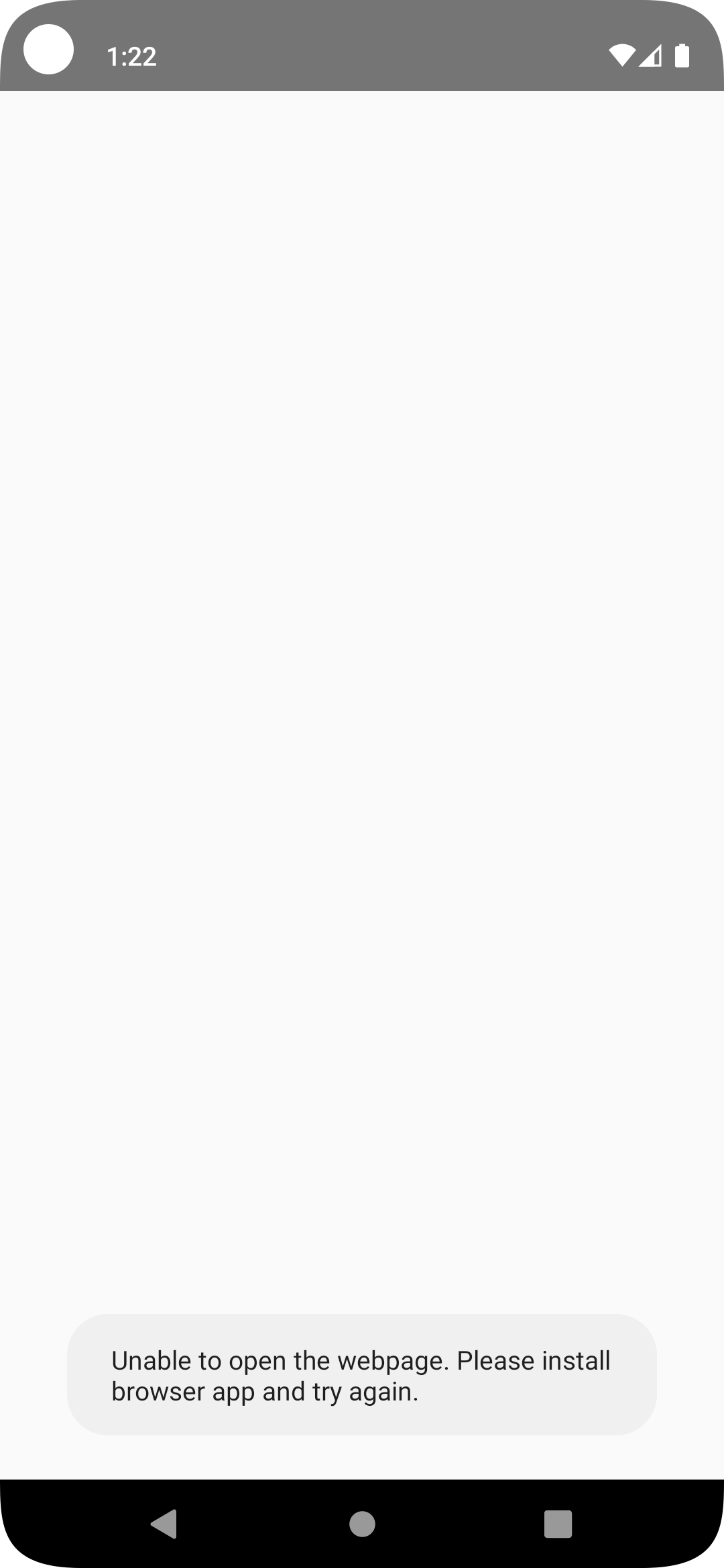
Showing toast message when browser app is not found or disabled
Key Takeaway
Whenever you launch an implicit intent, always verify that an application exists to handle it before calling startActivity(). This simple check can prevent production crashes on devices where the required app is unavailable or disabled.
Hope this article is a good read. Thanks for reading this article.
Also, if you like to support me through https://buymeacoffee.com/dilipchandar, please do.
Let’s connect on LinkedIn: https://www.linkedin.com/in/dilip-chandar-97570158?
메타데이터
- post_id
- 8977c223e53b
- slug
- activitynotfoundexception-in-android-how-to-reproduce-and-fix-it-8977c223e53b
- url
- https://proandroiddev.com/activitynotfoundexception-in-android-how-to-reproduce-and-fix-it-8977c223e53b
- canonical_url
- https://proandroiddev.com/activitynotfoundexception-in-android-how-to-reproduce-and-fix-it-8977c223e53b
- author_url
- https://medium.com/@dilipchandar89
- status
- ok
- fetched_at
- 2026-07-18 11:23:00