Mastering Factory and Abstract Factory Patterns → The Smart Way to Create Objects
Low Level Design → Part 5
Mastering Factory and Abstract Factory Patterns → The Smart Way to Create Objects
Low Level Design → Part 5
When developing scalable software, one of the most common challenges we face is object creation — especially when different classes share common behavior but differ slightly in implementation. That’s where Factory Design Patterns come to the rescue!
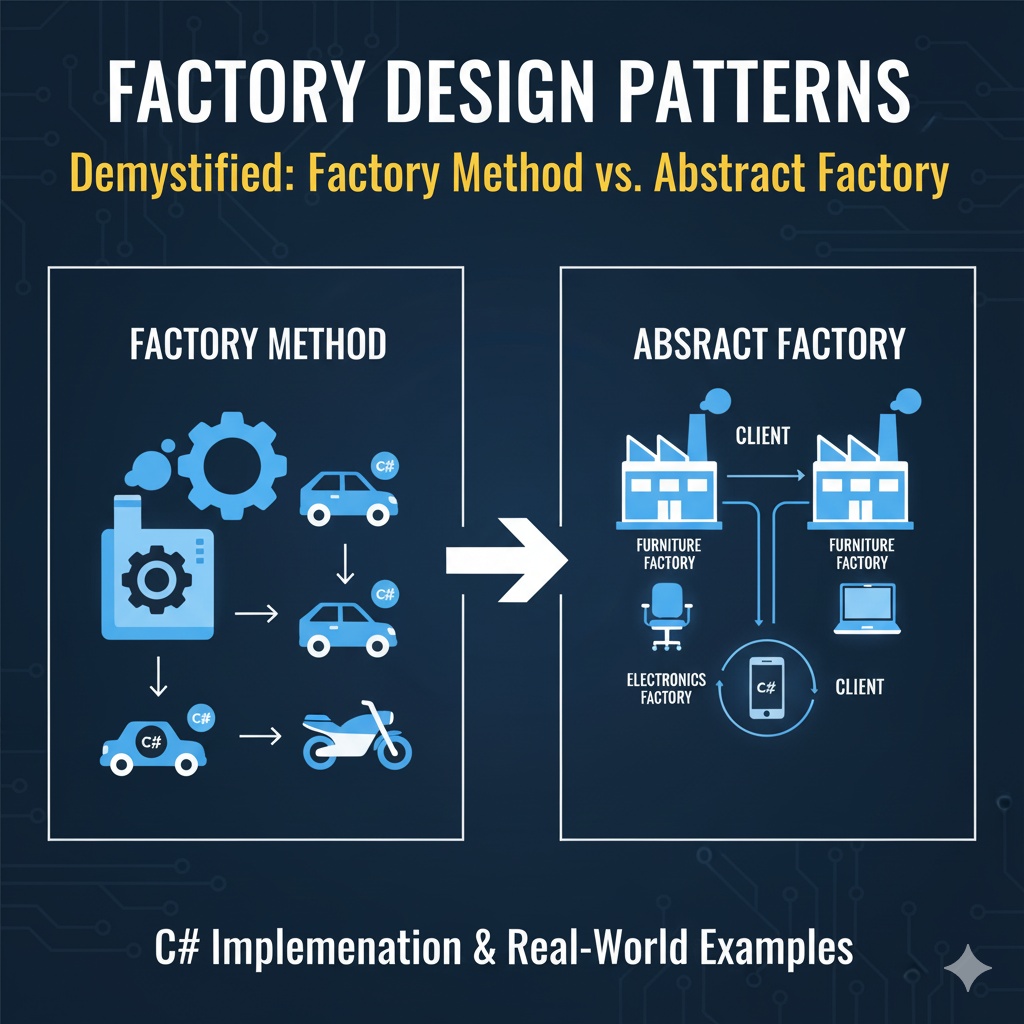
Factory Design Pattern
In this article, we’ll break down Factory and Abstract Factory Patterns, with simple, practical examples.
🧩 What is a Factory Pattern?
The Factory Design Pattern is a creational pattern that helps us create objects without exposing the creation logic to the client. Instead of using new directly everywhere, we delegate the responsibility of creating objects to a factory class or method.
Think of it like a restaurant kitchen:
- You (the client) order a dish by name.
- The kitchen (factory) knows how to prepare it and returns the ready dish.
- You don’t need to know the recipe!
Factory pattern is used to create object when their are multiple implementation to do one thing.
⚙️ Factory Method Pattern →“Let subclasses decide what to create”
Concept
The Factory Method Pattern defines an interface for creating an object, but lets subclasses decide which class to instantiate. This pattern promotes loose coupling — meaning the client code depends on abstractions (interfaces), not concrete implementations.
Use Case
If there are multiple ways to do something and you wanted to create object of a specific type.
Example: Creating Buttons for Different Operating Systems
Let’s say we’re building a cross-platform UI framework. We need buttons that look different on Windows and Mac — but behave the same way in code.
Step 1: Define an interface
// Product Interface
public interface IButton
{
    void Render();
}
Step 2: Create Concrete Products
// Windows Button
public class WindowsButton : IButton
{
    public void Render() => Console.WriteLine("Rendering Windows Button");
}
// Mac Button
public class MacButton : IButton
{
    public void Render() => Console.WriteLine("Rendering Mac Button");
}
Step 3: Define the Creator (Factory)
// Creator
public abstract class Dialog
{
    public abstract IButton CreateButton();
    public void RenderWindow()
    {
        // Create a button
        IButton okButton = CreateButton();
        okButton.Render();
    }
}
Step 4: Concrete Factories
public class WindowsDialog : Dialog
{
    public override IButton CreateButton() => new WindowsButton();
}
public class MacDialog : Dialog
{
    public override IButton CreateButton() => new MacButton();
}
Step 5: Client Code
class Program
{
    static void Main()
    {
        Dialog dialog;
        string os = "Windows"; // Simulate OS detection
        if (os == "Windows")
            dialog = new WindowsDialog();
        else
            dialog = new MacDialog();
        dialog.RenderWindow();
    }
}
Output:
Rendering Windows Button✅ Benefits:
- Encapsulates object creation.
- Open for extension (add new OS button), closed for modification.
- Promotes loose coupling.
Practical Factory Pattern
In most case, we use simple practical factory patterns in our programs. A method which return a new object based on the specific type we pass into that method. Let’s see it’s implementation in code.
public enum PlatForm
{
   Windows,
   Mac,
   Linux
}

public class DialogFactory
{
  public static Dialog CreateDialogFactory(PlatForm platform)
  {
     switch(platform)
     {
        case Windows:
             return new WindowsDialog();
        case Mac:
            return new MacDialog();
        default :
            throw new Exception("Platform not supported");
      }

  }

}
class Program
{
static void Main()
{
Dialog dialog;
dialog = DialogFactory.CreateDialogFactory(PlatForm.Windows);
dialog.RenderWindow();
}
}🏭 Abstract Factory Pattern — “Factory of Factories”
Concept
The Abstract Factory Pattern provides an interface for creating families of related objects, without specifying their concrete classes.
In short — it’s a super-factory that produces other factories!
Imagine our UI framework now needs both Buttons and Menus for each platform (Windows, Mac, Android, iOS). We don’t want to mix Windows buttons with Mac menus by mistake — Abstract Factory ensures consistency across families of related objects.
Step 1: Define Product Interfaces
public interface IButton
{
    void Paint();
}
public interface IMenu
{
    void Display();
}
Step 2: Create Concrete Products
// Windows Family
public class WindowsButton : IButton
{
    public void Paint() => Console.WriteLine("Rendering Windows Button");
}
public class WindowsMenu : IMenu
{
    public void Display() => Console.WriteLine("Showing Windows Menu");
}
// Mac Family
public class MacButton : IButton
{
    public void Paint() => Console.WriteLine("Rendering Mac Button");
}
public class MacMenu : IMenu
{
    public void Display() => Console.WriteLine("Showing Mac Menu");
}
Step 3: Define Abstract Factory
public interface IUIFactory
{
    IButton CreateButton();
    IMenu CreateMenu();
}
Step 4: Concrete Factories
public class WindowsFactory : IUIFactory
{
    public IButton CreateButton() => new WindowsButton();
    public IMenu CreateMenu() => new WindowsMenu();
}
public class MacFactory : IUIFactory
{
    public IButton CreateButton() => new MacButton();
    public IMenu CreateMenu() => new MacMenu();
}
Step 5: Client Code
class Application
{
    private readonly IButton _button;
    private readonly IMenu _menu;
    public Application(IUIFactory factory)
    {
        _button = factory.CreateButton();
        _menu = factory.CreateMenu();
    }
    public void Render()
    {
        _button.Paint();
        _menu.Display();
    }
}
Usage Example
class Program
{
    static void Main()
    {
        IUIFactory factory;
        string os = "Mac"; // Example: OS detection
        if (os == "Windows")
            factory = new WindowsFactory();
        else
            factory = new MacFactory();
        var app = new Application(factory);
        app.Render();
    }
}
Output:
Rendering Mac Button
Showing Mac Menu
💡 Real-World Use Cases
- UI frameworks (like .NET MAUI, WPF): platform-specific widgets.
- Database access layers: factories for SQL vs NoSQL.
- Game development: factories for different environment assets.
- Dependency Injection containers: use factory principles under the hood.
🧠 Why Use These Patterns?
- Promote code reusability and flexibility.
- Follow Dependency Inversion Principle — depend on abstractions, not concrete classes.
- Make systems easy to extend without breaking existing code.
✅ Key Takeaways
- Factory Method → A method in a class that return new object of related class based on the specific type of inputs.
- Abstract Factory → A group of related factory methods in an interface.
- Both help in decoupling creation logic from usage logic — a hallmark of clean architecture.
In short:
Factory patterns let you “ask for what you want” instead of “building it yourself.” This simple shift makes your C# code flexible, extensible, and far easier to maintain.
If you found this guide helpful, don’t forget to follow and subscribe to [MpCodes ](https://medium.com/@mpcodes)for more content on AI, Cloud, and Software Design Insights.
Thanks for reading :)
A message from our Founder
Hey, Sunil here. I wanted to take a moment to thank you for reading until the end and for being a part of this community.
Did you know that our team run these publications as a volunteer effort to over 3.5m monthly readers? We don’t receive any funding, we do this to support the community. ❤️
If you want to show some love, please take a moment to follow me on LinkedIn, TikTok, **Instagram. You can also subscribe to our [weekly newsletter](https://newsletter.plainenglish.io/)**.
And before you go, don’t forget to clap and follow the writer️!
메타데이터
- post_id
- 8a0ee1bd6f7b
- slug
- mastering-factory-and-abstract-factory-patterns-the-smart-way-to-create-objects-8a0ee1bd6f7b
- url
- https://blog.stackademic.com/mastering-factory-and-abstract-factory-patterns-the-smart-way-to-create-objects-8a0ee1bd6f7b
- canonical_url
- https://blog.stackademic.com/mastering-factory-and-abstract-factory-patterns-the-smart-way-to-create-objects-8a0ee1bd6f7b
- author_url
- https://medium.com/@mpcodes
- status
- ok
- fetched_at
- 2026-06-15 20:49:13