Overclocking monitor in Linux
I made 60 Hz monitor to run at 80 Hz at max resolution
Overclocking monitor in Linux
I made 60 Hz monitor to run at 80 Hz at max resolution
Having Linux on desktop is a mixed bless. Yes, there are occasional moments when I need all my admin skills to fix Bluetooth. But there are moments when I do something which is not available on ‘common’ desktops (like macs and windows). One of them is ability to take more from hardware than was promised by vendor.
I have a monitor at my work, Dell UltraSharp U3415W. It’s mildly curved ‘long’ monitor with resolution of 3440x1440, 60Hz. Pixel density is around 95, so it’s not from ‘4k league’.
Anyway, it was sold as ’60 hertz’ monitor, and it’s working at 60 FPS, as most of the office stuff do.
But, with a little help of xrandr I was able to run it at 80 Hz. Which is not fancy-shmancy 120 Hz, but, nevertheless, +33% for free!
Commands for my monitor are:
xrandr --newmode  "3440x1440_80" 421.273 3440 3448 3480 3520 1440 1482 1490 1496 +HSync -VSync
xrandr --addmode DP-1-8  3440x1440_80
xrandr --output DP-1-8 --mode 3440x1440_80
But! It’s not a dark magic, it’s a dark magic with a nice calculator on top!
https://tomverbeure.github.io/video_timings_calculator
The key difference is in CVT-RBv2 Modeline, which reduces blank space and allowing to have higher payload within same frequency.
Result
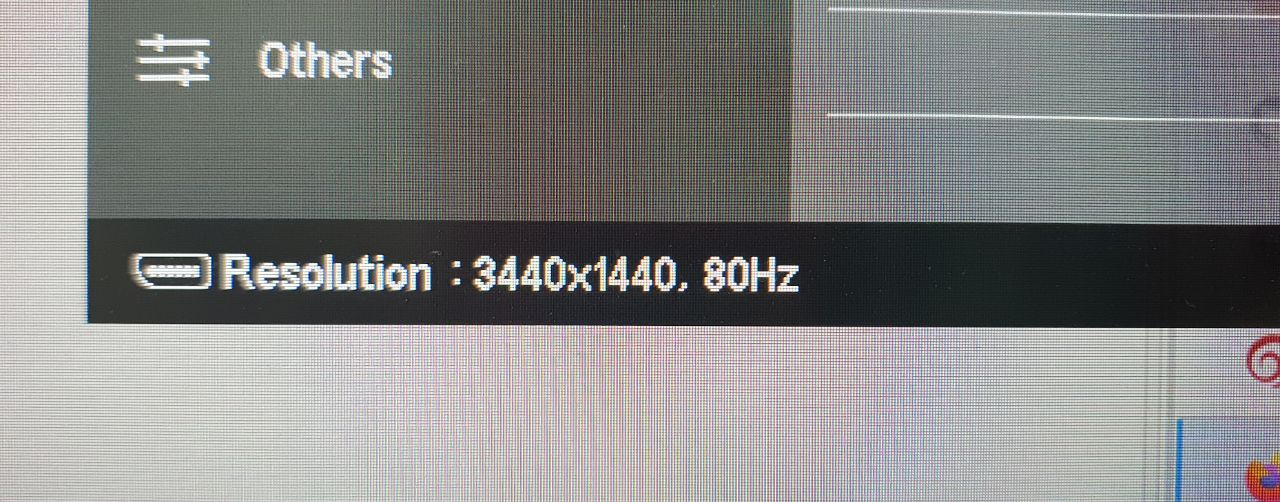
+ 20Hz for using Linux on desktop
메타데이터
- post_id
- 8ac7280a3b66
- slug
- overclocking-monitor-in-linux-8ac7280a3b66
- url
- https://medium.com/opsops/overclocking-monitor-in-linux-8ac7280a3b66
- canonical_url
- https://medium.com/opsops/overclocking-monitor-in-linux-8ac7280a3b66
- author_url
- https://medium.com/@george.shuklin
- status
- ok
- fetched_at
- 2026-07-27 18:07:00


