Practical Cursor Workflows for Real Software Development
In my previous article, How to Use AI Agents Without Wasting Tokens, I focused on a broader idea: using AI efficiently is not mainly about…
Practical Cursor Workflows for Real Software Development
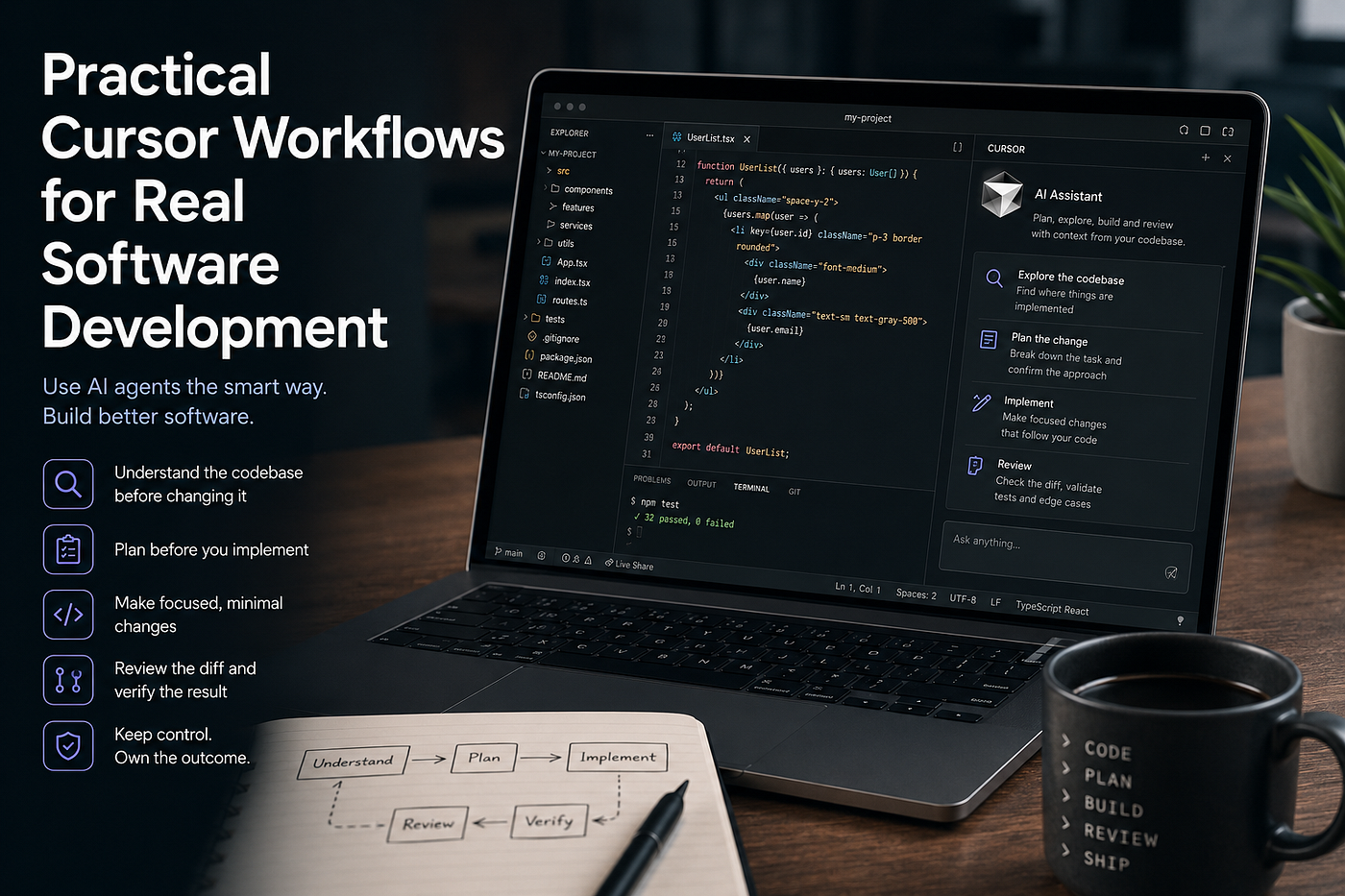
In my previous article, How to Use AI Agents Without Wasting Tokens, I focused on a broader idea: using AI efficiently is not mainly about finding better prompts. It is about giving an agent the right context, keeping the task focused, separating permanent knowledge from temporary information, and avoiding unnecessary work.
Those principles apply to almost every AI agent. This time, I want to make them practical by looking at Cursor and the way it can fit into real software development.
Cursor can search a codebase, understand relationships between files, modify code, execute commands, inspect Git changes, create plans and handle increasingly complex development tasks. That is powerful, but access to more tools does not automatically produce better software. An agent can make the wrong change much faster than a developer can make it manually.
The useful question is therefore not how much code Cursor can generate. It is how to use it in a way that reduces investigation time, repetitive work and rework without giving up control of the engineering process.
Do Not Treat Every Task as an Implementation Task
When a new ticket arrives, the natural temptation is to paste the description into Cursor and ask it to implement the change.
For very small tasks, that may be perfectly reasonable. For anything involving unfamiliar code, several layers or unclear behaviour, I prefer to separate understanding from implementation.
The first job of the agent is often not to write code. It is to help me understand where the behaviour comes from.
Instead of asking Cursor to fix something immediately, I might ask it to investigate how that behaviour currently works, identify the important files and explain the path from the user action to the final result. I can also explicitly tell it not to modify anything yet.
That changes the nature of the interaction. Cursor is now acting as an explorer rather than an implementer.
This is especially valuable in large repositories. A visible UI problem may actually be caused by a configuration value, domain condition, API mapping or shared component several layers away. Starting with implementation encourages the agent to solve the problem where it first finds something that looks relevant. Starting with investigation gives it permission to search before deciding.
There is another benefit. I get to verify Cursor’s understanding before trusting its implementation.
If its explanation of the existing flow is already wrong, I know not to let it continue.
Make Cursor Show Its Evidence
An investigation becomes much more useful when the agent explains why it reached a conclusion.
Instead of accepting something like “the condition is controlled by this service,” I want to know which code led Cursor there, where the value originates and which parts of the system consume it.
This is a small difference in the request, but it makes the result easier to verify.
A useful investigation request can ask Cursor to identify the entry point, trace the relevant data or control flow, mention the files that matter and explain which existing behaviour would be affected by the proposed change.
The purpose is not to produce a huge report. It is to make the reasoning inspectable.
AI is particularly useful for repository exploration because it can search much faster than we can. The trade-off is that it can also create a convincing explanation from an incomplete search. Asking it to connect conclusions back to actual code reduces that risk.
This also helps when working in an unfamiliar area of the project. Instead of manually searching for filenames that sound related to the ticket, I can start from behaviour and let Cursor build a map of the relevant implementation.
Define the Expected Behaviour Before Asking for Code
One of the most effective things you can give an agent is not a technical solution but a clear description of the expected behaviour.
Consider the difference between asking Cursor to “fix the visibility condition” and explaining that a component should appear for one user state, remain hidden for another, preserve the existing behaviour for all other states and require no change to the public interface.
The second version gives the agent boundaries.
Before implementation, I want three things to be clear: what is wrong today, what should happen instead, and what must remain unchanged.
This is basically acceptance criteria expressed in plain language.
It also reduces one of the most common problems with coding agents: solving the visible case while accidentally changing nearby behaviour.
The clearer the behavioural boundary is, the less room the agent has to invent its own interpretation of the task.
Tell Cursor What Not to Change
When developers talk about prompting, most of the attention goes to describing what we want.
In production development, the non-goals can be equally important.
Suppose a bug can be fixed with a small condition change. An agent may notice that the surrounding code could also be simplified, renamed or reorganized. Those improvements may even be reasonable, but they increase the surface area of the pull request.
A useful request can therefore include constraints such as keeping the change minimal, following the existing architecture, avoiding unrelated refactoring, preserving current interfaces and not introducing a new dependency unless it is genuinely required.
This does not mean we should stop Cursor from improving code. It means that improvement should be intentional.
If I want a refactor, I can ask for a refactor. If I am fixing a production bug, I normally want the safest change that solves the actual bug.
Scope control is one of the most important skills when working with agents because agents do not naturally feel the organizational cost of an unnecessary diff. They do not attend the code review, explain the extra changes to another team, manage merge conflicts or maintain the abstraction six months later.
The developer does.
Use Planning Only When There Is Something Worth Planning
Cursor’s planning capabilities can be very useful, but not every task deserves a planning phase.
If the change is obvious, local and low risk, asking an agent to produce a long implementation plan creates process without much value.
Planning becomes useful when the task crosses multiple files, affects several layers, changes an interface, requires migration work or has more than one reasonable implementation path.
The real value of the plan is not documentation. It is having a cheap place to catch the wrong approach.
Imagine Cursor proposes creating a new abstraction even though an existing abstraction already represents the same concept. Correcting that in the plan takes a few seconds. Correcting it after the agent has changed twelve files takes much longer.
I therefore treat the plan as a design checkpoint.
I am looking for the proposed files, responsibilities, data flow, tests and any assumptions the agent is making. I do not need every line of the implementation predicted in advance.
A good plan should make the implementation feel unsurprising.
If reading the plan makes me ask, “Why are we changing that?” it has already done something useful.
Give Cursor a Starting Point, Not an Artificial World
Another common mistake is trying to prepare all the context for Cursor manually.
If a bug happens inside a particular screen or module, it is tempting to attach every file that appears remotely connected to it.
This can create the opposite of clarity.
Cursor is good at searching a repository. If I know an important starting file, symbol or component, I give it that. If I do not know where the behaviour comes from, I describe the behaviour and let it investigate.
A useful way to think about context is to provide what you know with confidence and let the agent discover the rest.
If I already know the problem begins around a specific component, pointing Cursor there saves exploration. If I only suspect that five folders may be involved, attaching all five can incorrectly tell the agent that they are equally important.
The same applies to logs. The relevant error, reproduction steps and nearby output usually provide better context than several thousand lines copied from a terminal.
More context is not automatically better context.
Use a Consistent Shape for Complex Requests
For non-trivial tasks, I find it useful to structure the information I give Cursor in roughly the same mental order even if I do not use a formal template.
First comes the problem. What is currently happening?
Then comes the expected behaviour. What should happen instead?
Then the starting point. Which part of the code is known to be involved, if any?
Then the constraints. What should not change?
Finally comes validation. How will we know that the implementation is correct?
That is enough structure to remove a lot of ambiguity without turning every prompt into a specification document.
For example, instead of writing “fix this bug,” the request can explain the incorrect behaviour, the expected behaviour, mention the most relevant component, ask Cursor to preserve the current architecture and require the affected tests to pass.
The wording itself is not important. The completeness is.
Good agent usage is usually less about clever sentences and more about making sure the important information is actually present.
Separate Exploration, Implementation and Review
One of the strongest practical patterns is to stop treating Cursor as one continuous personality doing everything at once.
During exploration, I want it to be curious and broad.
During implementation, I want it to be focused and conservative.
During review, I want it to be skeptical.
Those are different jobs.
The first conversation may ask Cursor to understand the system. The next step may ask it to implement an already agreed approach. After that, I can ask it to review the resulting branch for issues.
This separation improves the quality of each phase because the objective is clearer.
It also helps with a subtle problem: an agent that has just written an implementation already has a narrative explaining why that implementation makes sense. Asking the same context to review its own work may encourage it to confirm decisions it has already made.
For important changes, a fresh conversation can be useful for the review phase. Give the new context the branch or diff and ask it to look for unnecessary changes, missed edge cases, duplicated logic, weak tests or deviations from the existing architecture.
The second agent does not need the entire history of why the first implementation happened. It needs the requirement and the resulting code.
That creates something closer to an independent code review.
Let Git Explain What Already Happened
There are many situations where the most accurate context is not the old conversation. It is the Git history.
If I have already been working on a feature, the current branch tells Cursor what changed much more reliably than a long explanation from memory.
Branch-aware context can be useful when returning to a task after a break, reviewing work before opening a pull request or trying to understand what another change introduced.
Instead of explaining every modified file, I can ask Cursor to inspect the current branch and summarize the functional changes.
After implementation, I can ask it to review the branch specifically for changes unrelated to the requirement, accidental behaviour changes, missing test coverage or unnecessary complexity.
Git already captures the actual state of the code. Using it as context avoids rebuilding that state manually in the prompt.
This becomes especially valuable after several implementation steps. Conversations remember what we discussed. Git remembers what actually changed.
Those are not always the same thing.
Use Rules for Stable Knowledge, Not Current Work
Cursor Rules are useful for things the agent should consistently know about a project.
That might include architectural conventions, testing expectations, naming patterns, dependency restrictions or instructions about generated files.
The important word is consistently.
A requirement that belongs to one ticket should normally stay with that ticket. A debugging observation that matters today should not automatically become a permanent project rule. A workaround that will disappear next week should probably not be injected into every future conversation.
Rules should represent stable project knowledge.
This keeps permanent context small and trustworthy.
It also prevents a common long-term problem where an AI configuration slowly becomes a collection of old instructions that nobody knows whether to remove.
When permanent instructions become too large, developers eventually stop knowing which parts are still valid. The agent has the same problem.
A smaller set of accurate rules is more useful than a large set of historical ones.
Keep Documentation as the Source of Truth
Rules should also not replace proper project documentation.
If something describes how the architecture works, how releases are performed or how an important system behaves, it should normally exist somewhere that developers can also read and maintain.
Cursor can then be instructed to use that documentation.
Duplicating a large engineering guide into AI rules creates two sources of truth. One of them will eventually become outdated.
A better pattern is to keep the detailed knowledge where the team already maintains it and use rules to point the agent toward that source when necessary.
That keeps agent configuration focused on behaviour rather than turning it into a second internal wiki.
Know When to Start a New Conversation
Long agent conversations feel productive because they contain a lot of history.
That history can eventually become a liability.
If a feature has been implemented, debugged and verified, starting an unrelated task in the same conversation gives the new task access to many decisions that no longer matter.
Old assumptions, failed approaches, logs and file contents remain part of the context even though they belong to a finished problem.
A simple rule works well: one logical piece of work should usually have one logical context.
If I am still debugging the same implementation, I continue. If I am moving to another requirement, I start fresh.
Starting fresh also helps when the agent becomes repeatedly confused. Sometimes another corrective prompt solves the issue. Other times the conversation itself has accumulated too many conflicting instructions.
A new chat is not a failure. It is context cleanup.
If something from an older conversation is genuinely important, it can be referenced or summarized without keeping every intermediate step alive.
Do Not Repair a Bad Direction Forever
One of the most expensive agent workflows is the patch-on-top-of-patch cycle.
Cursor implements the wrong abstraction. I ask it to correct that abstraction. The correction breaks something else. I explain the new problem. It adds another layer to compensate. After several rounds, the code technically works but contains the history of every misunderstanding.
At some point, continuing is more expensive than restarting.
If the basic direction is wrong, I would rather revert the implementation, keep what I learned during the failed attempt, correct the plan and implement again from a clean state.
Developers have always done this.
We prototype, discover something, throw away the prototype and build the real version with a better understanding of the problem.
AI does not remove the value of that workflow. It makes restarting cheaper.
This is one of the areas where token efficiency and engineering efficiency become the same thing. Ten corrective prompts are not only expensive in model usage. They often produce worse code than one clean implementation based on a corrected understanding.
Review the Diff, Not the Summary
After Cursor finishes a task, it normally provides a summary of what it changed.
That summary is useful for navigation. It is not a code review.
The diff remains the source of truth.
I want to see which files changed, why they changed and whether every modification belongs to the requirement.
Unexpected files deserve attention. New abstractions deserve attention. Removed checks deserve attention. A much larger diff than expected deserves attention.
One of the most useful questions I can ask while reviewing AI-generated code is simply: could this have been done with less?
Smaller is not always better. Sometimes the correct architectural solution genuinely requires a larger change. But when the requirement is small and the diff is large, I want to understand why.
AI makes generating code extremely cheap. Reviewing unnecessary code is still expensive.
That shifts the bottleneck from typing to judgment.
Ask Cursor to Challenge the Implementation
Cursor can also be useful after the code already looks finished.
Instead of asking it to explain what it did, I can ask it to attack the implementation.
What edge cases are not covered? Which assumption could be wrong? Is there duplicated logic? Could the change break an existing state? Is there a simpler implementation using something already available in the codebase?
This kind of request produces a different result from “review my code.”
The goal is to create useful disagreement.
For a more important change, I prefer doing this from a fresh conversation using the requirement and branch diff. That reduces the chance of the review inheriting every justification from the implementation process.
AI is often used as an answer generator. In development, it can be equally useful as a fast source of second opinions.
Verification Should Be Part of the Original Request
A task is not complete when code has been generated.
It is complete when we have enough evidence that the required behaviour works and existing behaviour has not been unintentionally damaged.
The validation strategy depends on the size of the change.
For a small isolated fix, running the directly affected tests may be enough during development. For a shared component or architectural change, broader verification may be appropriate.
A useful pattern is to move from narrow to broad.
Start with the fastest test that proves the changed behaviour. If that passes, run the relevant module or feature tests. Then use broader builds or checks when the risk of the change justifies them.
This gives faster feedback while still increasing confidence before the work is considered finished.
Cursor can participate in that process by running commands, reading failures and correcting the implementation. The important part is that verification is defined as part of the task rather than something we remember to do afterwards.
If something cannot be verified automatically, I want the agent to say so rather than quietly treating the task as complete.
Passing Tests Do Not Prove the Architecture Is Correct
Tests are evidence, not absolution.
An agent can write code that passes every existing test while duplicating an existing abstraction, placing business logic in the wrong layer or making future changes unnecessarily difficult.
This is where developer experience matters most.
AI is very good at answering the question “Can I make this work?”
Senior engineering often requires answering a different question: “Should the system work this way?”
Those questions overlap, but they are not identical.
The more architectural the decision becomes, the less I want to outsource the final judgment.
I am happy to use Cursor to explore alternatives, find existing patterns and even generate several possible implementations. I still want the architectural decision to be deliberate.
Match Trust to the Type of Work
Not every generated change deserves the same level of suspicion.
If Cursor renames a private variable across three obvious references, the risk is low.
If it modifies authentication logic, concurrency, persistence, payment behaviour, security-sensitive code or a shared public interface, the risk is much higher.
The amount of review should match the consequences of being wrong.
This sounds obvious, but fast generation can make every change feel equally easy. The code appears in seconds regardless of whether it is trivial or critical.
Engineering risk does not become smaller because implementation became faster.
A useful mental model is to automate aggressively where the work is mechanical and review aggressively where the work contains important decisions.
Use Multiple Agents Only for Work That Can Actually Be Split
Cursor can delegate work into separate contexts. This can be useful, but parallel agents are not automatically an upgrade.
Parallelism helps when the investigation can genuinely be divided.
One agent might inspect how a feature is implemented, another might examine the relevant tests and another might investigate an external interface. Each can return a focused result to the main task.
That is different from launching several agents to solve the same small problem and hoping one produces the right answer.
More agents mean more output, more assumptions and more results that somebody still has to evaluate.
The purpose of parallelism is to reduce a bottleneck, not to maximize activity.
For many everyday coding tasks, one well-directed agent remains the simplest and most effective choice.
Sometimes the Best Cursor Workflow Is Not Using Agent
Agent mode is powerful enough that it can become the default tool for everything.
That is not always efficient.
If I already know exactly where a one-line change belongs, making the change manually can be faster than explaining it to an agent and reviewing the result.
Autocomplete may be enough for repetitive local code. A normal question may be enough when I only need an explanation. Repository investigation may be useful before any code generation is needed.
The tool should match the size of the problem.
Using a powerful agent for every tiny edit is similar to creating a full project plan for every typo. It works, but the process costs more than the task.
The real productivity improvement comes from knowing when Cursor provides leverage.
A Practical Workflow From Ticket to Pull Request
For a non-trivial task, my preferred flow is fairly simple.
I start by giving Cursor the problem, expected behaviour and any reliable starting point I already know. If I do not understand the existing implementation well enough, I ask it to investigate first and explicitly avoid code changes.
I review that investigation. If the change is broad enough to need planning, I ask for a plan and correct any wrong assumptions before implementation begins.
The implementation request then contains clear boundaries. Follow the existing architecture, keep the change focused, avoid unrelated refactoring, preserve current interfaces unless the requirement demands otherwise, and update the relevant tests.
When the implementation is complete, I inspect the diff myself.
Then I use Cursor again, often from a fresh context, to review the branch as if it had not written the code. I ask it to look for unnecessary changes, missing cases, duplicated behaviour, questionable architectural decisions and weak test coverage.
After that comes verification. I run the smallest meaningful tests first, then broader checks according to the risk of the change.
If the implementation has drifted too far from the intended solution, I do not keep correcting it indefinitely. I revert, improve the understanding or plan and rebuild from a clean state.
Only after the code, diff and verification all make sense do I consider the task ready for commit, pull request and human team review.
The Developer Still Owns the Result
The more capable coding agents become, the easier it is to confuse implementation speed with engineering quality.
Cursor can search thousands of files faster than I can. It can produce tests, repetitive code and alternative implementations in seconds. It can explain unfamiliar code and catch problems I might overlook.
Those are real advantages.
But the agent does not own the product. It does not carry the long-term cost of a poor abstraction. It does not have the full organizational context behind every technical decision. It does not become responsible for a production incident because its summary sounded confident.
The developer remains responsible for deciding whether a change belongs in the system.
Ideally, AI should move our attention away from mechanical work and toward that judgment.
If Cursor saves thirty minutes of searching through a repository, that time can be spent thinking about whether the proposed solution is actually the right one.
That is a much more interesting productivity gain than simply typing code faster.
Final Thoughts
The most effective way to use Cursor is not to search for a perfect prompt or let the agent do as much as possible. It is to make it part of a disciplined development process: understand the problem first, define clear boundaries, plan when needed, keep context focused, review the actual diff and verify the result according to its risk.
AI coding tools can make good decisions faster, but they can make bad decisions faster too. The developer still owns the architecture, the trade-offs and the final code that reaches production.
Used well, Cursor does not replace that responsibility. It removes part of the mechanical work so more attention can go where it matters most: making the right engineering decisions.
메타데이터
- post_id
- 8ad8a5c67976
- slug
- practical-cursor-workflows-for-real-software-development-8ad8a5c67976
- url
- https://medium.com/@naggelidis/practical-cursor-workflows-for-real-software-development-8ad8a5c67976
- canonical_url
- https://medium.com/@naggelidis/practical-cursor-workflows-for-real-software-development-8ad8a5c67976
- author_url
- https://medium.com/@naggelidis
- status
- ok
- fetched_at
- 2026-08-12 17:28:58



