SANS Workbook Password Removal (using qpdf)
Tired of typing the same password every time you open a SANS electronic workbook (SEC560, FOR578, etc.)?
SANS Workbook Password Removal (using qpdf)
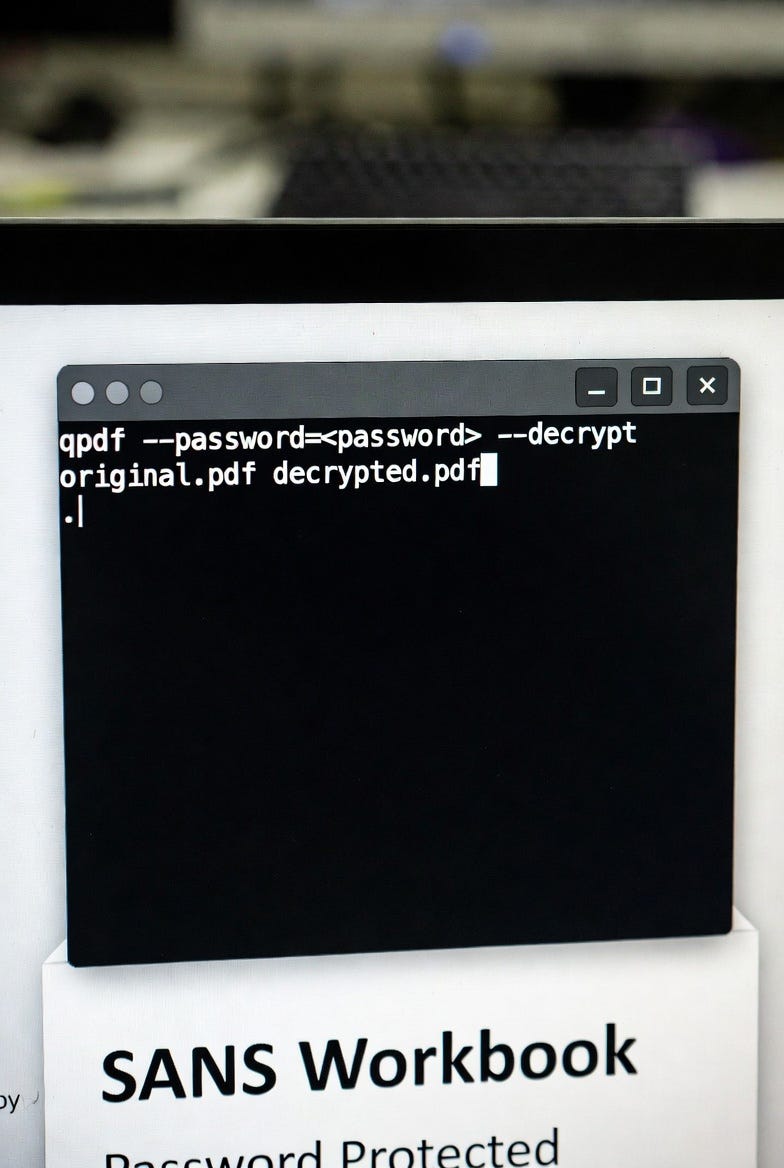
Tired of typing the same password every time you open a SANS electronic workbook (SEC560, FOR578, etc.)?
SANS protects its course materials with PDF encryption to comply with licensing — but for your own personal, day-to-day studying on legitimately obtained files, creating a decrypted local copy saves a lot of frustration.
Important legal note
Only use this method on SANS materials you have legitimately purchased or received authorized access to. Do NOT share decrypted PDFs with anyone. Violating the Courseware License Agreement can lead to financial liability, decertification, or other consequences.
Why qpdf?
qpdf is a fast, free, open-source, command-line tool that runs entirely locally — no uploading sensitive course content to online “unlockers.” It reliably removes user-level passwords (the document-open kind used by SANS).
Requirements
- Ubuntu, Debian, Kali, WSL, macOS, or any Linux/macOS system
qpdfinstalled
# Ubuntu / Debian / WSL / Kali
sudo apt update && sudo apt install qpdf -y

# macOS (with Homebrew)
brew install qpdf
One-liner method (what most people use)
export SANSPWD='your-actual-sans-password-here'
qpdf --password="$SANSPWD" --decrypt ./SEC560_GPEN_Book1.pdf ./SEC560_GPEN_Book1_NoPass.pdf
Replace filenames as needed.
After success: The new file (*_NoPass.pdf) opens without any password prompt in any PDF viewer. You can safely archive or delete the original encrypted version.
Security tip for password handling
Avoid leaving $SANSPWD in your shell history or process list. Use the script method below (which prompts securely) for one-off use.
- After running, clear the variable:
unset SANSPWD- Optionally clear recent history:
history -c && history -wOptional: Simple bash script (decrypt-sansk.sh)
Create a file called decrypt-sansk.sh:
#!/usr/bin/env bash

# Usage: ./decrypt-sansk.sh Book1.pdf
#        or drag-and-drop the PDF onto the script

if [ $# -ne 1 ]; then
    echo "Usage: $0 input.pdf"
    exit 1
fi

INPUT="$1"
OUTPUT="${INPUT%.*}_NoPass.pdf"

echo "Enter your SANS workbook password:"
read -s SANSPWD

qpdf --password="$SANSPWD" --decrypt "$INPUT" "$OUTPUT"

if [ $? -eq 0 ]; then
    echo "Success! Created: $OUTPUT"
    echo "You can now open it without password prompts."
else
    echo "Failed. Check password or if qpdf is installed."
fi
Make it executable:
chmod +x decrypt-sansk.shThen run:
./decrypt-sansk.sh SEC560_GPEN_Book1.pdfBulk decrypt (all PDFs in current folder)
If you have many books/sections:
export SANSPWD='your-password'
for f in *.pdf; do
    [ -f "$f" ] || continue  # skip if no PDFs
    OUTPUT="${f%.*}_nopass.pdf"
    qpdf --password="$SANSPWD" --decrypt "$f" "$OUTPUT"
    if [ $? -eq 0 ]; then
        echo "Decrypted: $OUTPUT"
    else
        echo "Failed: $f"
    fi
done
unset SANSPWD
Quick verification after decryption Run this on the output file:
qpdf --show-encryption yourfile_NoPass.pdfIt should report no encryption (or “R = 0”, “P = -1”, etc., indicating fully decrypted).
Edge cases & troubleshooting
- Wrong password → decryption fails silently or with error. Double-check (SANS passwords are usually provided per course/material download).
- File corrupted → re-download from sans.org.
- Rare: If a workbook uses owner-level restrictions only (no open password), qpdf may still help with — decrypt.
- Newer SANS materials might change protection; always test on one file first.
- If issues persist, contact SANS support — do not use third-party online tools.
This approach keeps everything local, fast, and compliant for personal use.
메타데이터
- post_id
- 8b3ed50bdcde
- slug
- sans-workbook-password-removal-using-qpdf-8b3ed50bdcde
- url
- https://medium.com/@charming_powder_echidna_29/sans-workbook-password-removal-using-qpdf-8b3ed50bdcde
- canonical_url
- https://medium.com/@charming_powder_echidna_29/sans-workbook-password-removal-using-qpdf-8b3ed50bdcde
- author_url
- https://medium.com/@charming_powder_echidna_29
- status
- ok
- fetched_at
- 2026-06-13 07:35:29