🧠Getting Started with RTSP Streaming in Python: A Beginner’s Guide to Building a Live Video Stream
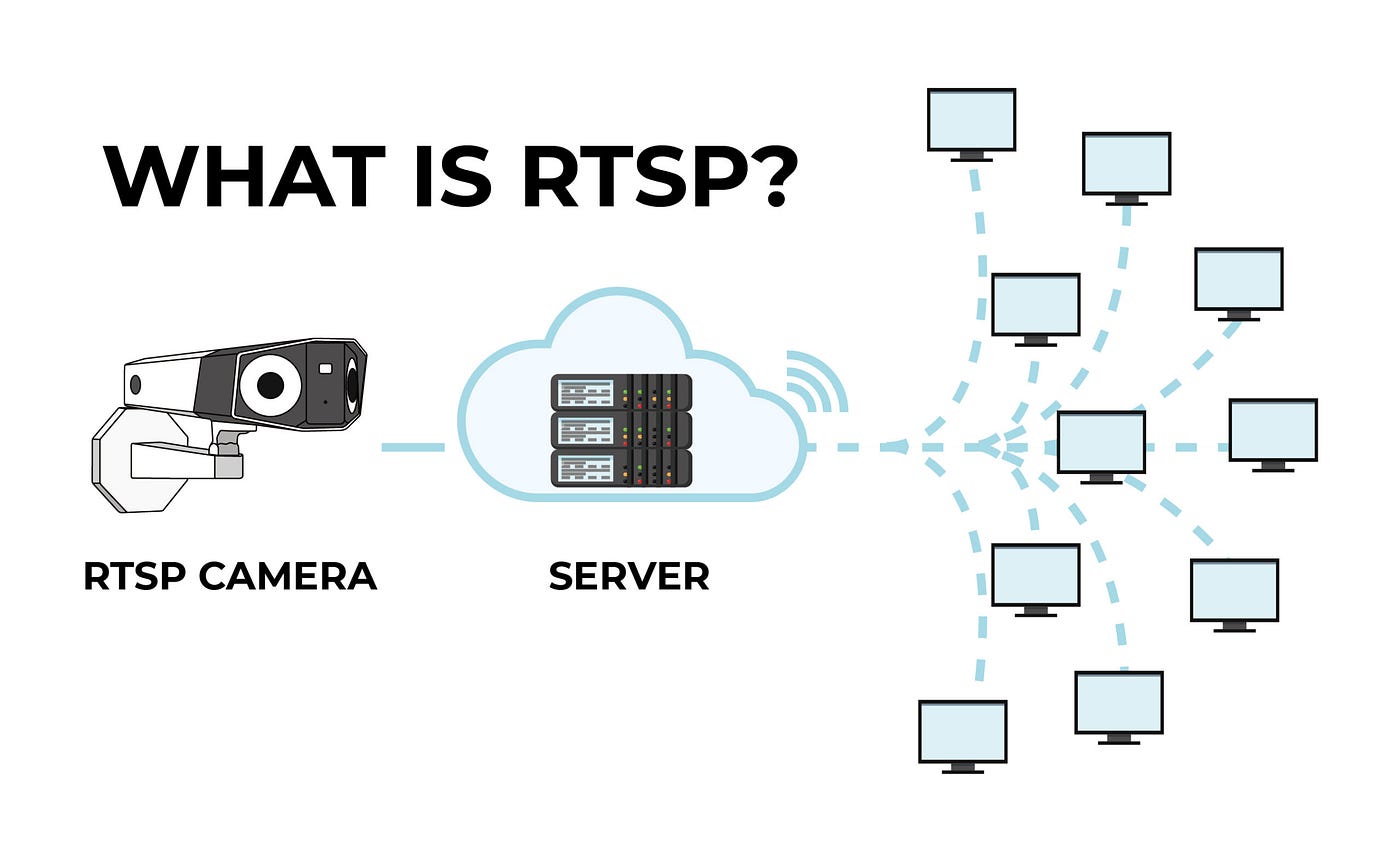
What is RTSP ?
🧠Getting Started with RTSP Streaming in Python: A Beginner’s Guide to Building a Live Video Stream
What is RTSP ?
Imagine you’re watching a live security camera feed on your phone. That video is being streamed to you over the internet, in real time. Behind the scenes, a special “language” helps your device request the video, play it, pause it, and even rewind it (if supported). That language is RTSP, or Real Time Streaming Protocol.
RTSP is like a remote control for video streams. It tells a camera or media server:
- “Start streaming now”
- “Pause the stream”
- “Send me just audio” (or just video)
- “Stop sending data”
It doesn’t carry the video itself (that’s usually done by another protocol called RTP), but it manages the conversation between the client (like your phone or computer) and the server (like a security camera or streaming server).
conversation between server and client
How RTSP Works
RTSP is a network control protocol designed to manage media streaming sessions, enabling low-latency delivery of audio and video. Think of it as a “remote control” for streaming media, allowing clients (e.g., a video player) to communicate with servers (e.g., an IP camera or media server) to start, pause, or stop streams. Unlike HTTP-based streaming (e.g., HLS), which downloads chunks of video, RTSP facilitates real-time, continuous streaming, making it ideal for applications like surveillance, live broadcasts, or video conferencing.
Here’s a step-by-step breakdown of how RTSP operates:
- Client-Server Communication:
- RTSP works in a client-server model. The client (e.g., a Python app or VLC player) sends commands to the server (e.g., an IP camera or media server like Live555).
- Communication happens over TCP (typically port 554), ensuring reliable control messages.
2. Key RTSP Commands:
- RTSP uses text-based commands, similar to HTTP, to control the stream:
- DESCRIBE: Retrieves media details (e.g., video format, codecs).
- SETUP: Initializes the streaming session, specifying transport (usually RTP over UDP or TCP).
- PLAY: Starts the media stream from a specific time.
- PAUSE: Temporarily halts the stream.
- TEARDOWN: Ends the session, freeing resources.
- Example: A client sends PLAY rtsp://server/video to start streaming.
3. Media Delivery with RTP/RTCP:
- RTSP doesn’t deliver the actual video or audio data; it controls the session. The media is sent separately using RTP (Real-time Transport Protocol) over UDP for low latency or TCP for reliability.
- RTCP (RTP Control Protocol) runs alongside RTP to monitor stream quality, handle synchronization, and report packet loss.
- Example: After a SETUP command, the server streams video packets via RTP to the client’s specified port.
4. Session Management:
- RTSP maintains a session state, tracking the client’s connection and stream status.
- The client and server exchange session IDs to ensure commands apply to the correct stream.
5. Typical Workflow:
- A client connects to an RTSP URL (e.g., rtsp://192.168.1.100:554/stream).
- The client sends a DESCRIBE to learn about the stream, followed by SETUP to configure RTP delivery.
- The client issues PLAY to start receiving RTP packets, which are decoded and displayed (e.g., in a Python app using OpenCV).
- When done, the client sends TEARDOWN to close the session.
Connecting With python
import vlc
import tkinter as tk
from tkinter import messagebox
import time

class RTSPPlayer:
    def __init__(self, root, rtsp_url):
        self.root = root
        self.rtsp_url = rtsp_url
        self.instance = vlc.Instance()
        self.player = self.instance.media_player_new()
        self.media = None

        # Create GUI
        self.root.title("RTSP Video Player")
        self.video_frame = tk.Frame(self.root)
        self.video_frame.pack(fill=tk.BOTH, expand=True)

        # Video display area (VLC will attach here)
        self.canvas = tk.Canvas(self.video_frame, bg="black")
        self.canvas.pack(fill=tk.BOTH, expand=True)

        # Control buttons
        self.button_frame = tk.Frame(self.root)
        self.button_frame.pack(fill=tk.X)
        tk.Button(self.button_frame, text="Play", command=self.play_video).pack(side=tk.LEFT, padx=5)
        tk.Button(self.button_frame, text="Pause", command=self.pause_video).pack(side=tk.LEFT, padx=5)
        tk.Button(self.button_frame, text="Rewind 10s", command=self.rewind_video).pack(side=tk.LEFT, padx=5)
        tk.Button(self.button_frame, text="Stop", command=self.stop_video).pack(side=tk.LEFT, padx=5)

        # Bind canvas to VLC
        # self.player.set_hwnd(self.canvas.winfo_id())  # Windows
        self.player.set_xwindow(self.canvas.winfo_id())

    def play_video(self):
        if not self.media:
            self.media = self.instance.media_new(self.rtsp_url)
            self.player.set_media(self.media)
        self.player.play()
        self.root.title("RTSP Video Player - Playing")

    def pause_video(self):
        self.player.pause()
        self.root.title("RTSP Video Player - Paused")

    def rewind_video(self):
        # Seek back 10 seconds (if supported by the stream)
        current_time = self.player.get_time()  # in milliseconds
        new_time = max(0, current_time - 10000)  # Rewind 10s, ensure non-negative
        self.player.set_time(new_time)
        if not self.player.is_playing():
            self.player.play()

    def stop_video(self):
        self.player.stop()
        self.media = None
        self.root.title("RTSP Video Player - Stopped")

    def on_closing(self):
        self.stop_video()
        self.root.destroy()

if __name__ == "__main__":
    #replace with your own for live cameras
    rtsp_url = "rtsp://admin:password@camera-ip:554/stream1"

    root = tk.Tk()
    app = RTSPPlayer(root, rtsp_url)
    root.protocol("WM_DELETE_WINDOW", app.on_closing)
    root.mainloop()
Conclusion: RTSP Streaming Made Easy with Python
RTSP lets you stream live video with low delay, perfect for cameras or broadcasts. We covered how it works, using commands like PLAY and PAUSE, and showed how Python’s pylibvlc library can control streams with a simple player. Now you can play, pause, rewind, or stop RTSP videos with ease. Try the code, use your own RTSP link, and build something cool!
Share your hacks in the comments and let’s stream some brilliance!
메타데이터
- post_id
- 8bc06a14a9cb
- slug
- getting-started-with-rtsp-streaming-in-python-a-beginners-guide-to-building-a-live-video-stream-8bc06a14a9cb
- url
- https://medium.com/@Gayathri_krish/getting-started-with-rtsp-streaming-in-python-a-beginners-guide-to-building-a-live-video-stream-8bc06a14a9cb
- canonical_url
- https://medium.com/@Gayathri_krish/getting-started-with-rtsp-streaming-in-python-a-beginners-guide-to-building-a-live-video-stream-8bc06a14a9cb
- author_url
- https://medium.com/@Gayathri_krish
- status
- ok
- fetched_at
- 2026-07-13 19:15:17





