Customer view Google Analytics 4 and SQL
Extract Key Customer Insights with GA4 and SQL: Analyze User Profiles, Track Engagement, and Optimize Business Strategies.
Customer view Google Analytics 4 and SQL

Customer Insight: Analysing Customer with Google Analytic 4 and SQL
In today’s data-driven world, understanding customers is a crucial factor in achieving business success. The digital landscape offers a wealth of data that can be harnessed to gain valuable insights into user behaviour, preferences, and needs. This is where data analysis of user profiles becomes an invaluable tool for businesses seeking to deliver personalised and impactful experiences.
An Overview on Google Analytics 4
Google Analytics 4 (GA4) is the latest iteration of Google’s web analytics platform, designed to provide businesses with a more comprehensive and future-proof approach to data analysis. As a successor to Universal Analytics (UA), GA4 introduces significant enhancements, including advanced tracking capabilities, machine learning-driven insights, and a focus on cross-platform user behavior.
With GA4, all user interactions, such as pageviews, clicks, video plays, are adopted within event-driven data model, making it more flexible and customisable. Moreover, this allows businesses to define custom events based on their specific goals and objectives, centralise the data from different platforms and gain deeper insights into user engagement.
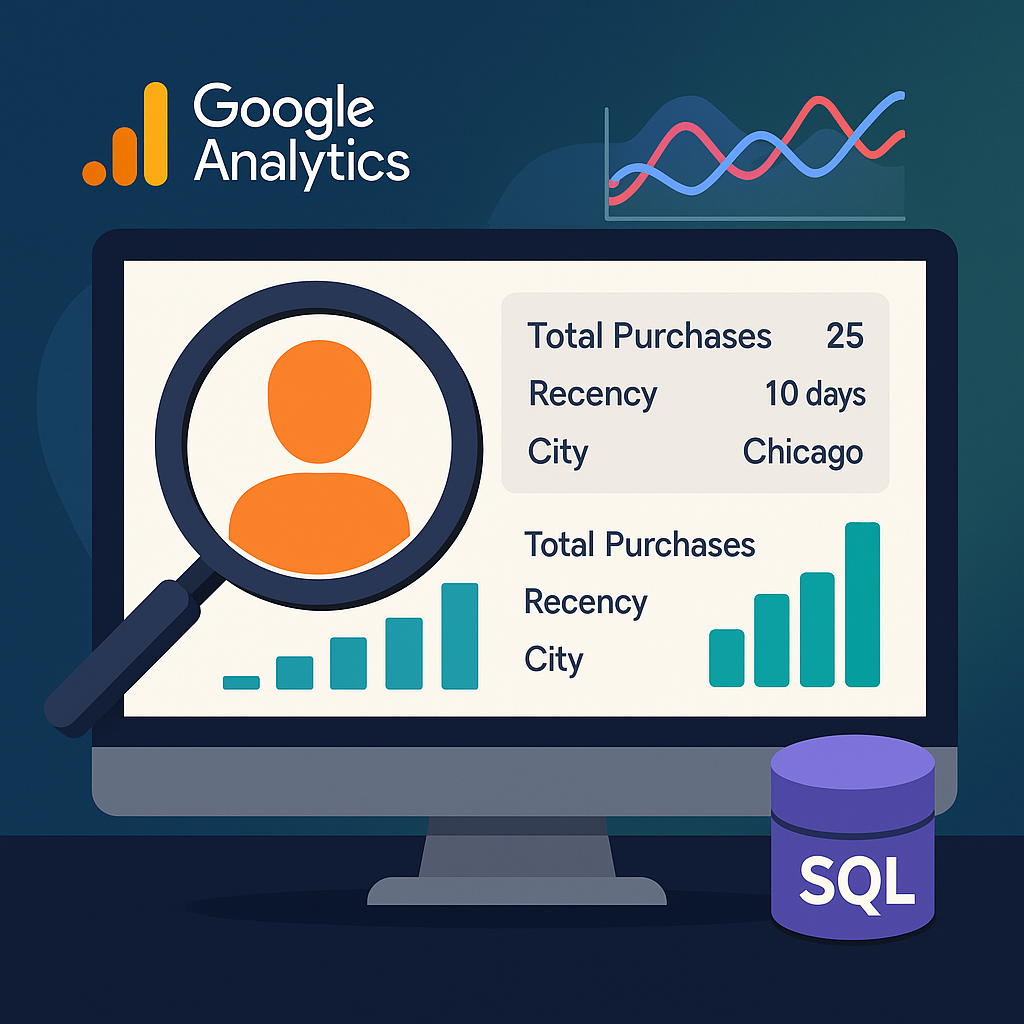
In this article, we are going to retrieve the following information for client’s profile:
- Total purchase revenue
- Total transations
- Recency: days from last transaction
- First visit timestamp
- Seniority: days from first visit or transaction
- Most recent item view
- city, region, device of user
Query: The Customer view from GA4 data
with ga4_data as (
 select
    datetime(timestamp_micros(event_timestamp), '{{curr_time_zone}}') as event_timestamp,
    date(timestamp_micros(event_timestamp), '{{curr_time_zone}}') as event_date,
    time(timestamp_micros(event_timestamp), '{{curr_time_zone}}') as event_time_in_day,
    -- cast(lag(date(timestamp_micros(event_timestamp), '{{curr_time_zone}}')) over (partition by user_id order by event_timestamp asc) as date) as prev_event_date,

    event_name,

    --event params
    (select ep.value.string_value from unnest(event_params) ep where key = 'page_type') as page_type,
    (select ep.value.string_value from unnest(event_params) ep where key = 'page_title') as page_title,
    (select ep.value.string_value from unnest(event_params) ep where key = 'transaction_id') as transaction_id,
    (select ep.value.string_value from unnest(event_params) ep where key = 'currency') as currency,
    (select ep.value.int_value from unnest(event_params) ep where key = 'ga_session_id') as ga_session_id,
    case
        when (select value.string_value from unnest(event_params) where key = 'session_engaged') = '1' then concat(user_pseudo_id,(select value.int_value from unnest(event_params) where key = 'ga_session_id'))
    end as engaged_session,
    (select ep.value.int_value/1000 from unnest(event_params) ep where key = 'engagement_time_msec') as engagement_time_sec,


    -- Location
    geo.country as country,
    geo.region as region,
    geo.city as city,

    user_pseudo_id,
    user_id,
    datetime(timestamp_micros(user_first_touch_timestamp), '{{curr_time_zone}}') as user_first_touch_timestamp,
    coalesce(traffic_source.source, lower((select ep.value.string_value from unnest(event_params) ep where key = 'source'))) as source,

    device.category as device_category,
    device.mobile_brand_name as device_mobile_brand_name,
    device.mobile_model_name as device_mobile_model_name,
    device.browser as device_browser,
    device.browser_version as device_browser_version,
    platform,

    -- traffic source
    traffic_source.name as traffic_source_campaign,
    traffic_source.medium as traffic_source_medium,
    traffic_source.source as traffic_source_source,

    ecommerce.total_item_quantity as total_item_quantity,
    ecommerce.unique_items as nb_unique_items,
    ecommerce.purchase_revenue as purchase_revenue,
    ecommerce.refund_value as refund_value,

    -- items
  items.item_id,
    items.item_name,
    items.item_brand,
    items.item_variant,
    items.item_category,
    items.item_category2 as product_type,
    items.promotion_name,
    items.creative_name,
    items.item_revenue,
    items.price as item_price,
    items.quantity as item_quantity,

from ga4_events_raw
),

item_view_data as (
    select
   *
    from ga4_data
  where event_name in ('view_item','view_item_list')
),

item_most_views as (
    select distinct
        user_id,
        first_value(item_name) over (partition by user_id order by count_item_view desc)  as most_viewed_product,
    from (
        select
            user_id,
            item_name,
            count(item_name) as count_item_view
        from product_view_data
        group by 1,2
    )

),

item_recent_view as (
  select distinct
        user_id,
        first_value(item_name) over (partition by user_id order by event_timestamp desc) as recent_item,
    from item_view_data
),

user_basic_profil as (
 select
  user_id,
  country,
  region,
  city,
  sum(purchase_revenue) as total_purchases_value,
  count(distinct transaction_id) as transactions,
  round(sum(purchase_revenue)/count(distinct transaction_id),2) as average_purchase_value,
  max(case when event_name = 'purchase' then event_date end) as last_transaction_date,
  min(case when event_name = 'purchase' then event_date end) as first_transaction_date,
    max(event_date) as last_session_date,
  min(event_date) as first_session_date,

    min(user_first_touch_timestamp) as first_touch,
    max(event_timestamp) as last_session,
 from ga4_data
)

select
  * except (user_id),
  user_basic_profil.user_id,
  date_diff(current_date(), client_last_transaction_date, day) as days_since_last_transaction,
  DATE_DIFF(CURRENT_DATE(), last_session_date, DAY) as days_since_last_session,
  DATE_DIFF(CURRENT_DATE(), first_session_date, DAY) as seniority,
from user_basic_profil
left join item_most_views on item_most_views.user_id = user_basic_profil.user_id
left join item_recent_view on item_recent_view.user_id = user_basic_profil.user_id
Remark
Some user_id can have different geolocation data (country, city, region) as they may login from anywhere. We can adapt the query to identify an unique geolocation for each user, for example by taking the city most frequently on of each user.
with user_row_count as (
 select
   user_id,
   country,
   region,
   city,
   count(*) as row_count,
 from ga4_data
),

user_geolocation as (
 select
  user_id,
  country,
  region,
  city,
 from user_row_count
 -- take the geolocation most frequently
 qualify row_number() over (partition by user_id order by row_count desc) = 1
)
Conclusion
This article only shows the most simple and basic detail for a customer profile from GA4 data. With a precise and complete one, business can easily identify potential customer and enhance customer engagement. With data from user’s activities on website, there are many other key information that we can get. At Hanalytics, we have many experience working with GA4 data in different business, each of them requires a specific profile for customer engagement.
Feel free to email us at hello@data-hanalytics.io or contact us for deeper customer profile and behaviour analysis.
메타데이터
- post_id
- 8caa161d69ca
- slug
- customer-view-google-analytics-4-and-sql-8caa161d69ca
- url
- https://medium.com/data-hanalytics/customer-view-google-analytics-4-and-sql-8caa161d69ca
- canonical_url
- https://medium.com/data-hanalytics/customer-view-google-analytics-4-and-sql-8caa161d69ca
- author_url
- https://medium.com/@data-service
- status
- ok
- fetched_at
- 2026-06-12 22:02:08