“ Tested 15+ AI Tools and Found These 5 That Actually Work for College Students (2026 Edition)”
“I Tested 15+ AI Tools and Found These 5 That Actually Work for College Students (2026 Edition)”
From AI coding assistants to study help — I tested 15+ tools and these 5 actually work. Plus: How to use them responsibly without cheating.

1. Emily.ai 🤖— Your AI Copilot That Lives in Chrome
It is a Chrome extension that turns my browser into an intelligent workspace
I was reading a 10-page research paper and spent 45 minutes trying to understand it. I was looking for a solution, and internet suggested me this tool. Now, I summarized it in 30 seconds. That’s when I knew I needed this.

Emily chrome extension summarizing a big news article
WITH EMILY YOU CAN…
➤ Summarize Long Articles & Research Papers I click the Emily icon and get a 300-word summary with key points. This helps me quickly understand multiple sources before writing essays.
➤ Chat with AI About YouTube Videos With Emily, I summarize the entire video in seconds, and ask questions like “What did he say about AI security?” and get instant answers.
➤ Translate Any Webpage I found amazing research papers in other languages. Emily translates entire pages instantly, so I can access global content without language barriers.
2. NotebookLM 📚 — My AI Study Assistant That Turns Articles Into Podcasts
An AI tool by Google that turns my notes, PDFs, and articles into an interactive study assistant + generates podcasts
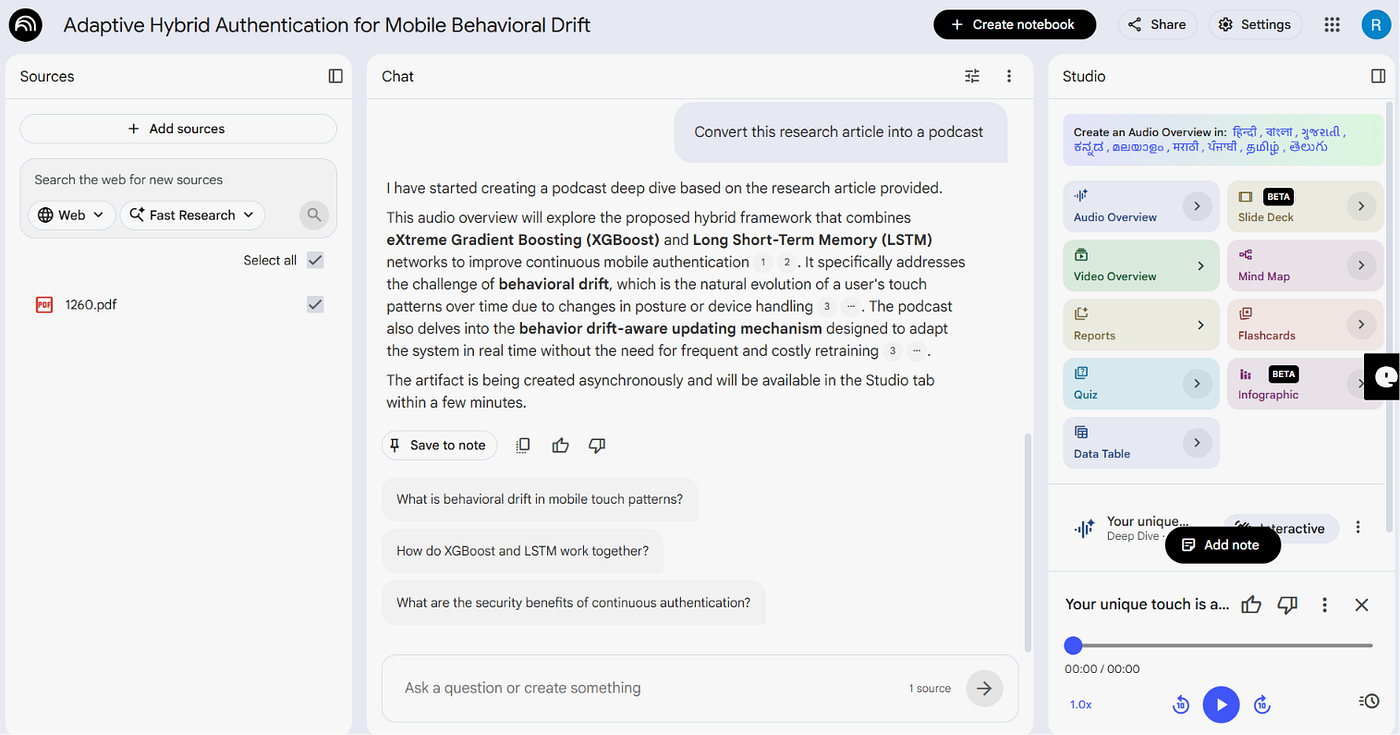
I gave one of my research papers to the NotebookLM and asked it to generate a podcast out of it to check if it is explaining my paper clearly.
And this magical feature blew my mind… ✨ Just listen to this podcast generated by it. There are two AI hosts who are talking about this article and it is really cool.😎
https://mp3tourl.com/audio/1781368261506-a2f44afa-4f47-42cb-b6d3-c12acd0c0bb9.m4a
As a person who loves hearing podcasts this is one of the gifts that I got to save my time.
Also here you can upload your lecture notes & get answers and create quiz questions for practice.
3. TalkNotes 🎤 — My AI That Turns Voice Notes Into Actionable Tasks
An AI voice note app that transcribes, summarizes, and structures my voice recordings into actionable text


I use TalkNotes for voice-to-text transcription. It helps me turn messy voice memos into structured content, transform random thoughts into blog outlines, and capture ideas instantly.
Ever had a brilliant idea 💡and forgotten it a few minutes later because you didn’t write it down? With TalkNotes, that doesn’t have to happen anymore.
Just speak your thoughts, and TalkNotes organizes them into clear, usable notes. No more lost ideas, no more forgotten inspiration. ✨
Your next great idea deserves to be captured the moment it appears. 💭
4. Glasp AI 🌐 — My AI Knowledge Builder That Turns Highlights Into Smart Notes
An AI Chrome extension that helps me highlight, summarize, and chat with my knowledge
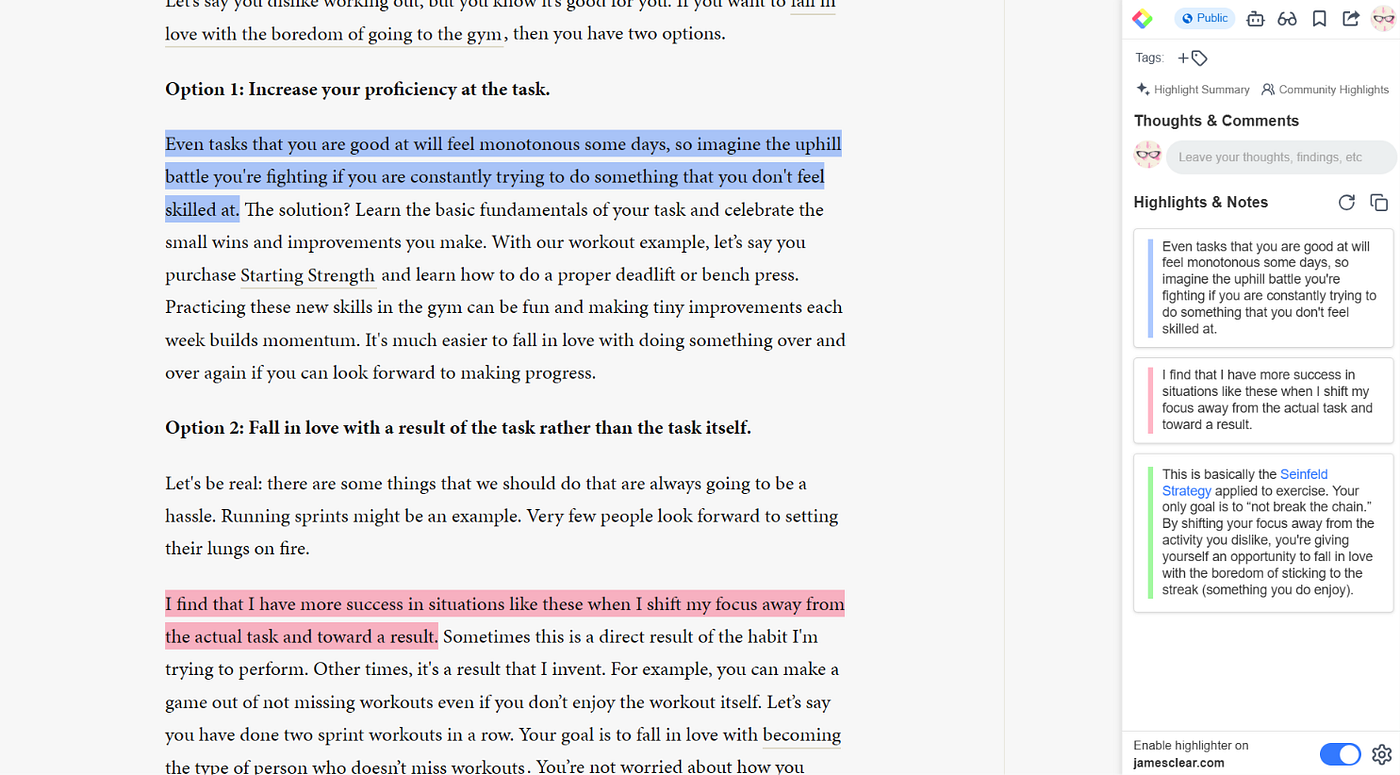
If you are reading something online and forgot where you saw it, the Glasp is your solution. You can just highlight and save.
✔ Summarize YouTube & PDF
✔ Transcribe Audio & Video
✔ Import Kindle Highlights
✔ Chat with Your Highlights
5. Google AI Studio 💻 — How It Acts Like a Tutor
Your Personal AI Tutor That Watches What You Build and Guides You Live

This is one of the most underrated AI tools available today. I don’t know why it isn’t as popular among students as ChatGPT or Claude. 🤔
If you’re a beginner and want to build a project with almost zero knowledge, Google AI Studio can be a game-changer. 🎯
Simply share your screen 🖥️, and the AI can guide you like a personal tutor . You can talk to it and ask what to do at every step of your project.
Stuck with an error? Just ask! The AI can analyze the issue, point out where the mistake is , and help you fix it. 🛠️
Pretty cool, right? 😎✨
Below I have listed out all the amzing features of this tool. Make use of it.
1. Live API
Interact with Gemini in real time using voice, audio, camera, and screen sharing. It feels like having a live AI assistant that can see, hear, and respond instantly.
2. Multimodal Understanding
Gemini can understand text, images, PDFs, audio, and videos together, making it far more powerful than traditional text-only AI tools.
3. Massive Context Window
Upload large documents, research papers, or even entire codebases and ask questions across all the content without breaking it into smaller pieces.
4. Video & PDF Analysis
Turn lengthy videos and documents into summaries, study notes, key insights, and interview questions within seconds.
5. Function Calling & AI Agents
Connect Gemini to external APIs and tools, enabling it to perform real-world tasks such as fetching live data, automating workflows, and powering intelligent AI agents. I have done it in my project and it works..
Google AI Studio combines these capabilities into a single platform, making it one of the most powerful tools for developers, students, and AI enthusiasts.
AI tools won’t replace learning, but they can dramatically accelerate it when used correctly. The five tools in this list helped me save time, learn faster, and build better projects — without relying on shortcuts. Use AI as a mentor, not a replacement for your own thinking, and you’ll gain far more than just good grades. 🎓✨
메타데이터
- post_id
- 8cd61ac67d07
- slug
- tested-15-ai-tools-and-found-these-5-that-actually-work-for-college-students-2026-edition-8cd61ac67d07
- url
- https://medium.com/@rupaatchayasivakumar/tested-15-ai-tools-and-found-these-5-that-actually-work-for-college-students-2026-edition-8cd61ac67d07
- canonical_url
- https://medium.com/@rupaatchayasivakumar/tested-15-ai-tools-and-found-these-5-that-actually-work-for-college-students-2026-edition-8cd61ac67d07
- author_url
- https://medium.com/@rupaatchayasivakumar
- status
- ok
- fetched_at
- 2026-06-15 20:49:13




