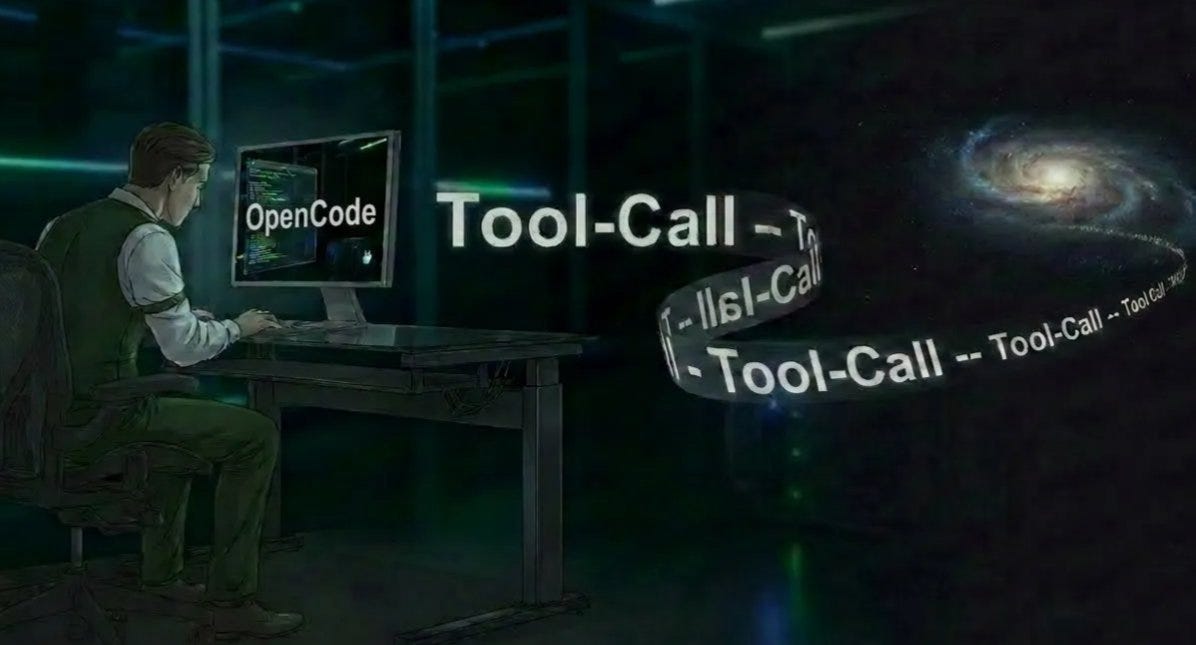
Everyone Showed Up at a Different Time for “3pm CET”
UTC, CET, London, Berlin — one meeting, four interpretations.
Everyone Showed Up at a Different Time for “3pm CET”
UTC, CET, London, Berlin — one meeting, four interpretations.
A free, offline timezone converter that actually uses the abbreviations from your meeting invites

“Team sync tomorrow at 3pm CET.”
CET. Central European Time. For someone in Germany, used to MEZ and MESZ, that single abbreviation already raises questions. Is CET always MEZ? What about summer time? And suddenly, the meeting isn’t tomorrow anymore — it’s a quick detour through Google.
This happens constantly. International teams casually throw around PST, EST, JST, AEST, assuming everyone shares the same mental map.
They don’t.
The Problem with Current Timezone Converters
Most converters drown users in dropdowns with hundreds of entries. “America/Indiana/Knox” sits right next to “Asia/Kolkata” — technically correct, completely useless when the invite just says “3pm PST.”
Other tools solve one problem and introduce three new ones: tracking, accounts, online-only behavior. Try checking a meeting time on a flight. Didn’t work.
What was missing wasn’t another database. It was a tool that speaks the same language as calendar invites.
The Solution
This converter starts where people actually are: timezone abbreviations.
Open it, and the list shows CET, PST, EST, JST, GMT, AEST — the abbreviations people write, not the ones buried in operating system internals. Each entry spells things out clearly: full name, UTC offset, no guessing.
Country search fills the other gap. Type “Germany” and CET is selected. Type “Japan” and JST appears. Type “USA” and it defaults to EST — not perfect, but predictable.
Pick a source timezone. Pick a target timezone. Convert.
The result shows up as one clear sentence in the local timezone. No competing timestamps. No ambiguity. And that’s exactly the point.
Layout & Result Philosophy
The interface deliberately avoids showing multiple answers at once. Calendar invites don’t work that way — they imply one time, one meaning.
Two visual styles exist: a clean flat layout and a metallic, neumorphic design that became the default. Once selected, the choice is stored locally in the browser.
No accounts. No tracking. Just consistency.
Technical Details
Everything runs on vanilla JavaScript using the Intl.DateTimeFormat API and the IANA timezone database — the same foundation operating systems rely on. Daylight saving time is handled correctly because the source data already knows how to do it.
More than 50 timezone abbreviations are included. Country search works in English and German. The entire tool runs offline, with no frameworks, no dependencies, and no network calls.
Open source on GitHub. MIT licensed. Download it once and it keeps working.
Usage Guide
The interface stays minimal on purpose.
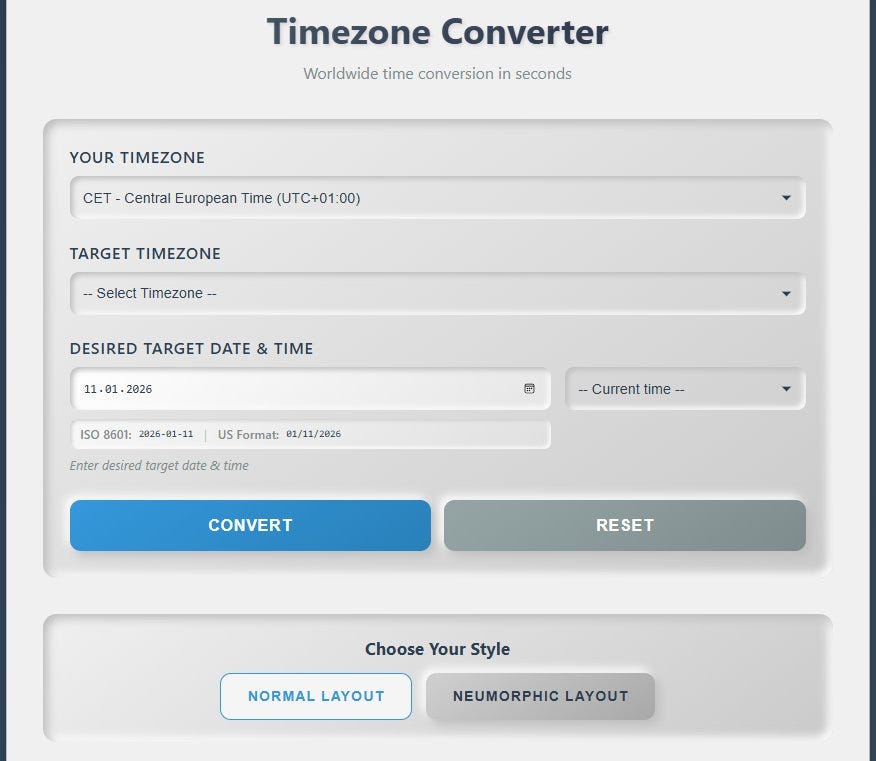
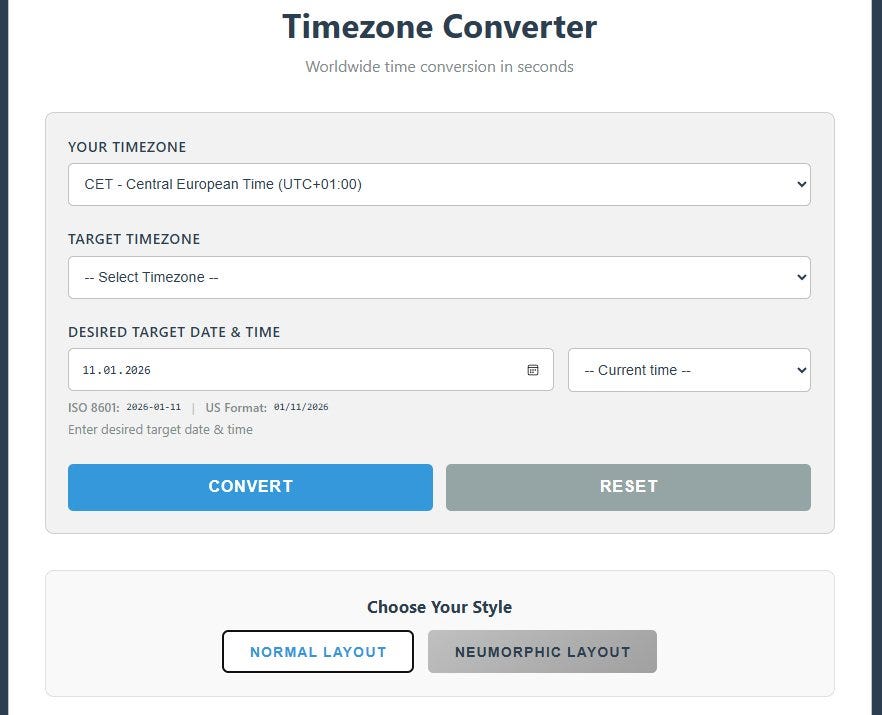
The workflow mirrors how people actually think about meeting times.
Basic Conversion
The main screen shows two timezone selectors and a datetime picker.
Step 1: Select Your Timezone
Click “Your Timezone.” An alphabetically sorted list of abbreviations appears — not city names, not regions, but the shorthand people recognize.
Each entry combines abbreviation, full name, and UTC offset. Guessing disappears.
Step 2: Select Target Timezone
Choose the timezone from the invite. “10am PST”? Select PST — or type “Los Angeles” if that’s easier.
Step 3: Set Date and Time (Optional)
The datetime picker defaults to now. For future meetings, set a specific date and time. The entered time is always interpreted in the source timezone.
That detail matters. “15:00 CET” means exactly 3pm CET — not whatever the browser happens to think is local.
Step 4: Convert
Click “Convert.” The result appears instantly.
Source time, target time, and the offset between them are shown clearly. “5 hours ahead” or “8 hours behind” becomes an immediate sanity check — especially when someone says, “Let’s meet at 3pm your time.”
Get the Tool
The project is open source on GitHub: https://github.com/Rigel-Computer/timezone-converter
Clone it, download the ZIP, or grab the raw HTML file. Open it in any modern browser.
Mac, Windows, Linux, iOS, Android — if a browser runs, the converter does too.
Next time a calendar says “3pm CET,” there’s no guessing left. Just a time that actually means something.
GitHub: https://github.com/Rigel-Computer/timezone-converter
Update (2026): This article is an updated version of a previously published post. The tool now correctly interprets calendar-style timezone abbreviations like CET, CEST, PST, and EDT — fully offline.
Nearly the whole medium article as well as a good part of the tool itself was created with help of GenAI-LLM (like Claude or ChatGPT)!
메타데이터
- post_id
- 8cdff0230796
- slug
- everyone-showed-up-at-a-different-time-for-3pm-cet-8cdff0230796
- url
- https://medium.com/rigel-computer-com/everyone-showed-up-at-a-different-time-for-3pm-cet-8cdff0230796
- canonical_url
- https://medium.com/rigel-computer-com/everyone-showed-up-at-a-different-time-for-3pm-cet-8cdff0230796
- author_url
- https://medium.com/@rigel-computer
- status
- ok
- fetched_at
- 2026-06-23 19:38:28