The Hidden Cost of Installing Too Many Magento Extensions
Every Magento extension promises new functionality, but installing too many can quietly increase complexity, reduce performance, and make…
The Hidden Cost of Installing Too Many Magento Extensions
Every Magento extension promises new functionality, but installing too many can quietly increase complexity, reduce performance, and make future maintenance far more difficult. Heres what every Magento merchant should know before adding another extension.
When businesses first launch a Magento store, every new extension feels like an opportunity.
Need better search? Install an extension.
Want advanced shipping rules? Install another.
Looking for loyalty programs, product recommendations, AI powered search, advanced reports, customer reviews, marketing automation, or payment integrations? There is almost always an extension available.
This flexibility is one of Magentos biggest strengths.
Unlike many ecommerce platforms that limit customization, Magento gives businesses the freedom to build an online store that matches their unique requirements.
However, that same flexibility can become a challenge when every new requirement is solved by installing another extension.
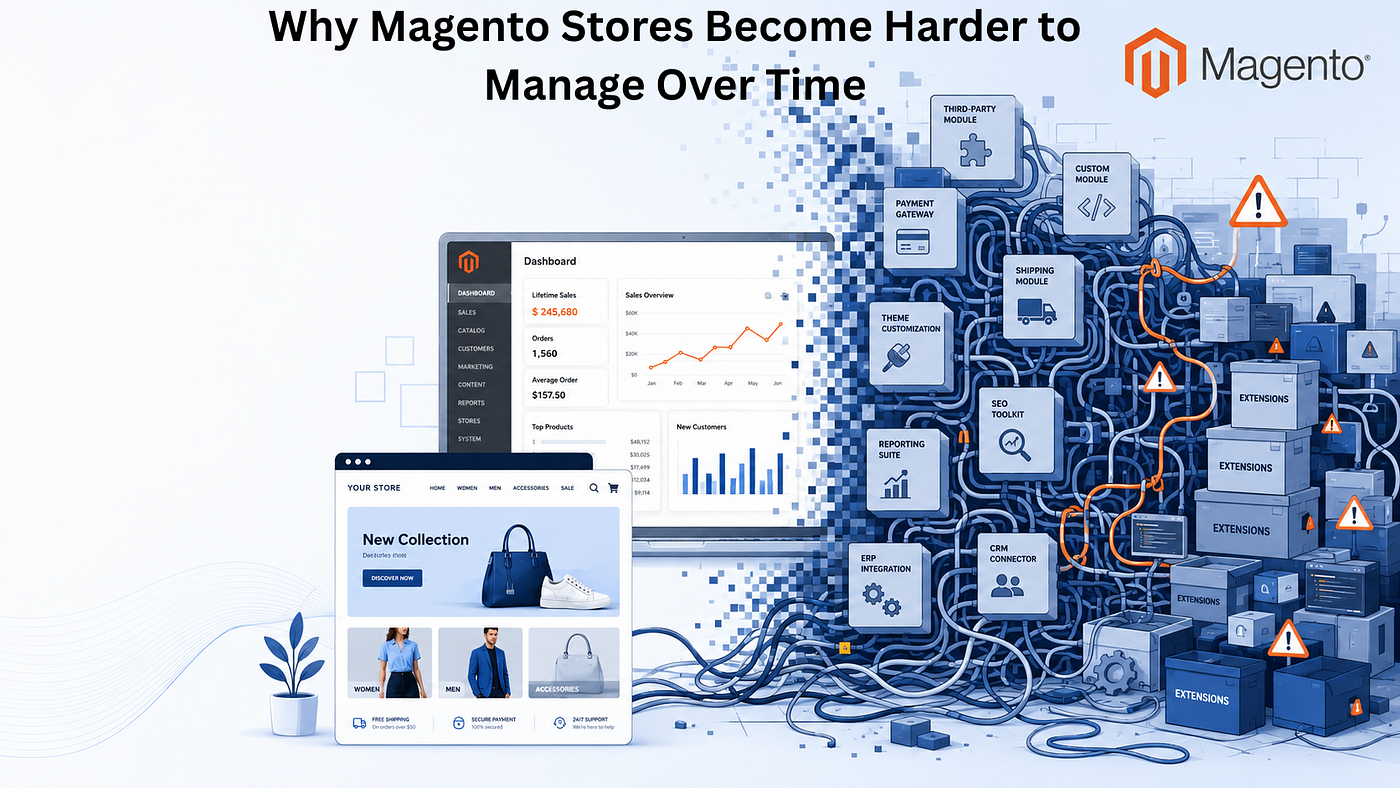
Over time, what began as a carefully planned ecommerce platform can slowly evolve into a collection of interconnected modules, each introducing its own logic, dependencies, updates, and maintenance requirements.
The problem is not that Magento extensions are bad.
The real problem is believing that adding more extensions will always make a store better.
In reality, every extension carries both value and responsibility.
Understanding that balance is essential for long term ecommerce success.
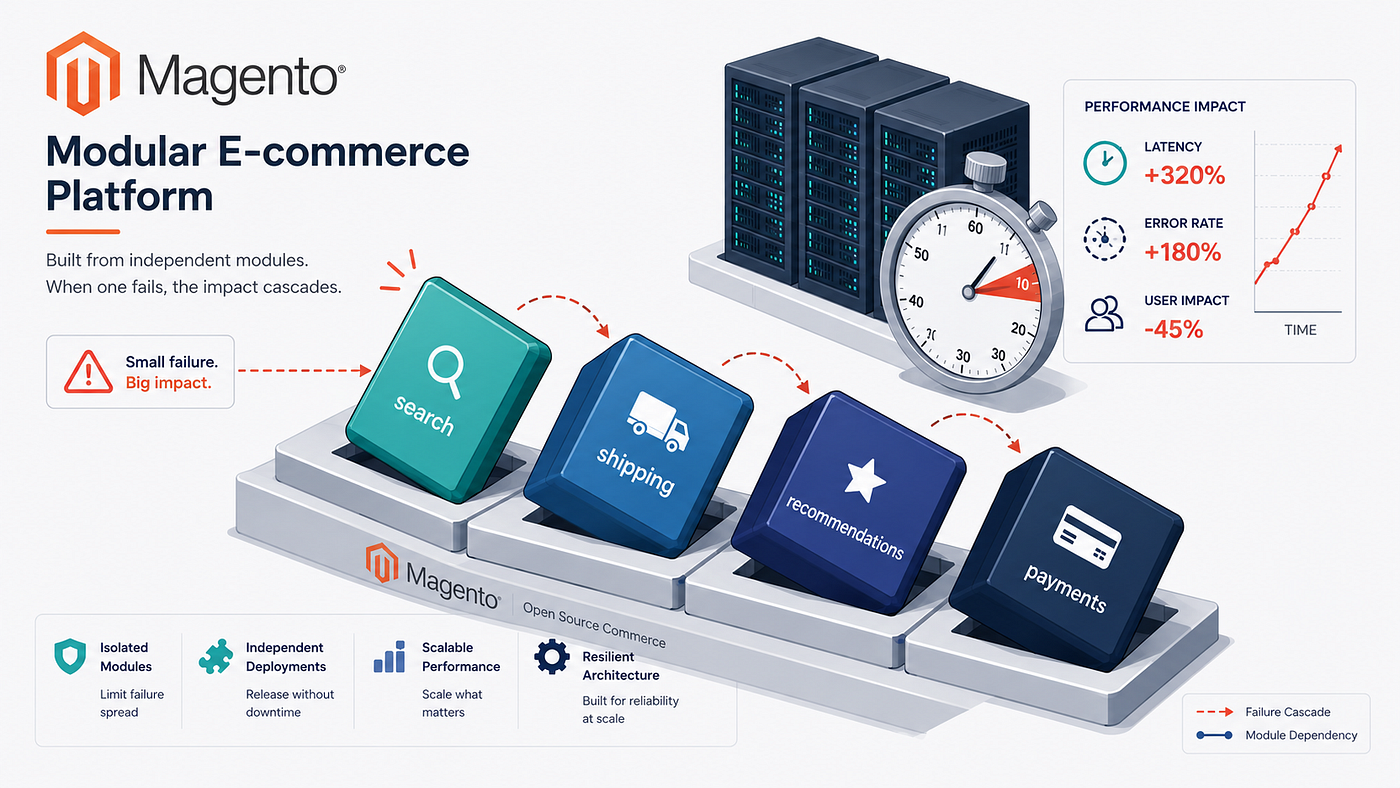
Magento additional extensions caused
Why Businesses Keep Installing More Extensions
Most businesses do not intentionally overload their Magento stores.
It usually happens gradually.
A marketing campaign requires new promotional features.
The warehouse requests inventory automation.
Customer service wants live chat.
The finance team asks for ERP integration.
Sales teams request personalized recommendations.
Each request makes perfect sense on its own.
Because extensions provide a relatively quick solution, they become the preferred approach.
Months later, the store may be running dozens of third party modules developed by different vendors, each following different coding standards and update schedules.
Individually, these extensions may perform well.
Collectively, they can introduce unnecessary complexity.
More Features Do not Always Mean Better Business
One of the biggest misconceptions in ecommerce is that more functionality automatically creates a better customer experience.
In reality, customers rarely judge a website by the number of features it offers.
They judge it by how easily they can find products, complete purchases, and trust the shopping experience.
Every additional extension increases the complexity of the platform.
Businesses should therefore ask an important question before installing any new functionality:
Does this extension solve an actual business problem, or does it simply add another feature?
That distinction can make a significant difference over time.
Not Every Extension Adds Real Value
Before installing a new extension, businesses should evaluate whether it contributes meaningful value to both the business and its customers.
For example, adding a sophisticated reporting module may seem useful, but if the team never uses the reports, the extension becomes another component that requires updates, compatibility checks, and maintenance.
Businesses should carefully review available **Magento Extensions** before installation to ensure they support long term business goals without creating unnecessary complexity.
Choosing functionality based on business value rather than feature count helps maintain a healthier Magento environment.
Performance Is Often the First Warning Sign
One of the earliest effects of extension overload is declining performance.
Every extension typically introduces additional code, database queries, frontend assets, scheduled tasks, or API requests.
One extension may have only a minor impact.
Ten or twenty extensions operating together can tell a very different story.
Common symptoms include:
- Slower page loading
- Delayed product searches
- Longer checkout processes
- Increased server resource usage
- Reduced mobile performance
Customers may not know why a store feels slow.
They simply notice that it does.
And in ecommerce, even small delays can influence purchasing decisions.
Compatibility Becomes Increasingly Difficult
Magento continues to evolve through regular updates and security improvements.
Extension developers also release updates to support new Magento versions.
Unfortunately, these release schedules rarely align perfectly.
As more extensions are installed, compatibility management becomes increasingly complex.
A single Magento upgrade may require reviewing dozens of independent modules.
Questions quickly emerge:
- Is every extension compatible?
- Are updates available?
- Have breaking changes been introduced?
- Will customizations still function correctly?
The more extensions a business depends on, the greater the effort required to answer these questions.
Security Risks Grow With Every Additional Extension
Security is another area where extension quantity matters.
Every installed extension expands the stores software footprint.
If one extension is poorly maintained or abandoned by its developer, it can become a potential vulnerability.
Businesses should regularly evaluate:
- Update frequency
- Developer reputation
- Security history
- Community support
- Documentation quality
Installing fewer, well-maintained extensions generally creates a more secure environment than relying on numerous unsupported modules.
Maintenance Is More Than Installing Updates
Many merchants assume maintaining extensions simply means clicking an update button.
In reality, proper maintenance often involves:
- Compatibility verification
- Regression testing
- Performance monitoring
- Conflict resolution
- Staging environment testing
- Documentation updates
Each additional extension increases these responsibilities.
This is one reason maintenance costs naturally grow as Magento stores become more complex.
Extension Conflicts Can Be Difficult to Diagnose
Not every extension conflict appears immediately.
Some issues remain hidden until:
- A Magento upgrade
- A PHP upgrade
- A hosting migration
- A new extension installation
- Changes to third party APIs
Businesses may suddenly encounter:
- Checkout failures
- Broken product pages
- Missing customer data
- Admin panel errors
- Search problems
Identifying the source of these conflicts can take significant time when numerous extensions interact with one another.
How to Build a Smarter Extension Strategy
Rather than asking:
Can we install another extension?
Businesses should begin asking:
Should we install another extension?
A practical evaluation process includes:
Define the business problem.
Clearly identify the challenge that needs solving.
Review existing functionality.
Determine whether the feature already exists elsewhere.
Evaluate long term maintenance.
Consider future updates, testing, and compatibility requirements.
Research the developer.
Review update history, documentation, support quality, and reputation.
Test before deployment.
Always validate new extensions in a staging environment before installing them on a live store.
Perform regular extension audits.
Review installed extensions periodically and remove those that no longer deliver business value.
Simplicity Often Creates Better Ecommerce Stores
One lesson experienced Magento teams often learn is that simplicity scales better than unnecessary complexity.
Well planned stores typically rely on fewer, higher quality extensions that solve meaningful business problems.
This approach often results in:
- Better performance
- Easier upgrades
- Lower maintenance costs
- Improved security
- Greater platform stability
Rather than measuring success by the number of installed extensions, successful businesses measure success by how effectively their technology supports customers and business operations.
Final Thoughts
Magentos flexibility is one of the reasons it remains a preferred platform for businesses with complex ecommerce requirements. Extensions play a vital role in extending that flexibility, allowing merchants to add capabilities without rebuilding core functionality.
However, successful Magento stores are not defined by the number of extensions they install. They are defined by how thoughtfully those extensions are selected, managed, and maintained.
Every extension should solve a genuine business problem, support long term goals, and integrate cleanly into the overall technology ecosystem. Taking time to evaluate new functionality before installation can reduce technical debt, simplify future upgrades, improve performance, and strengthen security.
In the long run, building a successful Magento store is not about adding every available feature. It is about creating a stable, efficient, and scalable ecommerce platform that continues to support both the business and its customers as they grow.
Frequently Asked Questions
Can too many Magento extensions slow down a store?
Yes. Each extension may add code execution, database activity, API requests, and frontend assets. As more extensions are installed, their combined impact can affect website performance.
How do Magento extension conflicts happen?
Conflicts occur when multiple extensions modify similar functionality, depend on incompatible components, or are not designed to work together.
How often should Magento extensions be reviewed?
Extension reviews should be performed regularly, particularly before Magento upgrades, PHP updates, or major infrastructure changes.
Is it better to use one extension with many features or several smaller extensions?
It depends on quality and business requirements. The best choice is usually the solution that provides the required functionality while minimizing unnecessary complexity.
How can businesses choose reliable Magento extensions?
Evaluate developer reputation, update frequency, compatibility, documentation, customer reviews, and long term support before installation.
Should unused Magento extensions be removed?
Yes. Extensions that no longer provide business value should be removed to reduce maintenance overhead, improve security, and simplify future upgrades.
메타데이터
- post_id
- 8d907aa394d7
- slug
- the-hidden-cost-of-installing-too-many-magento-extensions-8d907aa394d7
- url
- https://medium.com/@madhublogger/the-hidden-cost-of-installing-too-many-magento-extensions-8d907aa394d7
- canonical_url
- https://medium.com/@madhublogger/the-hidden-cost-of-installing-too-many-magento-extensions-8d907aa394d7
- author_url
- https://medium.com/@madhublogger
- status
- ok
- fetched_at
- 2026-08-01 12:40:08