Microsoft Power Platform Architecture
Explore Microsoft Power Platform architecture including apps, data, automation, analytics, AI Integration, and scalable business solutions.
Microsoft Power Platform Architecture: A Complete Guide for Modern Businesses
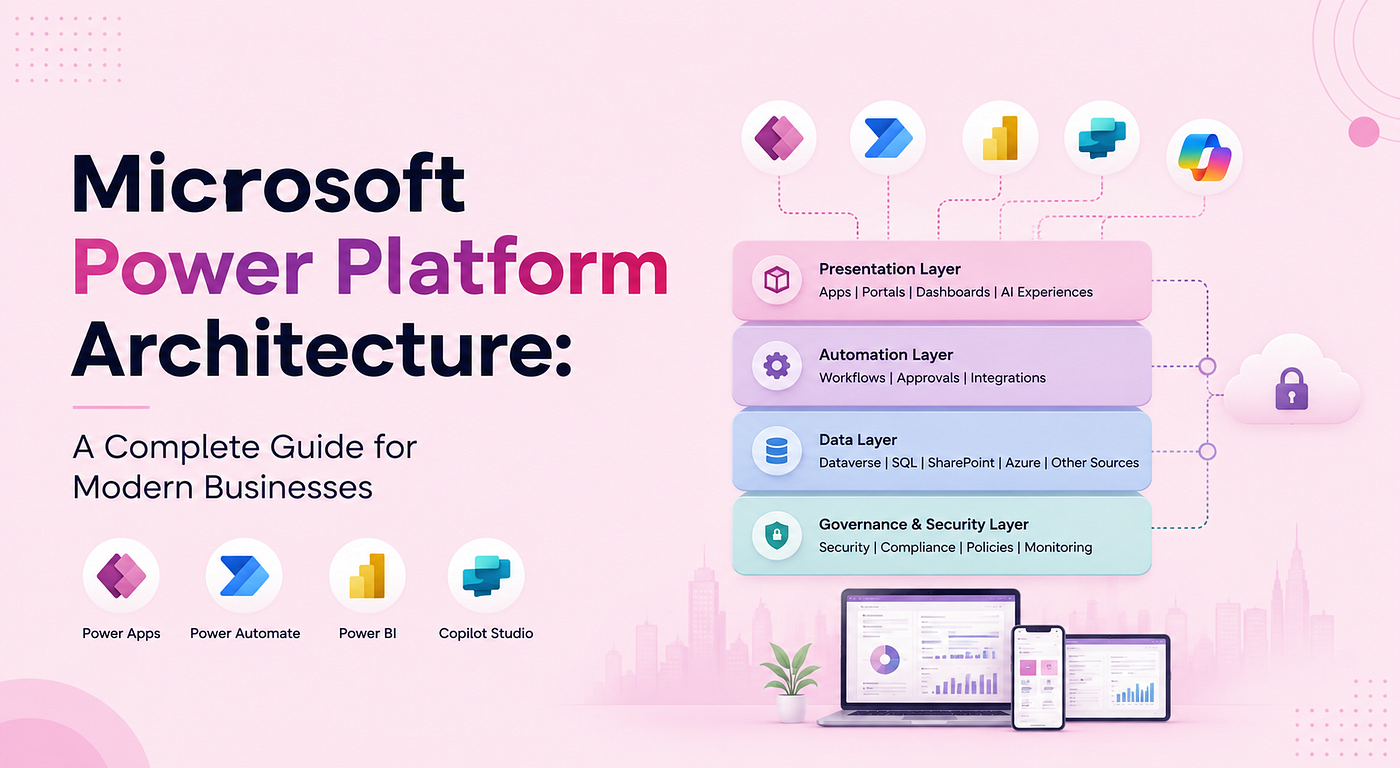
Modern businesses need connected digital solutions that can bring applications, data, automation, analytics, and artificial intelligence together. As organizations move away from disconnected systems and manual processes, having a structured technology architecture becomes increasingly important.
Microsoft Power Platform provides a broad set of low-code capabilities that help organizations build applications, automate workflows, analyze data, and create AI-powered experiences. However, the effectiveness of these capabilities depends on how they are designed and connected.
A well-planned Microsoft Power Platform architecture provides the foundation for building connected, flexible, and business-focused solutions.
About: Microsoft Power Platform Architecture
Why Architecture Matters for Modern Business Solutions
Organizations often use multiple applications and systems across departments. Sales may rely on CRM applications, finance may use dedicated financial systems, operations may work with databases, and management may depend on analytics platforms.
Power Platform architecture helps address these challenges by providing a structured approach to connecting business applications, data, workflows, analytics, and AI. A defined architecture also helps organizations build solutions consistently instead of creating isolated applications for every individual requirement.
Role of Low-Code, Cloud, and AI in Modern Application Development
- Low-code development:allows organizations to create applications and automate processes with less traditional programming.
- Cloud technologies: provide flexible connectivity and access to scalable services, AI introduces: intelligent capabilities into applications and workflows.
This combination enables organizations to modernize business processes while connecting new solutions with existing technology investments.
Microsoft Power Platform Architecture
Microsoft Power Platform architecture refers to the way applications, data, automation, analytics, AI capabilities, and integrations are designed and connected within a Power Platform environment.
Key Architectural Principles
The key architectural principles of **Microsoft Power Platform** are outlined below to help organizations build connected, scalable, flexible, and business-focused solutions.
- Business-Centered Design — Align the architecture with business requirements, processes, and user needs.
- Connected Data — Establish clear connections between business data and the applications and processes that use it.
- Scalability — Design solutions that can accommodate changing business requirements and growing workloads.
- Flexibility — Enable Power Platform solutions to adapt to different applications, departments, and business processes.
- Seamless Integration — Connect Power Platform with Microsoft services, enterprise applications, databases, cloud platforms, and third-party systems.
- Avoid Isolated Solutions — Build a connected ecosystem where applications, data, automation, analytics, and AI can work together.
Connecting Applications, Data, Automation, Analytics, and AI
The Power Platform ecosystem allows different capabilities to work together as
- Power Apps: provide business applications,
- Power Automate: can automate processes,
- Power BI: can deliver analytics,
- Copilot Studio: support AI-powered interactions
When these components are properly connected, organizations can create end-to-end digital solutions rather than standalone applications.
Core Components of Power Platform Architecture

Power Apps
Power Apps is the application development component of Power Platform. It enables organizations to create business applications for employees, teams, customers, and other users.
Canvas Apps
Canvas Apps provide greater flexibility over the application interface and user experience.
Model-Driven Apps
Model-driven apps are built around Dataverse and are well suited for applications that depend heavily on structured business data and processes.
Organizations can use **low-code application development** for building internal business applications with less traditional programming.
Power Automate
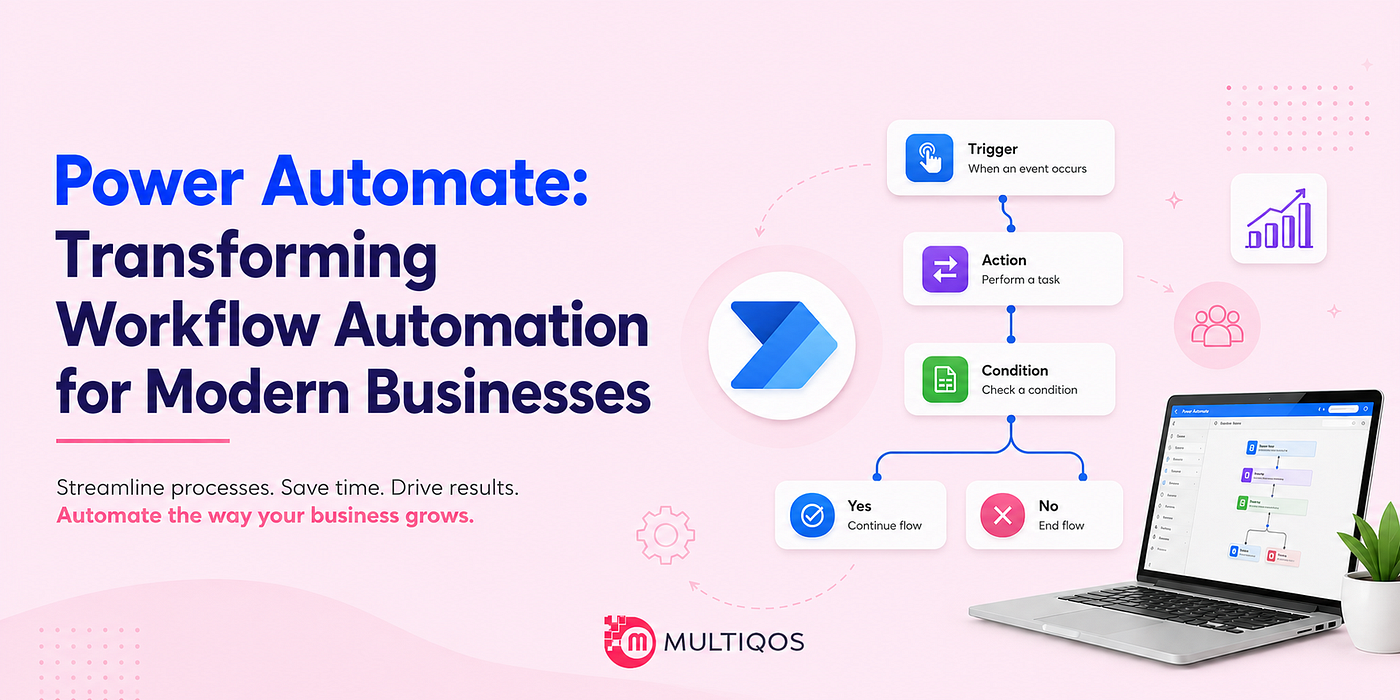
Power Automate provides workflow and process automation capabilities. It allows organizations to automate repetitive activities and coordinate processes across applications and systems.
Workflow and Process Automation
Businesses can use Power Automate for approvals, notifications, document processing, data updates, scheduled tasks, and other recurring processes.
Connecting Business Processes and Systems
Power Automate can connect Power Apps with Microsoft 365, Dynamics 365, Dataverse, Azure, and third-party services. This enables information to move between systems and allows automated actions to occur when specific business events take place.
Power BI
Power BI provides analytics, dashboards, and reporting capabilities within the Power Platform ecosystem.
Analytics, Dashboards, and Reporting
Organizations can use Power BI to combine information from different sources and present it through interactive reports and dashboards. This gives business users greater visibility into operational and strategic performance.
Organizations can also consider **Power BI vs. Databricks AI/BI** when evaluating different approaches to analytics and business intelligence.
Copilot Studio
Copilot Studio enables organizations to create AI agents and conversational experiences.
AI Agents and Conversational Experiences
Businesses can develop AI-powered agents that help users find information, answer questions, interact with business processes, and perform specific tasks.
Power Platform Data Architecture
Data is one of the most important elements of Power Platform architecture because applications, workflows, analytics, and AI capabilities all depend on reliable business information.
Microsoft Dataverse as the Core Data Platform
Microsoft Dataverse provides a structured data platform for Power Platform solutions. It supports business data, relationships, and application requirements while providing a common foundation for multiple Power Platform services.
Connecting SQL Server, SharePoint, Azure, and Other Data Sources
Microsoft Power Platform supports connections with SQL Server, SharePoint, Azure, Microsoft 365, Dynamics 365, and other external data sources. This connectivity helps organizations access and use data from multiple systems within their Power Platform applications, workflows, analytics, and AI solutions.
Data Integration and Synchronization
Data integration allows different systems to exchange information. Automated synchronization can help reduce repetitive data entry and improve consistency between applications.
Choosing the Right Data Source
The appropriate data source depends on factors such as the type of application, data structure, integration requirements, business processes, and expected usage.
Power Platform Architecture for Organizations
Power Platform architecture can support multiple departments and business functions while creating connections between their applications, processes, and data.
Supporting Different Business Departments and Functions
- Sales Teams: Use Power Apps for customer and sales processes.
- Operations Teams: Automate workflows and operational processes with Power Automate.
- Finance Teams: Use Power BI for financial reporting and business analytics.
Each department can address its own requirements while remaining connected to the organization’s broader technology environment.
Connecting Applications, Data, Workflows, Analytics, and AI
An organization-wide architecture can connect departmental applications with shared data, automated workflows, analytics, and AI capabilities.
Centralizing Business Processes Through Power Platform
Organizations can use common Power Platform capabilities to create connected business processes instead of maintaining separate solutions for every department.
Connecting Applications, Workflows, and Enterprise Systems

Integration allows Power Apps, Power Automate, Power BI, Dataverse, and Copilot Studio to interact with enterprise technologies.
For businesses building connected workflows, understanding **Power Automate integration with Power Apps and Power BI** can be especially useful because these services can work together to capture information, automate processes, and provide visibility into business performance.
Common Power Platform Architecture Patterns
Different organizations may use different architecture patterns depending on their data, application, integration, and AI requirements.

Centralized Data Architecture
A centralized data architecture uses Dataverse as a primary data foundation for business applications.
Dataverse-Centered Applications
Power Apps, Power Automate, Power BI, and Copilot Studio can work with Dataverse, allowing organizations to create connected solutions around shared business information.
Integrated Business Application Architecture
This architecture combines multiple Power Platform capabilities to support an end-to-end business process.
Power Apps + Power Automate + Power BI
- Power Apps: provide the application interface
- Power Automate: manage workflows,
- Power BI : provide reporting and analytics
AI-Enabled Architecture
AI capabilities can be incorporated into Power Platform architectures to support intelligent interactions and automated business processes.
Copilot Studio + Dataverse + Power Automate
- Copilot Studio: provide an AI-powered interface,
- Dataverse : provide access to structured business information,
- Power Automate : execute workflows
Together, these capabilities can create AI experiences that are connected to real business processes and data.
Hybrid Integration Architecture
A hybrid architecture combines Power Platform with Azure and existing enterprise systems.
Power Platform + Azure + Enterprise Systems
- Power Platform: used for applications, automation, analytics, and AI,
- Azure + existing enterprise system: support specialized workloads and business-critical data.
This approach allows organizations to modernize selected processes without replacing their entire technology environment.
Business Benefits and Future of Power Platform Architecture
A well-designed Power Platform architecture can provide significant benefits for organizations adopting low-code, automation, analytics, and AI technologies.
Faster Application and Solution Development
Power Platform’s low-code capabilities can reduce the time required to build applications and automate processes. Teams can respond to business requirements more quickly while reducing development complexity for suitable use cases.
Improved Process Automation and Data Visibility
Automated workflows can reduce repetitive manual activities, while integrated analytics provide greater visibility into business operations.
Connected Business Operations
When applications, data, workflows, analytics, and AI capabilities are connected, departments can work with more consistent information.
Better Employee and Customer Experiences
Employees can access business applications and information through streamlined digital experiences. Organizations can also use AI-powered solutions to provide faster access to information and support.
Supporting Digital Transformation
Power Platform can contribute to digital transformation by helping businesses modernize processes, connect existing systems, introduce automation, and develop new digital solutions.
Organizations considering broader adoption can also review the **Microsoft Power Platform benefits** to understand how its application, automation, analytics, and AI capabilities can support business transformation.
Creating an AI-Ready Technology Foundation
AI is becoming increasingly integrated into business applications and workflows. A connected Power Platform architecture can provide the data, application, and automation foundation needed to introduce AI into practical business scenarios.
Future Role of Power Platform in Modern Businesses
The future of Power Platform architecture will increasingly involve the convergence of low-code development, enterprise data, automation, analytics, and AI.
Conclusion
A well-structured Microsoft Power Platform architecture provides organizations with a framework for developing connected business solutions across applications, data, automation, analytics, and AI.
By combining Power Apps, Power Automate, Power BI, Copilot Studio, Dataverse, and enterprise integrations, businesses can build a connected and future-ready digital foundation that supports innovation and evolving business requirements.
메타데이터
- post_id
- 8dcda604dc47
- slug
- microsoft-power-platform-architecture-8dcda604dc47
- url
- https://blog.stackademic.com/microsoft-power-platform-architecture-8dcda604dc47
- canonical_url
- https://blog.stackademic.com/microsoft-power-platform-architecture-8dcda604dc47
- author_url
- https://medium.com/@darshilmultiqos
- status
- ok
- fetched_at
- 2026-08-22 12:22:50