Managing Python Versions on Windows Without Losing Your Mind (with pyenv-win)
If you are someone who works with Python, you probably have multiple versions of Python installed. Even if not, there will be situations…
Managing Python Versions on Windows Without Losing Your Mind (with pyenv-win)
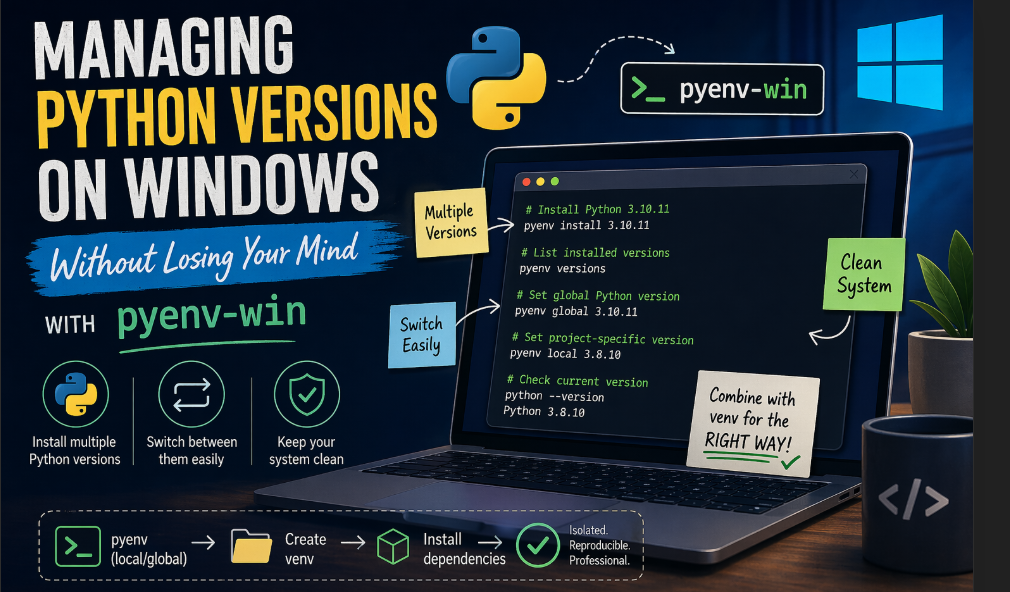
AI Generated Image
If you are someone who works with Python, you probably have multiple versions of Python installed. Even if not, there will be situations where a project requires a specific version that you don’t have.
And as this keeps happening, you eventually reach a point where there are multiple versions of Python on your system — and managing them becomes half the job.
As the title says… we start losing our mind.
But don’t worry — there is a way to handle this without going insane.
People using Linux/macOS solve this using pyenv.
But what about Windows users?
Since pyenv doesn’t natively work on Windows, people end up stuck in a loop of:
- Reinstalling Python again and again
- Creating virtual environments blindly
- Or just sticking with whatever version they already have
None of these scales (they are inefficient).
The solution? → pyenv-win
pyenv-win is basically the Windows-friendly version of pyenv.
Same idea:
- Install multiple Python versions
- Switch between them easily
- Keep your system clean
Why is Python version control actually required?
- You’re working on multiple projects
- You’re using frameworks with strict version requirements
- You’re doing AI/ML (trust me, I know)
- You’re switching jobs/projects frequently
Real example
One project:
Python 3.8 + TensorFlowAnother project:
Python 3.11 + FastAPITry running both without version management.
You’ll spend more time fixing environments than actually writing code.
Installation
I’ll leave the installation part to the official documentation since there are multiple ways to do it:
- PowerShell — easiest way
- Git commands — default way + manual setup
- pyenv-win zip — manual installation
- Python pip — for existing users
- Chocolatey
(I personally used Python pip — felt the easiest.)
Core Commands You Actually Need
Don't worry, you will memorize it soon enough:
Install Python version
pyenv install 3.10.11List installed versions
pyenv versionsSet global Python version
pyenv global 3.10.11Set project-specific version
pyenv local 3.8.10This creates a .python-version file in your project.
Check current version
python --versionCombine pyenv-win with virtual environments
Flow becomes:
- Set Python version using pyenv
- Create a venv inside the project
- Install dependencies
Example:
pyenv local 3.10.11
python -m venv venv
venv\Scripts\activate
pip install -r requirements.txt
Now you have:
- Version isolation (pyenv)
- Dependency isolation (venv)
That’s the right way to do it.
Common Pitfalls (Don’t Be That Guy)
It’s not switching Python versions. Restart your terminal.
pip still points to wrong version. Use:
python -m pip install <package>Too many versions installed? Delete unused ones:
pyenv uninstall 3.7.9TRY To Keep it lean.
When NOT to Use pyenv-win
Let’s be real — this isn’t magic.
Avoid if:
- You’re doing very basic scripting
- You only use one Python version ever
- You’re on corporate machines with locked configs
Otherwise? Use it.
Final Thoughts
If you’re serious about working with Python, this WILL support you.
You wouldn’t:
- Code without Git
- Deploy without environments
- Build APIs without structure
So why struggle to switch Python versions manually?
Use pyenv-win to make your life easier.
I’m a new writer who is sharing my own experiences and thoughts from working with AI. Hope this helped you, your support means a lot! Clap and follow me, it keeps me motivated to post more useful content!
메타데이터
- post_id
- 8ea3abfa5eff
- slug
- managing-python-versions-on-windows-without-losing-your-mind-with-pyenv-win-8ea3abfa5eff
- url
- https://medium.com/@sanathgoutham/managing-python-versions-on-windows-without-losing-your-mind-with-pyenv-win-8ea3abfa5eff
- canonical_url
- https://medium.com/@sanathgoutham/managing-python-versions-on-windows-without-losing-your-mind-with-pyenv-win-8ea3abfa5eff
- author_url
- https://medium.com/@sanathgoutham
- status
- ok
- fetched_at
- 2026-06-29 01:02:39




