Easy ZPL Viewer: Render Zebra ZPL Labels Offline in Android Using Kotlin
Shipping labels are everywhere: e-commerce, logistics, warehouses, courier apps, inventory systems, retail back offices, healthcare…
Easy ZPL Viewer: Render Zebra ZPL Labels Offline in Android Using Kotlin
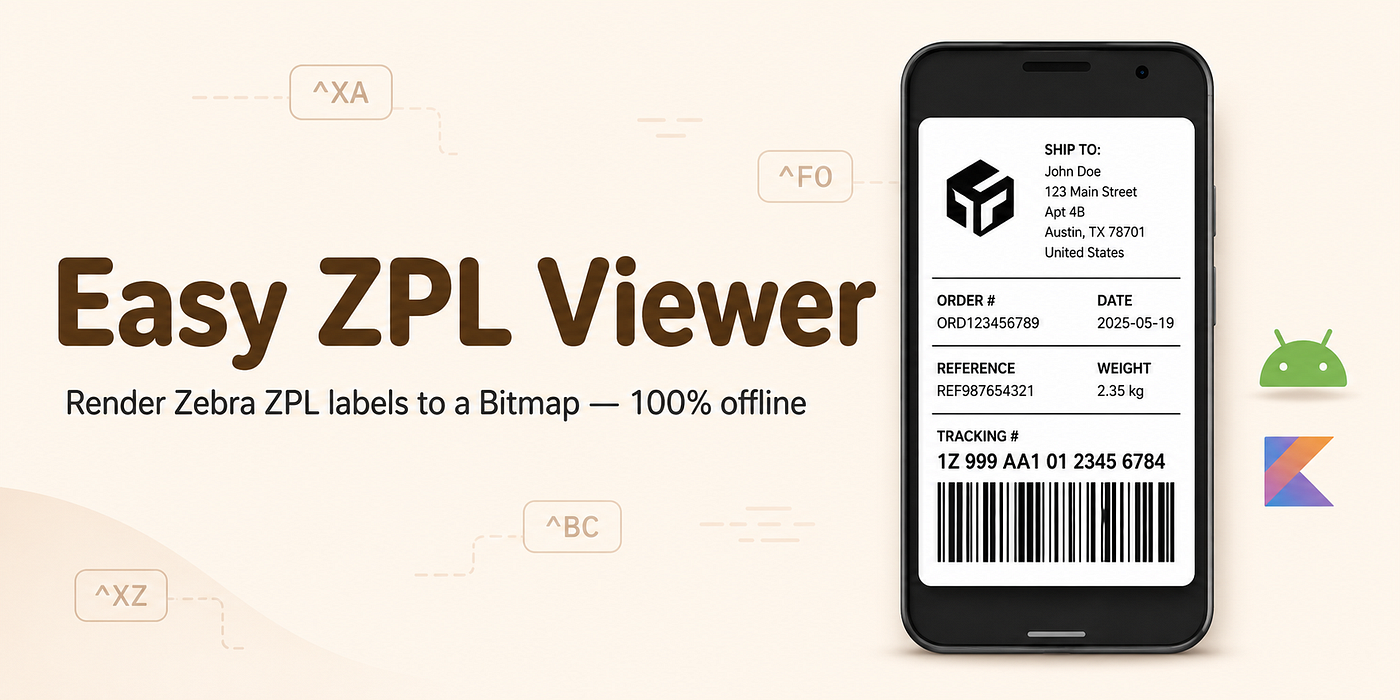
Shipping labels are everywhere: e-commerce, logistics, warehouses, courier apps, inventory systems, retail back offices, healthcare packaging, manufacturing, and field-service workflows.
If you have ever worked with Zebra printers or thermal label printers, you have probably seen ZPL.
ZPL, or Zebra Programming Language, is a command-based language used to describe label layouts. A typical ZPL label contains commands for text, barcodes, boxes, graphics, label size, print width, and positioning.
For example:
^XA
^FO50,50^A0N,40,40^FDHello ZPL^FS
^FO50,120^GB400,3,3^FS
^BY3,3,90
^FO50,160^BCN,90,Y,N,N^FD123456789^FS
^XZ
This works perfectly when sent to a Zebra-compatible printer. But in many Android applications, developers face a very practical problem:
How do we preview a ZPL label before printing it?
That is where Easy ZPL Viewer comes in.
What is Easy ZPL Viewer?
Easy ZPL Viewer is an open-source Android library that renders Zebra ZPL/ZPL2 label code into an Android Bitmap completely offline.
It is built in Kotlin and designed for Android developers who need to preview, render, and print ZPL labels without depending on an external API or online rendering service.
In simple terms:
ZPL code → Android Bitmap → Preview / PrintThe library is useful when you want to display a shipping label inside your Android app before sending it to a printer.
Why Offline ZPL Rendering Matters
Many developers use online tools or APIs to preview ZPL labels during development. These services are helpful, but they are not always suitable for production Android apps.
In real-world environments, offline rendering matters for several reasons.
1. No Network Dependency
Warehouse apps, courier apps, and field-service apps often operate in places where internet connectivity is unstable. If label rendering depends on an external service, the user experience breaks the moment the network fails.
With Easy ZPL Viewer, the rendering happens directly on the Android device.
No internet permission is required.
2. Better Privacy
Shipping labels may contain names, addresses, phone numbers, order IDs, tracking numbers, and customer data. Sending that data to a third-party label rendering API can create privacy and compliance concerns.
Offline rendering keeps the label data inside the app.
3. Faster Preview Experience
A local renderer avoids round trips to a server. The app can generate a preview immediately from raw ZPL and display it as a bitmap.
This is especially helpful when users are editing label templates or reviewing multiple labels.
4. Production-Friendly Android Integration
Because the output is a standard Android Bitmap, it can be used with:
- Jetpack Compose
- Classic Android Views
- ImageView
- Android print framework
- Custom preview screens
- Local file export workflows
This makes the library easy to integrate into existing Android apps.
Core Features
Easy ZPL Viewer provides a practical feature set for Android label rendering.
Offline ZPL to Bitmap Rendering
The main feature is rendering raw ZPL/ZPL2 code into a bitmap:
val renderer = ZplRenderer()val bitmap: Bitmap? = renderer.renderZplToBitmap(
zplCode = zpl,
dpmm = 8,
widthMm = 102,
heightMm = 152
)Here, dpmm means dots per millimeter. For example, 8 dpmm is commonly equivalent to 203 DPI, which is a standard density for many thermal printers.
The library returns a standard Android Bitmap, which can then be displayed or printed.
Jetpack Compose Support
Since the renderer returns a bitmap, it works naturally with Jetpack Compose.
A simple Compose usage can look like this:
@Composable
fun ZplLabelImage(zpl: String) {
    val renderer = remember { ZplRenderer() }
    var bitmap by remember(zpl) { mutableStateOf<Bitmap?>(null) }
LaunchedEffect(zpl) {
bitmap = renderer.renderZplToBitmap(
zplCode = zpl,
dpmm = 8,
widthMm = 102,
heightMm = 152
)
} bitmap?.let {
Image(
bitmap = it.asImageBitmap(),
contentDescription = null,
modifier = Modifier
.fillMaxWidth()
.background(Color.White),
contentScale = ContentScale.FillWidth
)
}
}This makes it easy to build a clean label preview screen inside a modern Android application.
Kotlin DSL for Building ZPL
One of the interesting parts of the project is that it does not only render ZPL. It also provides a Kotlin DSL for generating ZPL programmatically.
Instead of manually writing command strings, developers can build labels using a type-safe Kotlin-style API.
Example:
val zpl: String = k2zpl {
    startFormat()
printWidth(812)
labelLength(1218) setDefaultFont(fontHeight = 40, fontWidth = 40) field(x = 50, y = 50, data = "Intershipping, Inc.")
field(x = 50, y = 110, data = "1000 Shipping Lane") line(x = 50, y = 170, width = 700, thickness = 3) barcode128(
data = "PKG-778899",
x = 50,
y = 220,
height = 120,
interpretationLine = true
) barcode39(
data = "ZIP001",
x = 50,
y = 420,
height = 80,
interpretationLine = true
) endFormat()
}This is useful when label templates are generated dynamically from app data such as:
- Customer name
- Shipping address
- Order number
- Tracking number
- Product SKU
- Warehouse location
- Barcode value
The DSL reduces the risk of malformed command strings and makes ZPL generation easier to maintain.
Supported ZPL Capabilities
Easy ZPL Viewer supports many commonly used ZPL commands needed for practical label previews.
Some supported areas include:
Label Structure
Commands such as:
^XA
^XZ
These define the start and end of a label.
Field Positioning
Commands such as:
^FO
^FT
^FD
^FS
These are used to position and render text or data fields.
Text and Fonts
The library supports font selection, font sizing, orientation, and default font configuration.
This helps render labels with different text blocks, rotated text, and common ZPL font styles.
Graphics and Boxes
Commands such as:
^GB
^GF
^FR
These allow boxes, graphic fields, and reverse fields. This is useful for separators, borders, filled areas, logo-style graphics, and cut-out effects.
Barcodes
The library supports barcode rendering for common formats such as:
- Code 128
- Code 39
- Data Matrix placeholder support
For shipping labels, Code 128 and Code 39 are especially useful because they are widely used in logistics and inventory workflows.
Loading ZPL from Assets
The example app included in the repository demonstrates how to load ZPL files from Android assets.
It supports:
- Plain ZPL text files
- Base64-encoded ZPL
- ZIP files containing ZPL
- Multiple
^XA ... ^XZlabels in a single file
This is useful for testing many sample labels quickly.
For example, you can place ZPL files inside:
app/src/main/assets/Then the example app loads and renders them in a swipeable preview pager.
This makes the project not only a library, but also a practical testing tool for ZPL rendering.
Printing Rendered Labels
Once the ZPL is rendered into a bitmap, it can be sent to Android’s print framework.
Example:
fun printLabel(context: Context, jobName: String, bitmap: Bitmap) {
    PrintHelper(context).apply {
        scaleMode = PrintHelper.SCALE_MODE_FIT
        colorMode = PrintHelper.COLOR_MODE_MONOCHROME
    }.printBitmap(jobName, bitmap)
}
This opens the Android system print dialog and allows printing through available print services.
For Android apps that need to preview and print labels, this creates a simple workflow:
Generate ZPL → Render Bitmap → Show Preview → PrintInstallation
The library can be added through JitPack.
First, add JitPack to your repositories:
dependencyResolutionManagement {
    repositories {
        google()
        mavenCentral()
        maven("https://jitpack.io")
    }
}
Then add the dependency:
dependencies {
    implementation("com.github.umair13adil:EasyZPLViewer:1.2")
}
After that, you can create a ZplRenderer and start rendering ZPL strings directly inside your Android app.
Running the Example App
To try the sample project locally:
git clone https://github.com/umair13adil/EasyZPLViewer.git
cd EasyZPLViewer
./gradlew :app:installDebug
Useful Gradle tasks include:
./gradlew :app:assembleDebug
./gradlew :easyzpl:assembleRelease
./gradlew :easyzpl:publishToMavenLocal
The sample app is helpful because it gives developers a working reference for rendering, previewing, loading, and printing labels.
Where This Library Can Be Used
Easy ZPL Viewer can be useful in several Android use cases.
Logistics and Courier Apps
Drivers or warehouse operators can preview labels before printing them.
E-commerce Fulfillment
Apps can generate and preview shipping labels for orders before dispatch.
Inventory and Warehouse Management
Labels for shelves, bins, products, packages, or pallets can be rendered locally.
Field-Service Applications
Technicians can generate equipment labels, asset tags, or service labels directly from an Android device.
Offline-First Enterprise Apps
Apps that must work without internet can still render labels on-device.
Why Developers Should Care
ZPL is powerful, but it is not visually friendly. Reading raw commands is difficult, especially when debugging label templates.
A developer may receive ZPL like this:
^XA
^FO40,40^A0N,35,35^FDOrder #12345^FS
^FO40,100^BCN,100,Y,N,N^FD123456789^FS
^XZ
But what the user needs is a visual preview.
Easy ZPL Viewer bridges that gap.
It gives Android developers a direct way to convert label code into something users can actually see.
Open Source and Contribution Opportunities
Easy ZPL Viewer is open source and licensed under MIT.
The project welcomes contributions such as:
- Adding support for more ZPL commands
- Improving rendering accuracy
- Enhancing barcode rendering
- Adding more sample labels
- Improving documentation
- Fixing layout edge cases
- Comparing rendering output against real Zebra printers
ZPL has many commands, and real-world labels can be complex. That makes this kind of project a strong candidate for community-driven improvements.
Final Thoughts
Easy ZPL Viewer solves a very specific but important problem for Android developers:
How do you render Zebra ZPL labels inside an Android app without sending data to an external service?
By converting ZPL/ZPL2 into an Android Bitmap fully offline, the library gives developers a clean foundation for label preview, printing, testing, and template debugging.
It is lightweight, Kotlin-based, Android-friendly, and practical for real-world shipping, warehouse, and logistics applications.
If you are building an Android app that works with Zebra printers, thermal labels, shipping labels, or barcode-based workflows, Easy ZPL Viewer is worth exploring.
GitHub Repository:
https://github.com/umair13adil/EasyZPLViewer메타데이터
- post_id
- 8eba4fc2cf92
- slug
- easy-zpl-viewer-render-zebra-zpl-labels-offline-in-android-using-kotlin-8eba4fc2cf92
- url
- https://medium.com/@umairadil/easy-zpl-viewer-render-zebra-zpl-labels-offline-in-android-using-kotlin-8eba4fc2cf92
- canonical_url
- https://medium.com/@umairadil/easy-zpl-viewer-render-zebra-zpl-labels-offline-in-android-using-kotlin-8eba4fc2cf92
- author_url
- https://medium.com/@umairadil
- status
- ok
- fetched_at
- 2026-07-10 00:23:36




