The Future of Human-AI Interaction Design
The future of human-AI interaction design is about trust, not intelligence. Models are now a commodity. The interface is the moat. By the…
The Future of Human-AI Interaction Design
The future of human-AI interaction design is about trust, not intelligence. Models are now a commodity. The interface is the moat. By the end of 2026, Gartner expects 40% of enterprise apps to embed task-specific AI agents, up from under 5% in 2025 (Gartner, 2025). Yet trust is falling while adoption rises. The designers who win the next cycle will build AI that explains itself, fails gracefully, and hands control back to the user.
TL;DR
- AI capability has outrun human trust. Adoption is up; confidence is down (NN/g State of UX 2026).
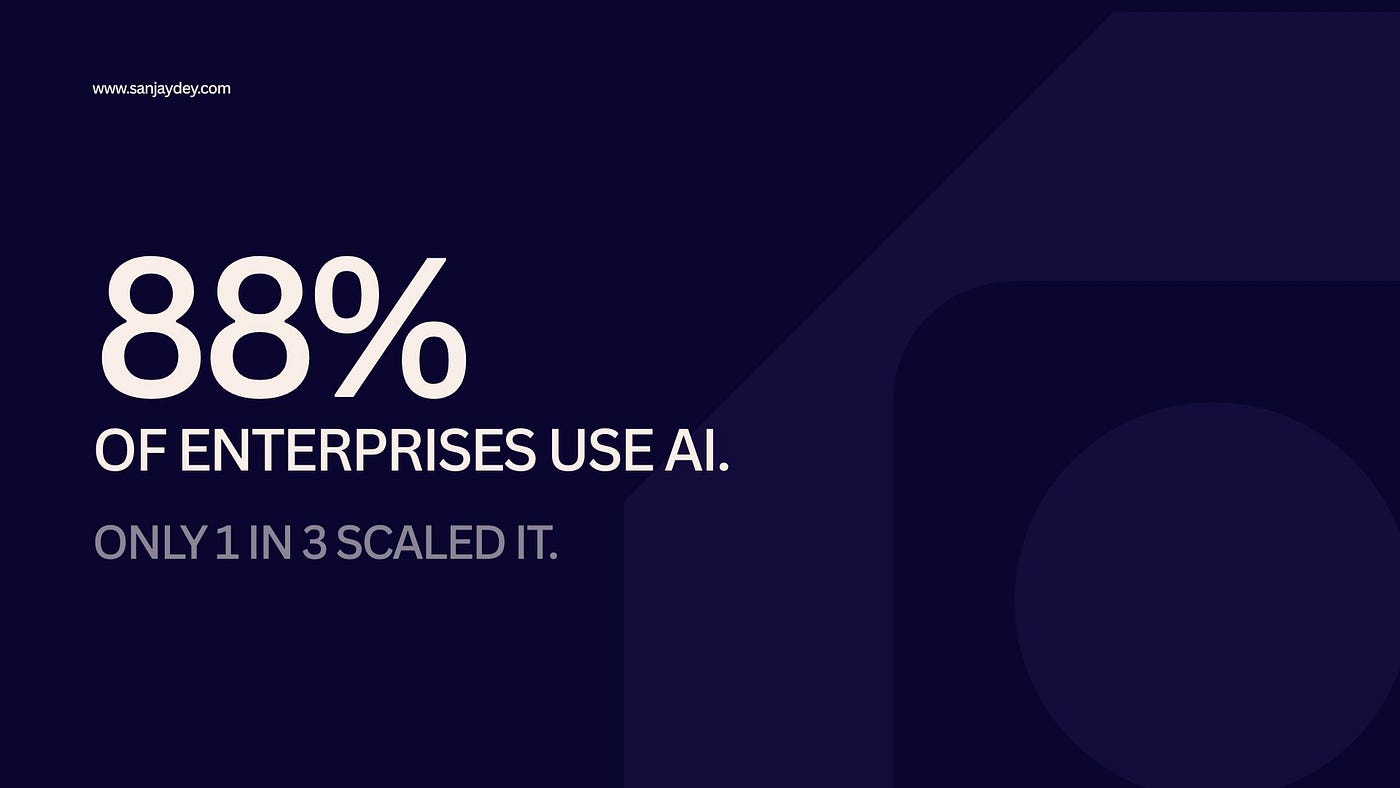
- 88% of enterprises use AI in at least one function; only one-third have scaled it (McKinsey, 2026).
- Companies with dedicated AI UX designers see 3x higher adoption of their AI products.
- The explainable AI market heads toward $33.2 billion by 2032. Transparency is now a design discipline.
- Geographic markets diverge sharply on regulation, voice adoption, and trust. Design accordingly.
Table of Contents
- Why trust replaced intelligence as the design problem
- What human-AI interaction design actually means in 2026
- The seven shifts redefining AI user experience
- Designing for explainability and control
- The agentic interface problem
- Comparison: traditional UX vs human-AI interaction design
- A practical process for designing human-centered AI
- Tools and resources
- Geographic relevance: USA, UK, UAE, Australia, India
- FAQ
- Conclusion
Why Trust Replaced Intelligence as the Design Problem
I spent 20 years designing dashboards before AI features started shipping into them. The pattern I see now is consistent. Teams ship a model that works in the demo. Users open it once. Then they stop.
The Nielsen Norman Group named this directly. Trust is now a major design problem for AI experiences (NN/g, 2026). People burned by a bad AI feature hesitate before adopting the next one.
The numbers back the tension. McKinsey reports 88% of organizations use AI in at least one function, with 72% using generative AI, up from 33% in 2024. But nearly two-thirds have not scaled it across the enterprise (McKinsey, 2026).
Jakob Nielsen framed the consequence well. As model performance becomes commodity, the competitive moat shifts to user experience (NN/g, 2026). Your backend is replaceable. Your trust design is not.
That brings up a problem most teams ignore until churn data forces them to look.
What Human-AI Interaction Design Actually Means in 2026
Human-AI interaction design is the practice of designing how people understand, direct, and rely on AI systems. It covers explanation, control, error recovery, and trust calibration. It differs from traditional UX because outputs are probabilistic, not fixed. The same input can produce different results. Designing for that uncertainty is the core skill, and most UX training never covered it.
This is one of the most misunderstood parts of the discipline. People assume AI UX is about prompt boxes and chat bubbles. It is not.
The harder work sits underneath. How does a user know what the system did? Can they undo it? Do they understand why it made a choice? When users walk away from AI tools, many do so uncertain about what the system actually did or why (UX Collective, 2026).
Companies with dedicated AI UX designers achieve 3x higher adoption rates for their AI products (HeroHunt, 2026). The role requires understanding probabilistic outputs, user trust dynamics, and explanation design.
If you run a SaaS product, this is the difference between a feature that retains and one that quietly dies.
The Seven Shifts Redefining AI User Experience
From static screens to generative UI
Interfaces are starting to assemble themselves at runtime based on user intent. Jakob Nielsen calls this Generative UI, and he expects momentum in 2026 (NN/g, 2026). The catch: GenUI demands a high-trust environment. Users can no longer rely on memory of where a tool lives, so they must trust the system to surface it.
From clicking to delegating
Agentic interfaces let users delegate whole tasks. UX becomes delegative. The work moves to guardrails, oversight, and intervention points (Medium, 2026).
From hidden logic to explainable output
People will not trust what they cannot understand. The explainable AI market is projected to reach $33.2 billion by 2032 (UX Collective, 2026). Gartner predicts explainable AI will push LLM observability investments to 50% of GenAI deployments by 2028, up from 15% today (Gartner, 2026).
From single channel to voice and multimodal
Voice stopped being the holdout channel. 80% of businesses plan to integrate AI voice into customer service by 2026, and 67% of Fortune 500 companies already run production voice AI systems (Ringly, 2026).
From flattery to honest language
Tone is now a trust lever. 72% of users say an AI’s language, clarity, and transparency directly affect how much they trust it (NN/g via UXmatters, 2025). “I can help with that” beats “I know the answer.”
From persuasion to autonomy
Nielsen warns of behavioral dark flows: AI personalization that mimics help but applies targeted pressure (Medium, 2026). Short-term conversion, long-term churn. The fix is autonomy, instant overrides, and no emotional exploitation.
From one-time testing to continuous validation
Probabilistic systems change over time. You cannot test once and sign off. Continuous testing loops feed behavior data back into the roadmap (Arounda, 2026).
Each shift sounds clean on a slide. The implementation is where most teams break.
Designing for Explainability and Control
Trust is built, not assumed. A Nielsen Norman Group study found users who perceive bias in AI platforms report a 60% drop in trust and engagement (Medium, 2025). Consistent, predictable interactions raise trust by 47% (same source).
Three patterns earn that trust in practice. Show reasoning before the result, not after. Let users intervene mid-task. Make the undo obvious.
The error message matters more than the success state. When an AI hallucinates and presents fiction as fact, trust collapses fast (UXmatters, 2025). Design the failure path with the same care as the happy path.
This works, but only when the team treats explanation as a feature, not a tooltip bolted on at the end. Most do the opposite. I cover related fixes in my breakdown of UX improvements that build customer trust.
There is a real trade-off here. More explanation adds interface weight. Over-explain and you raise cognitive load; under-explain and you lose trust. Calibration is the craft.
The Agentic Interface Problem
Agents change the unit of work. Instead of a user completing steps, the agent does. Gartner’s best-case projection puts agentic AI at roughly 30% of enterprise application software revenue by 2035, surpassing $450 billion, up from 2% in 2025 (Gartner, 2025).
That introduces a measurement problem most teams have not solved. Adoption metrics assumed the user was human. Now activity comes from both people and agents. Gartner estimates 40% of enterprise applications will have embedded task-specific AI agents by the end of 2026 (Userpilot, 2026).
Designing delegation means designing the handoff. When does the agent ask permission? When does it act alone? What does the user see while it works? Get the handoff wrong and users either over-rely or refuse to use it at all.
Accessibility breaks here too. Generative layouts can disrupt screen readers, and motion changes cause disorientation (Medium, 2026). WCAG plus AI-specific guidelines are the floor, not a nice-to-have. My guide on accessibility-first design and WCAG 2.2 goes deeper.
The next question is harder than the last one: how do you measure success when half your users are not human?
Comparison: Traditional UX vs Human-AI Interaction Design
DimensionTraditional UXHuman-AI Interaction DesignOutputDeterministic, fixedProbabilistic, variableCore riskConfusionMisplaced trust or abandonmentTestingOne-time validationContinuous loopsError handlingEdge caseCentral design surfaceUser roleOperatorDirector and supervisorSuccess metricTask completionTrust calibration + completionMoatFeaturesTrust and explanation design
The left column still applies. The right column is additive. You do not throw out usability fundamentals; you layer uncertainty on top. That is the part that surprises teams hiring their first AI UX designer.
A Practical Process for Designing Human-Centered AI
To design human-centered AI, you need to map trust before you map screens. Start by identifying every moment a user must rely on the system. For each, decide what the user sees, what they can override, and what happens on failure. Then prototype the explanation and the error path first. Only after that do you design the success state. This order prevents the most common failure: a polished demo that users abandon in week one.
The steps in practice:
- Map every reliance point in the task flow.
- Define the explanation for each AI decision in plain language.
- Design the failure path and the undo before the success path.
- Add intervention points so users can correct the system mid-task.
- Prototype with diverse users and assistive tech early.
- Run continuous testing, not a single sign-off.
- Measure trust and adoption separately from raw usage.
I apply a similar reliance-first approach in my work on AI in UX design and AI-powered UX research. It connects directly to how good UX boosts conversion rates.
Skip step three and you build the thing everyone builds. The thing that demos well and dies quietly.
Tools and Resources
For prototyping generative and adaptive interfaces, US teams are using Figma AI, v0.dev, and Cursor for fast dynamic tests (Medium, 2026). For research and evaluation, pair these with structured usability testing rather than relying on AI-generated synthetic users alone.
A short reference list:
- Figma AI for component and layout generation
- v0.dev for runtime UI experiments
- Cursor for prototyping agent behavior
- LLM observability tooling for explainability audits
- Standard moderated usability testing for trust validation
More on the broader stack in my roundup of 15 AI UX tools for productivity and the AI-powered UX audit vs manual UX audit comparison. For 2026 direction, see my breakdown of the biggest UX/UI design trends.
Geographic Relevance
United States
US enterprises lead adoption. AI reached 82% adoption in North America, and 90% of business leaders are budgeting for AI tools or enablement in 2026 (HeroHunt, 2026). Voice AI is mainstream, with 67% of Fortune 500 firms running production systems (Ringly, 2026). For US product teams, the competitive question is no longer whether to ship AI but whether users trust it enough to keep using it.
United Kingdom
UK enterprises move with heavier governance weight. Trust frameworks and transparency expectations shape AI rollouts, especially in finance and public services. Having designed for UK banking clients, the recurring requirement is explainability that satisfies both the user and the compliance team. Conversational AI maturity here favors human-in-the-loop designs over full automation, with oversight built into the interface rather than added later.
UAE and Middle East
The UAE pushes aggressive AI adoption backed by national strategy. Government and enterprise projects prioritize multilingual and voice-first interfaces, given Arabic and English usage. Design for bilingual parity from the start, not as a translation afterthought. Trust signals matter more in markets where AI service is new, so visible control and clear explanation accelerate adoption faster than raw capability.
Australia and New Zealand
Australian organizations adopt AI steadily with strong privacy and consumer-protection expectations. Users want data control and clear opt-outs. Gartner’s earlier projection that large organizations would lean on explainable AI for transparency holds especially in this market (Medium, 2025). Design opt-in personalization and manual overrides as defaults, not advanced settings.
India
India shows fast enterprise AI uptake alongside a mobile-first user base. Interfaces must work on lower-bandwidth connections and a wide device range. Voice and regional-language support drive reach. For Indian SaaS and ecommerce, the design priority is trust on first use, since many users meet AI features for the first time inside the product itself. Clear explanation and graceful fallback decide retention.
Answer Capsules
What is the biggest challenge in human-AI interaction design today?
The biggest challenge is trust, not technical capability. AI adoption is rising while user confidence falls. Nielsen Norman Group named trust the major design problem for AI experiences in 2026. Many AI products fail not because the model is weak but because the interface does not align with user expectations. Users abandon features they do not understand. The fix is design: transparency, control, consistency, and graceful failure. Companies that treat trust as a discipline embedded from the first design decision retain users; those that bolt it on afterward see silent, widespread abandonment of features that could genuinely help people.
How is AI changing the role of UX designers?
AI is shifting UX from designing screens to designing oversight. As agentic systems take over tasks, designers focus on guardrails, intervention points, and explanation rather than click paths. Gartner expects 40% of enterprise applications to embed task-specific AI agents by the end of 2026, up from under 5% in 2025. This makes the work delegative: defining when the agent acts, when it asks, and what the user sees. The new core skills are probabilistic thinking, trust calibration, and explanation design, none of which traditional UX education covered. Demand reflects this, with organizations creating dedicated AI UX designer roles.
Why do users abandon AI products even when the technology works?
Users abandon AI products because they cannot tell what the system did or why. When people interact with AI tools, many walk away uncertain about the reasoning behind a decision. A Nielsen Norman Group study found perceived bias drops trust and engagement by 60%, while consistent, predictable behavior raises trust by 47%. Capability has outrun trust. Products that explain reasoning upfront, communicate in plain language, and let users intervene retain people. Those that hide logic and present uncertain output as fact lose them after the first failure. The model is rarely the problem; the interface is.
FAQ
What is human-AI interaction design?
Human-AI interaction design is the practice of designing how people understand, direct, and trust AI systems. It covers explanation, user control, error recovery, and trust calibration. It differs from standard UX because AI outputs are probabilistic rather than fixed, so the same input can produce different results. Designing for that uncertainty is the central skill.
How do I design AI products users actually trust?
To design AI products users trust, you need to make the system explain itself, fail gracefully, and give users control. Show reasoning before results. Provide an obvious undo. Add intervention points so users can correct the AI mid-task. Use honest, clear language instead of overconfident claims. Test continuously, since probabilistic systems change over time. Trust is built into the interface from the first decision, not added later.
What is the difference between traditional UX and AI UX?
Traditional UX vs AI UX, the key difference is determinism. Traditional UX designs for fixed, predictable outputs where the main risk is user confusion. AI UX designs for probabilistic outputs where the main risk is misplaced trust or abandonment. AI UX treats error handling, explanation, and oversight as central surfaces, while traditional UX treats them as edge cases. The user shifts from operator to supervisor.
Will AI replace UX designers?
AI will not replace UX designers, but it changes the role. Generative tools speed up prototyping and research, yet Nielsen Norman Group notes broad generative systems still fail to produce production-ready wireframes. Human direction, curation, and verification remain essential. Demand for designers who understand AI interaction is rising, with organizations creating dedicated AI UX designer roles in 2026.
How big is the explainable AI market?
The explainable AI market is projected to reach $33.2 billion by 2032. Gartner predicts explainable AI will drive LLM observability investments to 50% of generative AI deployments by 2028, up from 15% today. The growth reflects a simple reality: enterprises cannot scale AI that users and regulators do not trust, so explanation has become a budget priority rather than a nice-to-have.
What design patterns improve AI trust the most?
The patterns that improve AI trust most are transparency, control, consistency, and graceful failure. Consistent, predictable interactions raise trust by 47%, while perceived bias drops it by 60%, according to Nielsen Norman Group research. Show reasoning upfront, communicate decisions in plain language, let users intervene and undo, and design the failure path with the same care as the success path. Honest tone matters too: 72% of users say an AI’s language directly affects their trust.
Conclusion
The next phase of AI is not won by the biggest model. It is won by the interface people trust. Adoption numbers are staggering, but value stays rare while two-thirds of enterprises struggle to scale (McKinsey, 2026). The gap between a working model and a used product is design.
Build for explanation. Build for control. Build the failure path first. Treat trust as a discipline, not a polish step.
If you are shipping AI features and watching users open them once and leave, that is a design problem with a design fix. I help SaaS and enterprise teams turn AI capability into adoption. Book a free UX consultation and let us map your reliance points before you ship the next feature.
About the Author
Sanjay Dey is a Senior UX/UI Designer and Digital Strategist with over 20 years of experience designing web, mobile, and enterprise analytics interfaces for global clients including ArcelorMittal, Adobe, and NatWest Bank UK. He writes about UX strategy, conversion design, and human-centered AI at sanjaydey.com, serving product teams across the USA, UK, UAE, Australia, and India.
Data sources
- Gartner, AI agents in enterprise apps (2025): https://www.gartner.com/en/newsroom/press-releases/2025-08-26-gartner-predicts-40-percent-of-enterprise-apps-will-feature-task-specific-ai-agents-by-2026-up-from-less-than-5-percent-in-2025
- Gartner, explainable AI and LLM observability (2026): https://www.gartner.com/en/newsroom/press-releases/2026-03-30-gartner-predicts-by-2028-explainable-ai-will-drive-llm-observability-investments-to-50-percent-for-secure-genai-deployment
- McKinsey, State of AI trust 2026: https://www.mckinsey.com/capabilities/tech-and-ai/our-insights/tech-forward/state-of-ai-trust-in-2026-shifting-to-the-agentic-era
- Nielsen Norman Group, State of UX 2026: https://www.nngroup.com/articles/state-of-ux-2026/
- Jakob Nielsen, 18 Predictions for 2026: https://jakobnielsenphd.substack.com/p/2026-predictions
- UX Collective, 10 UX design shifts for 2026: https://uxdesign.cc/10-ux-design-shifts-you-cant-ignore-in-2026-8f0da1c6741d
- HeroHunt, Fastest growing AI roles 2026: https://www.herohunt.ai/blog/fastest-growing-ai-roles-in-2026-data-and-rankings/
- Ringly, Conversational AI statistics 2026: https://www.ringly.io/blog/conversational-ai-statistics-2026
- UXmatters, Design psychology of trust in AI (2025): https://www.uxmatters.com/mt/archives/2025/11/the-design-psychology-of-trust-in-ai-crafting-experiences-users-believe-in.php
- Knubisoft, AI-native UX 2026: https://knubisoft.medium.com/ai-native-ux-in-2026-a-builders-guide-97cdb2ef1a7b
- Userpilot, User adoption metrics 2026: https://userpilot.com/blog/user-adoption-metrics/
- Arounda, UX statistics 2026: https://arounda.agency/blog/ux-statistics
- Medium, Building UX trust in the age of AI (2025): https://medium.com/design-bootcamp/your-product-designs-arent-trustworthy-building-ux-trust-in-the-age-of-ai-752a1d1910c1
메타데이터
- post_id
- 8ef8d043097d
- slug
- future-of-human-ai-interaction-design-8ef8d043097d
- url
- https://medium.com/@webdesignerindia/future-of-human-ai-interaction-design-8ef8d043097d
- canonical_url
- https://medium.com/@webdesignerindia/future-of-human-ai-interaction-design-8ef8d043097d
- author_url
- https://medium.com/@webdesignerindia
- status
- ok
- fetched_at
- 2026-07-27 04:41:20