To Hack or Not to Hack: What is Cryptojacking? The Threat That Secretly Steals Your CPU 💰
Hey there, fellow defenders and tech enthusiasts! 👋
To Hack or Not to Hack: What is Cryptojacking? The Threat That Secretly Steals Your CPU 💰
Hey there, fellow defenders and tech enthusiasts! 👋
In our “To Hack or Not to Hack” series, we’ve talked a lot about loud, destructive attacks like ransomware, which kick down the door and demand money. But what about a threat that doesn’t want you to know it’s there? A threat that slips in, hides in the shadows, and quietly steals from you, day after day?
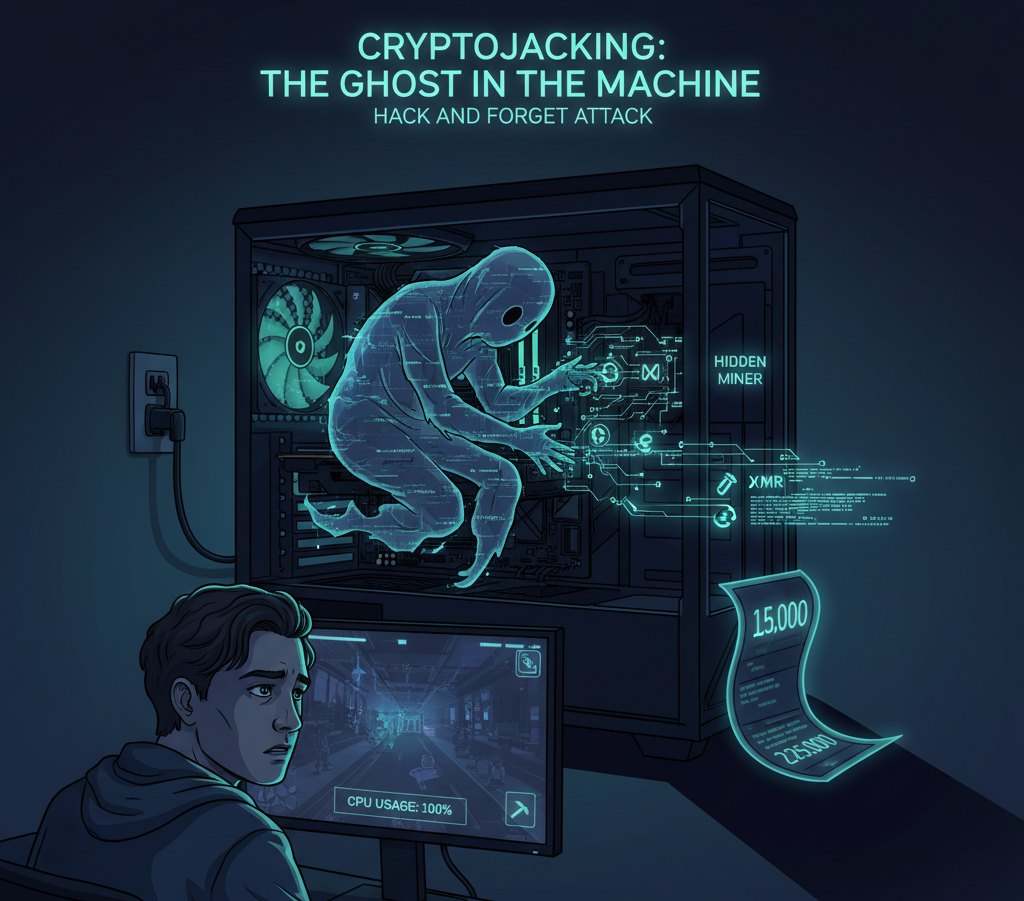
This is Cryptojacking, the digital equivalent of an uninvited roommate who secretly uses your electricity to mine Bitcoin (well, usually Monero) and leaves you with the bill. It’s one of the most common “Hack and Forget” attacks, and as defenders, we need to know how to spot this ghost in the machine.
What Exactly is Cryptojacking?
In simple terms, cryptojacking is the unauthorized use of someone else’s computing resources (specifically their CPU or GPU) to mine cryptocurrency.
Unlike ransomware, the goal isn’t to steal your data; it’s to steal your processing power. The attacker doesn’t lock your files; they just make your computer sluggish and your fans spin like a jet engine. Why? Because mining crypto requires a ton of computational power to solve complex math problems. Instead of paying for massive, power-hungry servers themselves, attackers find it much easier (and cheaper) to build a botnet of thousands of compromised devices — like yours — to do the work for them.
The Two Main Flavors of Attack
Cryptojacking generally comes in two forms:
- Browser-Based (The Annoying Tab 💻): This is the “drive-by” version. An attacker injects a malicious JavaScript (like the infamous, now-defunct Coinhive) into a website. This could be a shady streaming site, a torrent site, or even a legitimate website that has been hacked. The moment you visit that page, the script runs in your browser tab, hijinks your CPU, and starts mining. The only “good” news? When you close the tab, the mining stops.
- Malware-Based (The Hidden Roommate 👻): This is the real problem for us defenders. This is a persistent infection. An attacker uses a Trojan, worm (like the Dota3 miner we saw in other labs!), or vulnerability to get initial access. Then, they download and install a dedicated cryptomining malware (like XMRig) onto the system. This malware is designed for one thing: stealth. It will:
- Install itself as a hidden
systemdservice orcronjob to survive reboots. - Disguise its process name as something legitimate (like
kworker,svchost.exe, or.systmd). - Sometimes even pause itself when you open Task Manager or
htopto avoid detection.
This version doesn’t stop when you close your browser. It runs 24/7, silently stealing your resources and sending the profits to the attacker’s wallet.

A Defender’s Guide: How Do We Hunt This Ghost? 🕵️♂️
As a SOC analyst, how do we catch a threat that’s designed to be quiet? We look for the subtle side effects.
- Clue #1: The Performance Hit (The Obvious Symptom) The first alert might not even be a security one. It’s often a “High CPU Usage” alert from a monitoring tool, or a user complaining, “My server is suddenly so slow!” If you see a server’s CPU pegged at 100% for no good reason, you should be suspicious.
toporhtopwill be your first stop. - Clue #2: The Process (The Disguise) In
toporps aux, you'll see a process eating all the CPU. But it won't be namedDefinitelyAMiner.exe. You'll have to hunt for anomalies. Look for: - A process running from a weird directory (e.g.,
/tmp/,/var/tmp/, or a user's home directory). - A process with a familiar name in the wrong place (e.g.,
svchost.exerunning on Linux). - A hidden process (e.g., starting with a dot like
.systmd). - Clue #3: The Network Trail (The Smoking Gun) This is the core of our investigation. A miner must communicate with a mining pool to get its job (the math problem) and submit its work (the solution). This creates a highly specific and detectable network signature.
- The Protocol: Most miners use a protocol called Stratum. You can use NTA (Network Traffic Analysis) tools or Wireshark to look for
stratum+tcporstratum+ssltraffic. - The Connection: Even if you can’t see the protocol, you’ll see a long-running, persistent TCP connection from that suspicious process to a random, un categorized IP address on a non-standard port (like 3333, 4444, 5555, etc.). Legitimate applications usually don’t do this. This is your smoking gun!
- Clue #4: The Entry Point (The Log Analysis) We found the miner. Now, how did it get there? This is where our log analysis skills come in (sound familiar?). We can use
auditdorjournalctlto trace the process back to its parent. We'll likely find a familiar chain of events:
- A
wgetorcurlcommand (seen inauditdor.bash_history) downloading a.tar.gzfile or script from a shady URL. - A
chmod +xcommand making the file executable. - A
nohup ./miner &command or the creation of asystemdservice to launch it.

How to Protect Yourself?
- For Browser-Based: Use a good ad-blocker or a browser extension specifically designed to block mining scripts (like minerBlock).
- For Malware-Based: This is all about standard, solid defense:
- Patching: Many miners (like WannaCry) spread through unpatched vulnerabilities.
- EDR/AV: A good Endpoint Detection and Response solution will often detect known miners by their signature or behavior.
- Firewall & NTA: Block known mining pool IPs and ports at your firewall. This is a highly effective, proactive step.
- Monitoring: Monitor for that 100% CPU usage and those weird, long-running network connections.

Conclusion ✨
Cryptojacking is the “low and slow” con artist of the malware world. It may not be as loud or scary as ransomware, but its silent, parasitic nature makes it a massive drain on resources and a clear indicator of a security breach.
It’s a perfect example of why, as defenders, we can’t just wait for the loud alarms. We have to listen for the whispers, watch for the shadows, and hunt for the ghosts in the machine.
☕ A Note from Me
Hi, I’m Furkan. In this post, I tried to dive into the stealthy world of cryptojacking, explaining how it works and, more importantly, how we as defenders can use process, network, and log analysis to hunt it down. I hope it was helpful!
If you’d like to read more content about cybersecurity, tutorials, or technical reflections, feel free to follow me on Medium:
📚 More articles here: medium.com/@furkanctiner
If this content brought you value and you’d like to support me, you can buy me a coffee:
➡️ buymeacoffee.com/furkanctinn
Thanks for reading! 🙏

메타데이터
- post_id
- 8f237ee36e00
- slug
- to-hack-or-not-to-hack-what-is-cryptojacking-the-threat-that-secretly-steals-your-cpu-8f237ee36e00
- url
- https://systemweakness.com/to-hack-or-not-to-hack-what-is-cryptojacking-the-threat-that-secretly-steals-your-cpu-8f237ee36e00
- canonical_url
- https://systemweakness.com/to-hack-or-not-to-hack-what-is-cryptojacking-the-threat-that-secretly-steals-your-cpu-8f237ee36e00
- author_url
- https://medium.com/@furkanctiner
- status
- ok
- fetched_at
- 2026-07-31 18:43:46