Understanding AEM Index Naming and Versioning (Best Practices for AEM Cloud)
How AEM index naming works, how custom index versions evolve, and why proper versioning is essential for safe deployments in AEM as a Cloud
📚 Understanding AEM Index Naming and Versioning (Best Practices for AEM Cloud)
How AEM index naming works, how custom index versions evolve, and why proper versioning is essential for safe deployments in AEM as a Cloud Service.
If you work with AEM indexing, understanding how index versions evolve is critical for avoiding query issues and deployment problems in AEM as a Cloud Service.
When working with indexes in Adobe Experience Manager (AEM) — especially in AEM as a Cloud Service — index naming is much more than an organizational detail.
The way indexes are named directly impacts:
- index versioning
- index evolution
- deployment behavior in Cloud Manager
- how AEM decides when an index must be rebuilt
For this reason, Adobe recommends following specific naming conventions when creating or customizing indexes.
Understanding these conventions helps ensure safer deployments, easier maintenance, and better long-term compatibility with the platform.
💡 In short: A well-defined naming strategy is not just about organization — it is a fundamental part of maintaining stable, scalable indexing in AEM as a Cloud Service.
Avoid Creating Completely New Indexes
Before creating a brand-new index, Adobe recommends evaluating whether the requirement can be solved by:
- using an existing index
- extending a standard AEM index
- customizing an existing index
Creating a completely new index should be the last option, used only when none of the alternatives meet the requirements.
This recommendation exists because each additional index introduces operational costs, such as:
- increased repository size
- longer indexing times
- more complex maintenance
- potential conflicts with existing indexes
In many cases, extending an existing index is enough to support new queries.
Index Versioning in AEM
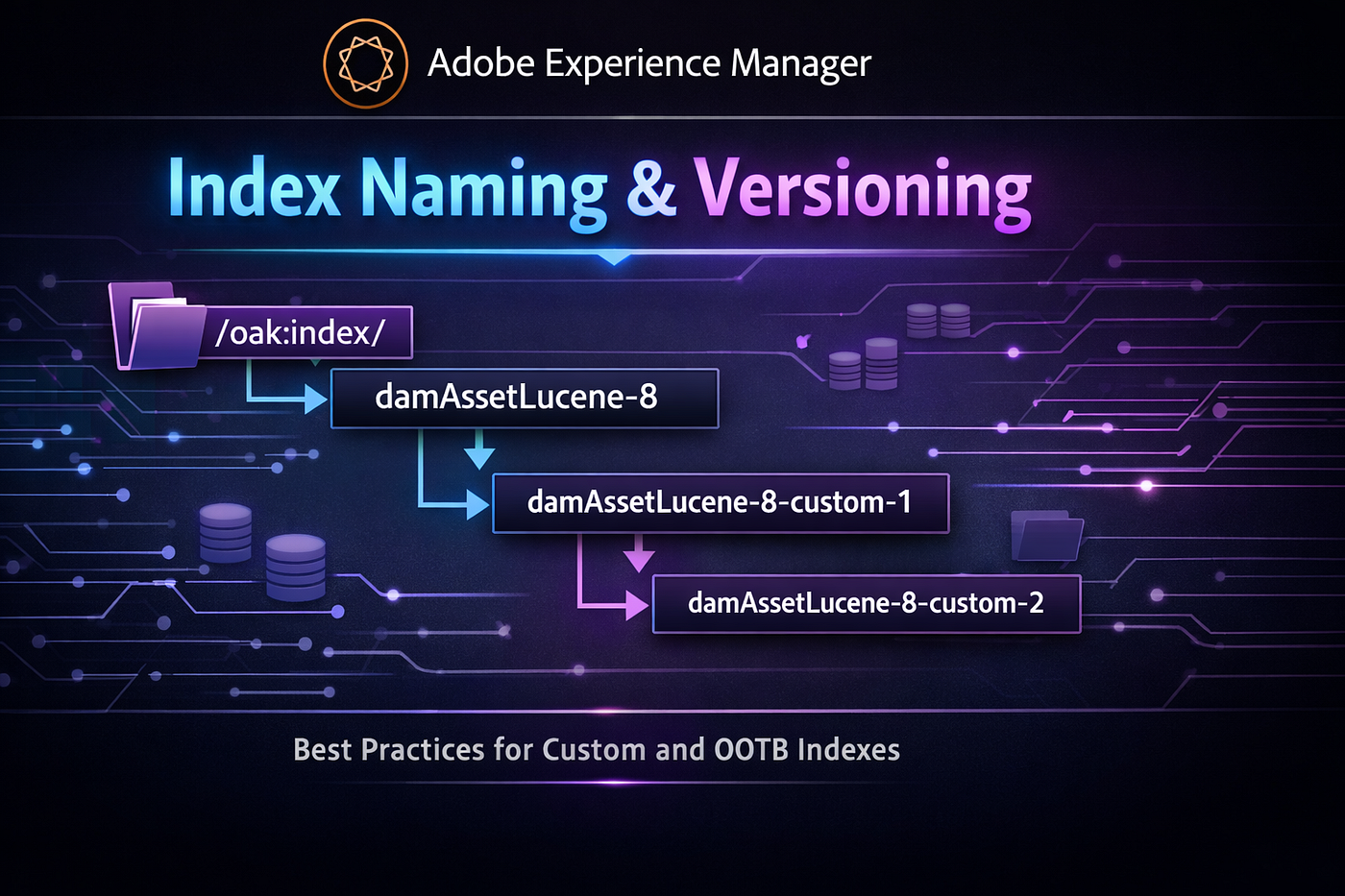
Index names in AEM usually follow a structured pattern that includes:
- the base index version
- the customization version
For example:
damAssetLucene-8
damAssetLucene-8-custom-1
damAssetLucene-8-custom-2
Each part of the name has a specific meaning and plays a role in how AEM manages index updates.
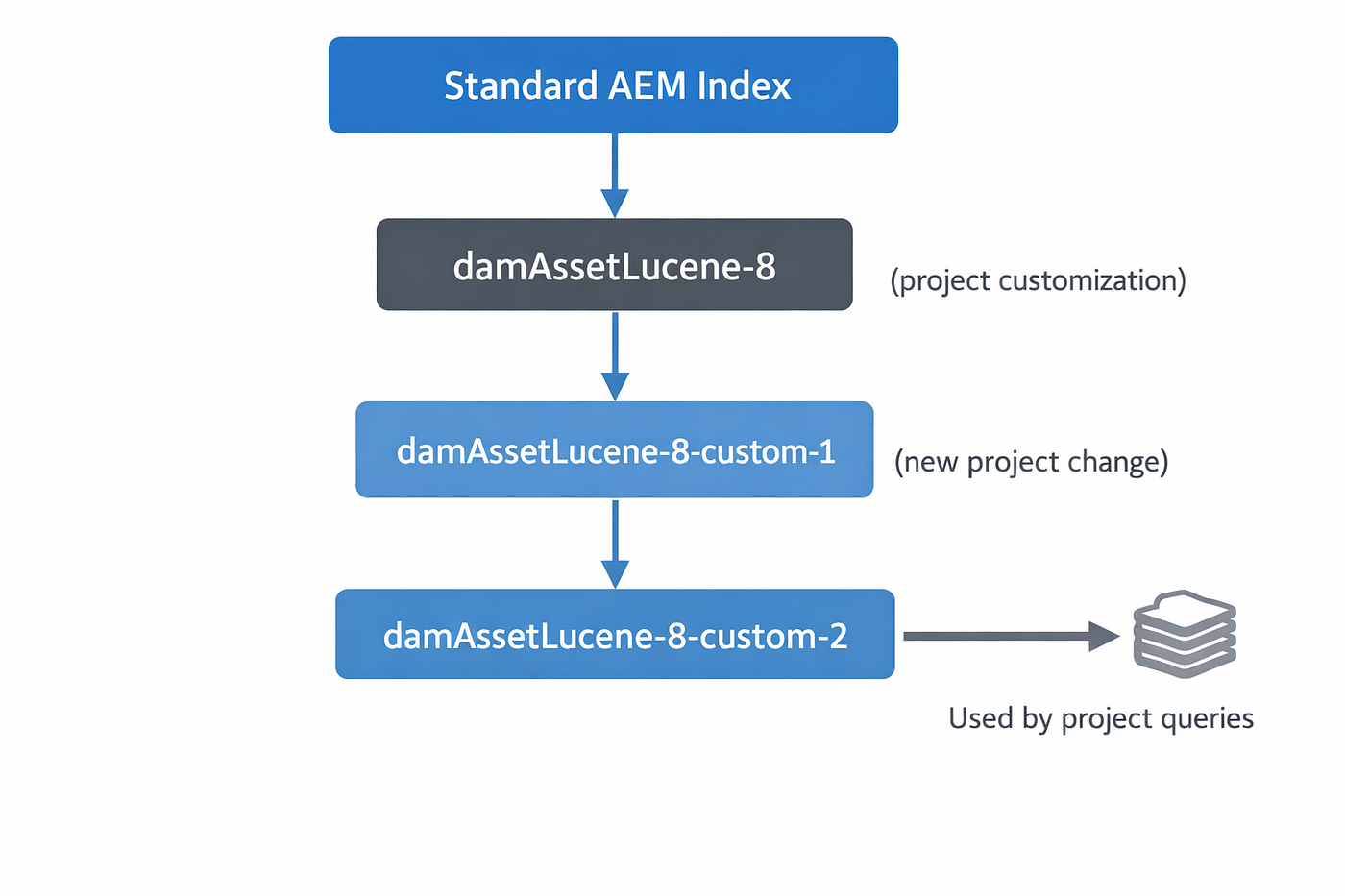
In AEM as a Cloud Service, indexes evolve through custom versions instead of modifying the base index maintained by Adobe.
Base Index Version
The number immediately after the index name represents the base index version.
Example:
damAssetLucene-8Structure:
| Element        | Meaning            |
| -------------- | ------------------ |
| damAssetLucene | index name         |
| 8              | base index version |
These base versions are maintained by Adobe, which evolves the platform indexes across AEM releases.
In customer projects, it is not recommended to create new base versions manually, as doing so may break compatibility with future platform updates.
Customization Version (-custom)
When changes are required in a standard AEM index, the recommended approach is to create a customized version using the -custom suffix.
Example:
damAssetLucene-8-custom-1Structure:
| Element        | Meaning                   |
| -------------- | ------------------------- |
| damAssetLucene | standard AEM index        |
| 8              | base index version        |
| custom         | indicates a customization |
| 1              | customization version     |
If additional changes are required later, the customization version can evolve:
damAssetLucene-8-custom-2This approach allows projects to modify index behavior without directly altering the base index maintained by Adobe, which keeps upgrades safer and more predictable.
Creating a Completely New Index
If it is not possible to reuse or customize an existing index, creating a new project-specific index may be necessary.
In these cases, Adobe recommends the following naming convention:
<prefix>.<customIndexName>-<version>-custom-<customVersion>The prefix typically represents the project or organization name, helping avoid conflicts with native AEM indexes.
Example:
wknd.gameMatches-1-custom-1Structure:
| Element     | Meaning                     |
| ----------- | --------------------------- |
| wknd        | project prefix              |
| gameMatches | index name                  |
| 1           | initial index version       |
| custom-1    | first customization version |
Using a prefix ensures that project indexes remain clearly separated from platform indexes.
Quick Comparison
| Index Type             | Example                            |
| ---------------------- | ---------------------------------- |
| Standard AEM index     | `damAssetLucene-8`                 |
| Customized AEM index   | `damAssetLucene-8-custom-1`        |
| Project-specific index | `myproject.searchIndex-1-custom-1` |
Why Following This Convention Matters
Following these conventions allows AEM and Cloud Manager to correctly manage index lifecycle and deployments.
Specifically, it helps the platform to:
- detect index version changes
- trigger index rebuilds when necessary
- prevent conflicts with platform indexes
- maintain compatibility with future AEM releases
Additionally, consistent naming makes it easier for teams to understand how indexes evolved over time, which becomes extremely valuable in large projects.
Common Mistakes When Creating AEM Indexes
When implementing indexes in AEM projects, some mistakes appear frequently. Avoiding them can prevent performance problems and deployment issues.
Creating indexes that already exist
One of the most common mistakes is creating a new index for queries that are already supported by existing AEM indexes.
Before creating a new index, always check:
/oak:indexfor existing indexes- AEM documentation
- the query explain plan
In many cases, the existing index can simply be extended.
Modifying the base index directly
Another frequent issue is directly modifying the base index maintained by Adobe.
For example: damAssetLucene-8
Changing this index directly can create problems during platform updates.
The recommended approach is always creating a custom version, such as: damAssetLucene-8-custom-1
This keeps the base index intact and makes upgrades safer.
Creating too many indexes
More indexes do not necessarily mean better performance.
Each index:
- consumes storage
- increases indexing time
- increases maintenance complexity
Poorly designed indexing strategies may even degrade performance instead of improving it.
Ignoring index versioning
When index definitions change, the version should also evolve.
For example: damAssetLucene-8-custom-1
If the index definition changes, it should become: damAssetLucene-8-custom-2
This allows AEM to correctly detect that the index must be rebuilt during deployment.
If you work with AEM Cloud Service, understanding how indexing works is essential for maintaining query performance and safe deployments.
Following proper naming and versioning conventions ensures that indexes evolve safely alongside your project and the AEM platform itself.
메타데이터
- post_id
- 9106587f3cae
- slug
- aem-index-naming-and-versioning-conventions-9106587f3cae
- url
- https://medium.com/@wilsoncavalcante/aem-index-naming-and-versioning-conventions-9106587f3cae
- canonical_url
- https://medium.com/@wilsoncavalcante/aem-index-naming-and-versioning-conventions-9106587f3cae
- author_url
- https://medium.com/@wilsoncavalcante
- status
- ok
- fetched_at
- 2026-06-20 20:29:01