How I built a room-based live location tracker with Google Authentication, real-time…
I wanted to understand that question by building something small, practical, and entirely browser-based.
How I built a room-based live location tracker with Google Authentication, real-time synchronization, and interactive maps.
I wanted to understand that question by building something small, practical, and entirely browser-based.
The result was Live Web Tracker, a web application where users can authenticate with Google, create or join a private room, and share their live location with everyone inside that room.
What surprised me most wasn’t the map. It was how little code was actually needed once the right architecture was in place.
The Goal
The objective wasn’t to build another CRUD application. I wanted to build something where multiple users could interact with the same data simultaneously.
The application should allow users to:
- Sign in with Google
- Create a private tracking space
- Join an existing room using a room code
- Share their live location automatically
- View everyone else updating in real time
- Leave the room without leaving stale data behind
No backend server. No WebSockets. No polling. Just the browser and Firebase.
Choosing the Tech Stack
I intentionally kept the stack minimal.
- HTML
- CSS
- JavaScript
- Firebase Authentication
- Cloud Firestore
- Leaflet.js
- OpenStreetMap
- Browser Geolocation API
- Geoapify Reverse Geocoding
I avoided React for this project because I wanted to understand the mechanics underneath instead of relying on abstractions.
Sometimes the best way to learn is to remove a layer rather than add one.
Designing the Application
The entire application revolves around one idea:
Rooms.
Instead of every user sharing locations globally, users only interact inside private rooms. A room acts as an isolated workspace.
rooms
│
└── ABC123
     ├── createdAt
     └── createdBy
Every member inside that room receives updates only from the people sharing the same room key. This keeps both the code and the database structure clean.
Firestore Structure
The database ended up being surprisingly simple.
rooms
│
├── ABC123
│     createdAt
│     createdBy
│
│
└── members
      │
      ├── user1
      ├── user2
      └── user3
Each member document stores:
- uid
- displayName
- photoURL
- latitude
- longitude
- address
- lastUpdated
This means every location update only modifies a single document.
No complicated queries are required.
Authentication in One Click
Instead of creating usernames and passwords, I used Firebase Authentication with Google Sign-In.
const provider = new GoogleAuthProvider();
signInWithPopup(auth, provider);
Once authentication succeeds, Firebase already provides everything the application needs:
- User ID
- Display name
- Profile picture
That information is later stored together with the user’s location. This removes a huge amount of boilerplate that traditional authentication systems require.
Creating and Joining Rooms
Creating a room is intentionally lightweight.
A six-character room code is generated:
Math.random()
  .toString(36)
  .substring(2, 8)
  .toUpperCase();
When a room is created, a Firestore document is added containing metadata like the creator and timestamp.
Joining is equally simple.
The application checks whether the room exists before allowing the user to enter.
Small validation like this dramatically improves user experience while preventing unnecessary database writes.
Real-Time Location Tracking
One of the most interesting parts of the project is that the browser continuously watches the user’s position.
Instead of requesting the location once, I used:
navigator.geolocation.watchPosition(...)Whenever the user’s position changes:
- Latitude is updated.
- Longitude is updated.
- Reverse geocoding converts coordinates into an address.
- Firestore updates the user’s document.
This turns the browser into a live GPS publisher.
Converting Coordinates into Real Addresses
Raw GPS coordinates aren’t very useful.
28.6139
77.2090
Most people can’t immediately identify that location. To make the interface friendlier, I used Geoapify’s Reverse Geocoding API. It converts coordinates into readable addresses like:
Connaught Place,
New Delhi,
India
The address is then stored alongside the coordinates so every user in the room sees meaningful information instead of numbers.
The Magic of Firestore Snapshot Listeners
This is probably my favorite part of the project.
Most beginners imagine real-time updates as something that requires WebSockets or a custom server. Firestore already provides that capability.
The application simply listens for changes:
onSnapshot(...)Whenever someone moves:
User Moves
      ↓
Firestore Updates
      ↓
Snapshot Listener Fires
      ↓
Marker Updates
No refresh button. No polling every few seconds.
The UI simply reacts whenever the database changes.
That makes the application feel far more sophisticated than the amount of code suggests.
Rendering Live Markers
Leaflet.js handles the visualization.
When a new member joins, a marker is created. When that member moves, the marker updates.
Each popup contains:
- Profile photo
- Display name
- Current address
- Last updated time
These details make the map feel personal rather than just displaying anonymous pins.
Managing Application State
Although the project is relatively small, keeping track of state is still important.
The application maintains variables such as:
- currentUser
- currentRoom
- active markers
- geolocation watch ID
- Firestore unsubscribe function
Whenever the user leaves a room, everything is cleaned up:
- Geolocation watcher stops.
- Firestore listener unsubscribes.
- All markers are removed.
- Current room resets.
Without cleanup, the application would continue listening for updates that are no longer relevant.
Tiny details like this prevent memory leaks and unexpected behaviour.
Challenges I Faced
1. Browser Permissions
Location tracking depends entirely on user permission. If access is denied, the application cannot function. Handling these cases gracefully is more important than writing another feature.
2. Synchronizing Multiple Users
Initially, I underestimated how many states a marker could have.
A marker can be:
- Added
- Updated
- Removed
Handling all three correctly keeps the map synchronized without duplicates.
3. Keeping the Architecture Small
It was tempting to add chat, notifications, friend systems, and dozens of other features.
I deliberately stopped.
A focused project is easier to maintain, easier to explain, and usually demonstrates stronger engineering decisions than a bloated one.
What I Learned
This project taught me much more than displaying locations on a map.
I gained practical experience with:
- Firebase Authentication
- Firestore document modeling
- Real-time listeners
- Browser Geolocation API
- Reverse geocoding
- DOM manipulation
- Asynchronous JavaScript
- Event-driven programming
More importantly, I learned that “real-time” applications are often less about complex algorithms and more about choosing the right architecture.
Some Snapshots of the Project
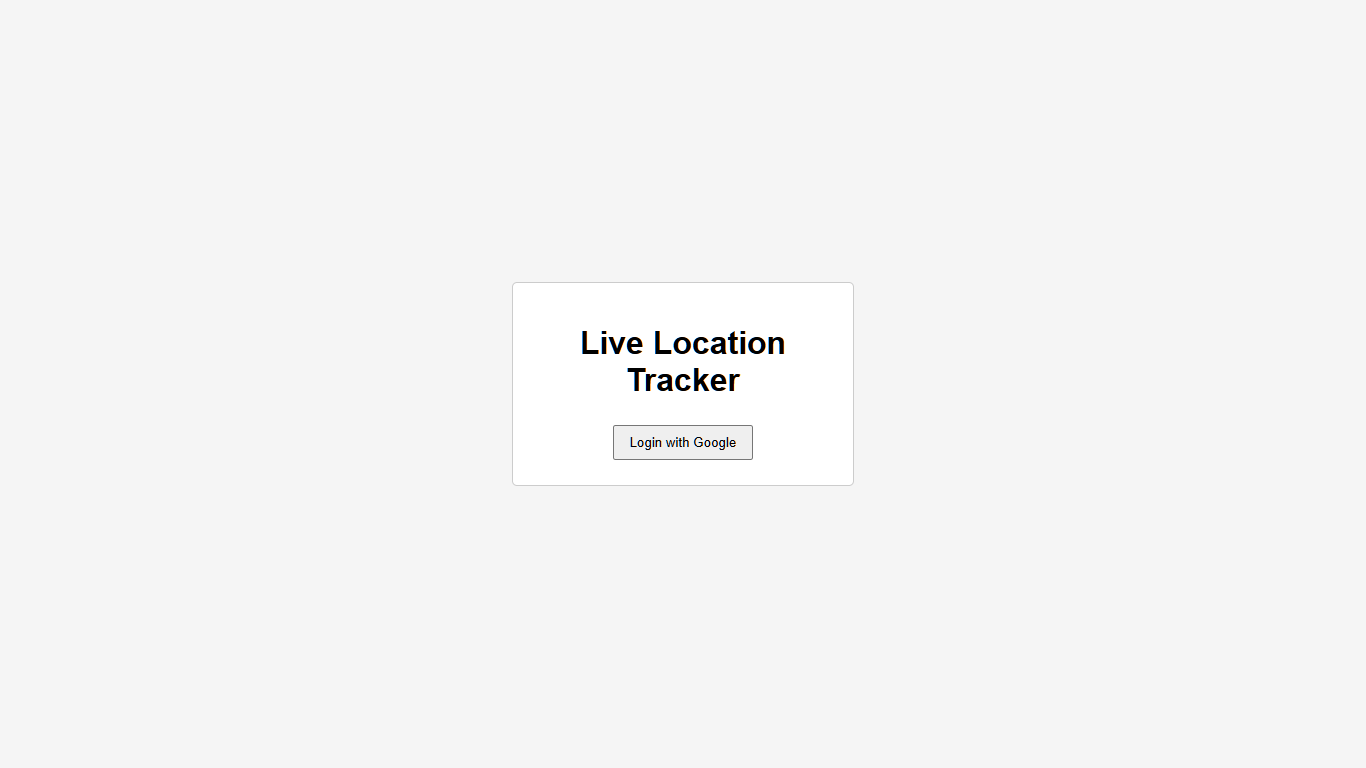
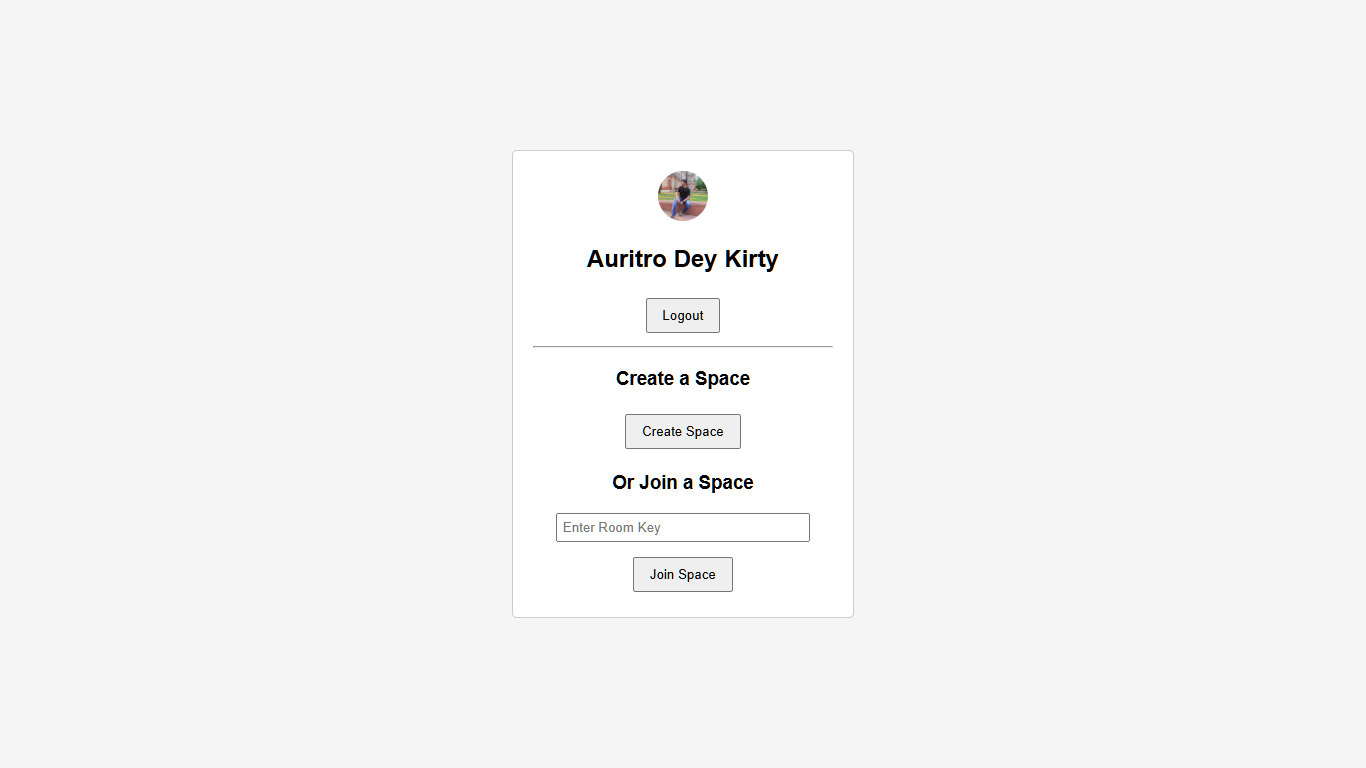
THE LOGIN AND DASHBOARD UI
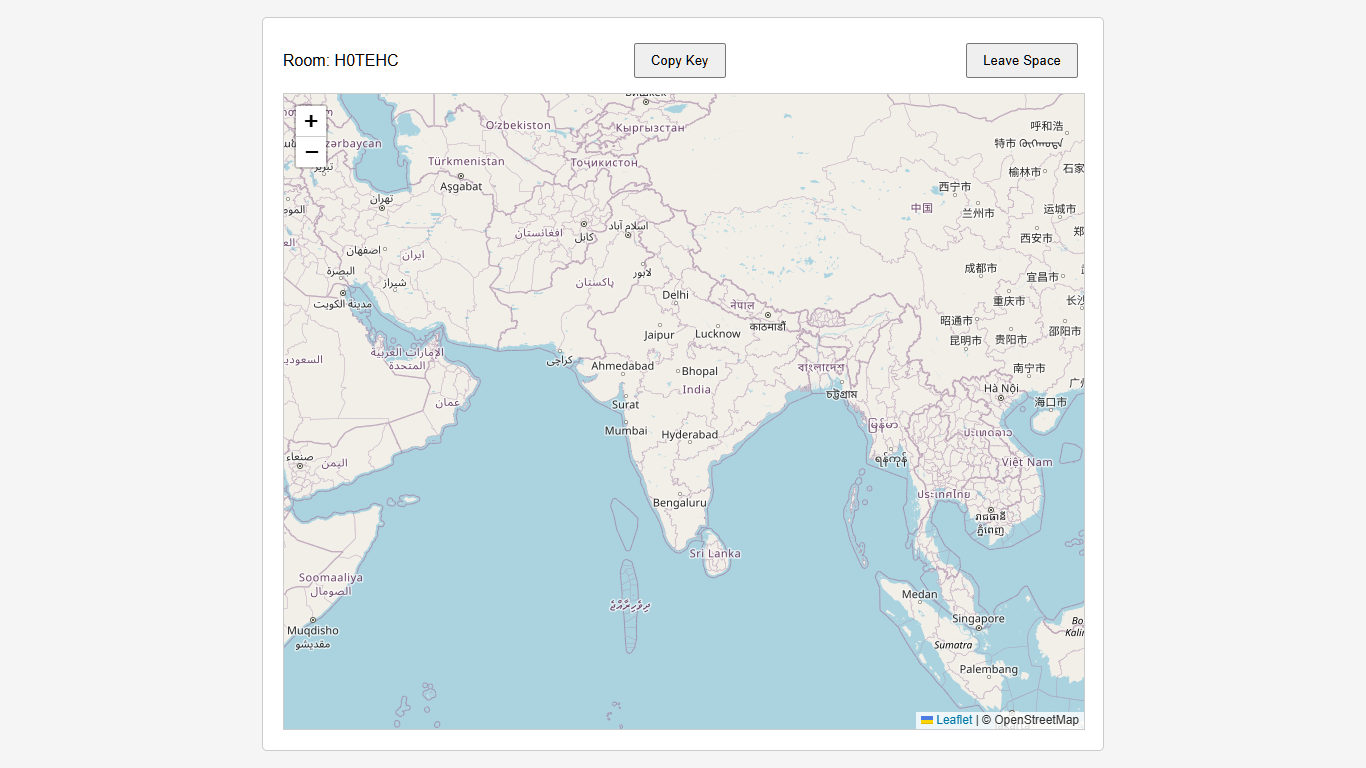
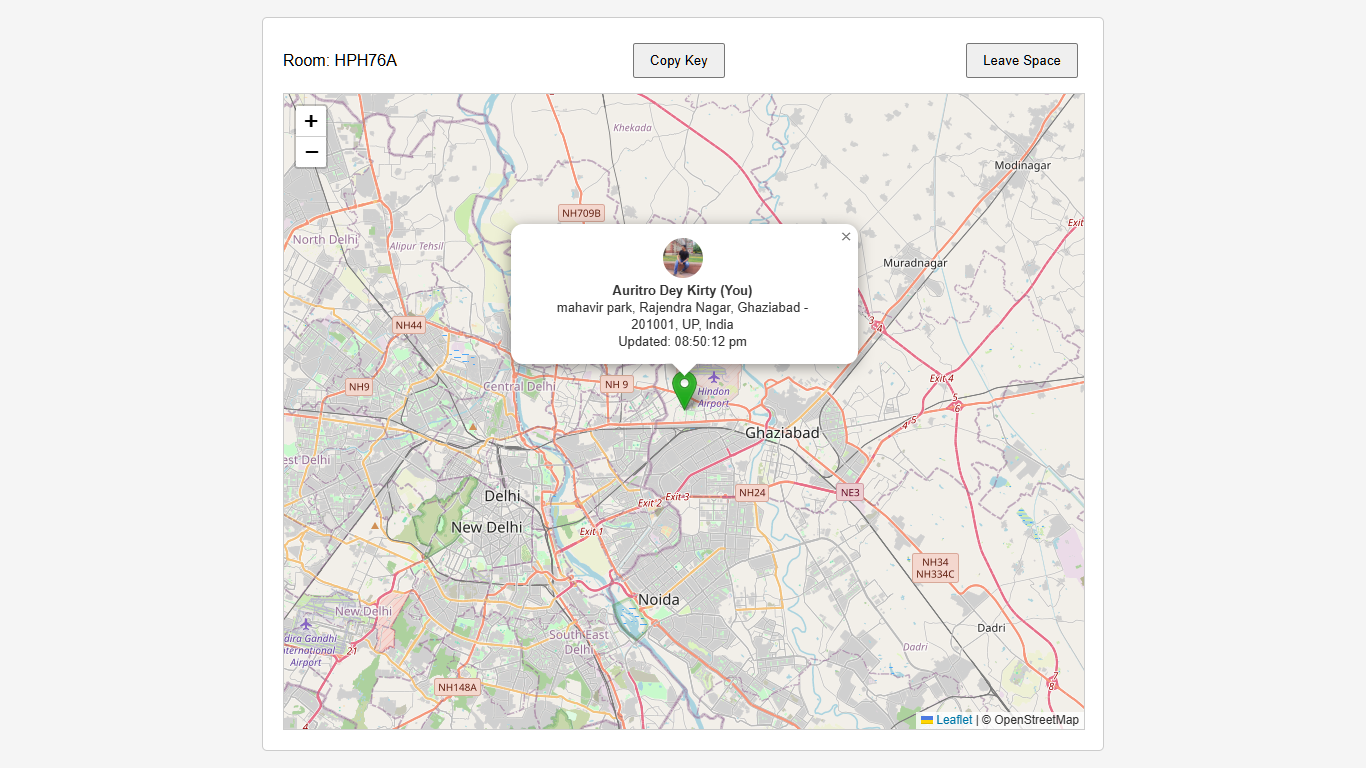
THE MAP AND TRACKER UI
Where I’d Take It Next
Although the current application intentionally stays focused, there are several directions it could evolve:
- Route history
- Distance between members
- Live chat
- Push notifications
- Progressive Web App support
- Friend invitations
- Better room permissions
These aren’t missing features as much as natural extensions of the existing architecture.
Final Thoughts
Building Live Web Tracker changed how I think about modern web applications.
Before this project, real-time synchronization felt like something reserved for large companies with complex backend infrastructure.
After building it, I realized that cloud platforms like Firebase make those capabilities accessible to individual developers as well.
Sometimes the most valuable projects aren’t the biggest ones. They’re the ones that force you to understand how different technologies communicate with each other.
This project did exactly that for me.
Project Links
Interested in trying the application yourself?
- Live Demo: Live Tracker
- Source Code: https://github.com/...
If you find the project useful, consider giving the repository a ⭐. It motivates developers more than they like to admit.
Connect with Me
If you enjoyed this article or would like to discuss web development, software engineering, or collaborate on projects, feel free to connect with me.
- Portfolio: Auritro Dey Kirty | Frontend Developer
- LinkedIn: Auritro Dey Kirty | LinkedIn
- GitHub: AuritroDeyKirty07
- Instagram: https://...
- ✉ Email: deykirtyauritro@gmail.com
메타데이터
- post_id
- 9145631c5002
- slug
- how-i-built-a-room-based-live-location-tracker-with-google-authentication-real-time-9145631c5002
- url
- https://medium.com/@deykirtyauritro/how-i-built-a-room-based-live-location-tracker-with-google-authentication-real-time-9145631c5002
- canonical_url
- https://medium.com/@deykirtyauritro/how-i-built-a-room-based-live-location-tracker-with-google-authentication-real-time-9145631c5002
- author_url
- https://medium.com/@deykirtyauritro
- status
- ok
- fetched_at
- 2026-07-20 16:10:02




