Why “Going Paperless” is Harder Than You Think (And What Actually Works)
A few months ago, I watched a finance manager spend 20 minutes searching through a stack of printed invoices. Not a metaphor. Twenty actual…
Why “Going Paperless” is Harder Than You Think (And What Actually Works)
A few months ago, I watched a finance manager spend 20 minutes searching through a stack of printed invoices. Not a metaphor. Twenty actual minutes, flipping through papers in a filing cabinet. When I asked why they didn’t just search a spreadsheet, the answer was oddly honest: “We tried going paperless twice. Both times we just ended up with scans that nobody can find anyway.”
That conversation has stuck with me because it reveals the real problem with the paperless movement. It’s not about replacing paper with PDFs. It’s about replacing a broken system with a working one.
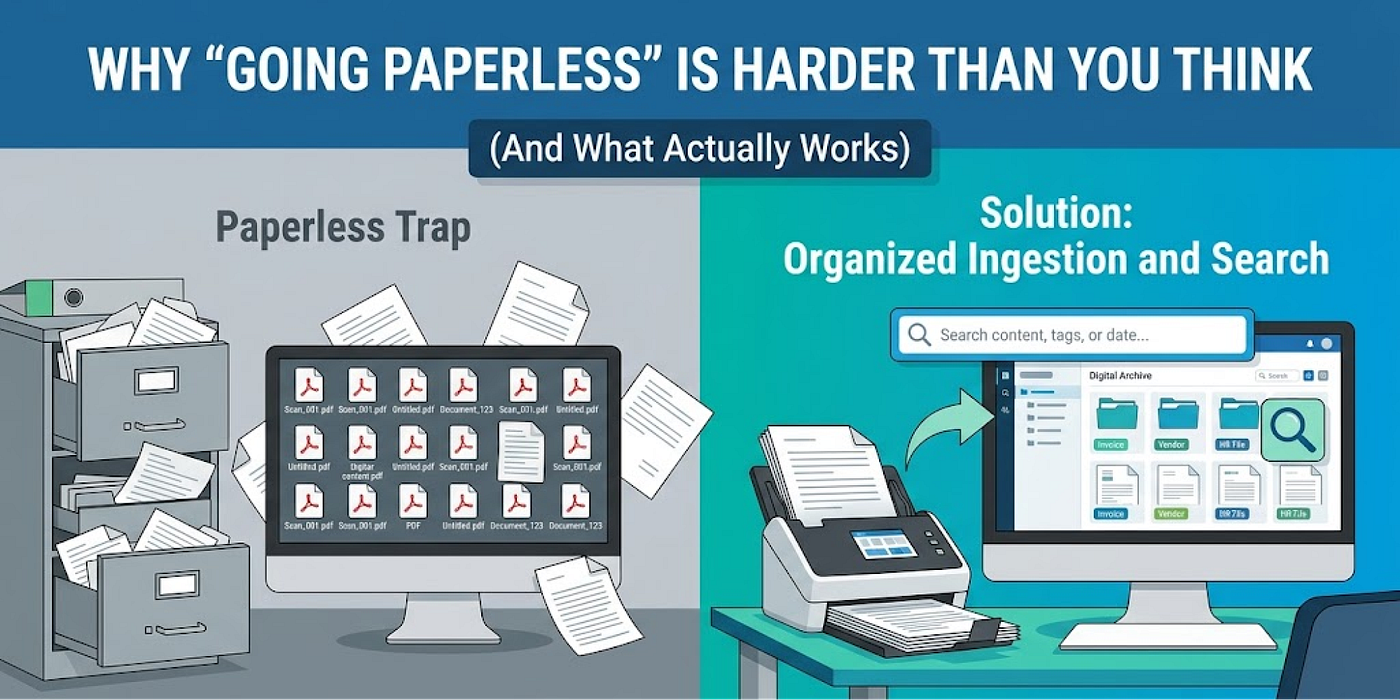
The Paperless Trap
Most companies that claim to “go paperless” don’t actually digitize documents. They just move the chaos. Physical files become desktop folders. Cabinets become hard drives. The frustration stays the same because the real work — organizing, retrieving, and managing documents at scale — never changes.
I’ve talked to enough operations teams to know the pattern. A company buys a scanner, declares victory, and three months later they’re still printing things because:
- Nobody’s trained on where to save scans
- There’s no naming convention so everyone names things differently
- You can search a PDF by title but not by content
- When the company reorganizes, so does the folder structure — but nobody moves the old files
So the stack of papers in that filing cabinet is still there. Now it’s just accompanied by 500 random PDFs somewhere on the network that nobody can find either.

The Real Cost of Not Solving This
Here’s what nobody talks about: document chaos has a dollar cost.
When an employee needs a document and can’t find it, they either spend time searching or they ask someone else. If they really can’t find it, they ask for it to be recreated. In regulated industries like finance, healthcare, and legal, that’s not just annoying — it’s a compliance risk.
I spoke with an HR director at a mid-size company who estimated they were spending 2–3 hours per week just hunting for employee files across old filing cabinets, shared drives, and email. Not organizing them. Just finding them. That’s 100+ hours a year because the system never evolved.
The irony is that a proper digitization process is cheap compared to what companies waste searching for things. But it requires solving a few things that most “paperless projects” skip:
- Bulk scanning and indexing, not just scanning random things as they come up
- AI-powered search that finds documents by content, not just filename
- Clear workflows so new documents go in the right place automatically
- Tracking and versioning, so you know which version is current

Why This Matters for Different Businesses
The stakes are different depending on your industry.
For a law firm managing case files, a missing document could mean losing a deadline or facing a discovery issue. For a healthcare provider managing patient records, it’s a compliance nightmare. For government bodies processing land records or permits, it’s delays that affect public services.
But even for smaller businesses, the problem is real. A marketing agency with historical client files scattered across three different systems wastes time. An educational institution with student records in multiple places creates security gaps. A finance company handling KYC documents needs audit trails, not email chains.
The thread connecting all of them is that documents are the actual source of truth for most organizations. If you can’t manage them effectively, everything downstream breaks.
What Actually Works
So what does it look like when a company actually solves this?
I’ve watched teams that made it work, and the pattern is consistent. They don’t try to change everything overnight. They:
- Scan and organize legacy documents first, not as they go. This clears the physical chaos and creates a baseline digital archive. For most organizations with years of accumulated files, this is the critical first step that nobody wants to do but actually needs to happen.
- Set up automatic ingestion for new documents. Email goes directly to a dashboard with tags. Invoices route to finance. HR paperwork goes to the people folder. This prevents the chaos from rebuilding.
- Make search actually work. A document system is useless if you can’t find things in it. This means OCR for scanned documents, smart search that understands content, not just filenames. Most companies skip this part and wonder why digitization didn’t help.
- Create an audit trail. Who accessed what document and when? What changed and why? For compliance, this is essential. For operations, it’s just transparency.
- Keep the physical files, but manage them. For regulated industries, paper documents might still need to be stored. The digital version becomes the working copy while the original sits in secure storage. You get the benefits of digital without the legal risk of destroying originals.

The Boring Truth
The companies I’ve seen actually succeed at this don’t have a “digital transformation” story. They have a “we solved the filing problem” story. It’s unglamorous. There’s no executive summary about innovation.
But there’s a tangible benefit. The finance team finds invoices in minutes instead of days. The legal team doesn’t lose documents. The government office processes applications faster. The healthcare provider keeps better patient records.
That’s the work. Not replacing paper with a feeling of being modern. But actually making documents findable, manageable, and secure.
If your organization is still stuck between paper and digital — if you’re managing documents across cabinets, drives, folders, and email — the first step is admitting that “going paperless” isn’t a checkbox. It’s building a system that works. And that’s harder than it sounds, but totally possible.
The only question is whether you’re ready to actually do it.
메타데이터
- post_id
- 91c4538cdf4a
- slug
- why-going-paperless-is-harder-than-you-think-and-what-actually-works-91c4538cdf4a
- url
- https://medium.com/@DocuForte/why-going-paperless-is-harder-than-you-think-and-what-actually-works-91c4538cdf4a
- canonical_url
- https://medium.com/@DocuForte/why-going-paperless-is-harder-than-you-think-and-what-actually-works-91c4538cdf4a
- author_url
- https://medium.com/@DocuForte
- status
- ok
- fetched_at
- 2026-06-09 15:37:30